

Let's discuss how we can handle CORS in Express.
Thread 🧵👇
Thread 🧵👇
📌 CORS
Cross-Origin Resource Sharing (CORS) is a mechanism that enables the browser to access resources outside a given domain.
Resources can be requested from one URL to another.
Cross-Origin Resource Sharing (CORS) is a mechanism that enables the browser to access resources outside a given domain.
Resources can be requested from one URL to another.
📌 Express
Express.js is a backend Node.js framework used to set up a Node.js based server. It is minimal and flexible and provides a robust set of features for web and mobile applications.
You can create routes, middleware, and everything you need in a server using it.
Express.js is a backend Node.js framework used to set up a Node.js based server. It is minimal and flexible and provides a robust set of features for web and mobile applications.
You can create routes, middleware, and everything you need in a server using it.
📌 Handling CORS
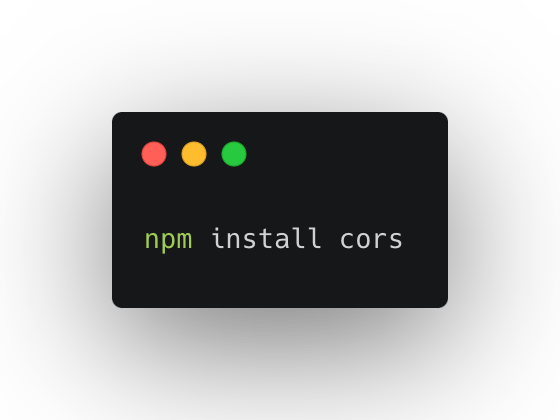
1️⃣ Install cors package
Run the following command in your project terminal to install the cors package:
npm install cors
1️⃣ Install cors package
Run the following command in your project terminal to install the cors package:
npm install cors
2️⃣ Import cors package
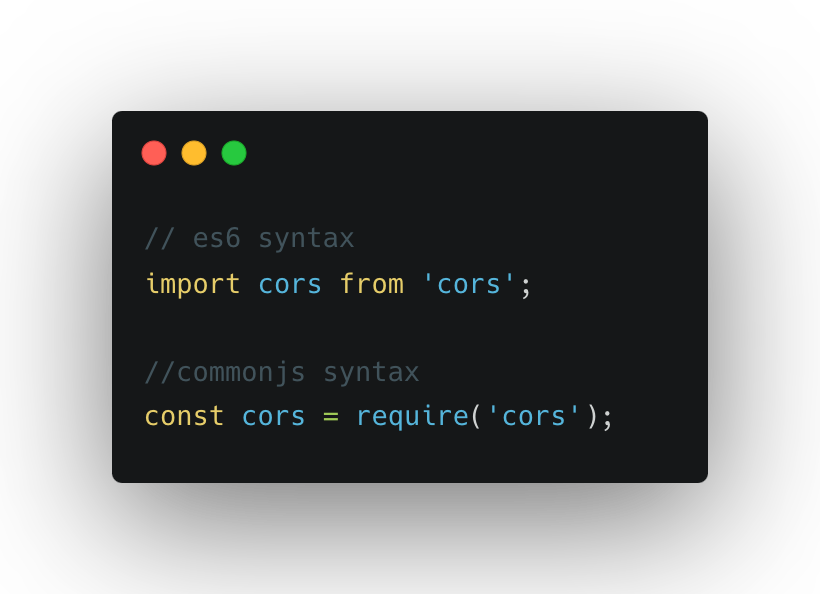
Now open your server’s entry point file and import cors at the top. Here is how you can do it:
// es6 syntax
import cors from 'cors';
//commonjs syntax
const cors = require('cors');
Now open your server’s entry point file and import cors at the top. Here is how you can do it:
// es6 syntax
import cors from 'cors';
//commonjs syntax
const cors = require('cors');
3️⃣ Handle CORS
CORS is handled in your backend’s middleware. So if you want to allow all CORS requests to your backend, you can use the following code snippet:
const express = require('express');
const cors = require('cors');
const app = express();
app.use(cors());
CORS is handled in your backend’s middleware. So if you want to allow all CORS requests to your backend, you can use the following code snippet:
const express = require('express');
const cors = require('cors');
const app = express();
app.use(cors());

4️⃣ Handle CORS for single origin
You can also limit your backend to only being accessed via a single origin.
const corsOptions = {
origin: 'http://example. com',
optionsSuccessStatus: 200
};
app.use(cors(corsOptions));
You can also limit your backend to only being accessed via a single origin.
const corsOptions = {
origin: 'http://example. com',
optionsSuccessStatus: 200
};
app.use(cors(corsOptions));

That’s all for now! Take a look at this guide for a more detailed explanation of handling CORS in Express. (rapidapi.com)
Follow @Rapid_API for more exclusive content. 🐙
Follow @Rapid_API for more exclusive content. 🐙
Loading suggestions...