

How to cache API requests in Express.
Thread 🧵👇
Thread 🧵👇
Caching is a technique that is used to speed up the API by storing frequently accessed data in a temporary storage area.
When the data is needed again, it can be retrieved from the cache instead of being fetched from its original location.
When the data is needed again, it can be retrieved from the cache instead of being fetched from its original location.
Let's demonstrate how caching may be added to the NodeJs Express API application.
For this, we'll make use of the "apicache" package.
Install the package first by running the following command in your terminal.
npm i apicache
Install the package first by running the following command in your terminal.
npm i apicache
How to utilize the package is demonstrated in the code below.
1️⃣ First, require the package.
2️⃣ We create a variable called cache, which holds the configured apicache middleware.
3️⃣ To use the middleware, use the express function "app.use".
It'll be applied to every route.
1️⃣ First, require the package.
2️⃣ We create a variable called cache, which holds the configured apicache middleware.
3️⃣ To use the middleware, use the express function "app.use".
It'll be applied to every route.
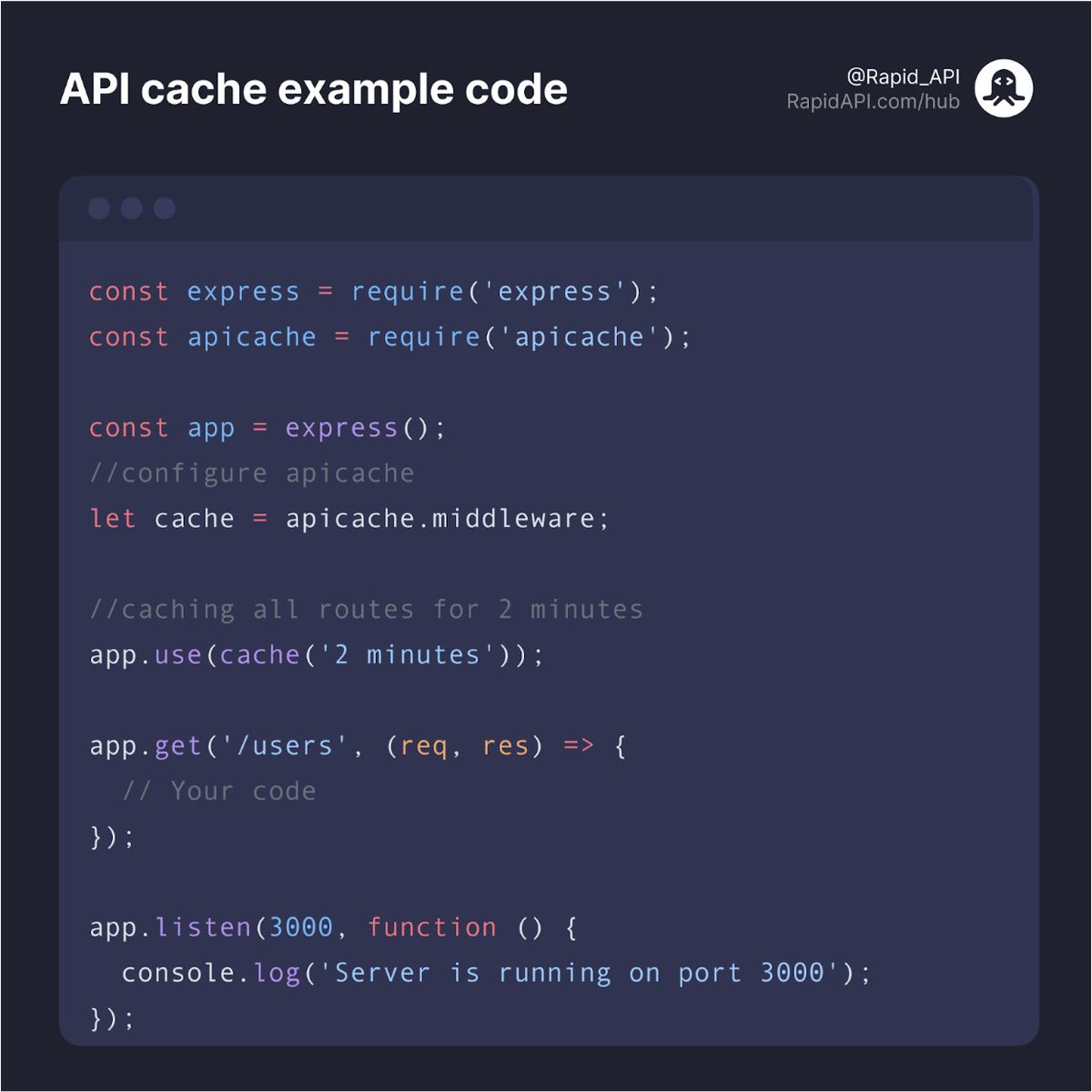
We pass the actual number of minutes we want to cache the results.
In our case, it's 2 minutes.
Duration is in the following format "[length][unit],", e.g. "12 minutes," or "1 day"
In our case, it's 2 minutes.
Duration is in the following format "[length][unit],", e.g. "12 minutes," or "1 day"
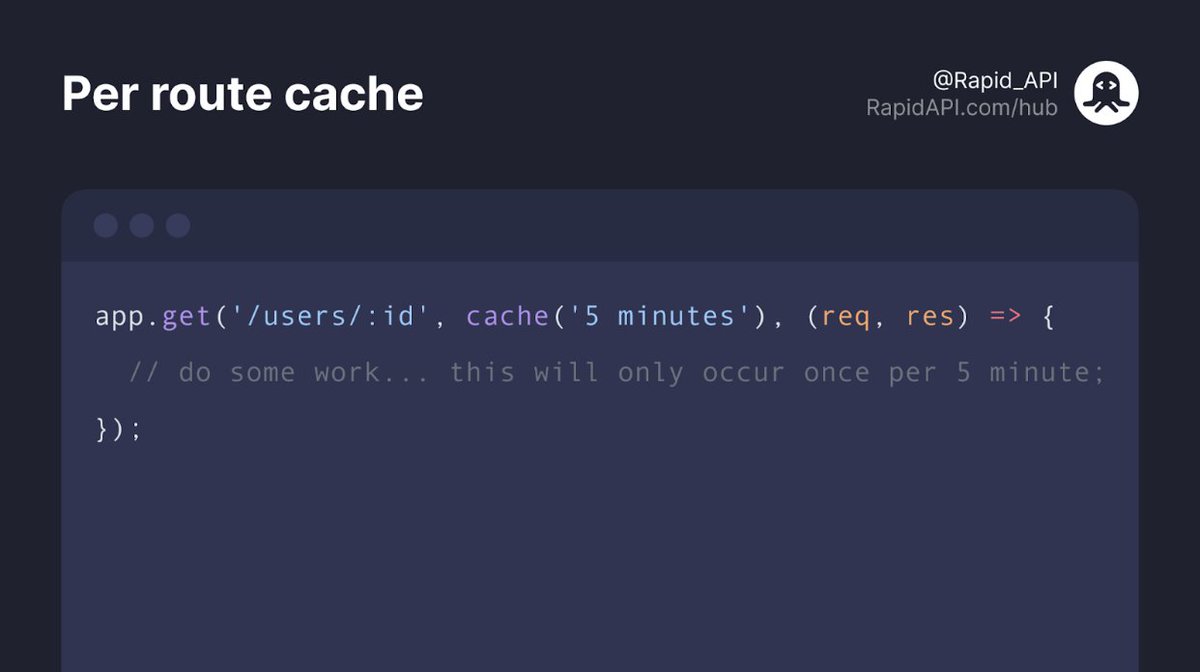
If you want to use the different cache times for specific routes, you can do so with the code you can see below.
Hope you enjoyed this thread.
If you found this thread useful, follow @Rapid_API 🐙💙
If you found this thread useful, follow @Rapid_API 🐙💙
Loading suggestions...