

RapidAPI Studio sessions
Thread 🧵👇
Thread 🧵👇
RapidAPI Studio allows you to define different sessions with different cookies you want to send to your API.
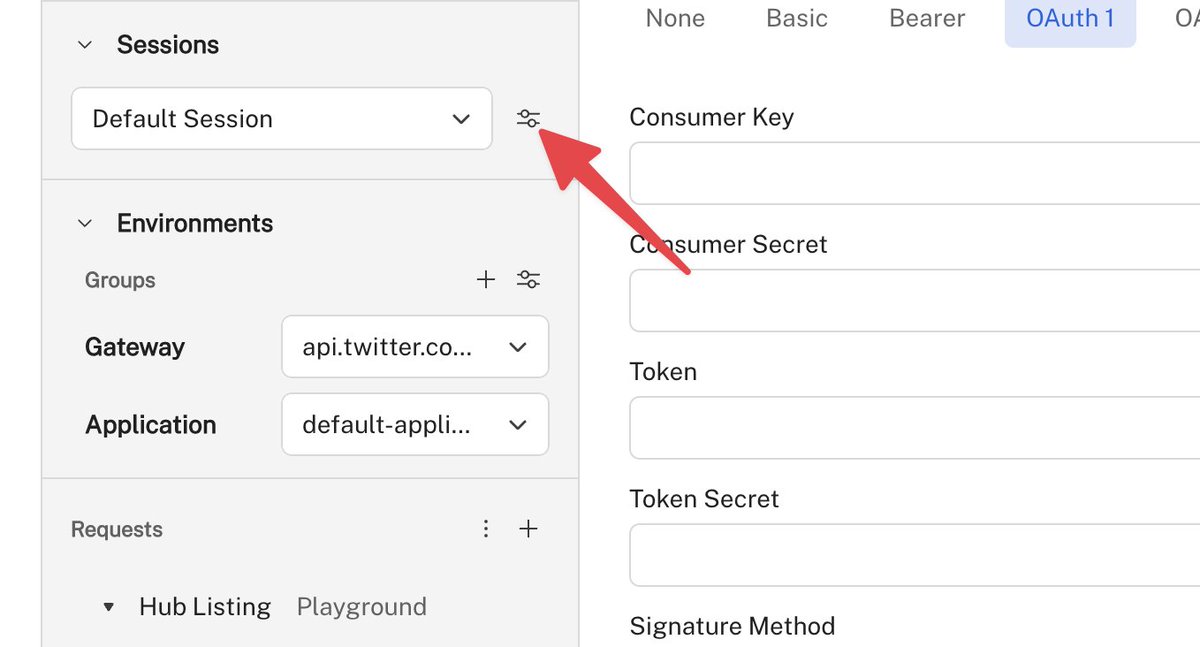
1️⃣ To create a new session, click the settings icon in the Sessions group.
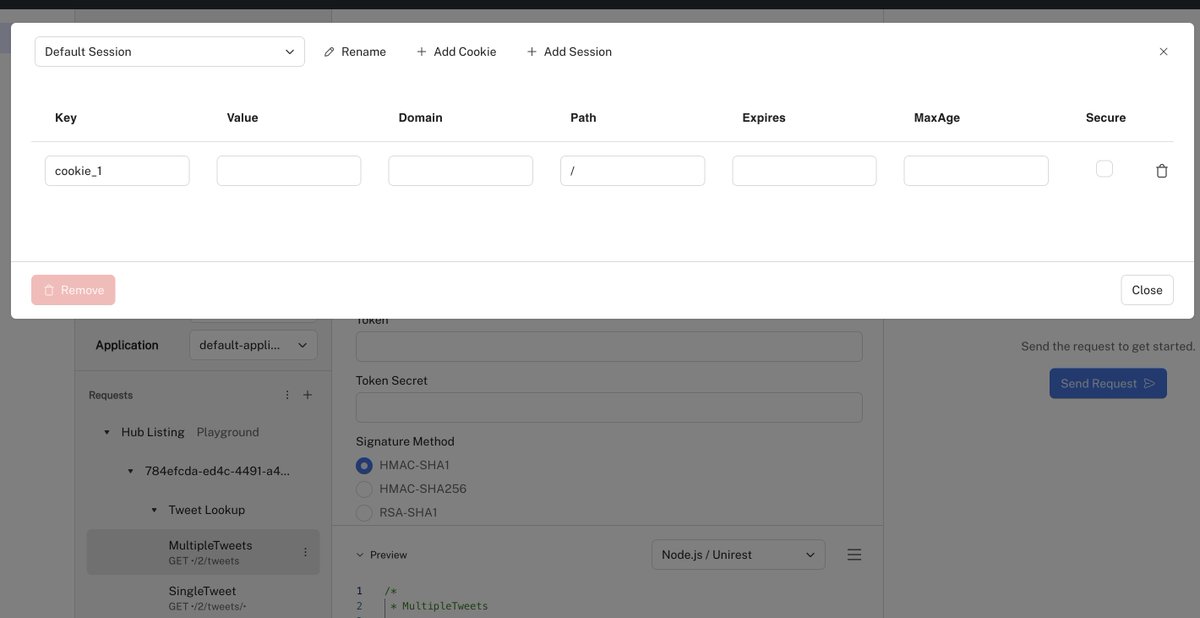
2️⃣ The following modal will appear when you can:
1. Add a new session
2. Define/Delete cookies
3. Rename the session
1. Add a new session
2. Define/Delete cookies
3. Rename the session
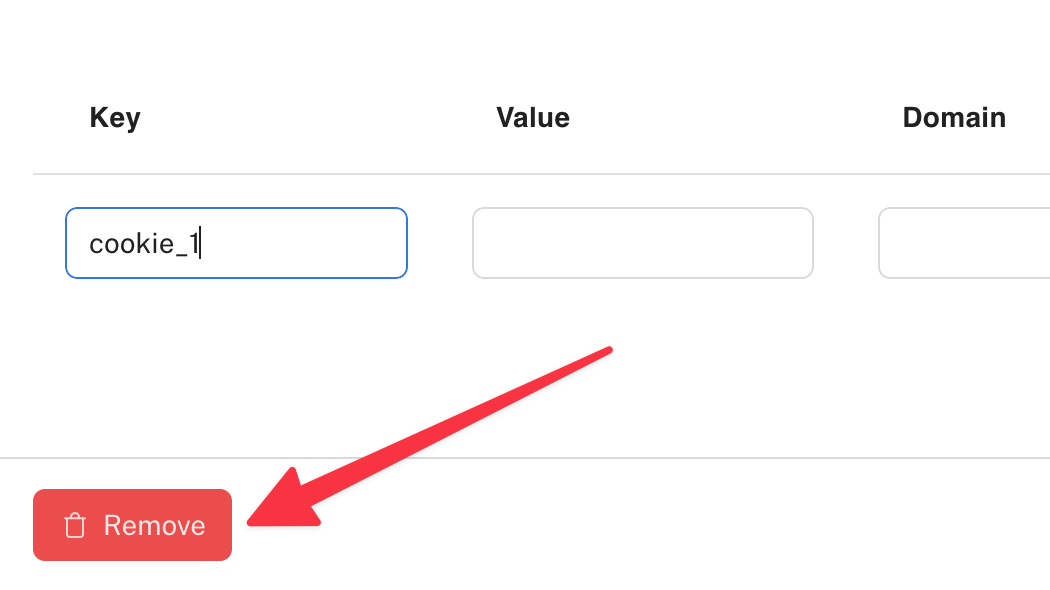
To remove the session altogether, use the "Remove" button in the bottom left corner.
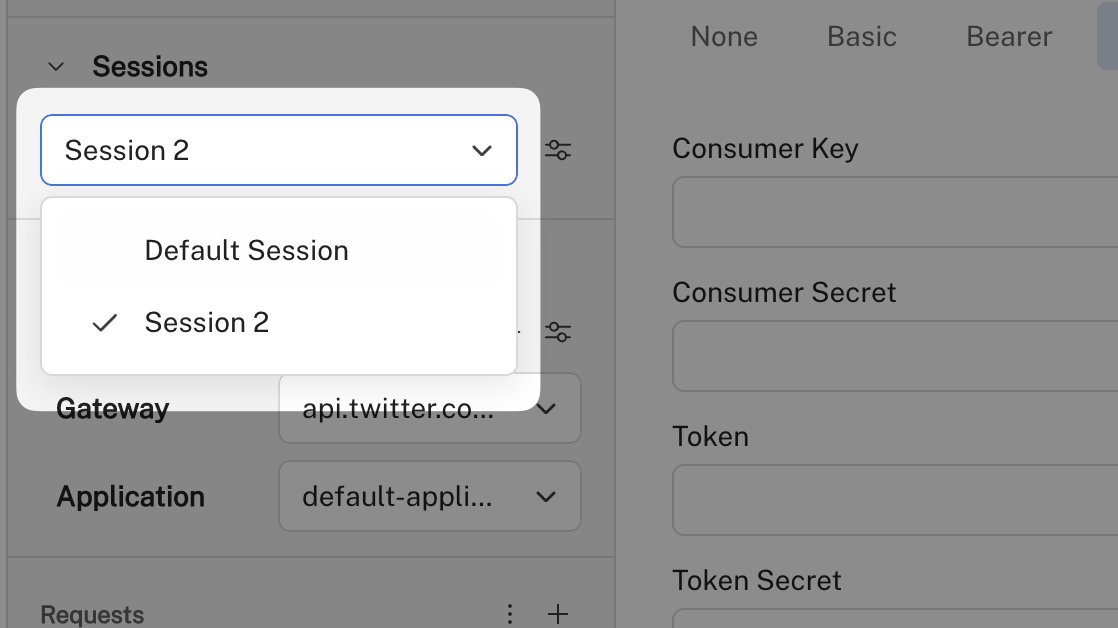
3️⃣ You can switch between sessions
You can switch between sessions by selecting one from the combo box.
This feature can be helpful if you want to simulate different users or different client conditions.
You can switch between sessions by selecting one from the combo box.
This feature can be helpful if you want to simulate different users or different client conditions.
Follow @Rapid_API for more tips about RapidAPI Studio.
Loading suggestions...