

How To Audit Any Google Ads Account
37 ways of finding ways to make more 💰 through PPC
/Google Ads Thread/
37 ways of finding ways to make more 💰 through PPC
/Google Ads Thread/
when you get asked to audit 5-10 accounts per week...
you start to create a cheat sheet on what to check v what to ignore...
so --> this is my cheat sheet
(if you find this valuable please retweet & comment below)
you start to create a cheat sheet on what to check v what to ignore...
so --> this is my cheat sheet
(if you find this valuable please retweet & comment below)
Table of Contents
1. Account Settings
2. Secret Master Settings
3. Conversions
4. Attribution
5. Audience Manager
6. Relevance Targeting
7. Account Strategy Evaluation
8. Search Campaign Audit
1. Account Settings
2. Secret Master Settings
3. Conversions
4. Attribution
5. Audience Manager
6. Relevance Targeting
7. Account Strategy Evaluation
8. Search Campaign Audit
#1 | Google Account Settings
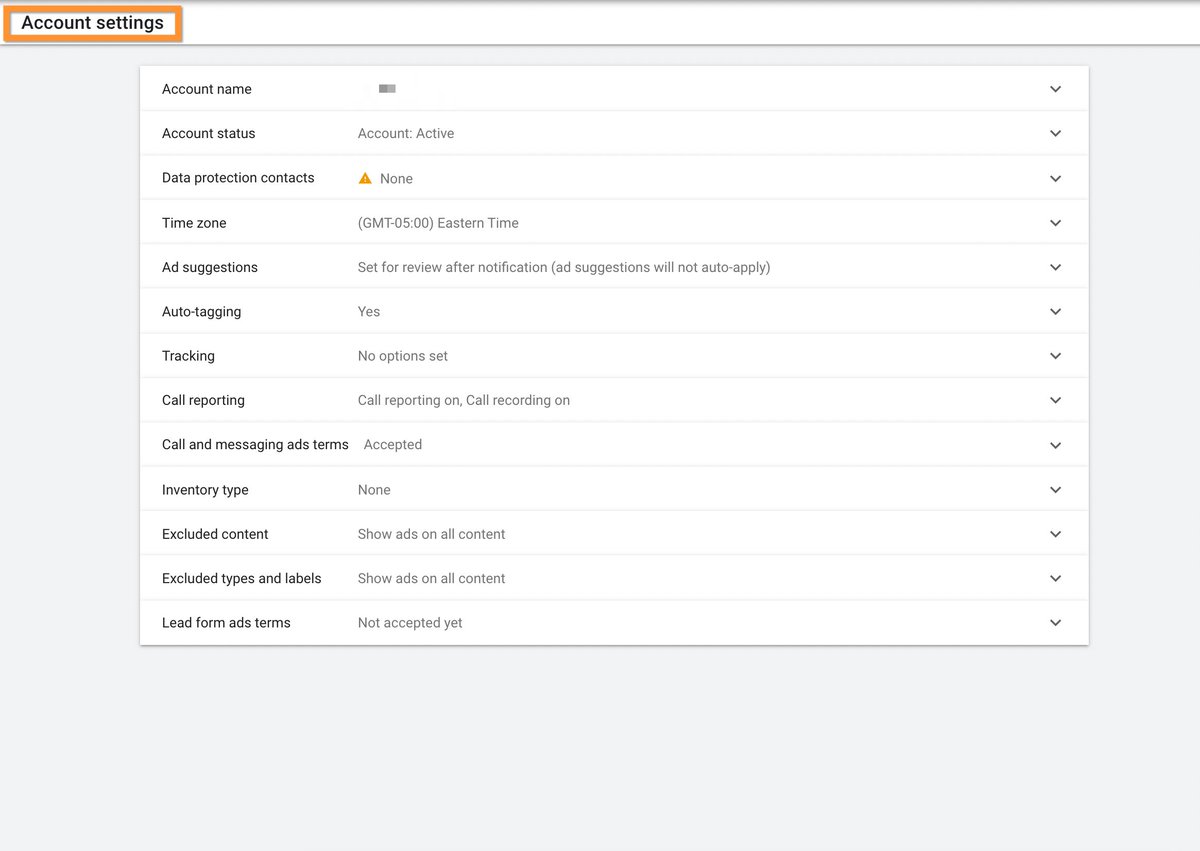
1. Ad Suggestions
> this MUST be set to "Don't automatically apply ad suggestions"
> if this is on "14 days" then you're literally giving google the authorization to change anything in your account
> if you take away 1 thing...change this NOW
1. Ad Suggestions
> this MUST be set to "Don't automatically apply ad suggestions"
> if this is on "14 days" then you're literally giving google the authorization to change anything in your account
> if you take away 1 thing...change this NOW
#1 Ad Suggestions (CONT)
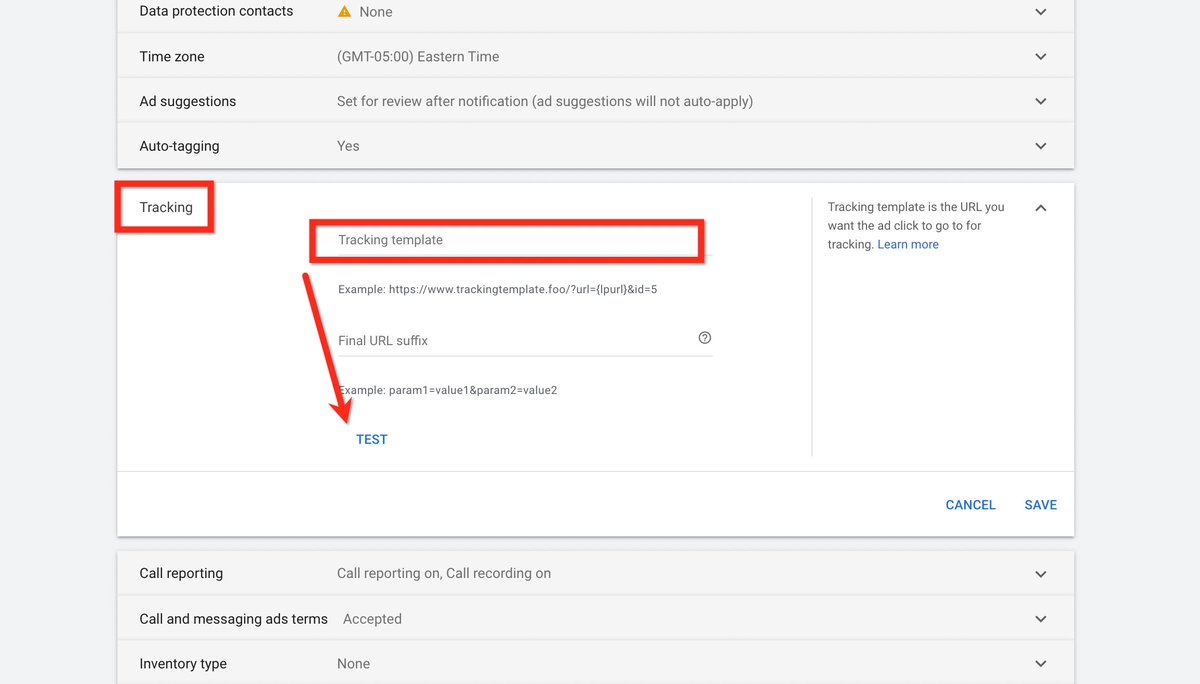
2. URL Tracking Parameters
> are you using @trytriplewhale?
> if you are or have another UTM template, make sure to update this here to append account-wide
2. URL Tracking Parameters
> are you using @trytriplewhale?
> if you are or have another UTM template, make sure to update this here to append account-wide
@trytriplewhale #1 Ad Suggestions (CONT)
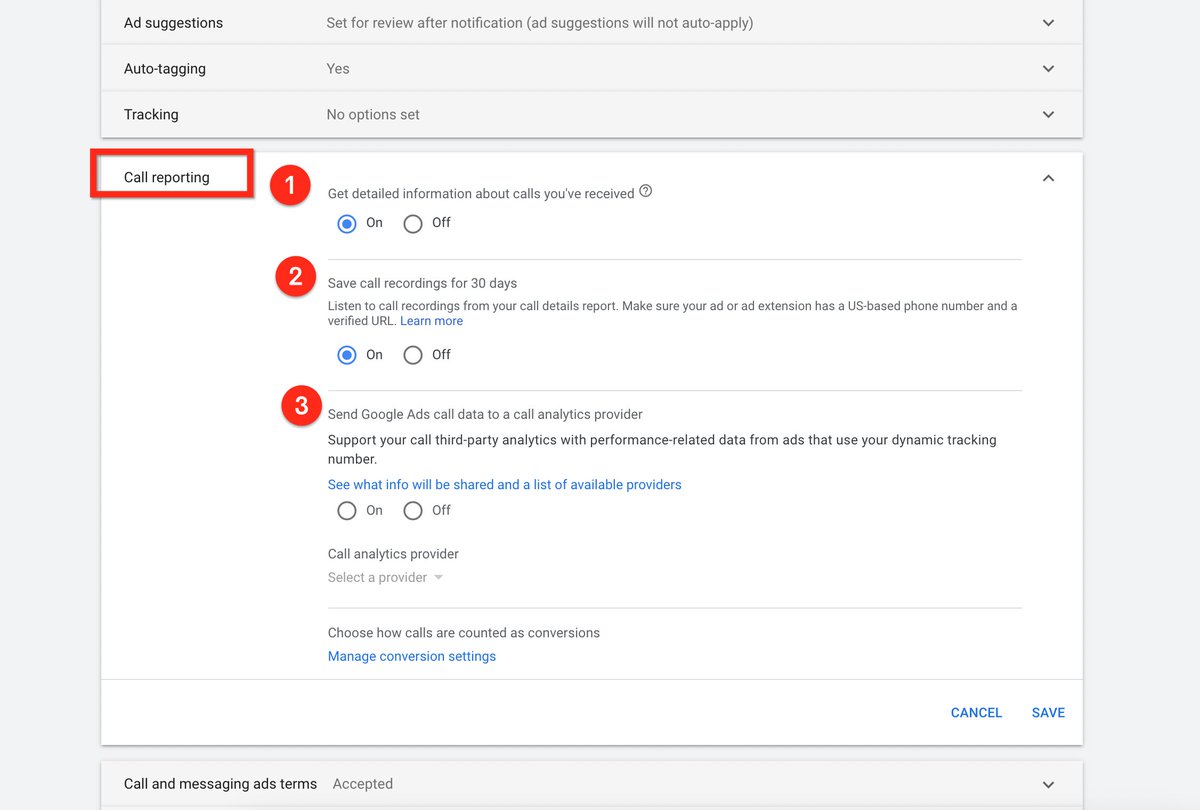
3. Call Tracking Options
> if calls are important to your sales cycle...make sure you're actively tracking these properly
> you can record calls for free (30 days storage) inside the platform now
> however I'd still recommend @CallRail
3. Call Tracking Options
> if calls are important to your sales cycle...make sure you're actively tracking these properly
> you can record calls for free (30 days storage) inside the platform now
> however I'd still recommend @CallRail
Loading suggestions...