

Day 18 of #60daysOfMachineLearning
🔷 Data Management - Reading Database Records 🔷
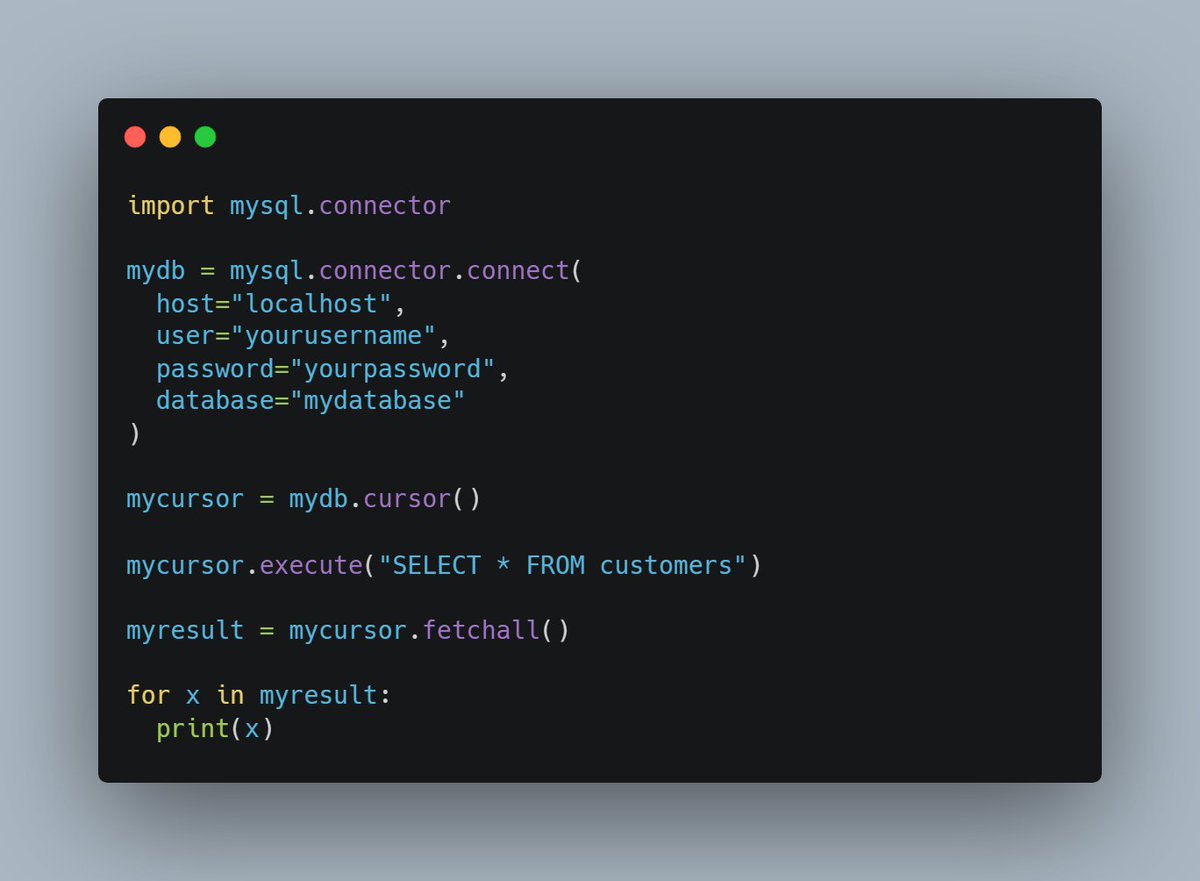
To get results from a table, you will need to use the select keyword. Select all records from the "customers" table, and display the result:
🔷 Data Management - Reading Database Records 🔷
To get results from a table, you will need to use the select keyword. Select all records from the "customers" table, and display the result:
💠 Selecting Columns
To select only some of the columns in a table, use the "SELECT" statement followed by the column name(s).
Select only the name and address columns:
To select only some of the columns in a table, use the "SELECT" statement followed by the column name(s).
Select only the name and address columns:

💠 Using the fetchone() method
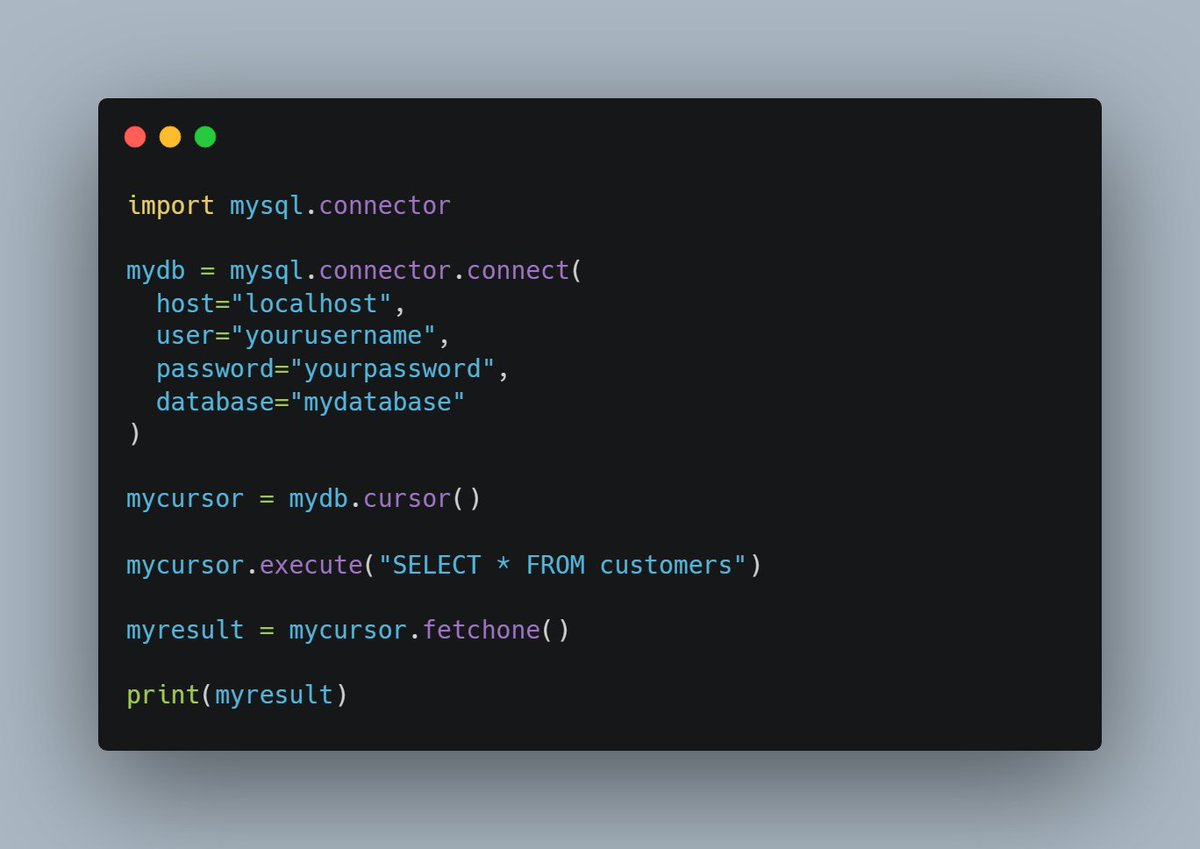
If you are only interested in one row, you can use the fetchone() method.
The fetchone() method will return the first row of the result:
If you are only interested in one row, you can use the fetchone() method.
The fetchone() method will return the first row of the result:
💠 Limit the returned results
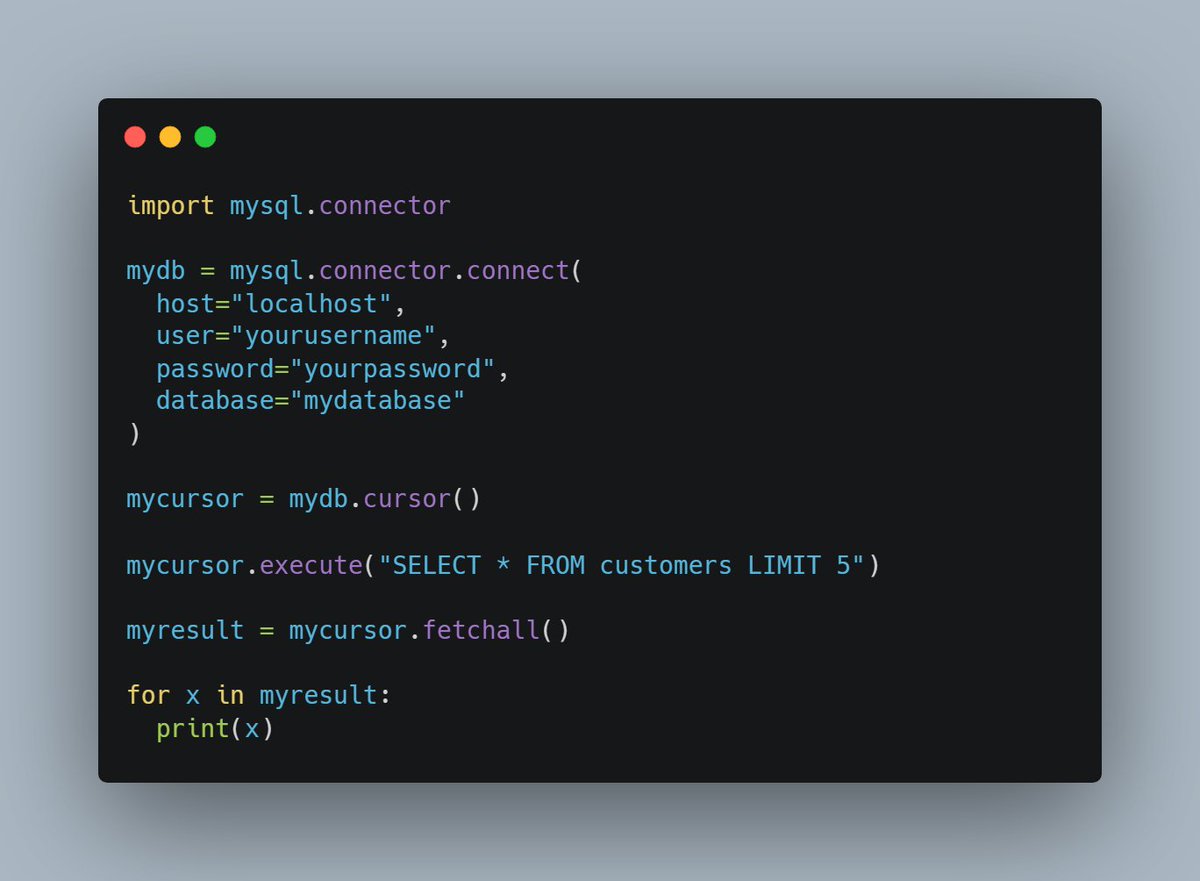
You can limit the number of records returned from the query, by using the "LIMIT" statement.
Select the 5 first records in the "customers" table:
You can limit the number of records returned from the query, by using the "LIMIT" statement.
Select the 5 first records in the "customers" table:
If you missed the previous days, don't worry! You can follow along and go back to day 1 by going to this link 👇
Loading suggestions...