

Your 14-step SEO audit + checklist 🗒️
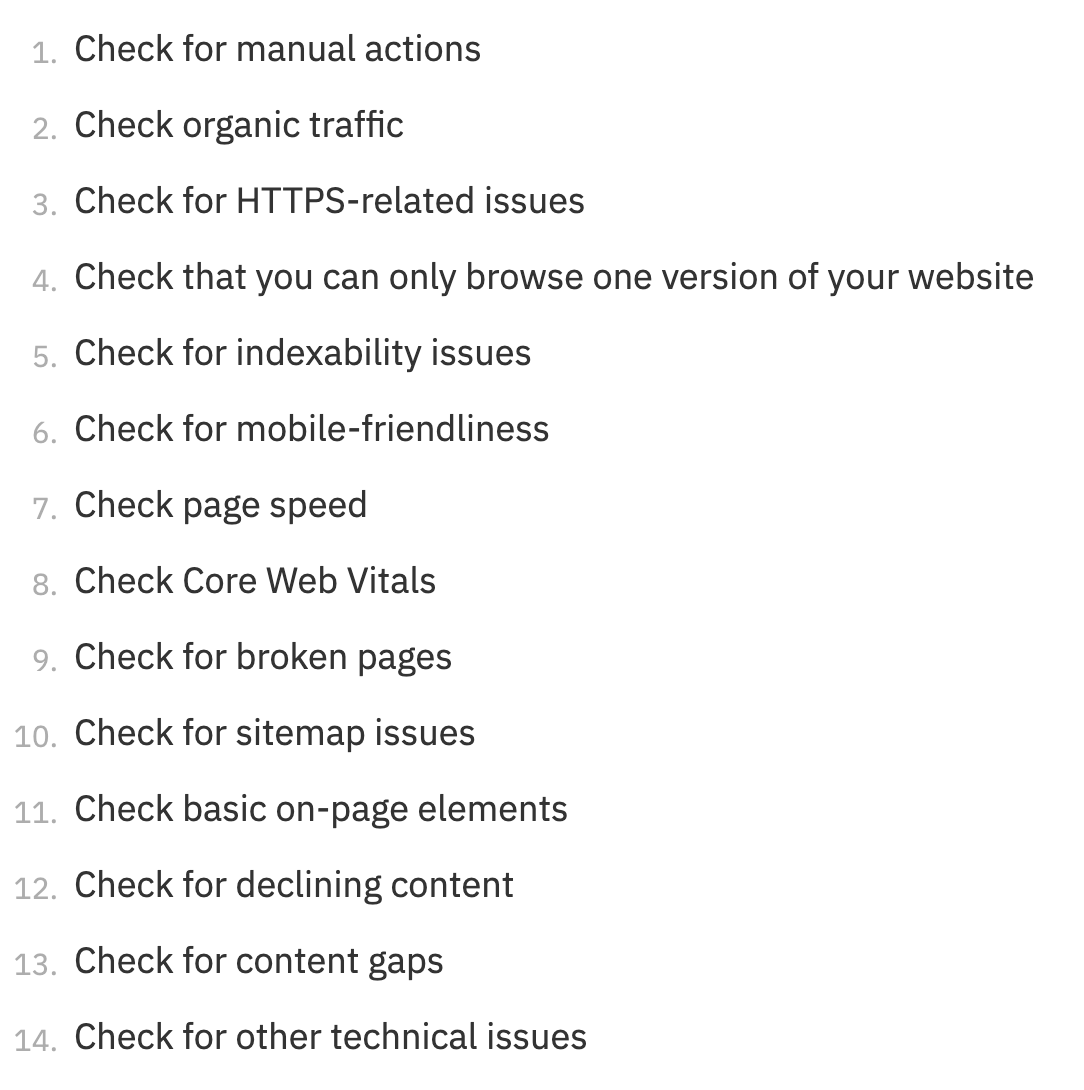
There's no universal approach to conducting an SEO audit—but these are some basic issues all site owners should look out for.
Let's take a closer look at each step 🧐
There's no universal approach to conducting an SEO audit—but these are some basic issues all site owners should look out for.
Let's take a closer look at each step 🧐
1. Check for manual actions
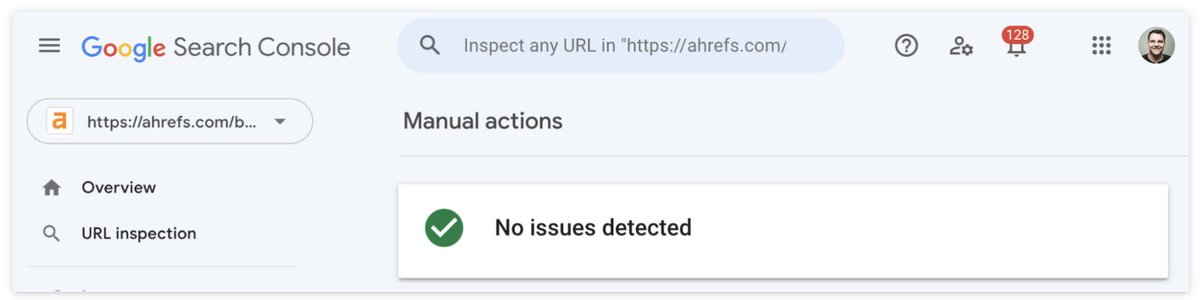
When a human reviewer at Google decides your site doesn’t comply with their webmaster guidelines, some or all of your site won't be shown in the SERPs.
You can check for these in the Manual actions report in Google Search Console.
When a human reviewer at Google decides your site doesn’t comply with their webmaster guidelines, some or all of your site won't be shown in the SERPs.
You can check for these in the Manual actions report in Google Search Console.
2. Check organic traffic
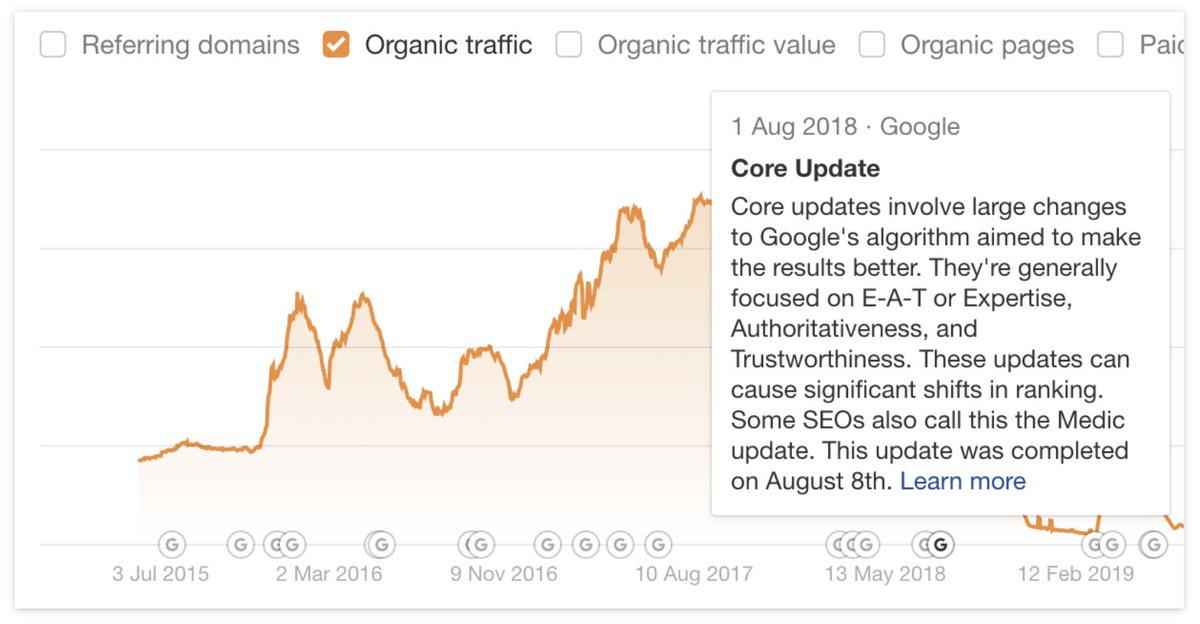
Google updates its search algorithms regularly—often for things relating to link spam/content quality.
To check if your site's traffic drop coincided with a core update, open Ahrefs' Site Explorer—it overlays Google updates to help you diagnose issues.
Google updates its search algorithms regularly—often for things relating to link spam/content quality.
To check if your site's traffic drop coincided with a core update, open Ahrefs' Site Explorer—it overlays Google updates to help you diagnose issues.
3. Check for HTTPS-related issues
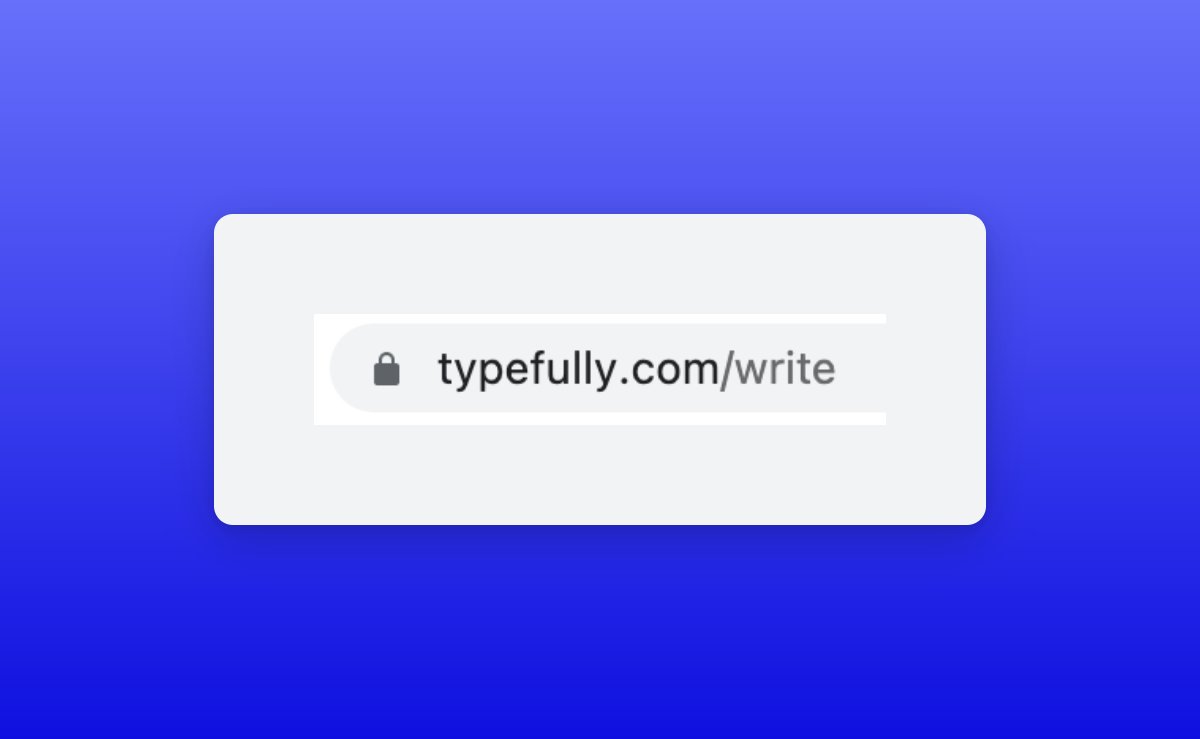
HTTPS is a secure protocol for transferring data to and from visitors.
It helps to keep things like passwords and credit card details secure too. If there’s a “lock” icon in your website's address bar, you're good.
👇
HTTPS is a secure protocol for transferring data to and from visitors.
It helps to keep things like passwords and credit card details secure too. If there’s a “lock” icon in your website's address bar, you're good.
👇
3. Check for HTTPS-related issues (continued)
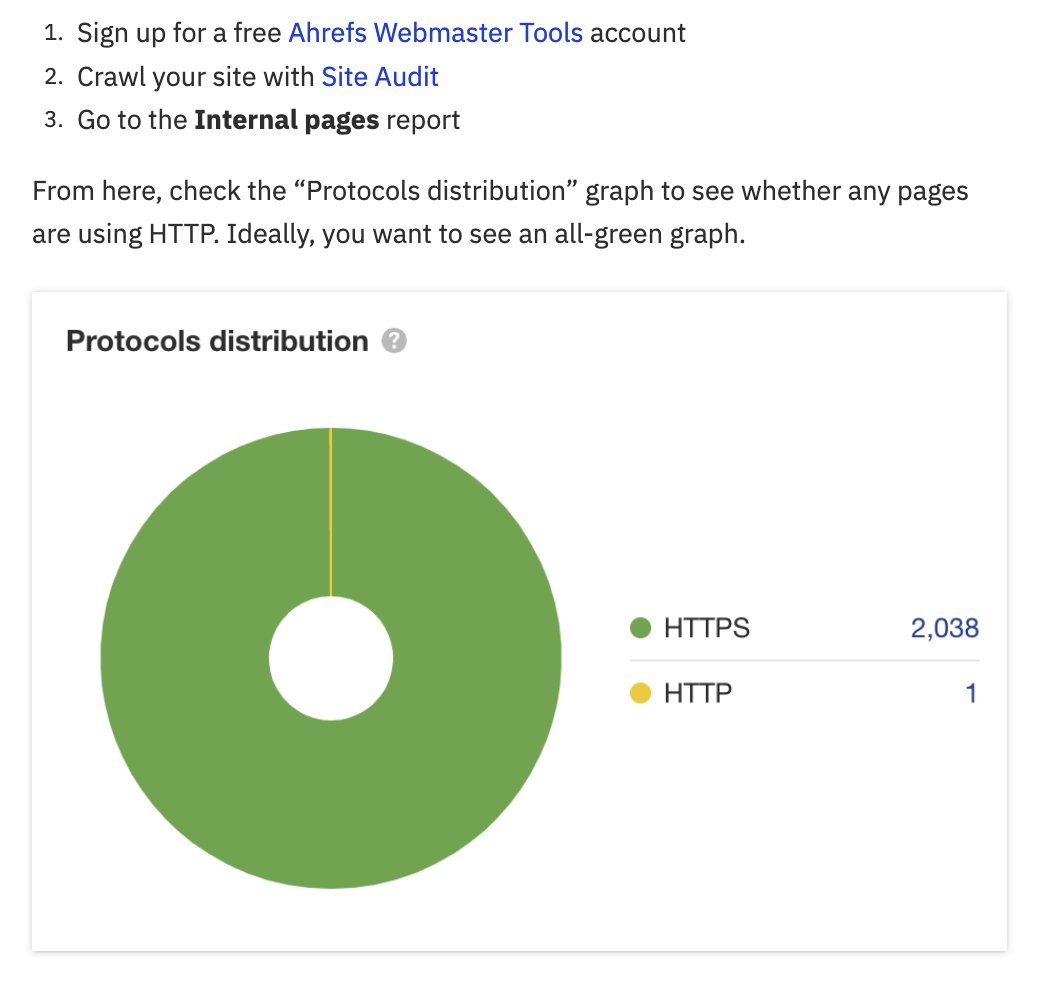
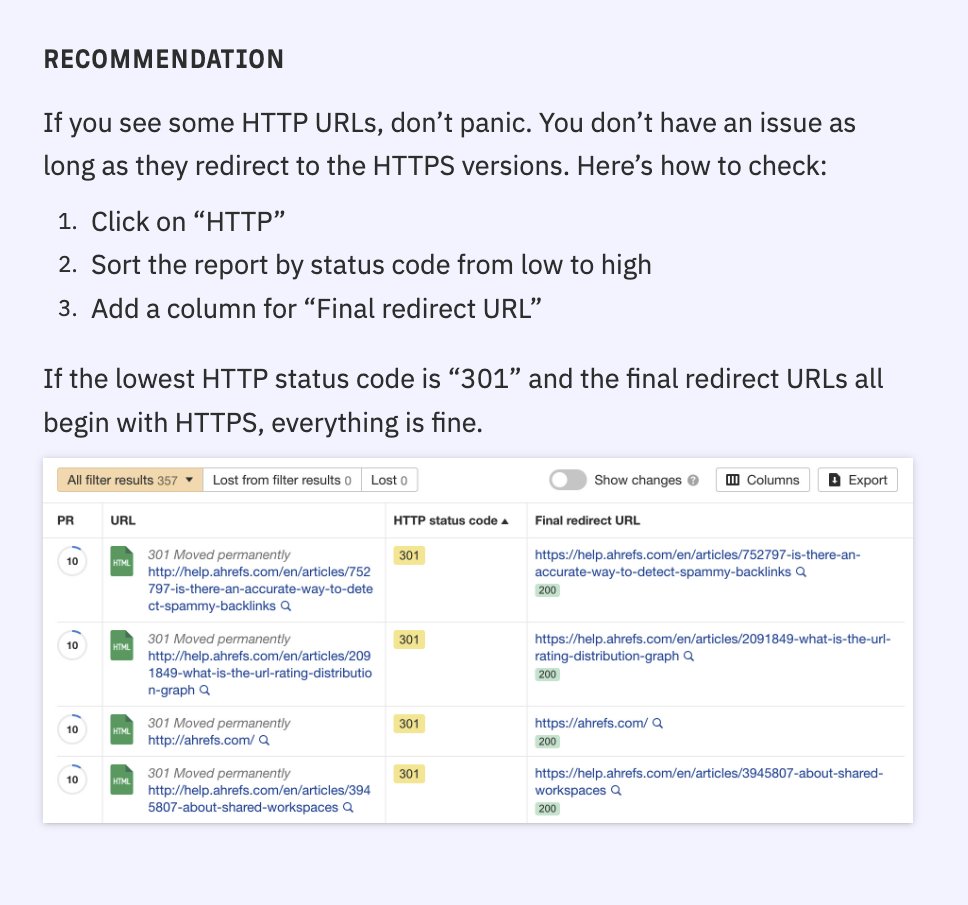
Some sites have a mix of HTTPS *and* HTTP pages though.
For example, your initial HTML loads over a secure HTTPS connection—but resource files like images load over an unsecured one.
To check for this, follow these steps + tips:
Some sites have a mix of HTTPS *and* HTTP pages though.
For example, your initial HTML loads over a secure HTTPS connection—but resource files like images load over an unsecured one.
To check for this, follow these steps + tips:
4. Ensure you can only browse one version of your website
People should only be able to access one of these four versions of your website.
The other three variations should redirect to the canonical (master) version.
Otherwise, you could face crawling and indexing issues.
People should only be able to access one of these four versions of your website.
The other three variations should redirect to the canonical (master) version.
Otherwise, you could face crawling and indexing issues.

4. Ensure you can only browse one version of your website (continued)
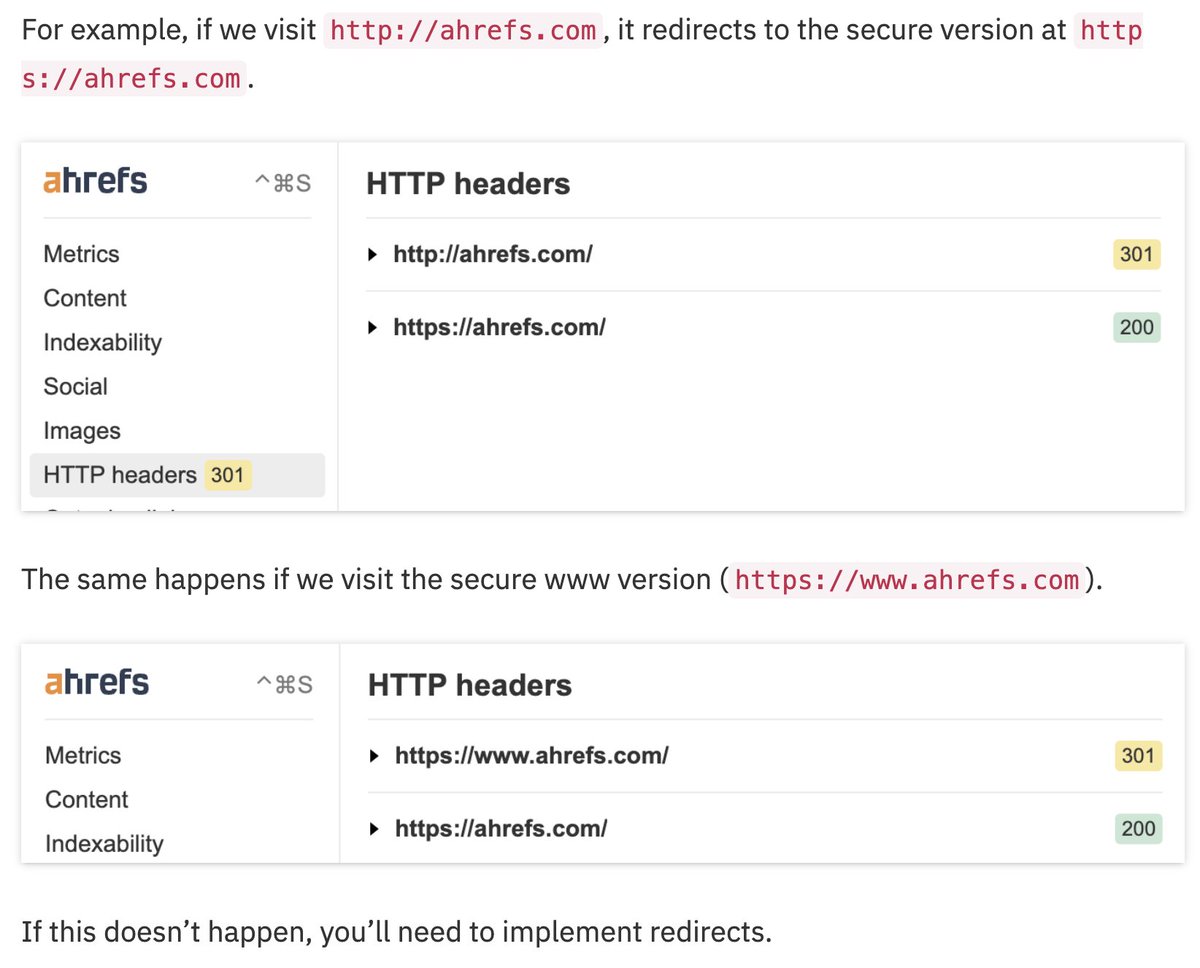
To check for potential issues:
1. Install Ahrefs' SEO Toolbar
2. Enter each URL version into your browser
3. Check your HTTP headers to ensure they all redirect to the “master” version.
👇
To check for potential issues:
1. Install Ahrefs' SEO Toolbar
2. Enter each URL version into your browser
3. Check your HTTP headers to ensure they all redirect to the “master” version.
👇
5. Check for indexability issues
To stand any chance of ranking, your webpages need to be in Google's index.
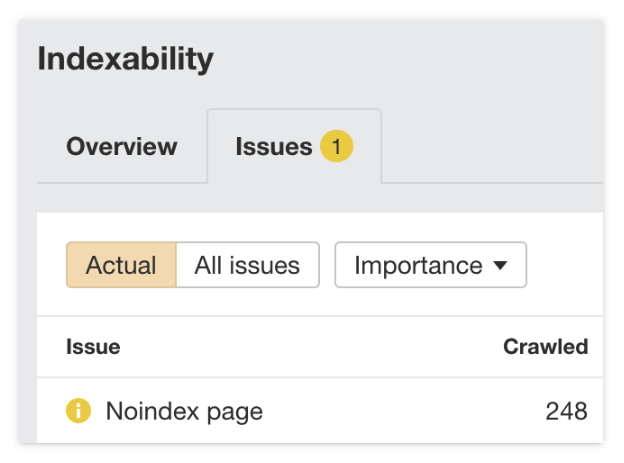
i) In Ahrefs' Site Audit, view the Indexability report for "Noindex page" warnings.
If you want these pages indexed, remove or edit the meta robots tag.
To stand any chance of ranking, your webpages need to be in Google's index.
i) In Ahrefs' Site Audit, view the Indexability report for "Noindex page" warnings.
If you want these pages indexed, remove or edit the meta robots tag.
5. Check for indexability issues (continued)
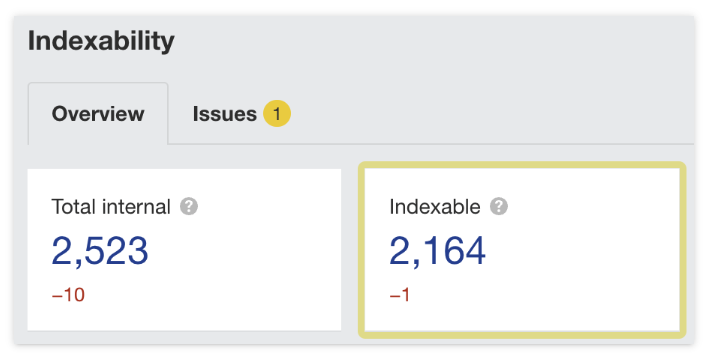
ii) Next, check the number of indexable URLs in the same report.
Investigate further if there are far more indexable URLs than published pages.
Here's an example of when this disparity might make sense:
ii) Next, check the number of indexable URLs in the same report.
Investigate further if there are far more indexable URLs than published pages.
Here's an example of when this disparity might make sense:

6. Check for mobile-friendliness
This has been a ranking factor since Google moved to mobile-first indexing in 2019.
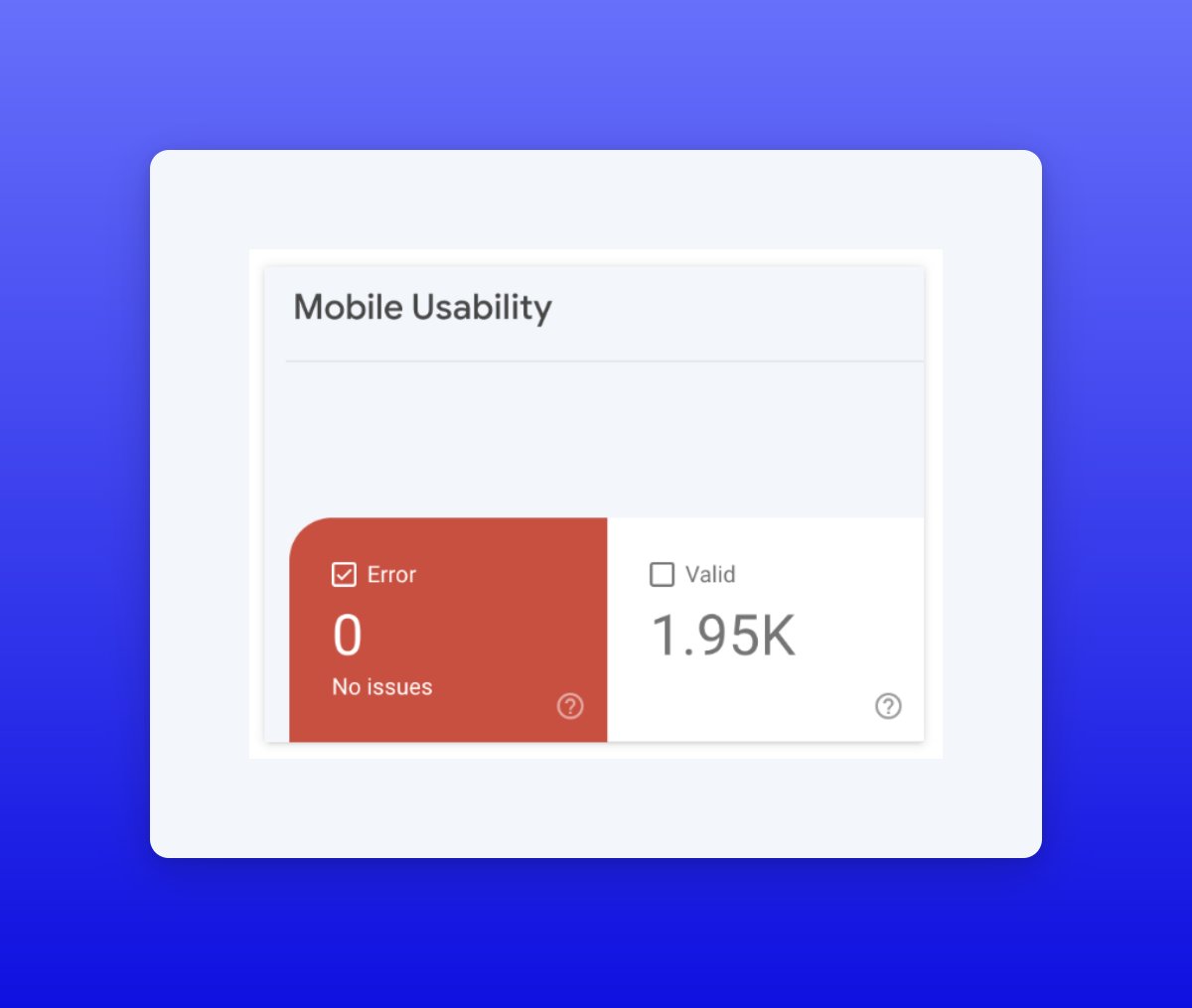
To check for this, open the Mobile Usability report in Google Search Console (GSC)—it indicates whether any URLs have errors that affect mobile usability.
👇
This has been a ranking factor since Google moved to mobile-first indexing in 2019.
To check for this, open the Mobile Usability report in Google Search Console (GSC)—it indicates whether any URLs have errors that affect mobile usability.
👇
6. Check for mobile-friendliness (continued)
Don't have access to GSC?
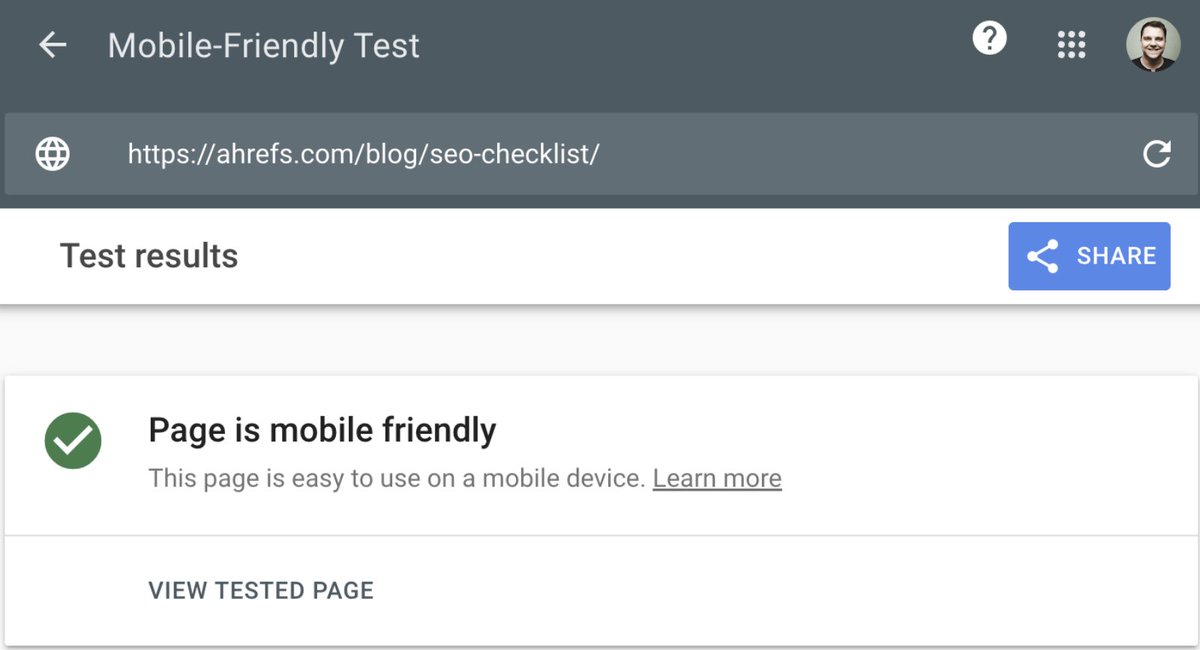
Plug any page from your website into Google’s Mobile-Friendly Test tool.
Assuming the other pages on your site use the same result + layout, the results should apply to most, if not all, of your pages.
Don't have access to GSC?
Plug any page from your website into Google’s Mobile-Friendly Test tool.
Assuming the other pages on your site use the same result + layout, the results should apply to most, if not all, of your pages.
7. Check page speed
Page speed is a small ranking factor on desktop and mobile.
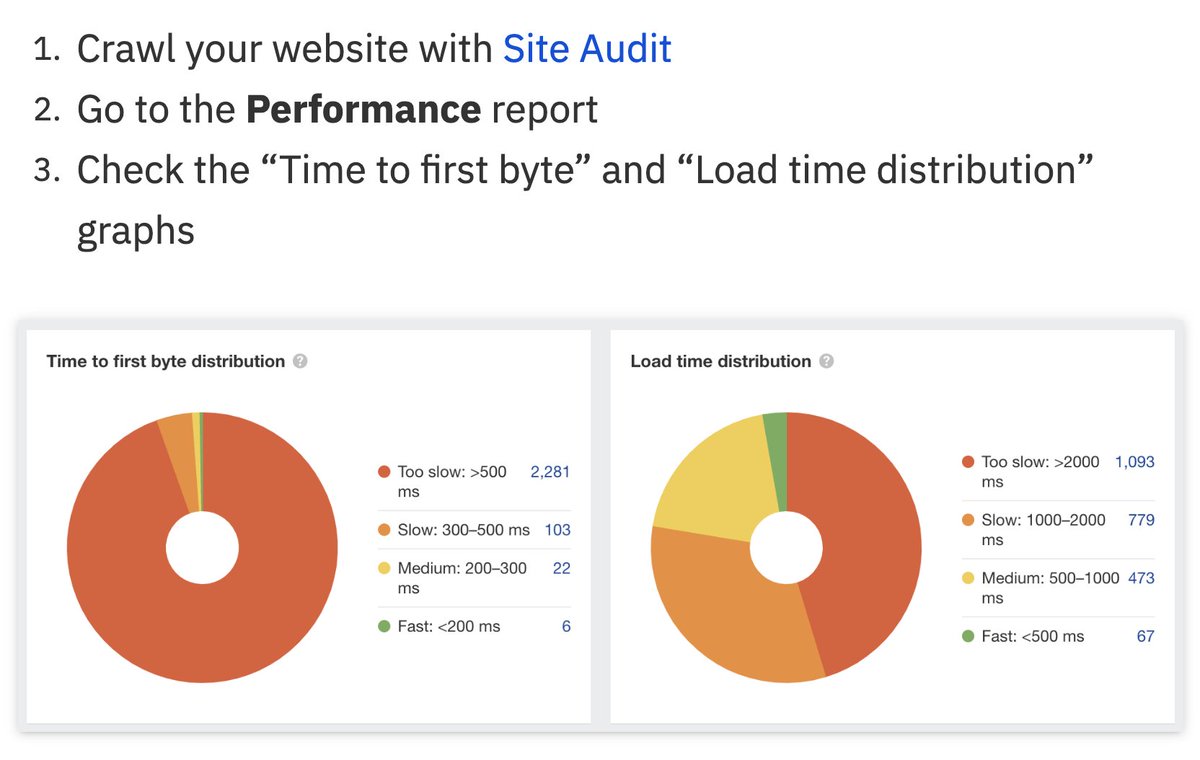
To check for your pages' speed metrics, sign up for a free Ahrefs Webmaster Tools account—then follow the below steps.
As a general rule, more green = better; more orange/red = needs fixing.
Page speed is a small ranking factor on desktop and mobile.
To check for your pages' speed metrics, sign up for a free Ahrefs Webmaster Tools account—then follow the below steps.
As a general rule, more green = better; more orange/red = needs fixing.
8. Check Core Web Vitals (CWV)
While CWV is a weak ranking signal, it's still worth checking since it measures your site's performance.
In GSC, open the CWV report.
Since it's based on Chrome User Experience (CrUX) data, you may see a "Not enough data collected" message.
👇
While CWV is a weak ranking signal, it's still worth checking since it measures your site's performance.
In GSC, open the CWV report.
Since it's based on Chrome User Experience (CrUX) data, you may see a "Not enough data collected" message.
👇
8. Check Core Web Vitals (continued)
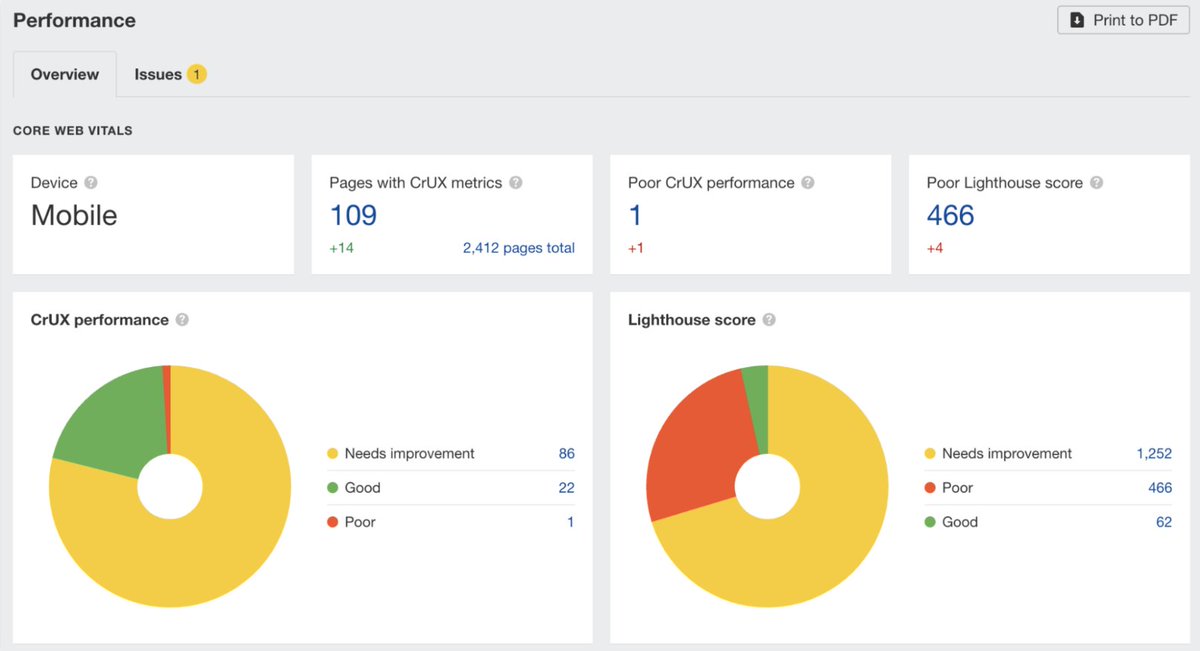
If that happens, go to the Performance report in Ahrefs’ Site Audit and check the Lighthouse scores.
Since this is lab data, it doesn’t rely on user experience data from Google.
If that happens, go to the Performance report in Ahrefs’ Site Audit and check the Lighthouse scores.
Since this is lab data, it doesn’t rely on user experience data from Google.
9. Check for broken pages
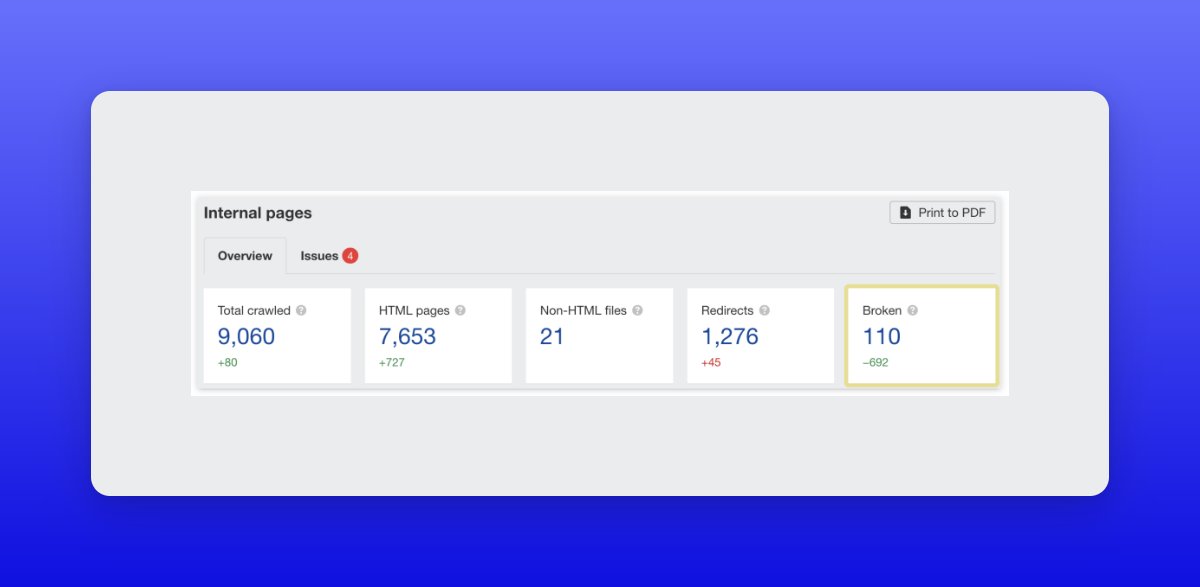
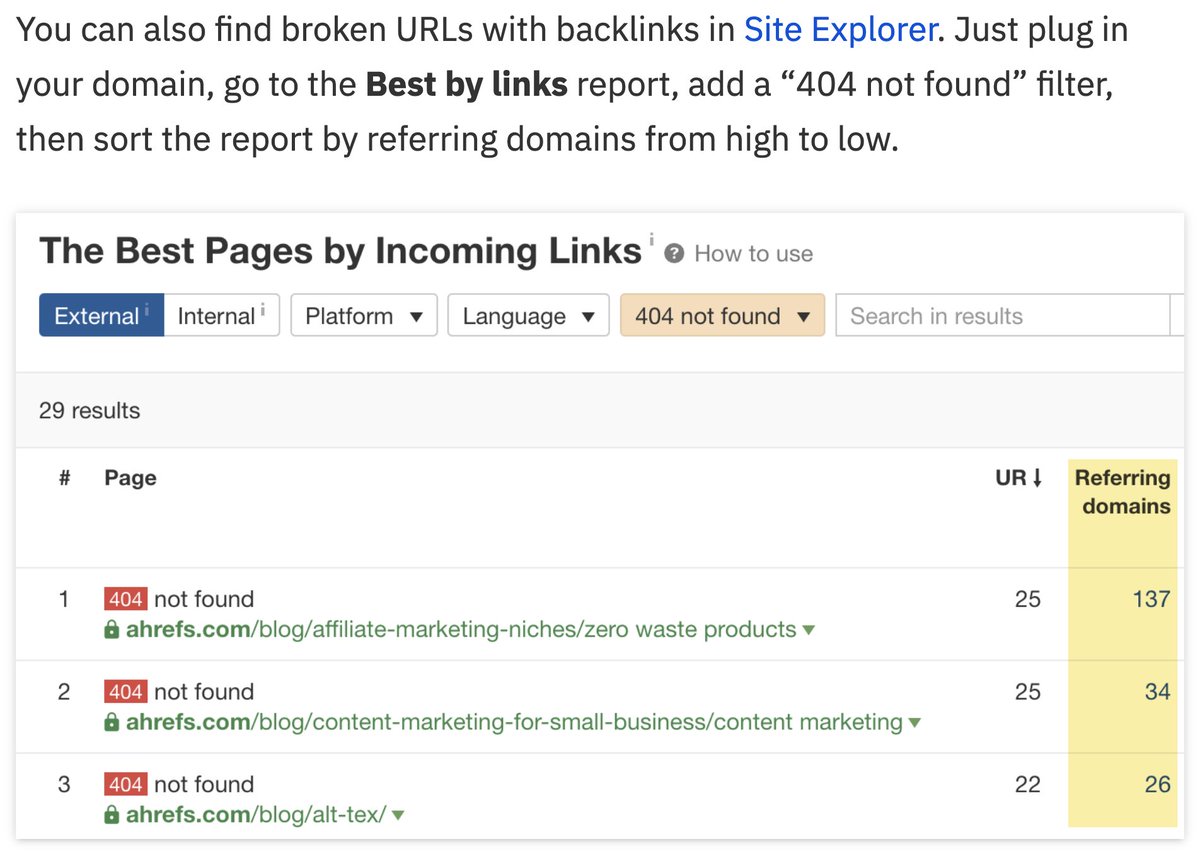
Broken pages are a waste—especially if they have backlinks, because those point to nothing.
To fix this, go to Ahrefs' Site Audit > Internal pages report > click the number under “Broken".
Alternatively, follow the below steps to find broken pages:
Broken pages are a waste—especially if they have backlinks, because those point to nothing.
To fix this, go to Ahrefs' Site Audit > Internal pages report > click the number under “Broken".
Alternatively, follow the below steps to find broken pages:
10. Check for sitemap issues
A sitemap lists the pages that you want search engines to index.
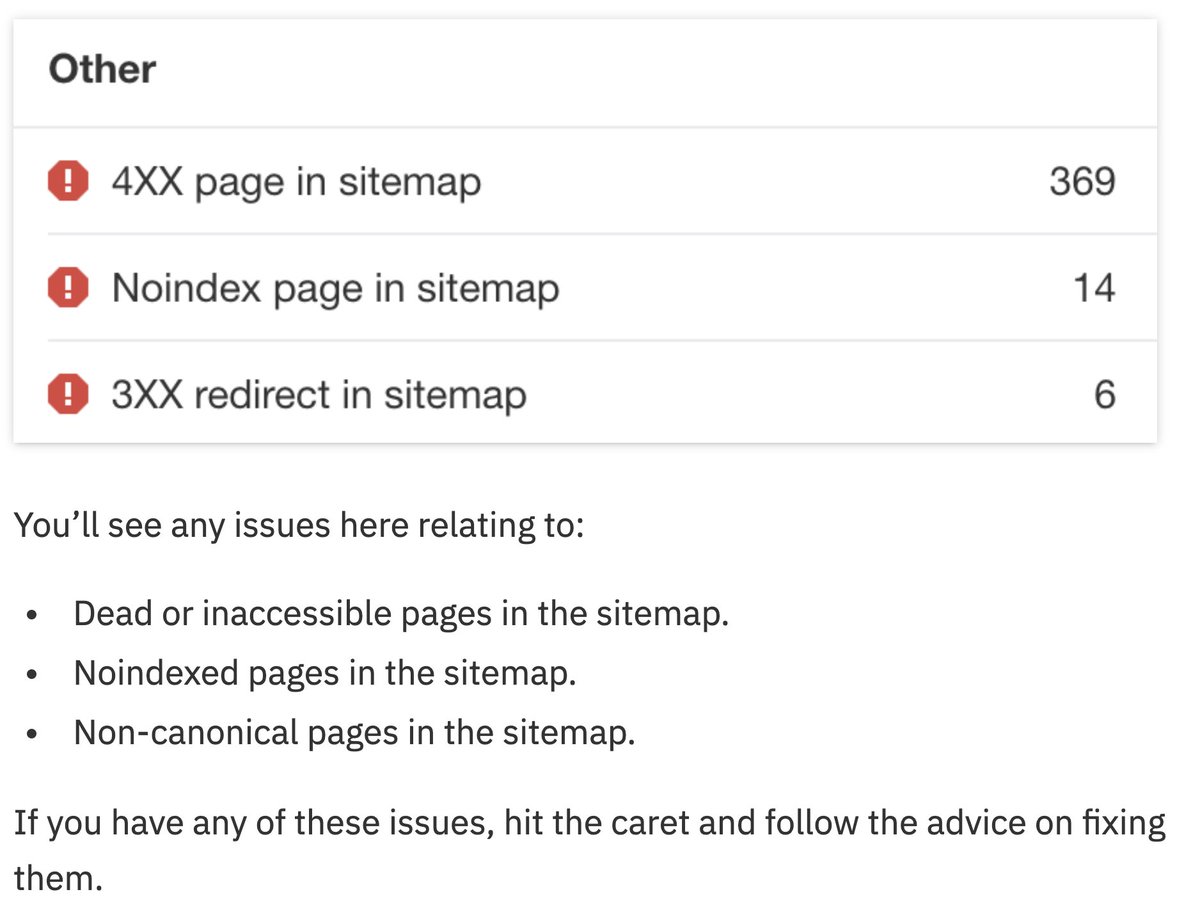
It shouldn't list redirects, non-canonicals or dead pages—those send mixed signals to Google.
To check for them, go to Site Audit > All issues report > scroll to the "Other" section.
A sitemap lists the pages that you want search engines to index.
It shouldn't list redirects, non-canonicals or dead pages—those send mixed signals to Google.
To check for them, go to Site Audit > All issues report > scroll to the "Other" section.
11. Check basic on-page elements
Every indexable page on your site should have a title tag, meta description + H1 tag.
These help Google to understand your content + win more clicks in the SERPs.
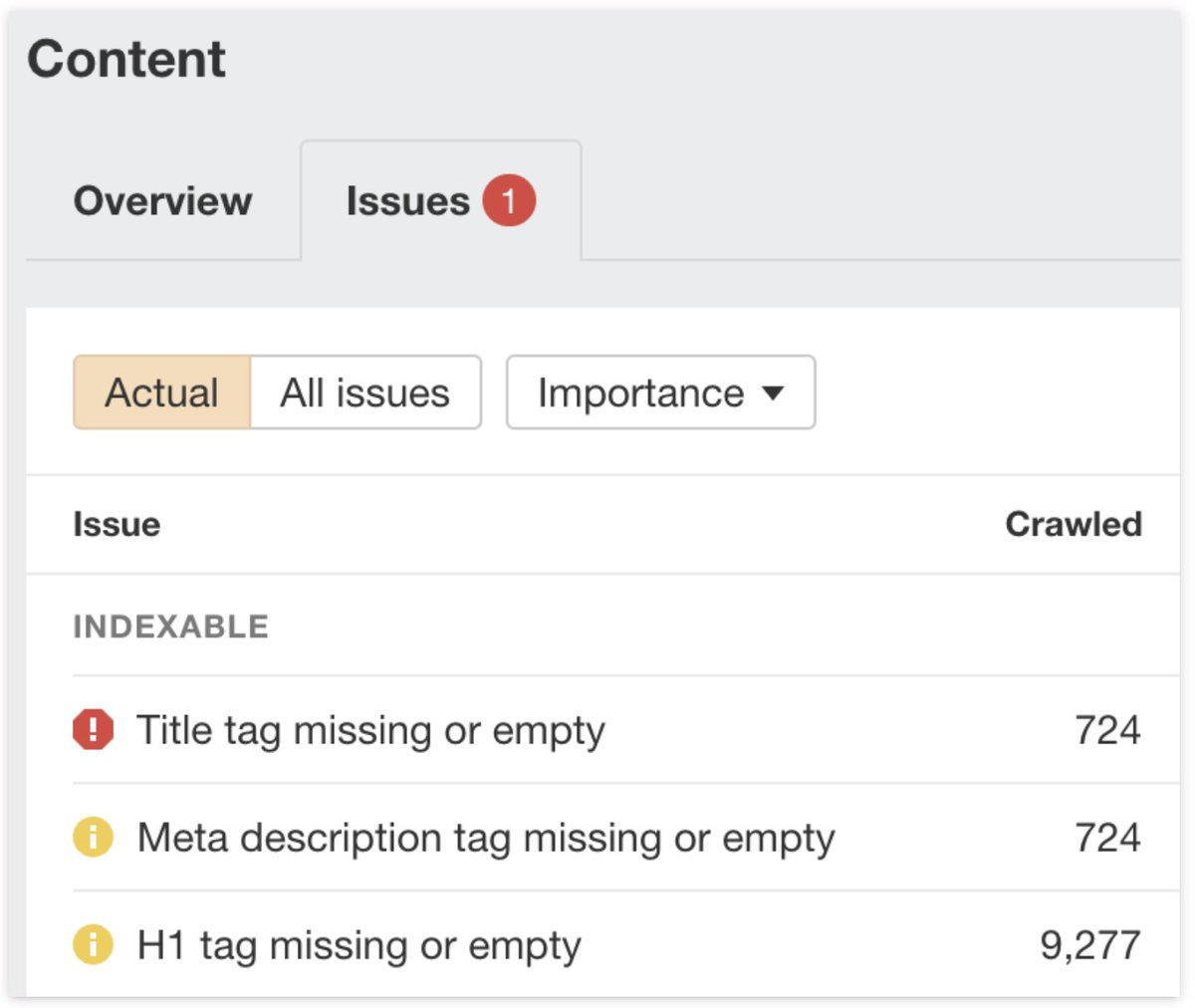
To check for missing elements, go to Site Audit > Content report > "Issues" tab.
Every indexable page on your site should have a title tag, meta description + H1 tag.
These help Google to understand your content + win more clicks in the SERPs.
To check for missing elements, go to Site Audit > Content report > "Issues" tab.
11. Check basic on-page elements (continued)
Then, click an issue > hit "View affected URLs" to see all affected URLs.
If you want to prioritize fixes, sort the report by estimated organic traffic from high to low.
Then, click an issue > hit "View affected URLs" to see all affected URLs.
If you want to prioritize fixes, sort the report by estimated organic traffic from high to low.


12. Check for declining content
As content becomes outdated, its search traffic will taper.
Fix this by refreshing + republishing that content.
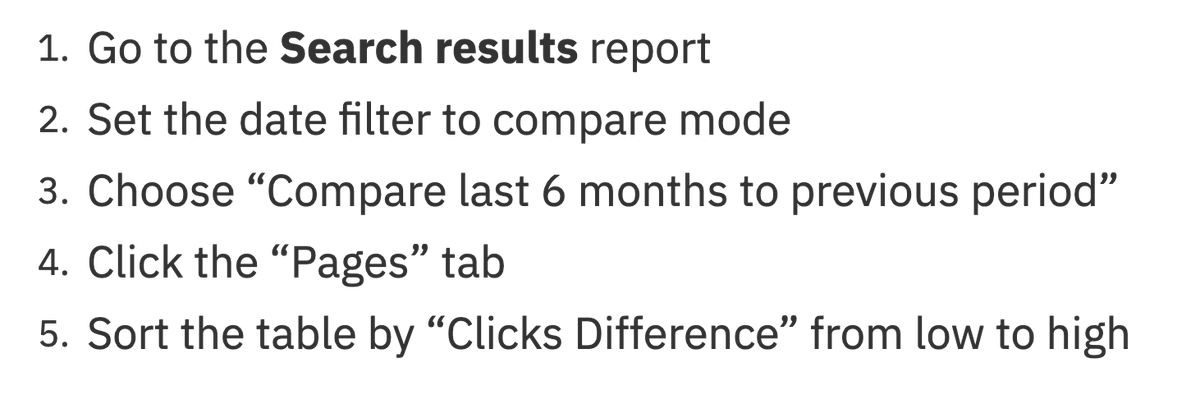
Here's how to find declining content in GSC:
As content becomes outdated, its search traffic will taper.
Fix this by refreshing + republishing that content.
Here's how to find declining content in GSC:
13. Look for content gaps
Content gaps are when you miss important subtopics in your content.
This could mean not ranking for as many long-tail keywords, among other things.
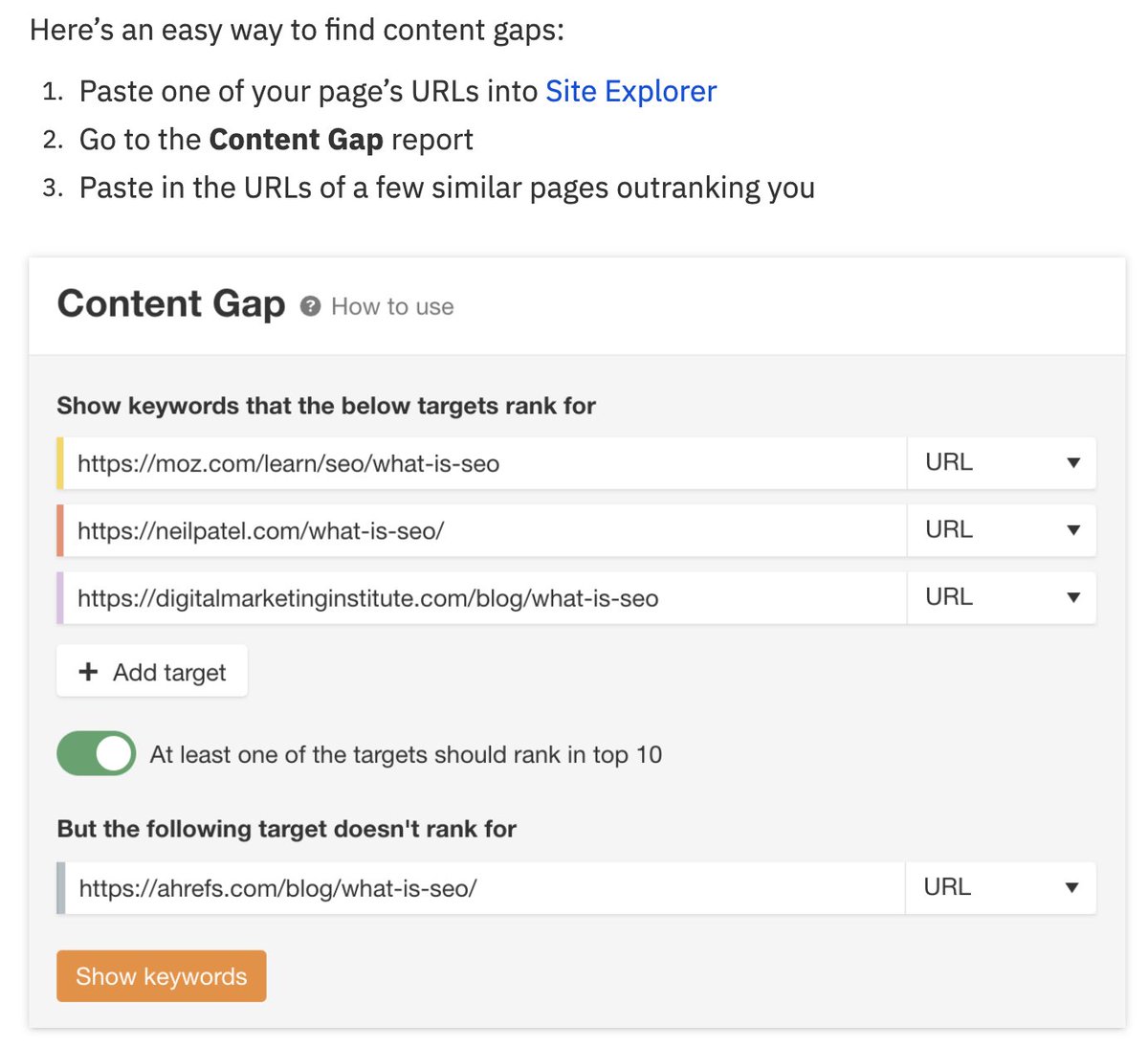
To check for content gaps, follow these steps:
Content gaps are when you miss important subtopics in your content.
This could mean not ranking for as many long-tail keywords, among other things.
To check for content gaps, follow these steps:
13. Look for content gaps (continued)
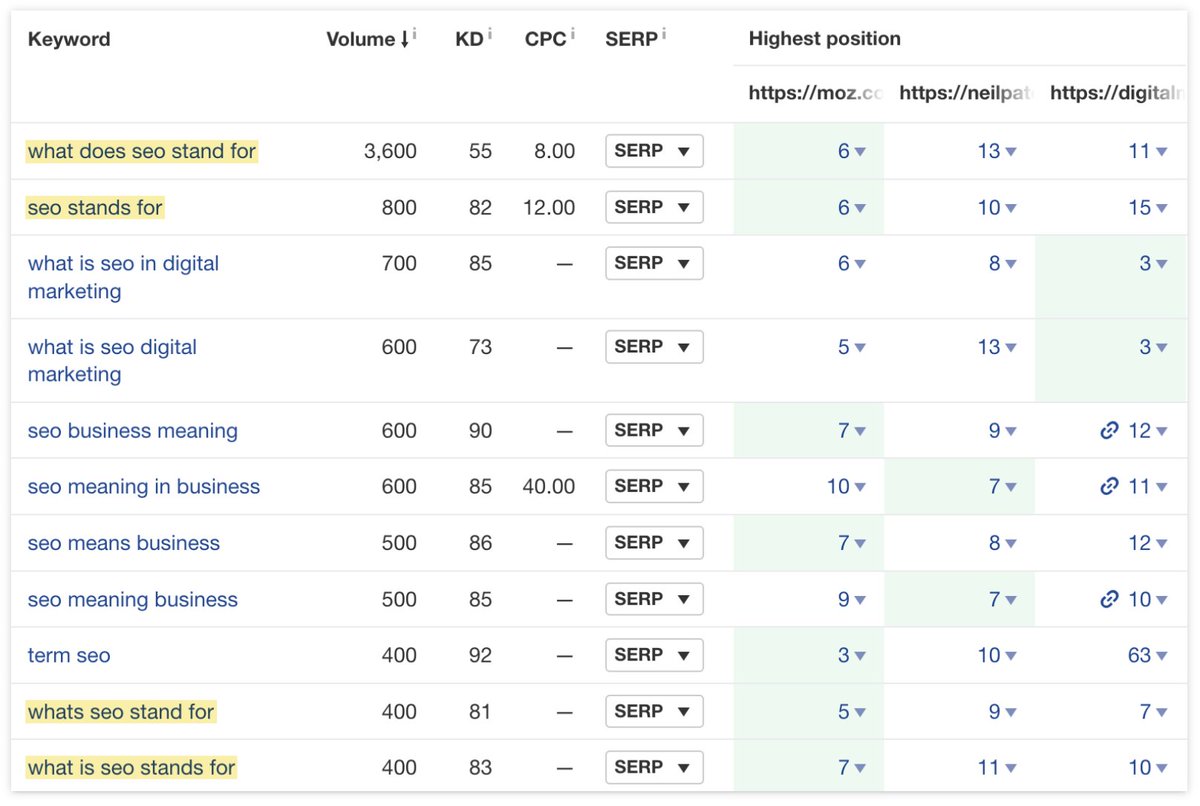
The results will reveal keywords that competing pages rank for—where yours don’t.
In the below example, we can see that competing pages are ranking for keywords relating to what SEO stands for.
This is a good indicator of search intent.
The results will reveal keywords that competing pages rank for—where yours don’t.
In the below example, we can see that competing pages are ranking for keywords relating to what SEO stands for.
This is a good indicator of search intent.
14. Check for other technical issues
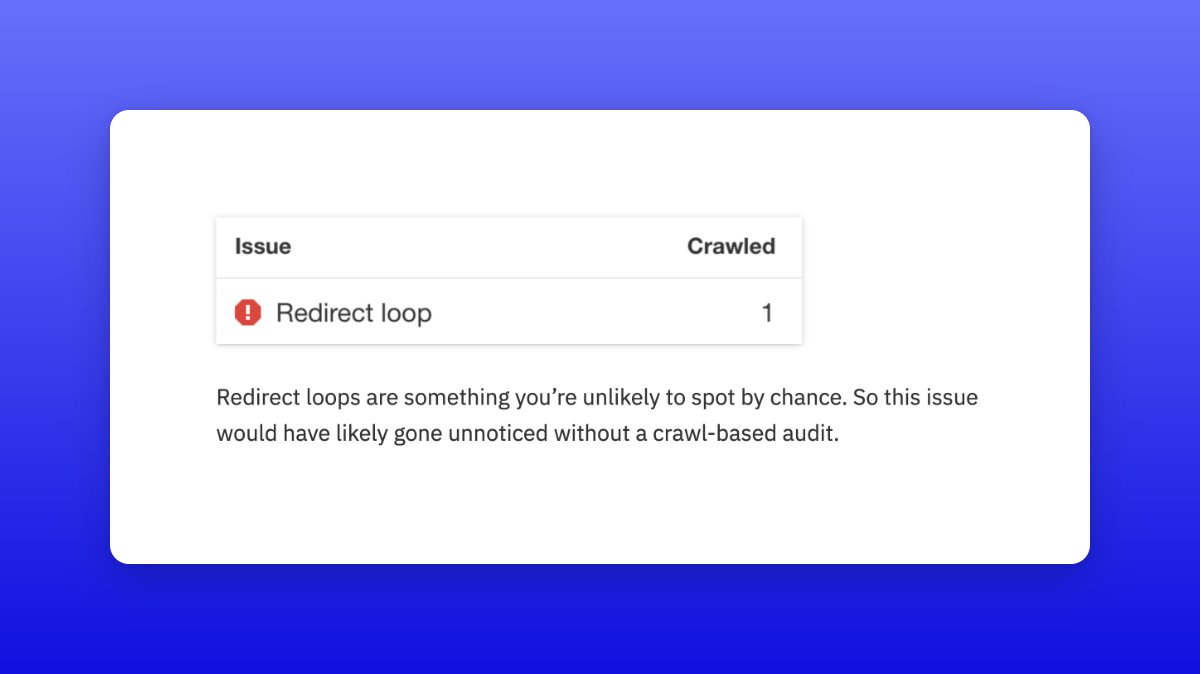
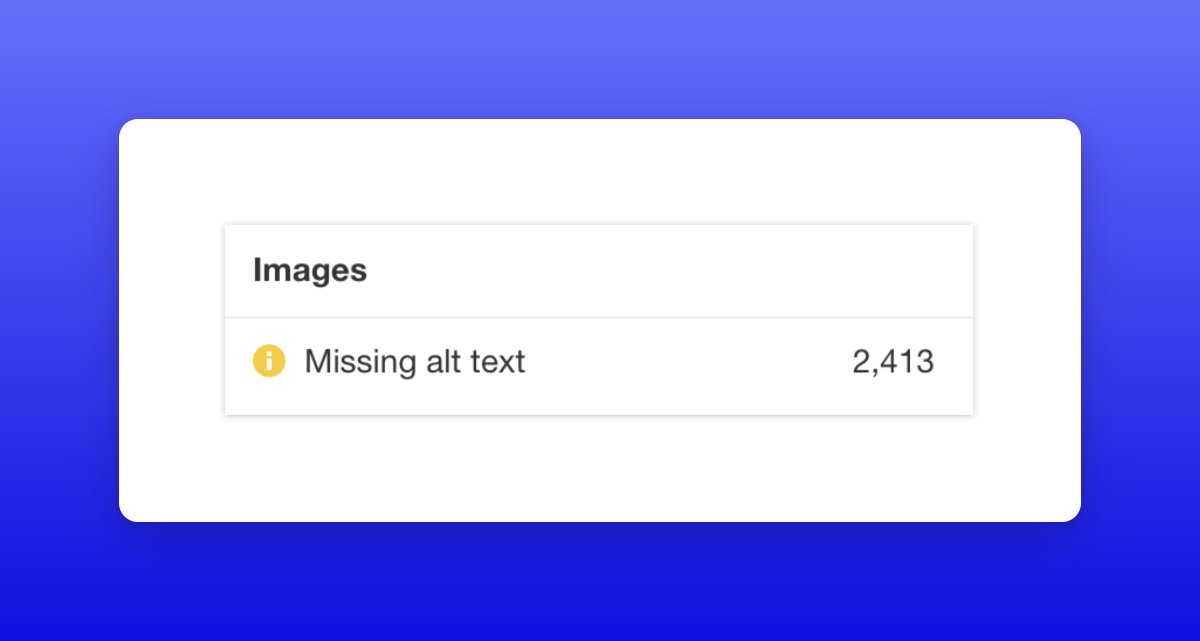
Many other hidden technical issues can hinder your rankings—so try crawling your site with a tool like Ahrefs' Site Audit.
For example, if we do this for Ahrefs' blog, we can find:
i) A redirect loop
ii) Missing alt text on >2.4k images
Many other hidden technical issues can hinder your rankings—so try crawling your site with a tool like Ahrefs' Site Audit.
For example, if we do this for Ahrefs' blog, we can find:
i) A redirect loop
ii) Missing alt text on >2.4k images
Found this useful, or have feedback? Leave a comment to let us know. 😻
Loading suggestions...