

15,000,000 developers use VS Code
You're probably one of them
Here are 15 shortcuts to work faster
You're probably one of them
Here are 15 shortcuts to work faster
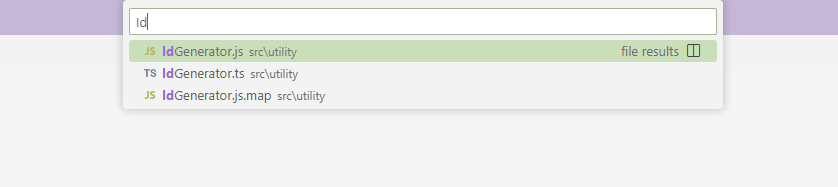
🔷 CTRL + P
🔶 CMD + P
Quickly open any file within your project
Forget digging through your project structure
🔶 CMD + P
Quickly open any file within your project
Forget digging through your project structure
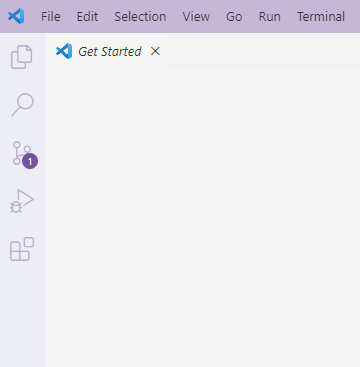
🔷 CTRL + B
🔶 CMD + B
Get more space to work with
Hide that pesky sidebar easily
🔶 CMD + B
Get more space to work with
Hide that pesky sidebar easily
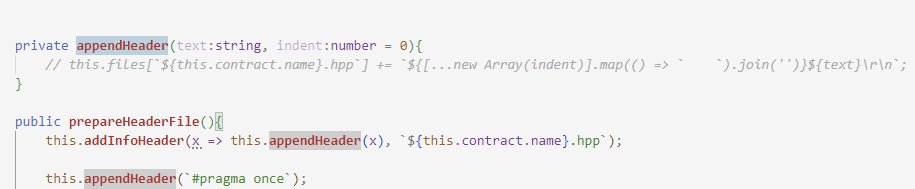
🔷 CTRL + /
🔶 CMD + /
Comment out a line of code
This is the easiest way to do this in VS code
🔶 CMD + /
Comment out a line of code
This is the easiest way to do this in VS code
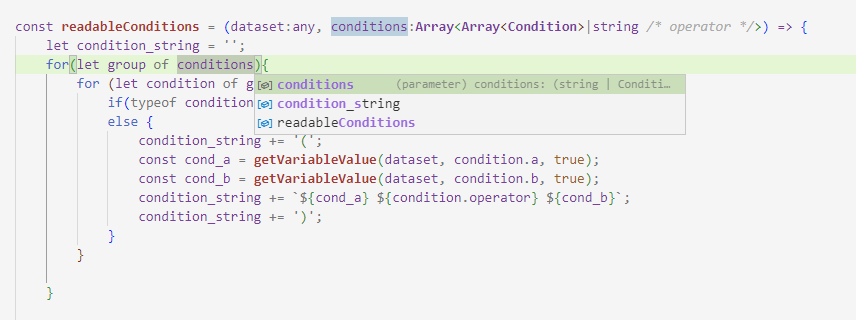
🔷 CTRL + space
🔶 CMD + space
Open suggestions / hints
Code fast when you know what your options are
🔶 CMD + space
Open suggestions / hints
Code fast when you know what your options are
🔷🔶 SHIFT + F12
Open references
Useful when you're looking for where you implemented something
You can also CTRL/CMD + click functions/methods for this!
Open references
Useful when you're looking for where you implemented something
You can also CTRL/CMD + click functions/methods for this!

🔷 CTRL + SHIFT + F
🔶 CMD + SHIFT + F
Find text within files
🔶 CMD + SHIFT + F
Find text within files

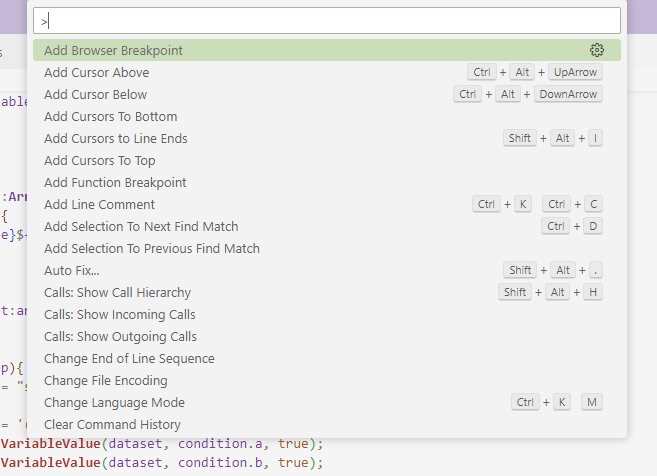
🔷 CTRL + SHIFT + P
🔶 CMD + SHIFT + P
Opens Command Palette
This is a quick-menu for basically everything in the editor
Highly recommended for those new to VS Code
🔶 CMD + SHIFT + P
Opens Command Palette
This is a quick-menu for basically everything in the editor
Highly recommended for those new to VS Code
🔷 ALT + up/down arrow
🔶 OPT + up/down arrow
Moves a line of code up or down
Including in/out of code scopes
I use this A LOT
🔶 OPT + up/down arrow
Moves a line of code up or down
Including in/out of code scopes
I use this A LOT
🔷 SHIFT + ALT + up/down arrow
🔶 SHIFT + OPT + up/down arrow
Copies a line of code up or down
🔶 SHIFT + OPT + up/down arrow
Copies a line of code up or down
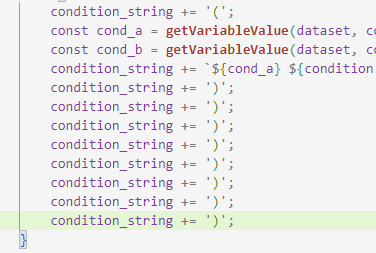
🔷🔶 Hold middle mouse button + drag up/down
Puts down multiple mouse cursors
Great for multi-line editing!
Puts down multiple mouse cursors
Great for multi-line editing!
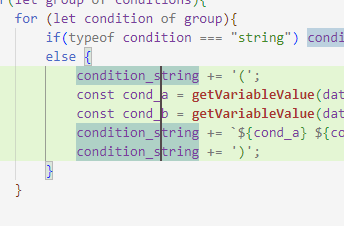
🔷 CTRL + SHIFT + K
🔶 CMD + SHIFT + K
Delete a line
Stop highlighting everything to delete
🔶 CMD + SHIFT + K
Delete a line
Stop highlighting everything to delete
Turn on Auto-Save!!
🔷 CTRL + ,
🔶 CMD + ,
Turn "Files: Auto Save" to "afterDelay"
This will save every 1000ms
Not sure why this is off by default 😭
🔷 CTRL + ,
🔶 CMD + ,
Turn "Files: Auto Save" to "afterDelay"
This will save every 1000ms
Not sure why this is off by default 😭
🔷 CTRL + G
🔶 CMD + G
Go to a specific line
Really great when debugging an issue and you have a line number
🔶 CMD + G
Go to a specific line
Really great when debugging an issue and you have a line number
🔷 CTRL + K + F
🔶 CMD + K + F
Formats a selected block of code
Careful with this, it also does semi-linting and may not be to your liking
🔶 CMD + K + F
Formats a selected block of code
Careful with this, it also does semi-linting and may not be to your liking
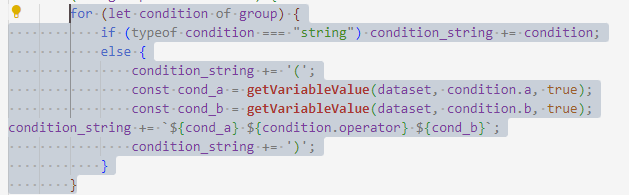
🔷 CTRL + L
🔶 CMD + L
Selects the entire line
🔶 CMD + L
Selects the entire line
I hope this helps you work faster!
Make sure to bookmark the top tweet so you can come back to this later
Might as well give it a like and retweet while you're at it :)
Make sure to bookmark the top tweet so you can come back to this later
Might as well give it a like and retweet while you're at it :)
Are there any shortcuts you like that weren't mentioned here?
Loading suggestions...