

How To Add A Google Maps Location Into Your Website With HTML 📍
👇
👇

ℹ️ One of the best ways to integrate Maps into your site is with an Iframe code.
ℹ️ It's the easiest way to embed a Google Maps Location into your website
Let's begin 👇
ℹ️ It's the easiest way to embed a Google Maps Location into your website
Let's begin 👇
1. Start off by heading to Google maps

2. Enter the required address in the search bar, then click the search button
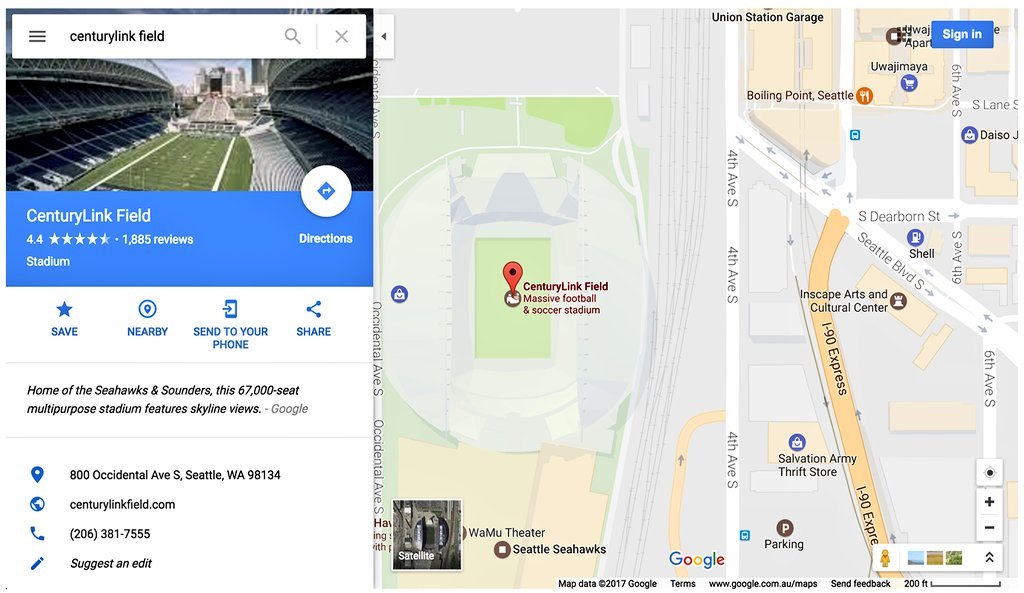
3. Click on the Share icon

4. Choose "Embed a Map"

5. Select size from the drop down menu
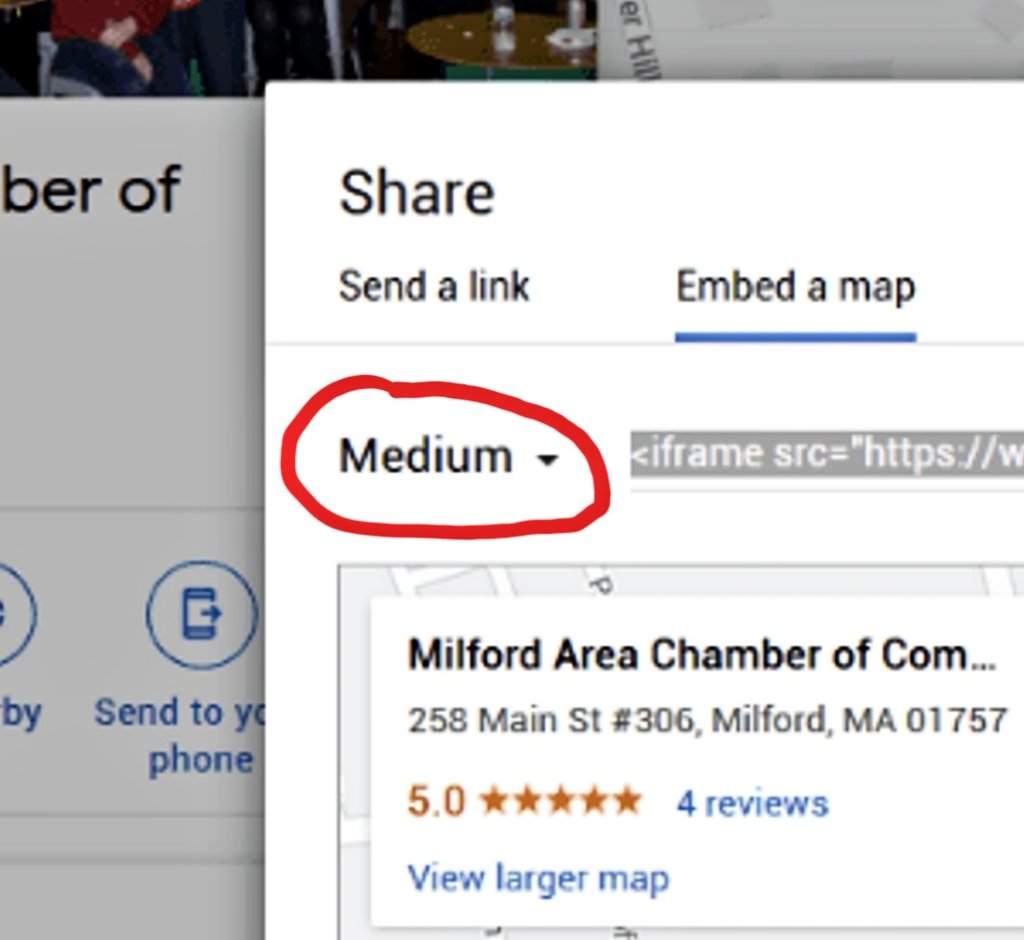
6. Select and copy the HTML iframe embed code

7. Paste the embed code into your HTML page
(The "xxxxxxxxxx" represents the location Google code.)
(The "xxxxxxxxxx" represents the location Google code.)
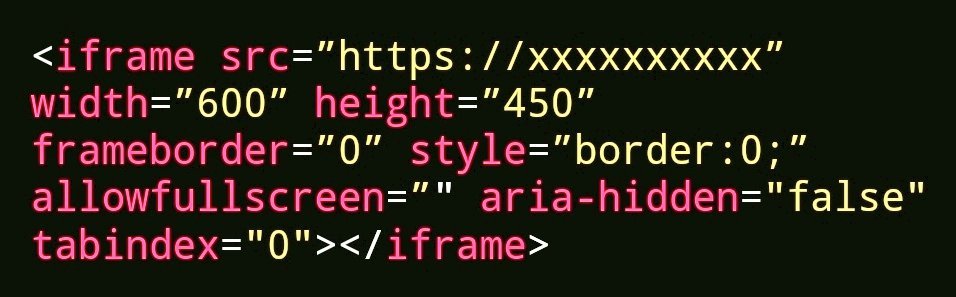
This resulting map has a static width and height and may be adjusted by changing these size attributes.
That's all folks!
Thank you for checking it out! 😊
If you found this useful
1. Like ❤️ and RT 🔄 the 1st Tweet
2. Follow @BasRash_ for daily Tweets on:
👨💻 Web Development
💻 HTML, CSS, JavaScript
🎨 UI/UX Design
📚 Free Resources
💰 How To Earn Money
And more!
Thank you for checking it out! 😊
If you found this useful
1. Like ❤️ and RT 🔄 the 1st Tweet
2. Follow @BasRash_ for daily Tweets on:
👨💻 Web Development
💻 HTML, CSS, JavaScript
🎨 UI/UX Design
📚 Free Resources
💰 How To Earn Money
And more!
🚨 Did YOU know... you can make money with Just HTML & CSS? 🤔
My E-Book will tell you EXACTLY how to!
Grab it NOW and start making money with your HTML & CSS skills today! 👇
basitrashid7227.gumroad.com
My E-Book will tell you EXACTLY how to!
Grab it NOW and start making money with your HTML & CSS skills today! 👇
basitrashid7227.gumroad.com
If you want to learn how to create a 6-figure Online Web Design Business...
You HAVE to get the Fox Web School Program!
This is hands-down THE best investment I've made!
You get the FULL program PLUS all his past courses too! 🤯
THAT'S NOT ALL...
You HAVE to get the Fox Web School Program!
This is hands-down THE best investment I've made!
You get the FULL program PLUS all his past courses too! 🤯
THAT'S NOT ALL...
You also get 10% OFF the price too! 🤯
Use code "BASRASH" at checkout to get 10% off! 👇
✅️ 100% Safe
✅️ 100% Secure
✅️ 100% Risk-free
start.foxwebschool.com
Use code "BASRASH" at checkout to get 10% off! 👇
✅️ 100% Safe
✅️ 100% Secure
✅️ 100% Risk-free
start.foxwebschool.com
Do you want to become a Front-end Developer? 🤔
Check out Wampamba's Complete Guide below 👇
gumroad.com
Check out Wampamba's Complete Guide below 👇
gumroad.com
Loading suggestions...