

Create a glass blur effect in Figma✨

1. Intro

2. Create a rectangle shape

3. Add a background image

4. Create a second rectangle

5. Overlay the shape on top

6. Apply background blur
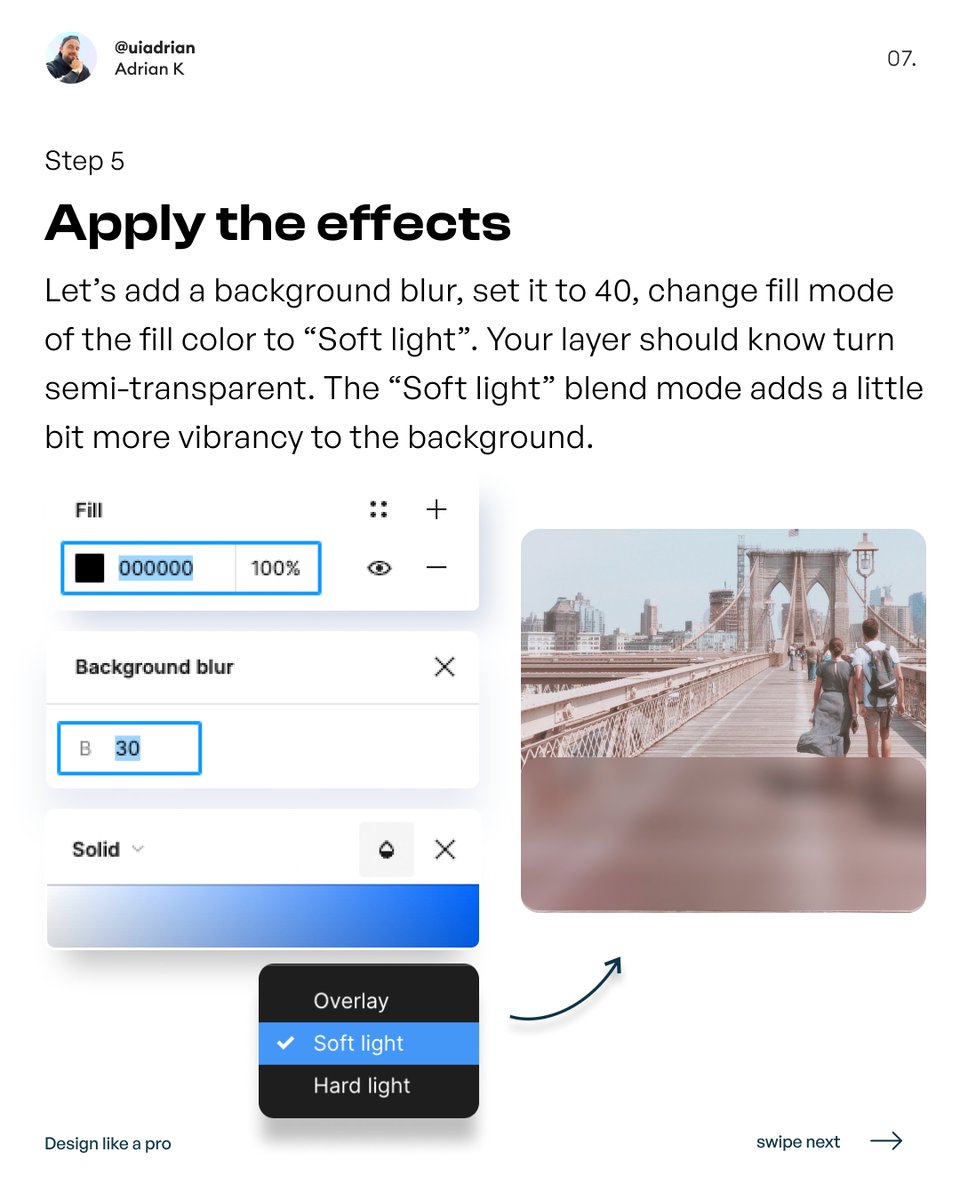
7. Add the remaining elements

8. And use it in your projects!

That's it from me Guys!
If you enjoyed this thread:
1. Follow me @uiuxadrian for more design-related tweets and videos
2. RT the tweet below to share this thread with your audience 💜
If you enjoyed this thread:
1. Follow me @uiuxadrian for more design-related tweets and videos
2. RT the tweet below to share this thread with your audience 💜
P.S. If you're interested in website design
Check out my latest ebook while it's on a 30% off promotion
🎁 340+ pages, Landing Page UI kit, Practice files, Freelance documents, Design handoff, and more! 🎁
Here's the link👇
uiadrian.gumroad.com
Check out my latest ebook while it's on a 30% off promotion
🎁 340+ pages, Landing Page UI kit, Practice files, Freelance documents, Design handoff, and more! 🎁
Here's the link👇
uiadrian.gumroad.com
Loading suggestions...