

Everyprompt.com @everyprompt
This is the most polished complete offering of the three below IMO
Includes a prompt engineering interface, ability to inject variables into prompts, and nascent logging.
A few observations 👇
1/
This is the most polished complete offering of the three below IMO
Includes a prompt engineering interface, ability to inject variables into prompts, and nascent logging.
A few observations 👇
1/
A word on dev with LLMs - every developer goes through these stages:
- develop a prompt (usually in OpenAI playground)
- iteratively refine it
- deploy it via API
- integrate API into your application
- monitor ongoing usage
Everyprompt enables this flow.
2/
- develop a prompt (usually in OpenAI playground)
- iteratively refine it
- deploy it via API
- integrate API into your application
- monitor ongoing usage
Everyprompt enables this flow.
2/
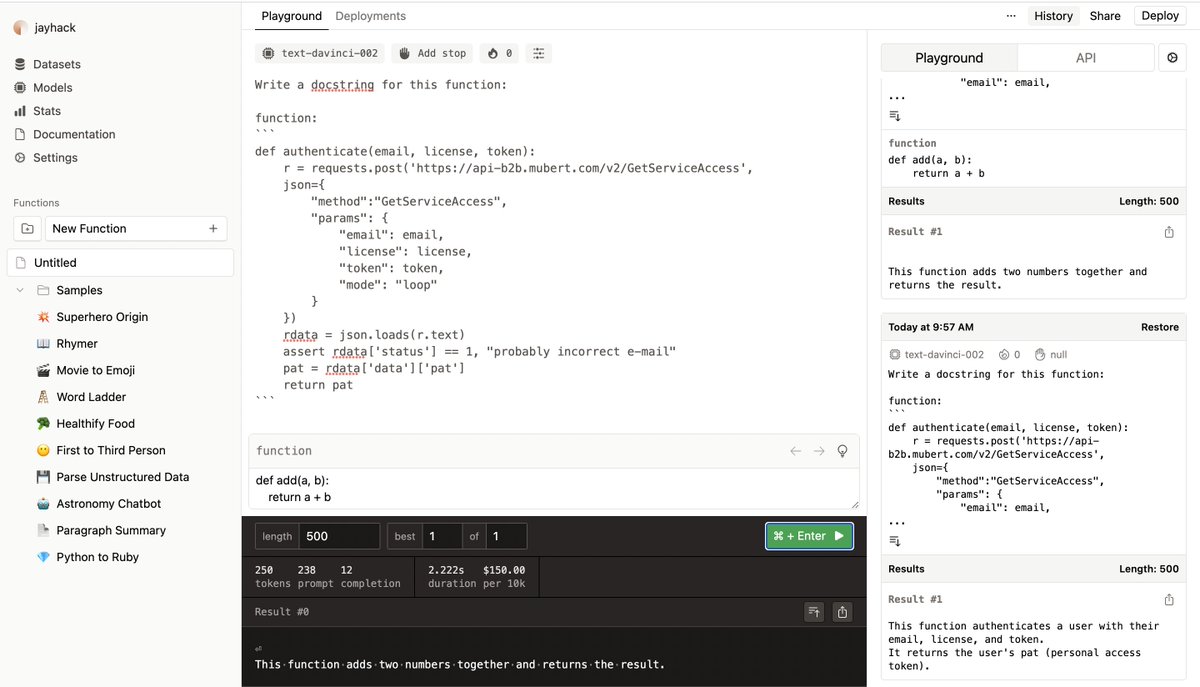
Everyprompt allows you to write prompts, then inject variables using syntax like {{my variable}}
It has a convenient interface for rapidly prototyping on prompts themselves.
See below, for instance, for a prompt to automatically create docstrings for python functions.
3/
It has a convenient interface for rapidly prototyping on prompts themselves.
See below, for instance, for a prompt to automatically create docstrings for python functions.
3/

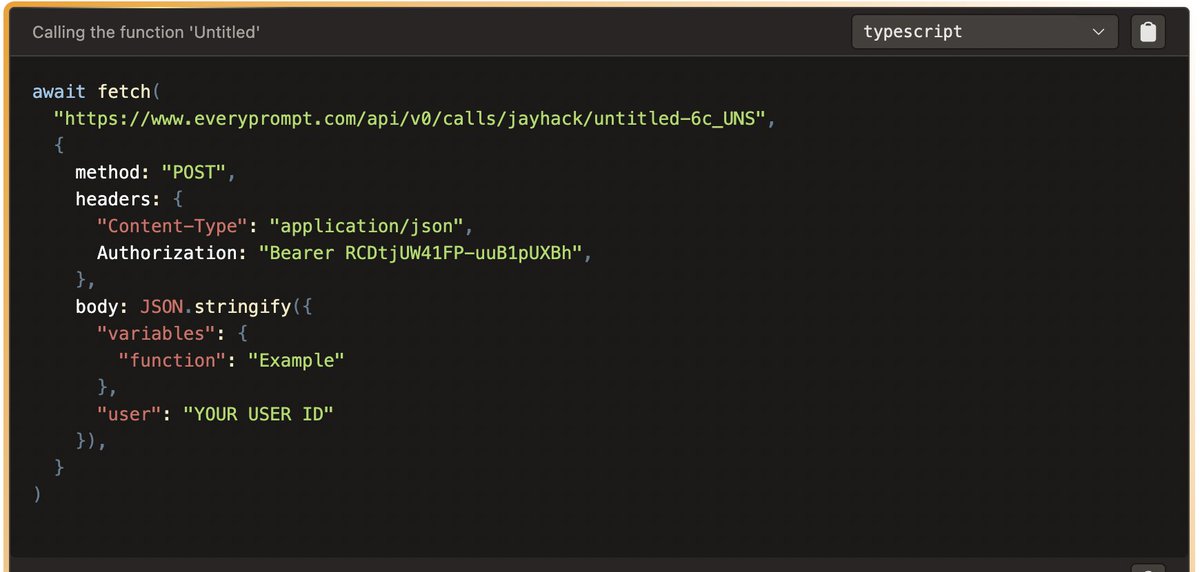
Once you're satisfied with your output, you can hit "deploy" and receive an API that accepts variable arguments matching up to your {{template_variables}}
They provide convenient docs on how to query these models.
Just copy + paste.
4/
They provide convenient docs on how to query these models.
Just copy + paste.
4/
They also provide high-level stats on your API usage.
What would be more helpful: full logs on what prompts have been queried via API and their accompanying arguments. That's a game changer when debugging.
Unfortunately I don't see that feature here.
5/
What would be more helpful: full logs on what prompts have been queried via API and their accompanying arguments. That's a game changer when debugging.
Unfortunately I don't see that feature here.
5/

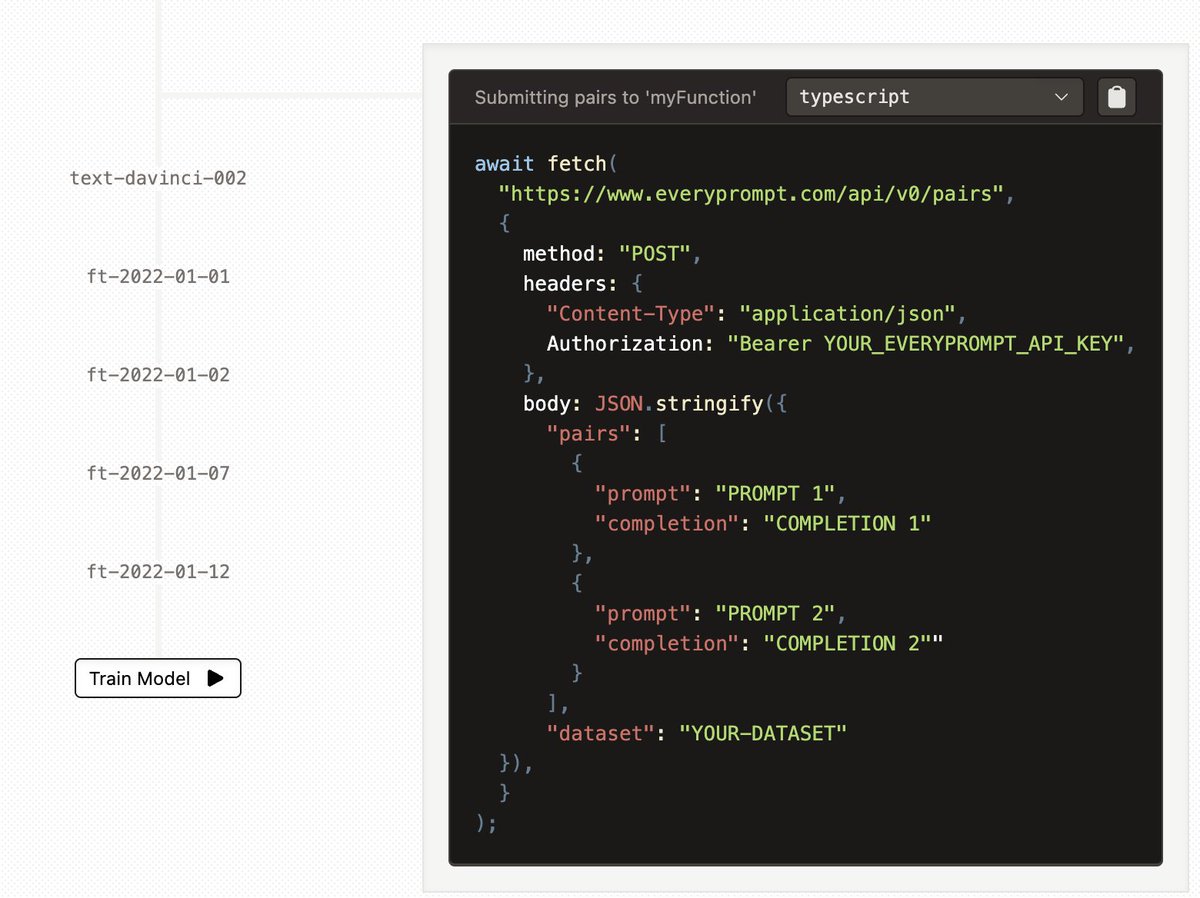
Lastly, they support fine-tuning via submitting pairs of (prompt, completion) to their API.
6/
6/
In summary, this is a better developer experience than working in the OpenAI playground.
The only functionality that it adds on top of the raw OpenAI API, however, is the ability to inject variables into prompts.
7/
The only functionality that it adds on top of the raw OpenAI API, however, is the ability to inject variables into prompts.
7/
A few feature requests for @everyprompt :
- See every invocation of your API via logs
- Ability to authenticate users
- Ability to charge users for each API invocation
Would also love to see prompt chaining like @dust4ai and @LangChainAI !
8/
- See every invocation of your API via logs
- Ability to authenticate users
- Ability to charge users for each API invocation
Would also love to see prompt chaining like @dust4ai and @LangChainAI !
8/
Overall, I recommend @everyprompt if you are spinning up a web application that uses GPT-3 on the backend and want something that just works.
Enjoy!
Enjoy!
Loading suggestions...