

This thread contains details on how to install the Sakila database into your RDBMS, preferably MySQL, so you can have a database to practice on;
Common questions to answer to test your skills;
and the link to the recording of the last session on Introduction to SQL
Common questions to answer to test your skills;
and the link to the recording of the last session on Introduction to SQL
Firstly, download the Sakila database here: dev.mysql.com
Click on the link and under EXAMPLE DATABASES, download the ZIP file beside Sakila Database.
Click on the link and under EXAMPLE DATABASES, download the ZIP file beside Sakila Database.

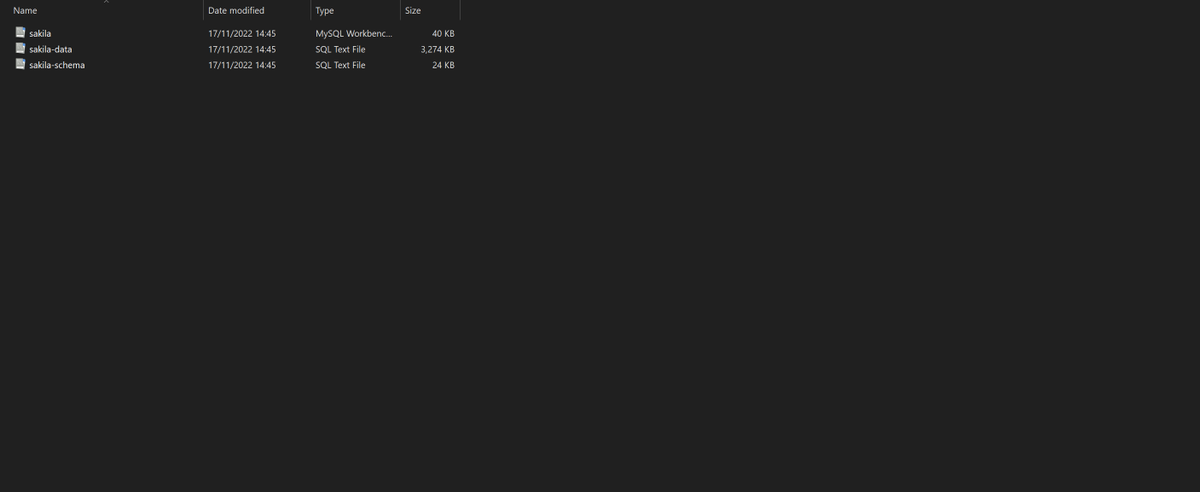
Unzip the downloaded file and extract it's content into a folder. The folder should contain 3 files:
- sakila-schema.sql
- sakila-data.sql
- sakila.mwb
- sakila-schema.sql
- sakila-data.sql
- sakila.mwb
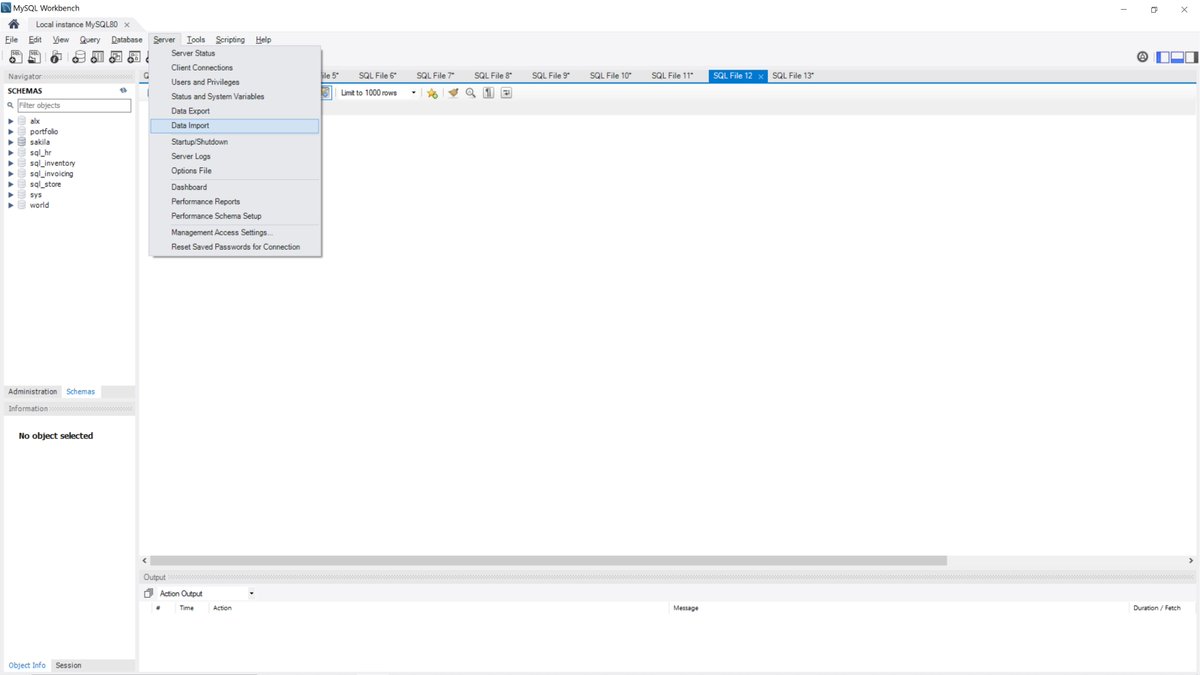
Then open MySQL Workbench and click on SERVER at the top then select DATA IMPORT
A new window pops up. Click on IMPORT FROM SELF-CONTAINED FILE and then click on the 3 dots at the right to select one of the files that you downloaded earlier.

File explorer pops up, navigate to folder that contains the sakila database files you downloaded and select the sakila-schema.sql file. Then click on START IMPORT at the bottom.

After installation, click on SERVER at the top and DATA IMPORT and repeat the same steps above to import the second file sakila-data.sql
When you're done importing the two files, click on the refresh icon to reflect the changes and then you have your Sakila database in your RDBMS located under SCHEMAS at the left. You can then open a new SQL tab to write your queries.

Here's the link to the class on Introduction to SQL in case you weren't able to join the session.
Loading suggestions...