

How to automatically save 1000s of hours editing your videos in less than 30 seconds:
Use timebolt.io
Timebolt automatically removes silence, filler words, and breaths from your videos.
I use it to save 1000s of hours editing my client’s short-form videos that I would have spent grinding away otherwise.
Here's a step-by-step guide on how to use it:
Timebolt automatically removes silence, filler words, and breaths from your videos.
I use it to save 1000s of hours editing my client’s short-form videos that I would have spent grinding away otherwise.
Here's a step-by-step guide on how to use it:
1. Download and purchase Timebolt.
Click this link to learn more about it and purchase it.
There are a number of plans–the cheapest one is $17/mo.
I have a lifetime plan–it’s that good.
timebolt.io
Click this link to learn more about it and purchase it.
There are a number of plans–the cheapest one is $17/mo.
I have a lifetime plan–it’s that good.
timebolt.io
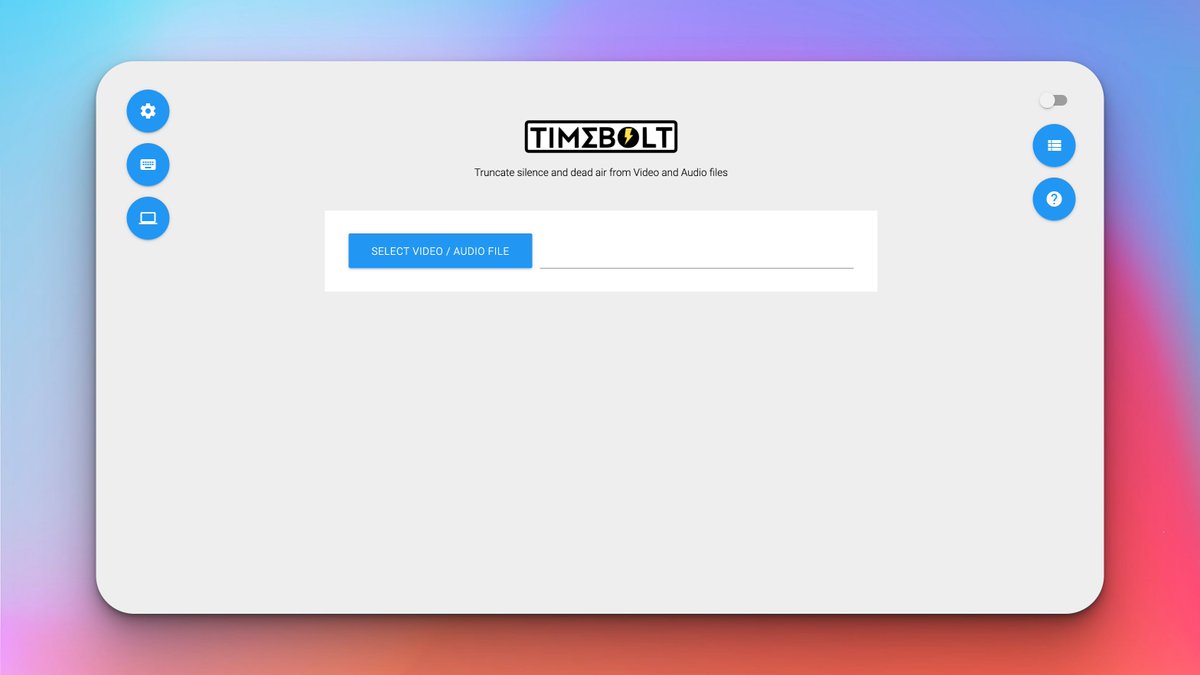
2. Install & Open Timebolt
Once installed, you’ll be presented with this screen:
Here’s what you need to do next:
Once installed, you’ll be presented with this screen:
Here’s what you need to do next:
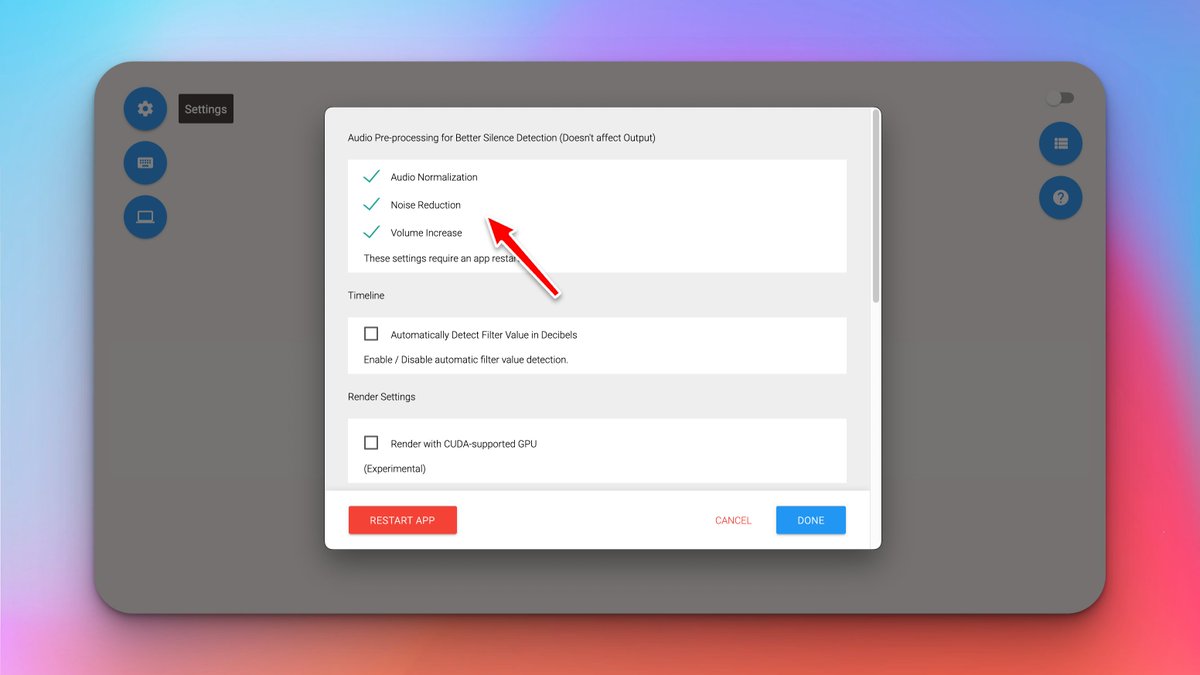
3. Click ‘Settings’ in the top left corner and turn on:
Audio Normalization
Noise Reduction
Volume Increase
Then, restart and re-open Timebolt.
Audio Normalization
Noise Reduction
Volume Increase
Then, restart and re-open Timebolt.
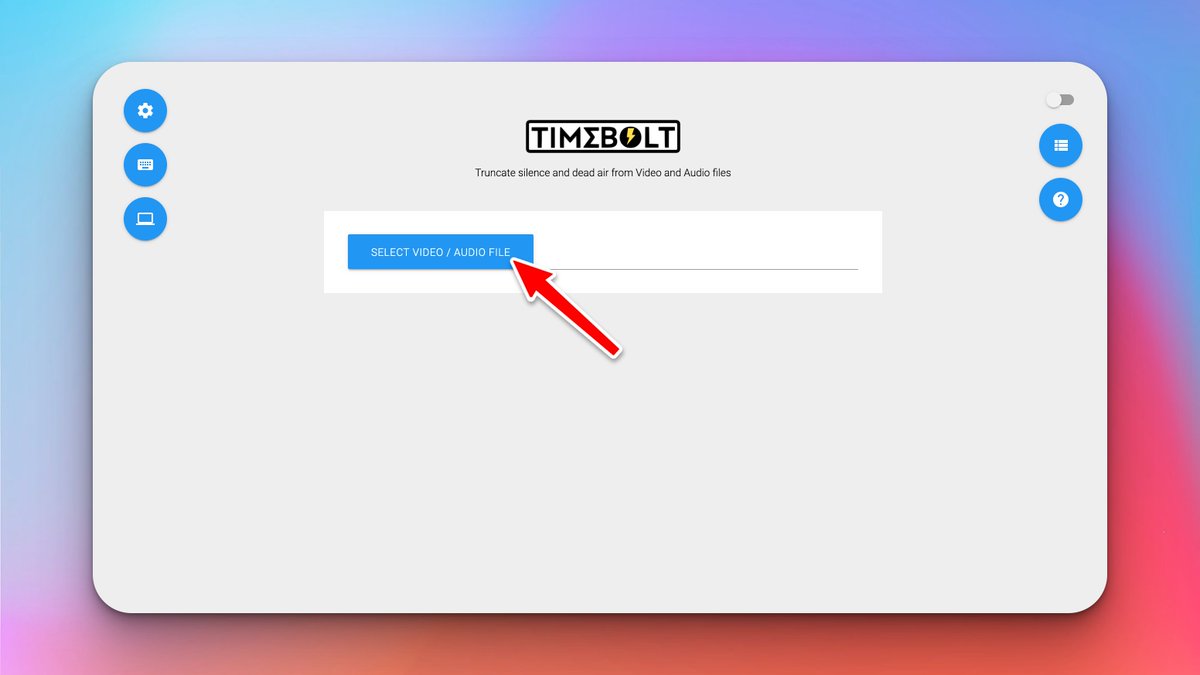
4. Import your video file
Drag & drop your video into Timebolt.
It will then analyze the audio and do default cuts.
But we can do better…
Drag & drop your video into Timebolt.
It will then analyze the audio and do default cuts.
But we can do better…
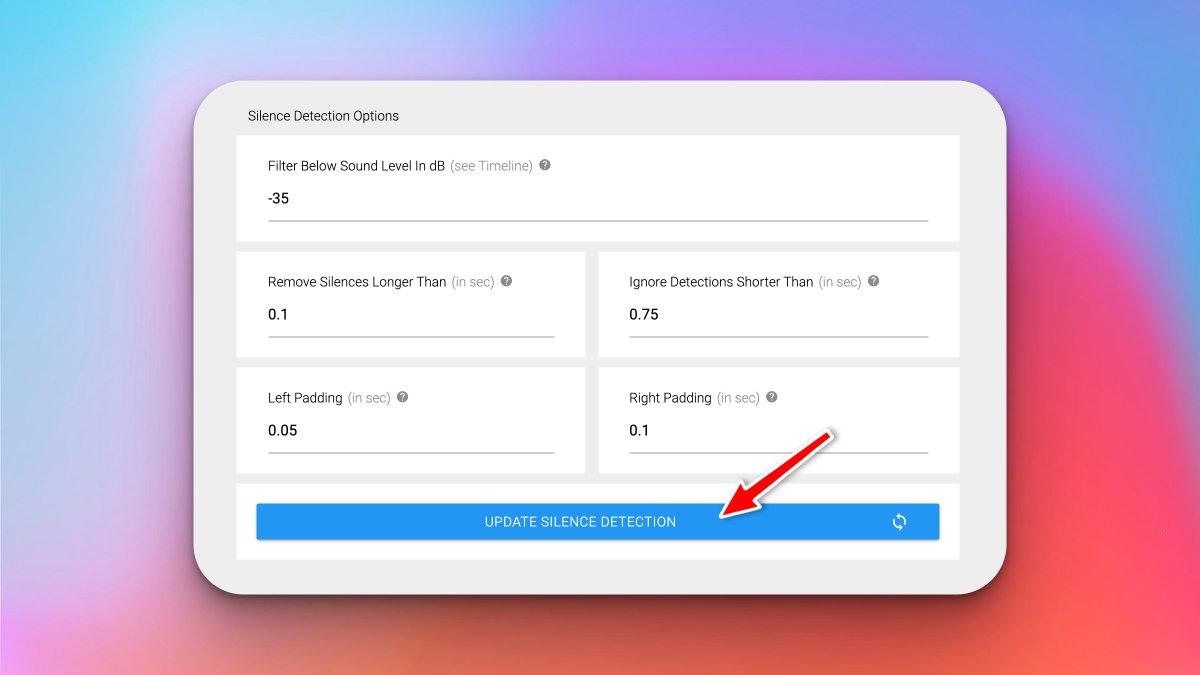
5. Change the Silence Detection Options to:
• Filter Below Sound Level In dB: -35
• Remove Silences Longer Than: 0.1
• Ignore Detections Shorter Than: 0.75
• Left Padding: 0.05
• Right Padding: 0.1
Then click ‘Update Silence Detection’
• Filter Below Sound Level In dB: -35
• Remove Silences Longer Than: 0.1
• Ignore Detections Shorter Than: 0.75
• Left Padding: 0.05
• Right Padding: 0.1
Then click ‘Update Silence Detection’
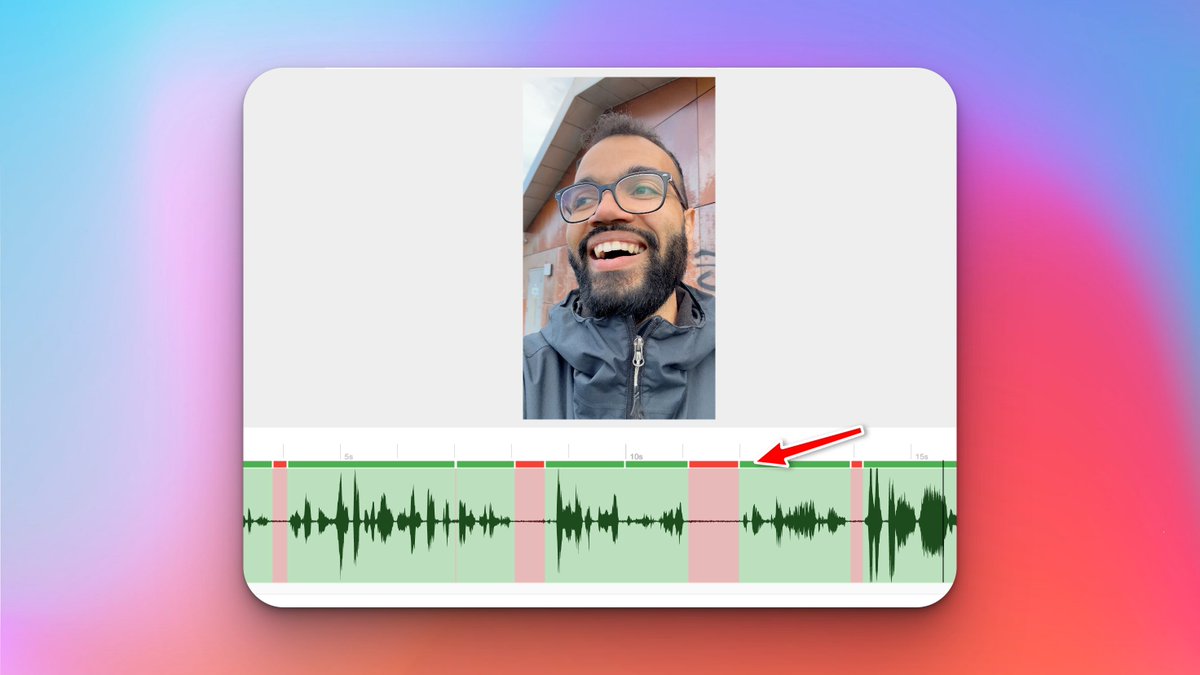
6. Make any final selections in your TimeBolt timeline.
Everything in green is kept.
Everything in red is discarded.
Click a section at its top bar to turn it green or red.
Make your own cuts by pressing ‘S’, then turning that section on or off.
Happy?
Time to export:
Everything in green is kept.
Everything in red is discarded.
Click a section at its top bar to turn it green or red.
Make your own cuts by pressing ‘S’, then turning that section on or off.
Happy?
Time to export:
7. Export your cut video.
You have two options:
If using Premiere Pro or Davinci Resolve, export an ‘XML’
If using Final Cut Pro, export a 'FCPXML'
You have two options:
If using Premiere Pro or Davinci Resolve, export an ‘XML’
If using Final Cut Pro, export a 'FCPXML'

8. Import your .xml file into your editing software
Once imported, you should have your original clip and the cut up sequence in your project bin.
Simply drag it to your timeline, and there you’re ready to edit.
Congratulations!
You've saved 1000s of hours editing videos.
Once imported, you should have your original clip and the cut up sequence in your project bin.
Simply drag it to your timeline, and there you’re ready to edit.
Congratulations!
You've saved 1000s of hours editing videos.

How to automatically save 1000s of hours editing your videos in less than 30 seconds of work:
1. Download and purchase Timebolt.io
2. Change the settings
3. Import your video file
4. Change the Silence Detection Options
5. Export your cut video.
1. Download and purchase Timebolt.io
2. Change the settings
3. Import your video file
4. Change the Silence Detection Options
5. Export your cut video.
Thanks for sharing.
Got value from this thread?
Retweet the 1st tweet to help others edit their videos.
Want more content like this?
Follow me @jordanbaaailey
Got value from this thread?
Retweet the 1st tweet to help others edit their videos.
Want more content like this?
Follow me @jordanbaaailey
Also...
If you’re a coach, consultant or agency owner looking to generate inbound leads with short-form videos:
Click this link.
Watch the video.
And find out more about how I might be able to help you.
jhbdigital.com
If you’re a coach, consultant or agency owner looking to generate inbound leads with short-form videos:
Click this link.
Watch the video.
And find out more about how I might be able to help you.
jhbdigital.com
Loading suggestions...