

99% of beginners get backtesting wrong:
Build backtest, get poor results. Tweak backtest, get positive results.
Then they wonder why they lose money.
Here's the dead-simple framework the pros use to get backtesting right:
Build backtest, get poor results. Tweak backtest, get positive results.
Then they wonder why they lose money.
Here's the dead-simple framework the pros use to get backtesting right:
If you replicate this framework, you’ll:
• Setup a backtest with bt
• Run a backtest and analyze results
• Assess how random your results are
Plus, you’ll dramatically reduce the risk of your strategy performing poorly in the market after a great backtest.
But first…
• Setup a backtest with bt
• Run a backtest and analyze results
• Assess how random your results are
Plus, you’ll dramatically reduce the risk of your strategy performing poorly in the market after a great backtest.
But first…
In case you’re new to backtesting.
It's used to:
• Simulate how a strategy might perform live
• Test trading ideas against historic market data
• Optimize for performance parameters like Sharpe
It's easy to setup but hard to get right.
Here’s how to do it with Python.
It's used to:
• Simulate how a strategy might perform live
• Test trading ideas against historic market data
• Optimize for performance parameters like Sharpe
It's easy to setup but hard to get right.
Here’s how to do it with Python.
Fund managers report their holdings monthly.
So they sell losing stocks and buy higher quality assets, like bonds.
We might be able to take advantage of this effect by buying bonds toward the end of the month and selling them at the beginning.
Let's find out.
So they sell losing stocks and buy higher quality assets, like bonds.
We might be able to take advantage of this effect by buying bonds toward the end of the month and selling them at the beginning.
Let's find out.
Imports and setup.
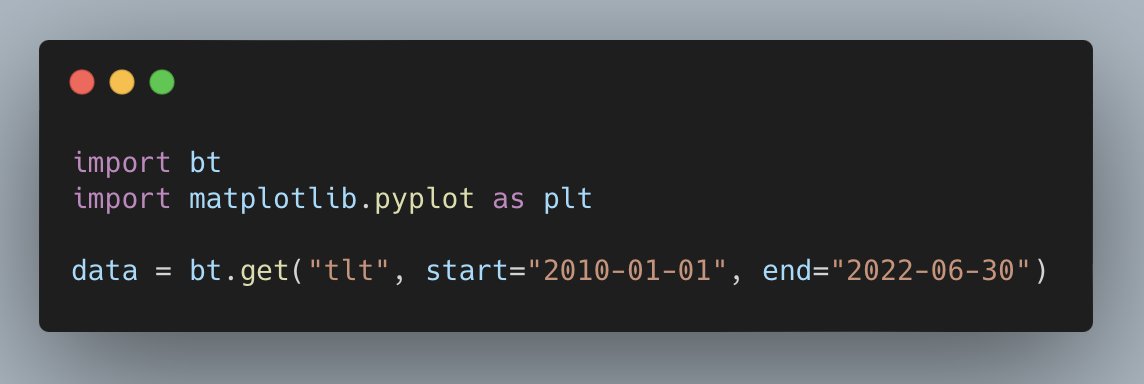
Start with importing bt and Matplotlib and getting some data.
bt is a simple backtesting library that helps avoid lookahead bias.
Matplotlib lib helps you create beautiful charts.
Start with importing bt and Matplotlib and getting some data.
bt is a simple backtesting library that helps avoid lookahead bias.
Matplotlib lib helps you create beautiful charts.
The next step is to create functions to run the backtest.
The first takes daily portfolio weights.
bt has a library of built in `algos` which takes care of the logic for you.
This function weights the portfolio based on the input and rebalances daily.
The first takes daily portfolio weights.
bt has a library of built in `algos` which takes care of the logic for you.
This function weights the portfolio based on the input and rebalances daily.

The next function takes the strategy you just built, market data, initial capital, and a commission model.
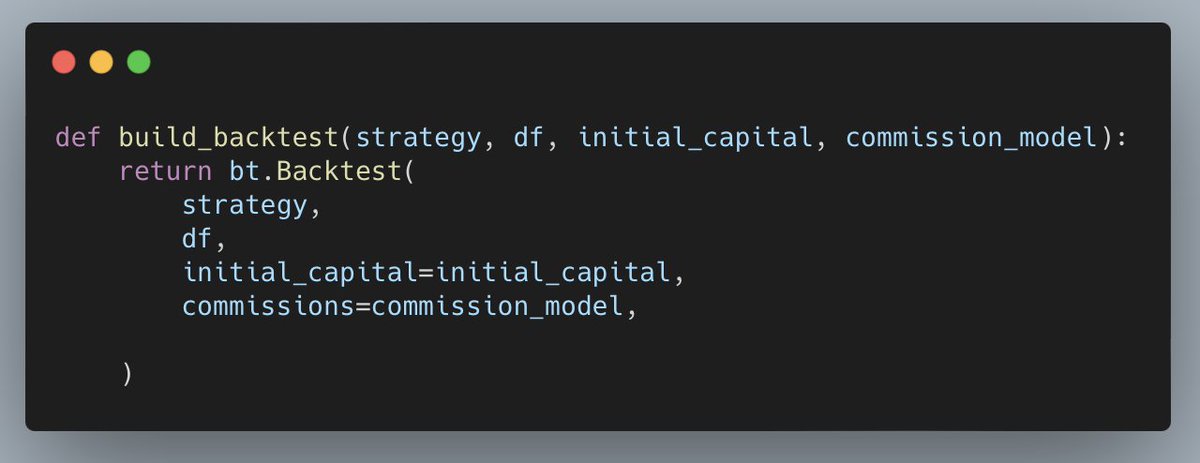
Your commission model can be anything you want. It just needs price and quantity.
It returns the bt backtest.
It returns the bt backtest.

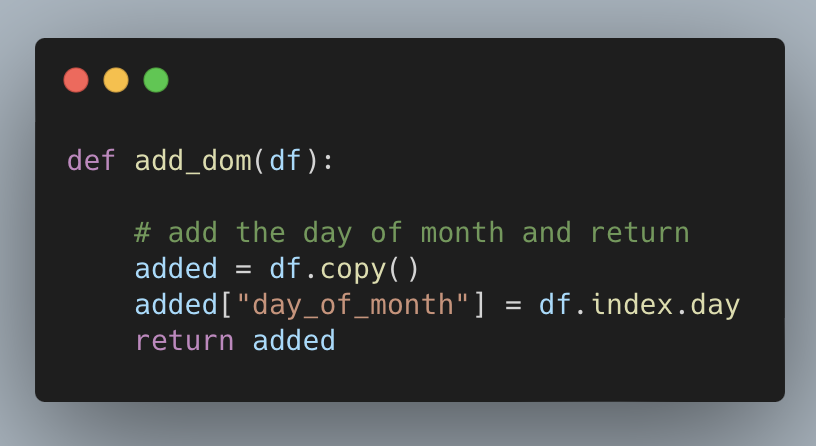
Next, create a function that adds a column to the DataFrame with the day of the month.
You want to be long TLT for the last week of the month and short during first.
To do this, you need to know the day of month.
You want to be long TLT for the last week of the month and short during first.
To do this, you need to know the day of month.
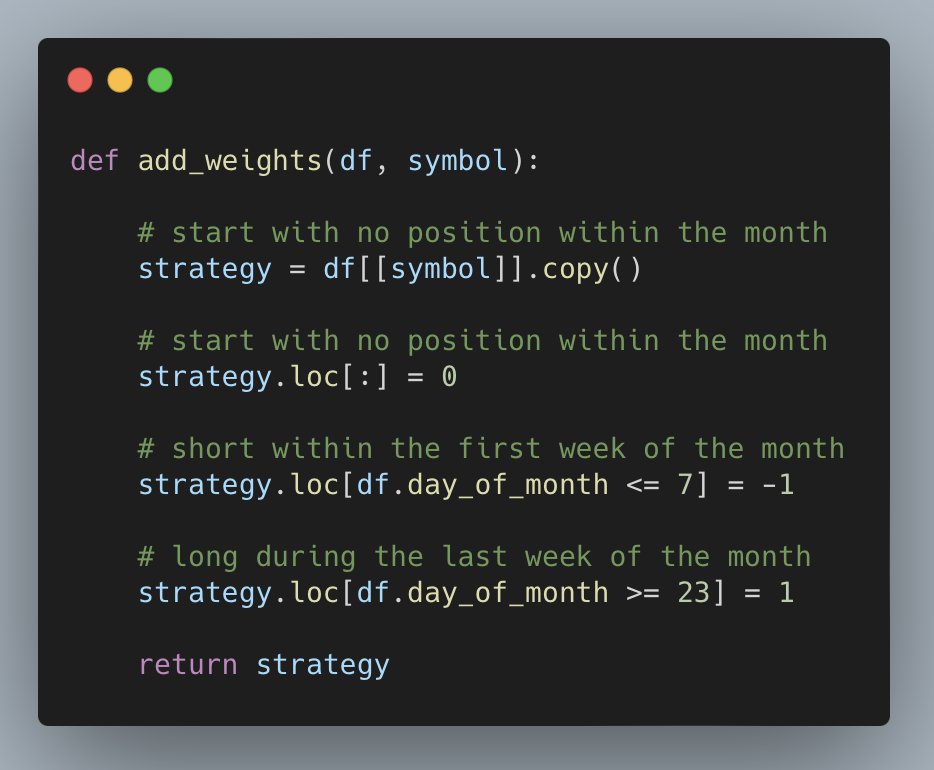
The last function weights the portfolio 100% short during the first week of the month and 100% long during the last week of the month.
All other days the strategy is out of the market.
All other days the strategy is out of the market.
After you setup the backtest, run it.
First, set the initial capital and call the functions.
Then you can plot the results.
First, set the initial capital and call the functions.
Then you can plot the results.

Call first_res.plot() and bt automatically generates an equity curve.
Up and to the right!
Just what you want to see.
Up and to the right!
Just what you want to see.
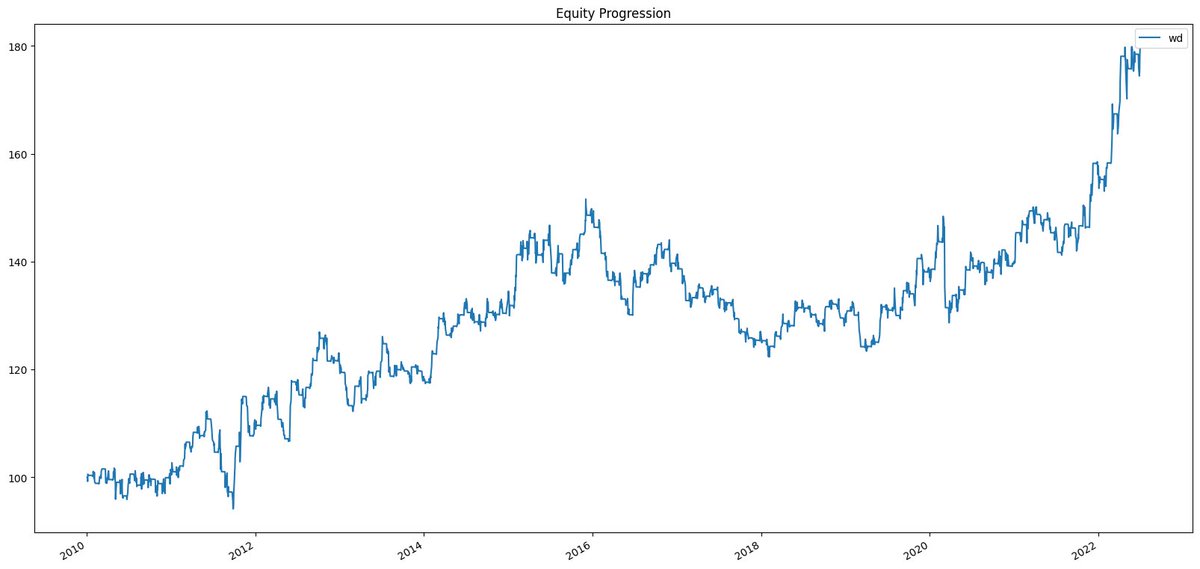
Everything looks great.
But how can you build confidence your backtest will work in the market?
Backtest the backtest.
Start with this function which randomly shuffles the prices and resets the index.
But how can you build confidence your backtest will work in the market?
Backtest the backtest.
Start with this function which randomly shuffles the prices and resets the index.

Huh?
The harsh truth is most strategies are random.
A random strategy will produce positive results in 50% of cases and negative results in 50% of cases.
Results will rarely be 0.
What do beginners do with a negative result?
Tweak the backtest.
So how do you avoid it?
The harsh truth is most strategies are random.
A random strategy will produce positive results in 50% of cases and negative results in 50% of cases.
Results will rarely be 0.
What do beginners do with a negative result?
Tweak the backtest.
So how do you avoid it?
Backtest the backtest.
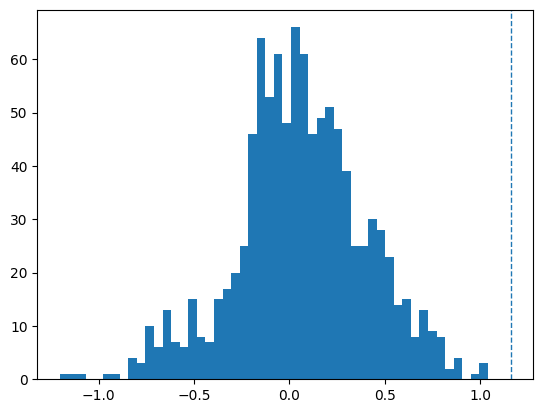
You’re going to run a simulation of backtests, plot the resulting Sharpe ratios, and see where your backtest’s Sharpe ratio is on the distribution.
This tells you how random your backtest result it.
You’re going to run a simulation of backtests, plot the resulting Sharpe ratios, and see where your backtest’s Sharpe ratio is on the distribution.
This tells you how random your backtest result it.
Set the number of runs and build a loop.
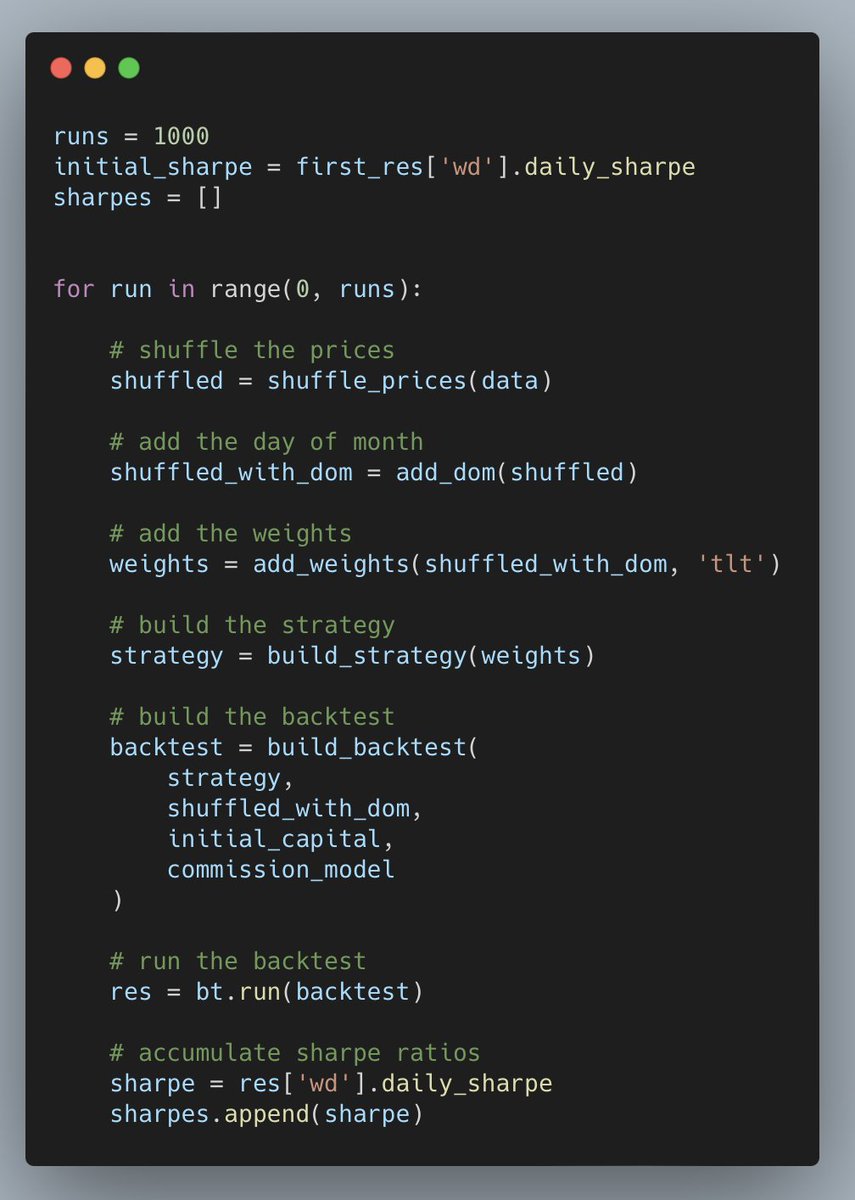
This runs the backtest against randomly shuffled prices.
Then it accumulates the Sharpe ratios which are based on the random data.
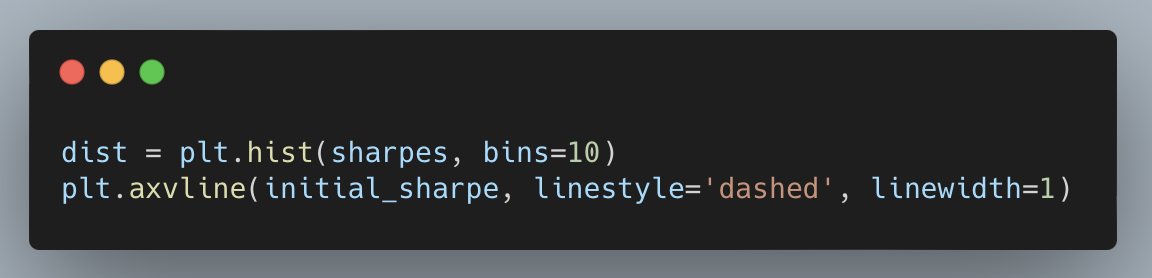
Finally, find out where the Sharpe ratio is in the distribution of random backtest results.
Then it accumulates the Sharpe ratios which are based on the random data.
Finally, find out where the Sharpe ratio is in the distribution of random backtest results.
Way to the right!
That’s good news.
Very few randomized tests have a better result than our backtest.
This should give you some confidence the strategy can achieve a similar result in real trading.
That’s good news.
Very few randomized tests have a better result than our backtest.
This should give you some confidence the strategy can achieve a similar result in real trading.
Reduce the risk of your strategy performing poorly in the market.
Avoid the problems 99% of beginners face.
Now you can:
• Setup a backtest with bt
• Run a backtest and analyze results
• Assess how good your backtest really is
Avoid the problems 99% of beginners face.
Now you can:
• Setup a backtest with bt
• Run a backtest and analyze results
• Assess how good your backtest really is
Click the link below to hop to the top tweet.
Then retweet so you can save this thread for later and share with your audience!
And if you like threads about trading and building backtests with Python, follow @pyquantnews for daily content.
Then retweet so you can save this thread for later and share with your audience!
And if you like threads about trading and building backtests with Python, follow @pyquantnews for daily content.
If you like threads about backtesting, you might enjoy my weekly newsletter: The PyQuant Newsletter.
Real Python code for quant finance you can use now.
Join 7,800+ subscribers who are taking action with Python.
pyquantnews.com
Real Python code for quant finance you can use now.
Join 7,800+ subscribers who are taking action with Python.
pyquantnews.com
Loading suggestions...