

Jupyter Notebook Tips & Tricks every Data Scientist should know :
-- Thread --
-- Thread --
1 - Running the Code :
▪ Press ' shift + Enter ' to run the code and move below, if there are no cells below new cell is added.
▪ Press ' Alt + Enter ' to run the code and create a new cell below, Even if there are other cells
▪ Press ' shift + Enter ' to run the code and move below, if there are no cells below new cell is added.
▪ Press ' Alt + Enter ' to run the code and create a new cell below, Even if there are other cells

2 - Deleting a Cell :
▪ Select the cell you want to delete on Command mode,
▪ Press key ' D ' twice to delete the cell.
▪ Select the cell you want to delete on Command mode,
▪ Press key ' D ' twice to delete the cell.

3 - Cell to Markdown and Viceversa :
▪ To make a Code Cell to Markdown press key ' M ' on command mode,
▪ To make a Markdown Cell to Code cell press key ' Y ' on command mode,
▪ To make a Code Cell to Markdown press key ' M ' on command mode,
▪ To make a Markdown Cell to Code cell press key ' Y ' on command mode,

4 - Autocomplete the code :
▪ To autocomplete the code ( variable or libraries/methods) press ket ' Alt ' in edit mode.
▪ To autocomplete the code ( variable or libraries/methods) press ket ' Alt ' in edit mode.

5 - To Get the Working Directory :
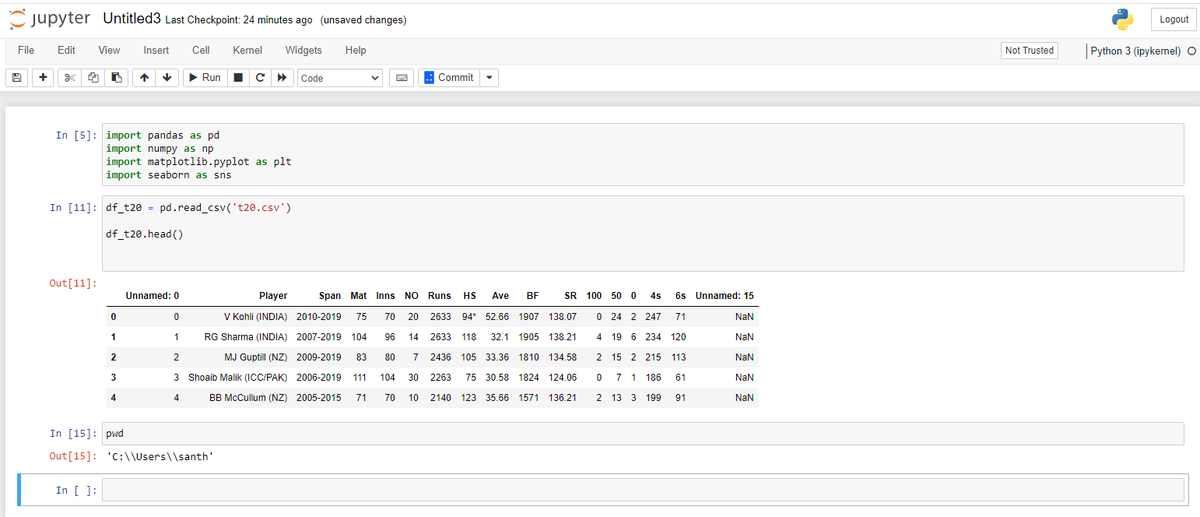
▪ Run 'pwd' on a code cell to get the current working directory.
▪ Run 'pwd' on a code cell to get the current working directory.
That's a wrap, Thank you for reading!
If you enjoyed this thread:
1. Follow me @SanthoshKumarS_ for more of this content on ML & Python,
2. Like & RT the tweet below to share this thread with your audience.
If you enjoyed this thread:
1. Follow me @SanthoshKumarS_ for more of this content on ML & Python,
2. Like & RT the tweet below to share this thread with your audience.
Loading suggestions...