

How do events and event listeners work in JavaScript and React?
Best way to learn is by building them from scratch.
Here's my walkthrough 👇
Best way to learn is by building them from scratch.
Here's my walkthrough 👇

You must have seen or even used these functions:
- addEventListener
- removeEventListener
You would use these functions to handle DOM events like onClick or onChange in JavaScript.
Note: React has a custom implementation for events, but similar to native.
- addEventListener
- removeEventListener
You would use these functions to handle DOM events like onClick or onChange in JavaScript.
Note: React has a custom implementation for events, but similar to native.
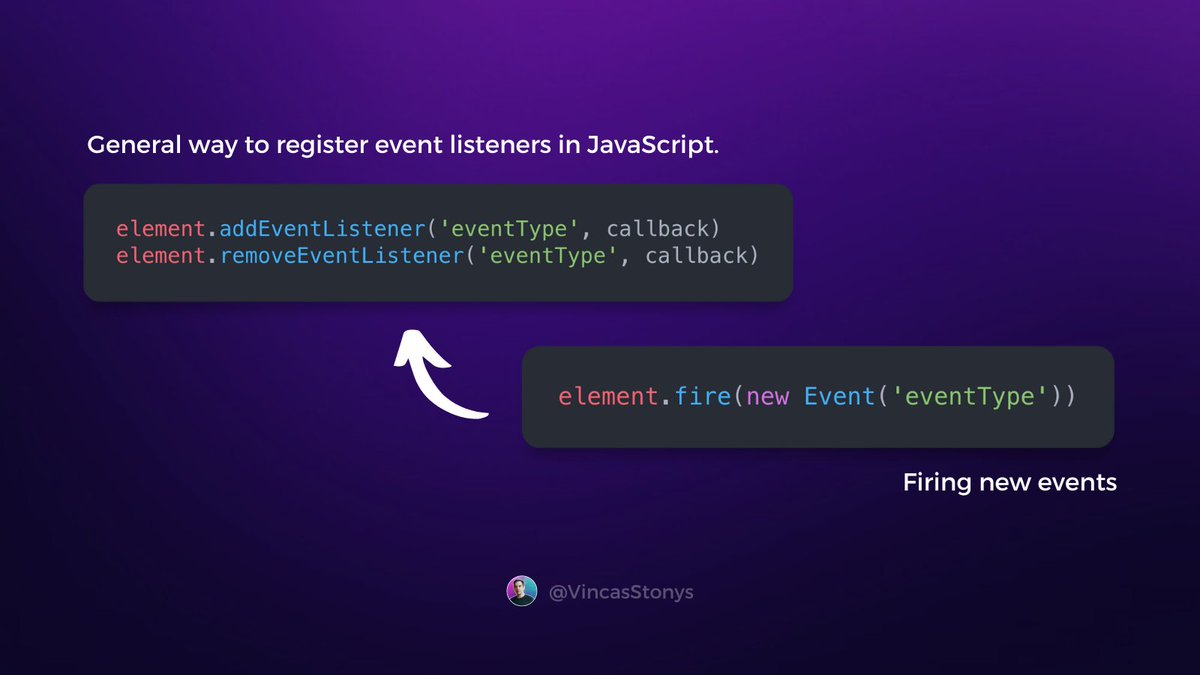
When an event is fired, all registered callback function (event handlers) will be executed.
On DOM elements you can fire an event by calling the dispatchEvent function (we'll call it "fire"). JavaScript does that for you when you click a button for example.
On DOM elements you can fire an event by calling the dispatchEvent function (we'll call it "fire"). JavaScript does that for you when you click a button for example.

Let's build our own custom event system implementation! 🔥
Create a class to implement the three functions I mentioned. We'll put all of our registered events into an array, and call them when we fire an event.
Live example: stackblitz.com
Here's what it looks like 👇
Create a class to implement the three functions I mentioned. We'll put all of our registered events into an array, and call them when we fire an event.
Live example: stackblitz.com
Here's what it looks like 👇
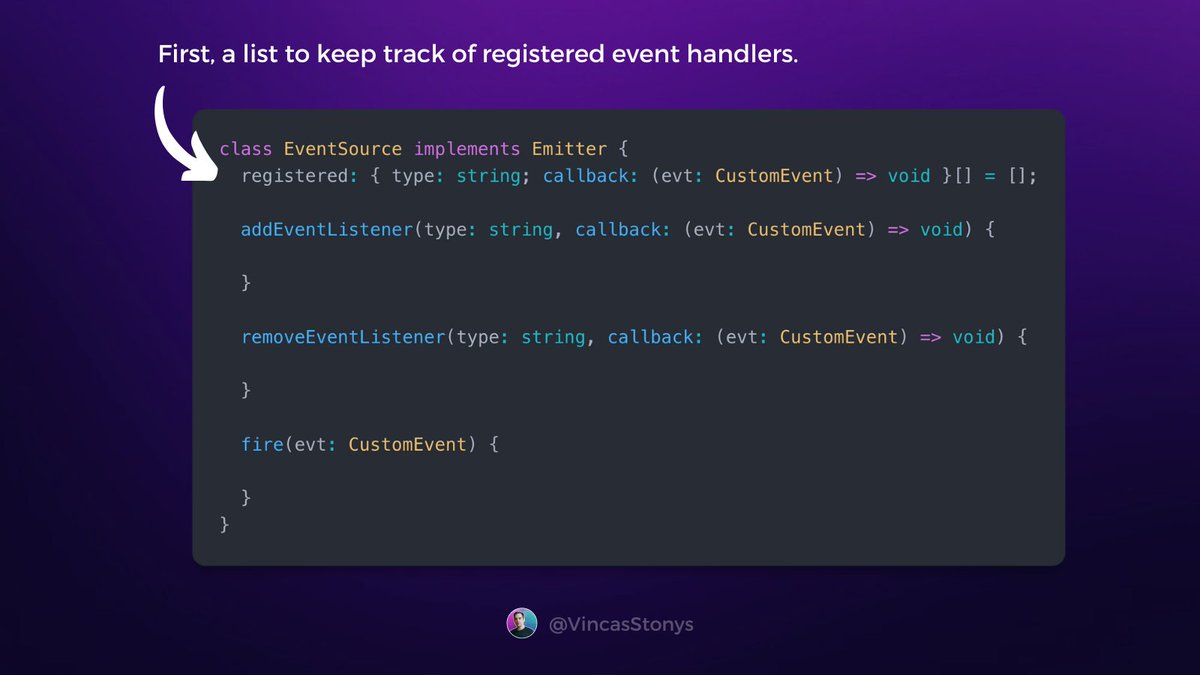
1. When we add an event handler, put it into registered listeners' array.
2. To unregister the event handler, remove it from the list.
3. When the event is fired, run all event handlers for that event.
Nice and easy, this is what you may end up with 👇
2. To unregister the event handler, remove it from the list.
3. When the event is fired, run all event handlers for that event.
Nice and easy, this is what you may end up with 👇

You would use the event system the same way as the native event system.
Notice that I used a native CustomEvent class. This allows me to pass additional data with the event.
You don't need to use it, and instead, you could implement it to accept a simple object { type, data }.
Notice that I used a native CustomEvent class. This allows me to pass additional data with the event.
You don't need to use it, and instead, you could implement it to accept a simple object { type, data }.

Now let's have some fun!
I'll use our custom event system to build a simple React app, that counts button clicks of a custom IncButton component.
We could simply pass onClick handler to IncButton from the parent, but where's the fun in that?
Let's use our event system!
I'll use our custom event system to build a simple React app, that counts button clicks of a custom IncButton component.
We could simply pass onClick handler to IncButton from the parent, but where's the fun in that?
Let's use our event system!
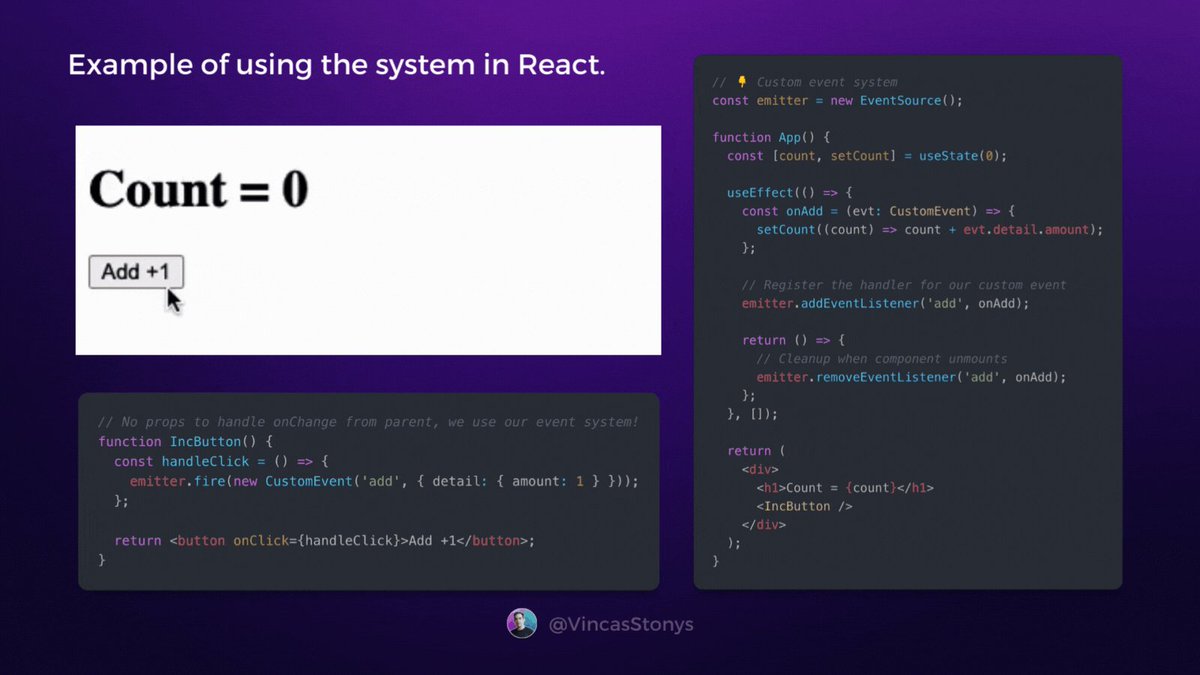
Don't actually do that in the real world, this is meant for educational purposes - the native and React's event systems work similarly.
That's it! Hope you had fun, and if you did:
1. Follow me @VincasStonys for more like this
2. RT the first tweet to share this with others 🙏
That's it! Hope you had fun, and if you did:
1. Follow me @VincasStonys for more like this
2. RT the first tweet to share this with others 🙏
Loading suggestions...