

📢 GA4 has finally released a built in Landing Page report! 🎉
You no longer have to create your own, BUT, you can still edit this new built in report to make it even more useful to your organization.
Here's a few quick steps to make this report even better 👇
You no longer have to create your own, BUT, you can still edit this new built in report to make it even more useful to your organization.
Here's a few quick steps to make this report even better 👇

2) This report comes with the metrics of Views, New users, Avg engagement time/user, conversions, and total revenue.
You can add or delete metrics you want to see in your report. For example, this GA4 property is for a blog website which has no revenue. I can easily remove it.
You can add or delete metrics you want to see in your report. For example, this GA4 property is for a blog website which has no revenue. I can easily remove it.
3) Start by clicking the "Customize report" icon in the upper right corner

4) Next, click into Metrics, and simply X out the Total Revenue metric.
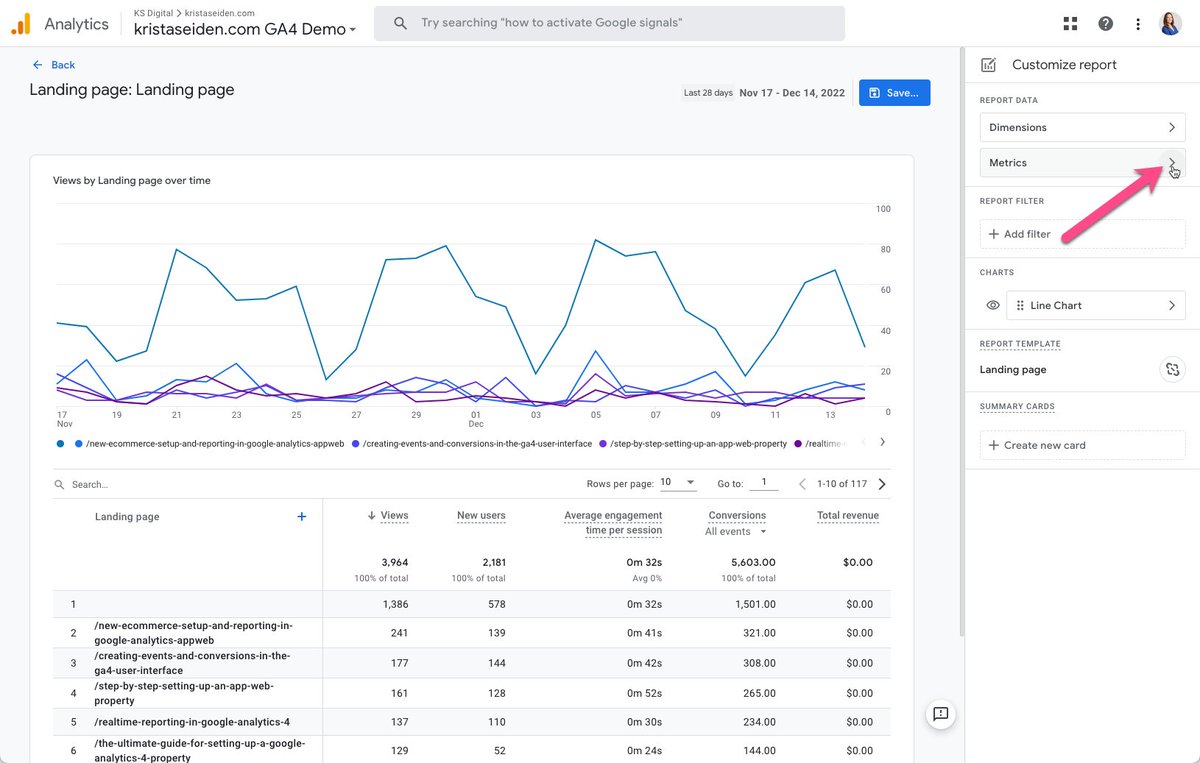
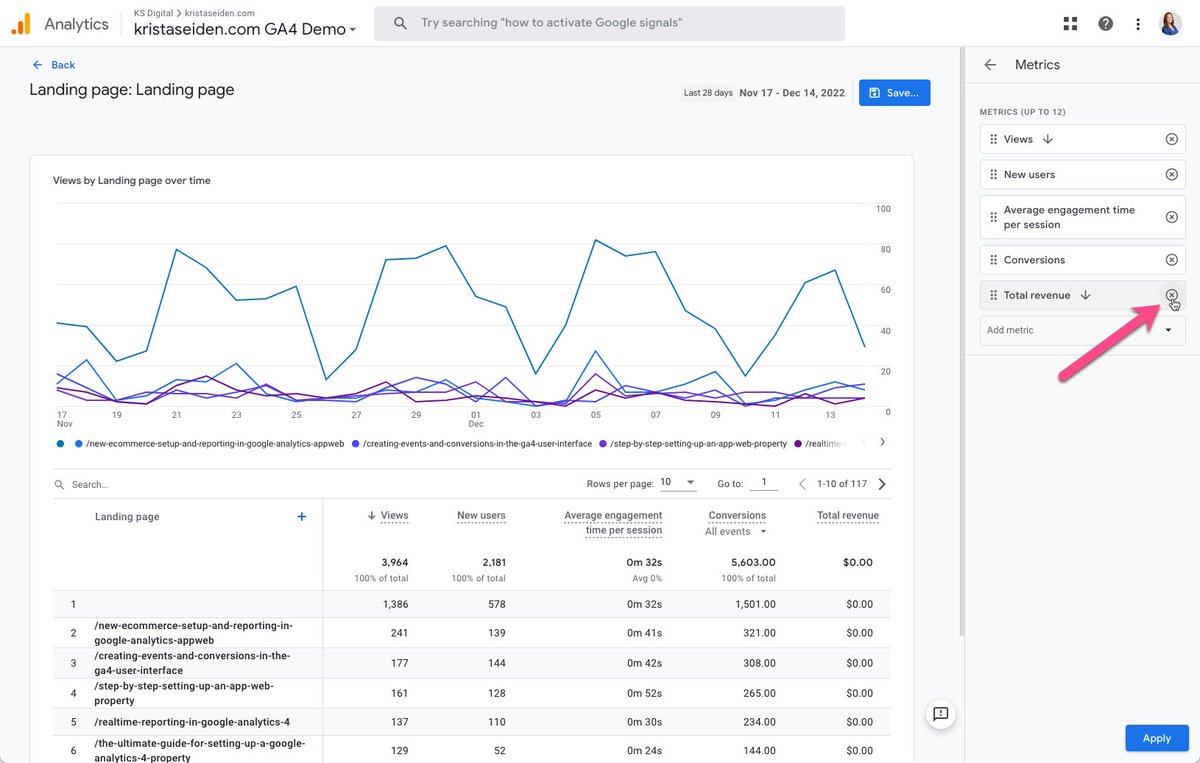
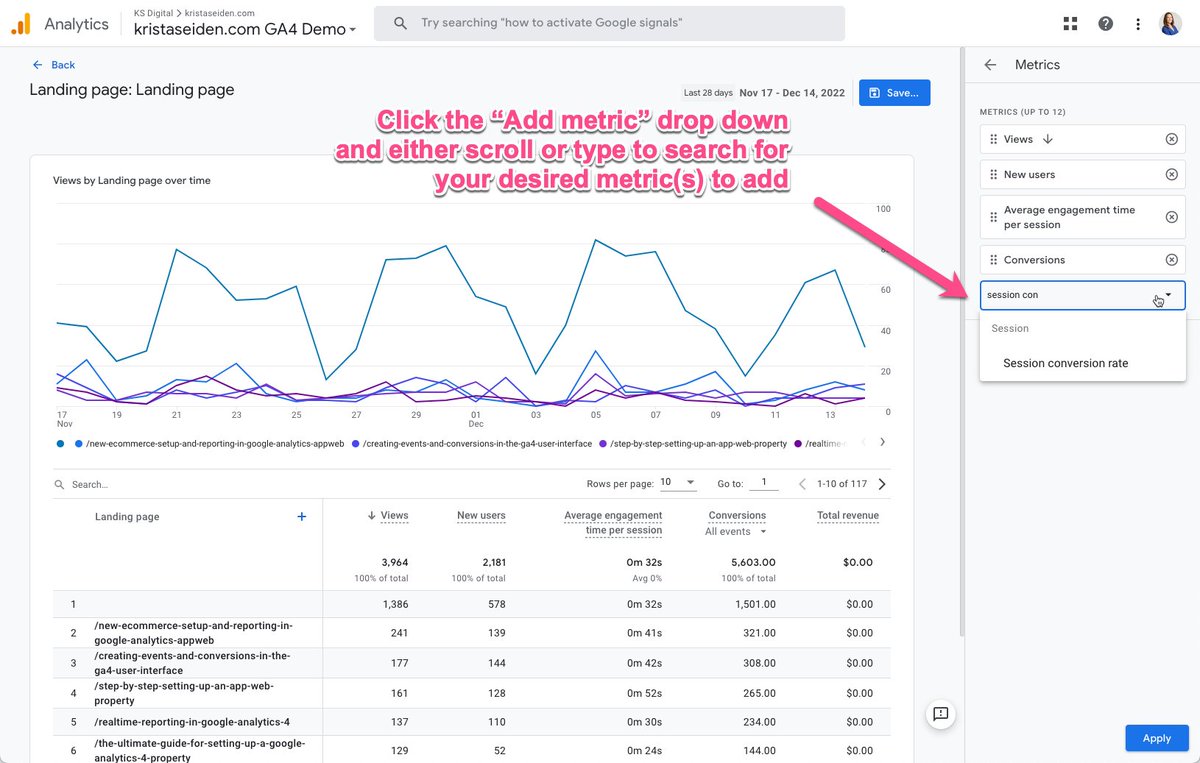
5) Finally, I’d like to add the Conversion Rate metric to this Landing Page report. To do so, I’ll select “Add metric” and search for “Session Conversion rate”. Once you’ve selected the metrics you want to add, hit “Apply”
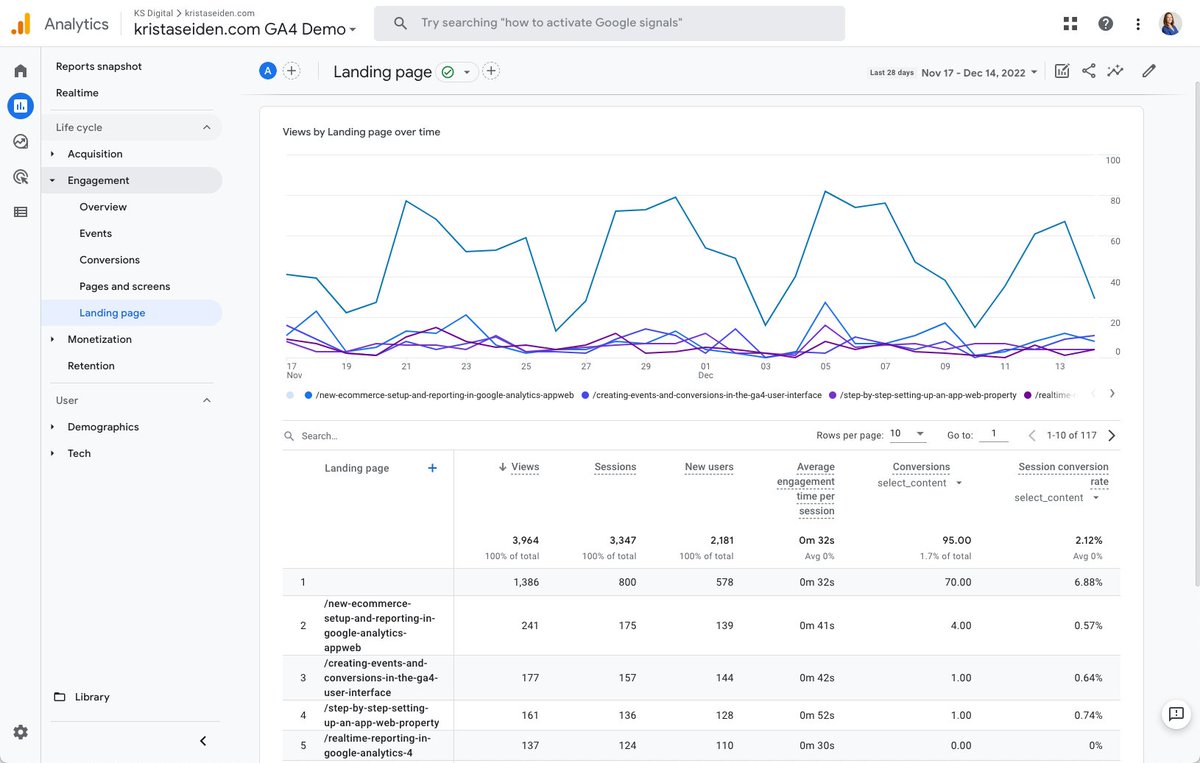
6) The last step, once you are happy with the changes you have made, is to hit “Save” and select “Save changes to current report”. This will update the out of the box Landing Page report with your modifications 🎉
Loading suggestions...