

One of the most efficient apps to kickstart your literature review: Inciteful
Here's how to use it 👇
Here's how to use it 👇
Go to inciteful(dot)xyz
You will see a search bar to the left of your screen.
Pick an article that's relevant to your project and insert its title or DOI in the search bar.
This will be your seed article.
You will see a search bar to the left of your screen.
Pick an article that's relevant to your project and insert its title or DOI in the search bar.
This will be your seed article.
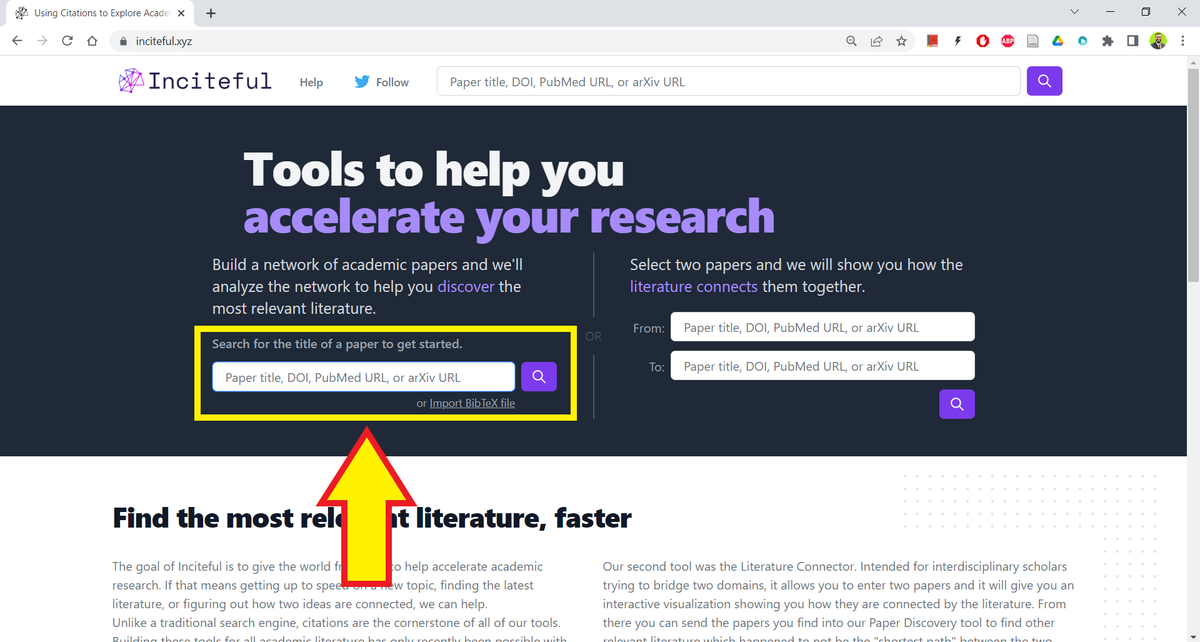
Here I'm using one of my own articles about world literature.
I want to build on the work I've already done, but I'm not sure which direction to proceed from here on.
I want to build on the work I've already done, but I'm not sure which direction to proceed from here on.
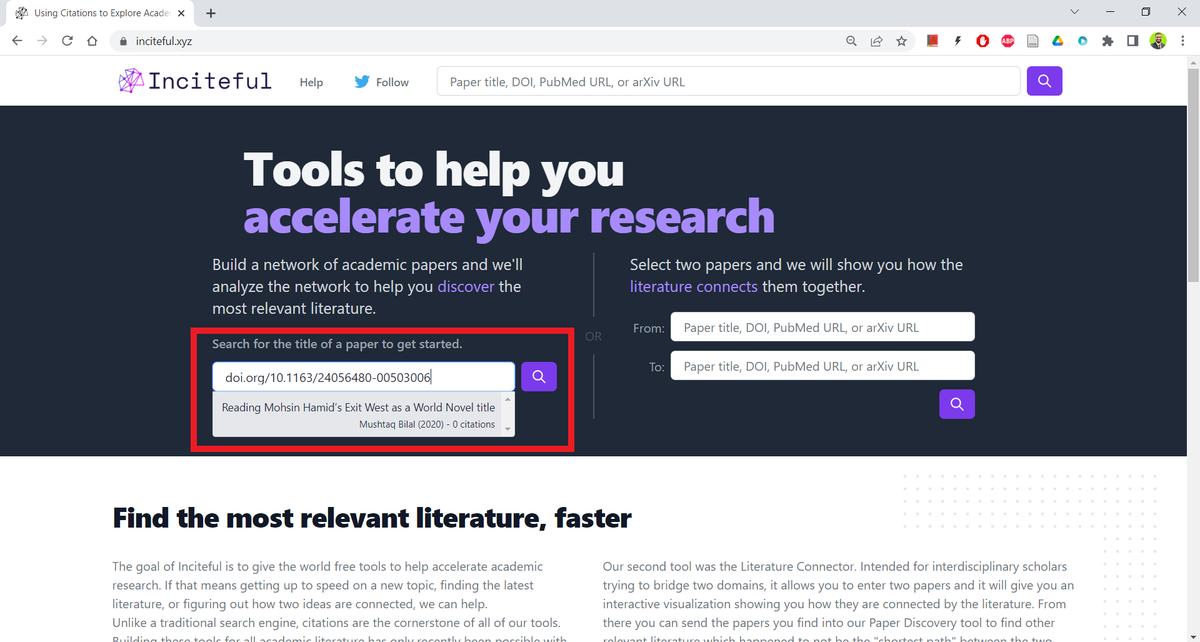
Inciteful will provide you with the abstract of the article along with a bunch of relevant metadata.
But that's not it.
But that's not it.
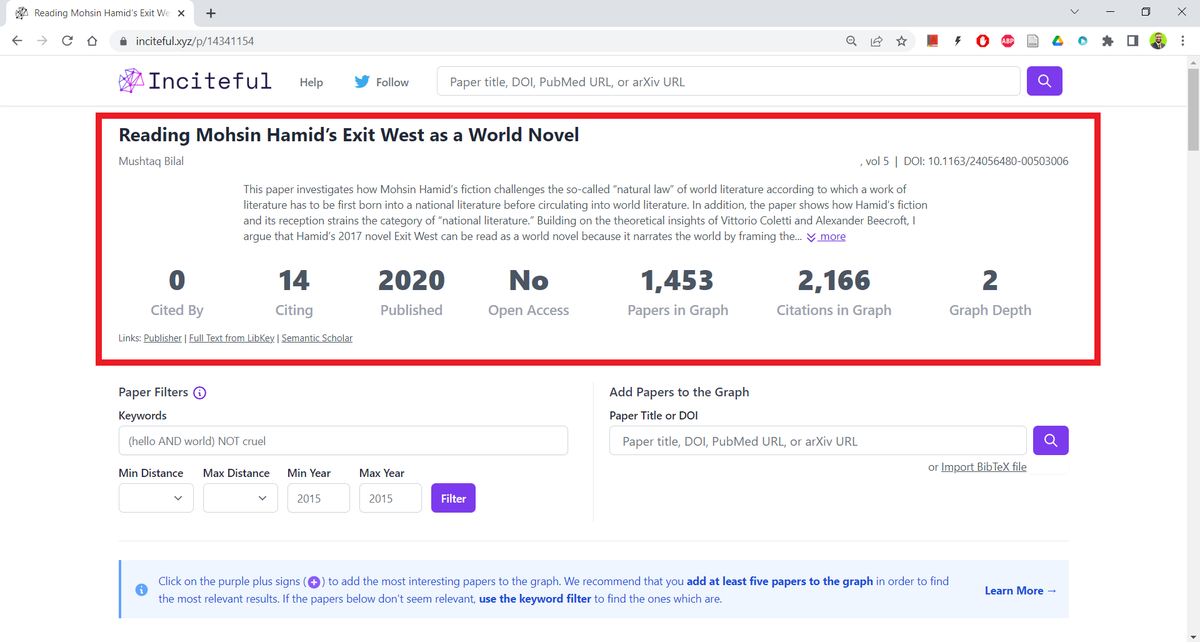
It will also give you a graph of how your seed article is connected to other recent articles.
In the top-right corner of the graph, you will see a "full-screen" button.
In the top-right corner of the graph, you will see a "full-screen" button.
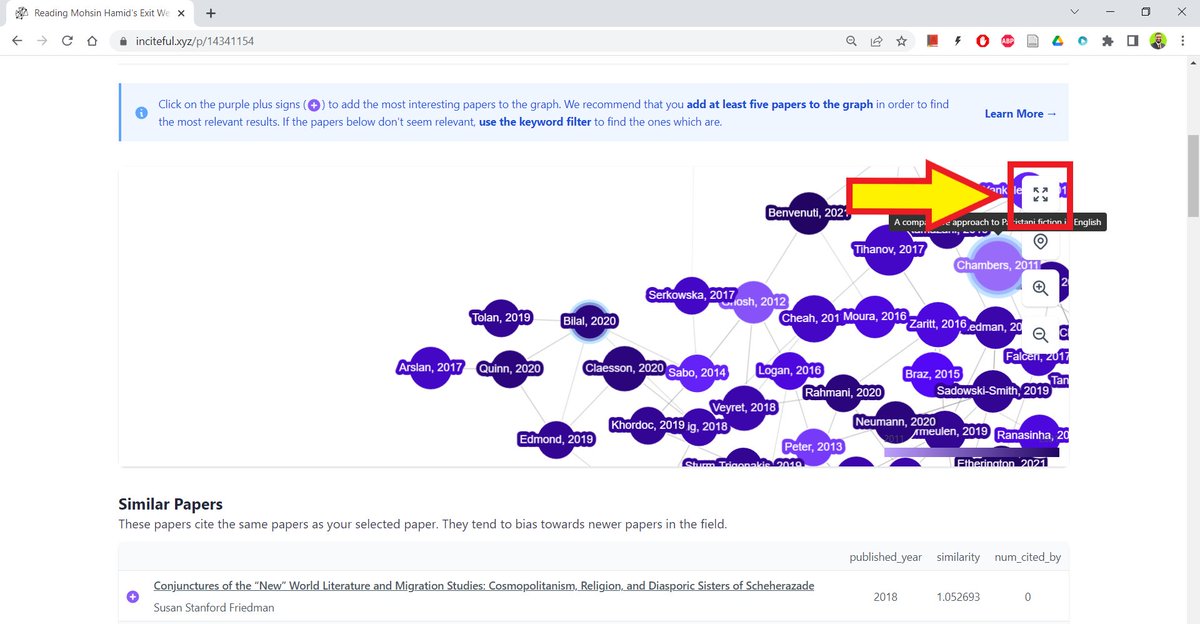
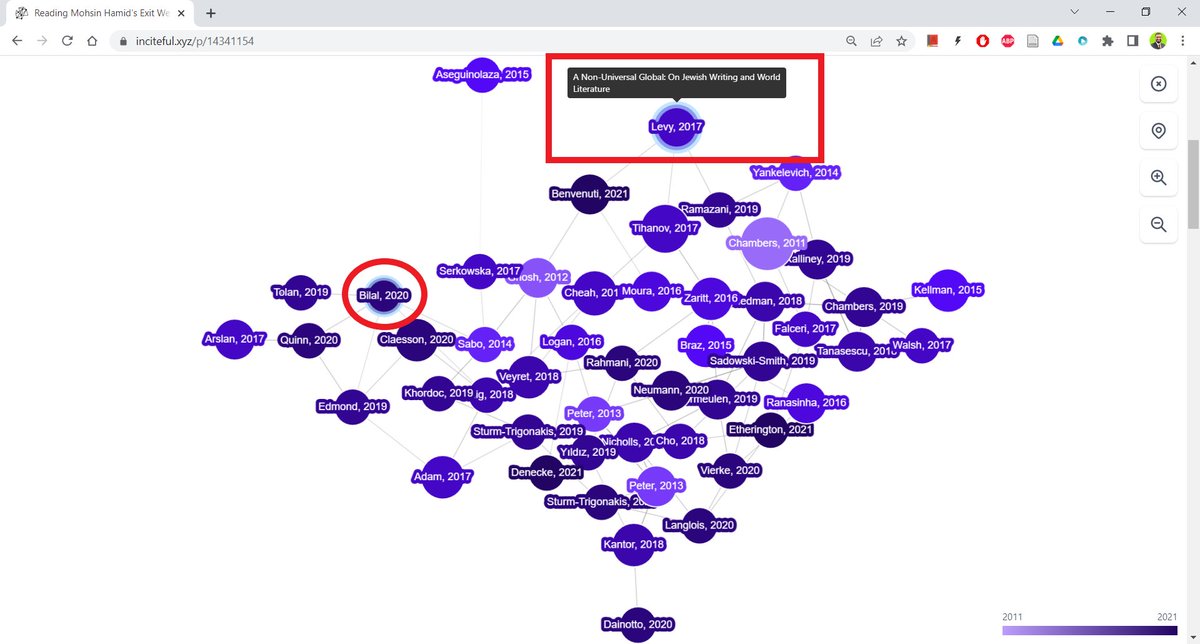
If you hover your cursor over a circle, Inciteful will show you the title of the article.
It shows that my article (circled in red here) is directly connected to a few articles, but the graph is a bit crowded.
It shows that my article (circled in red here) is directly connected to a few articles, but the graph is a bit crowded.
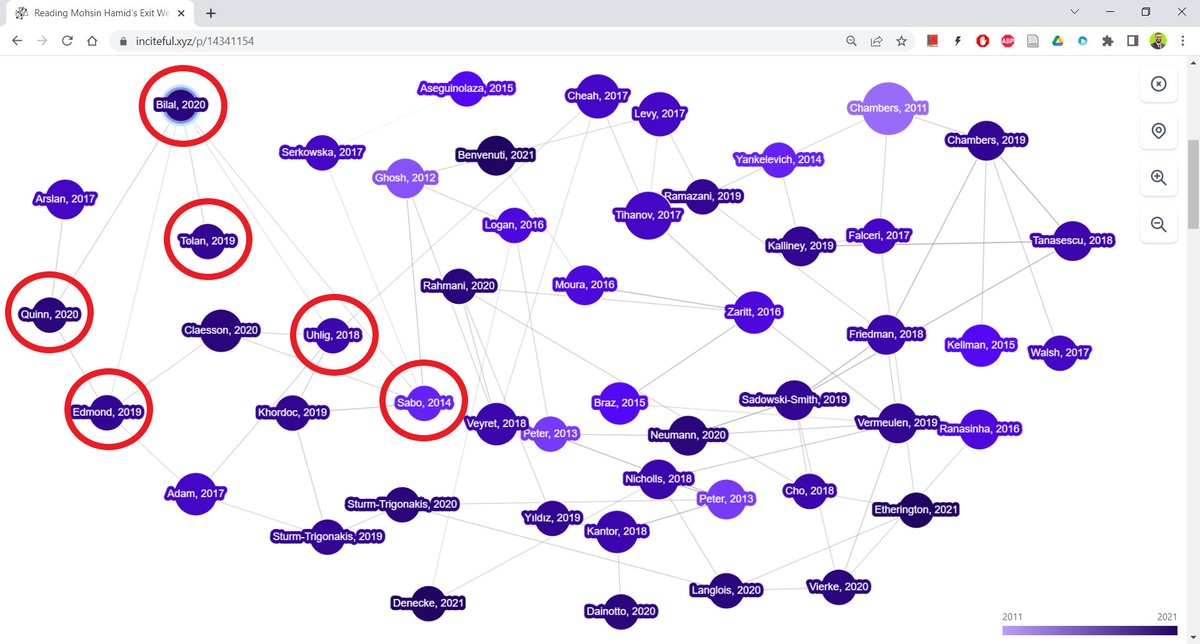
Inciteful lets you expand the graph to clearly see the connections.
Now I can see my article is directly connected to five articles. A couple of these articles seem quite interesting.
Now I can see my article is directly connected to five articles. A couple of these articles seem quite interesting.
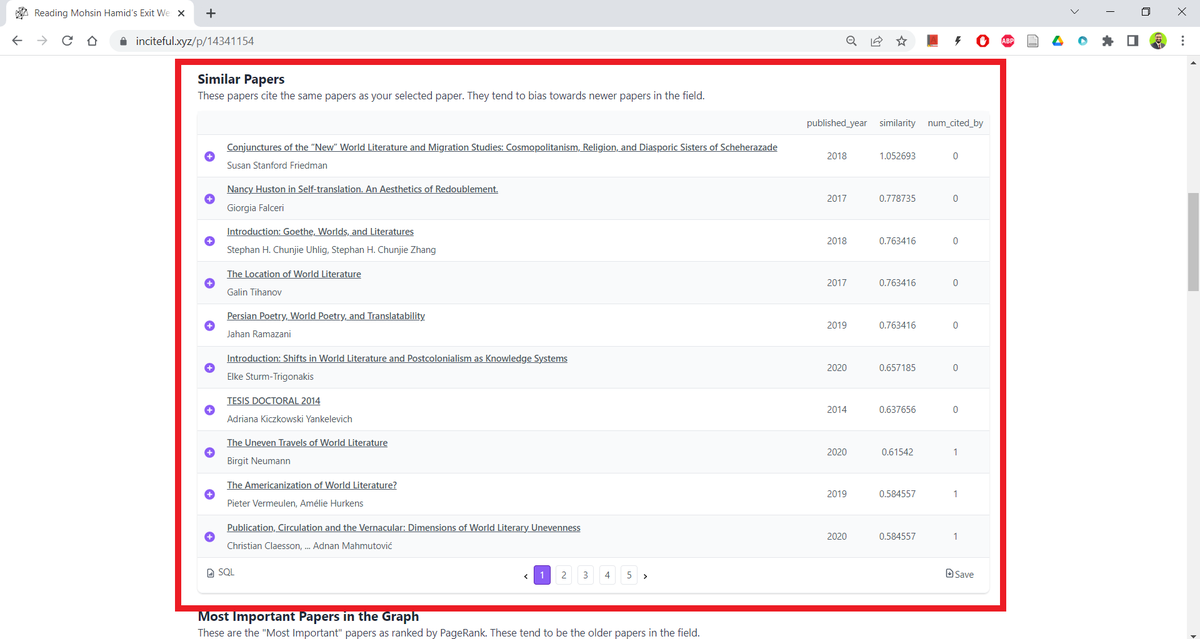
If you scroll further down, Inciteful will show you a list of papers similar to your seed article. This is also useful.
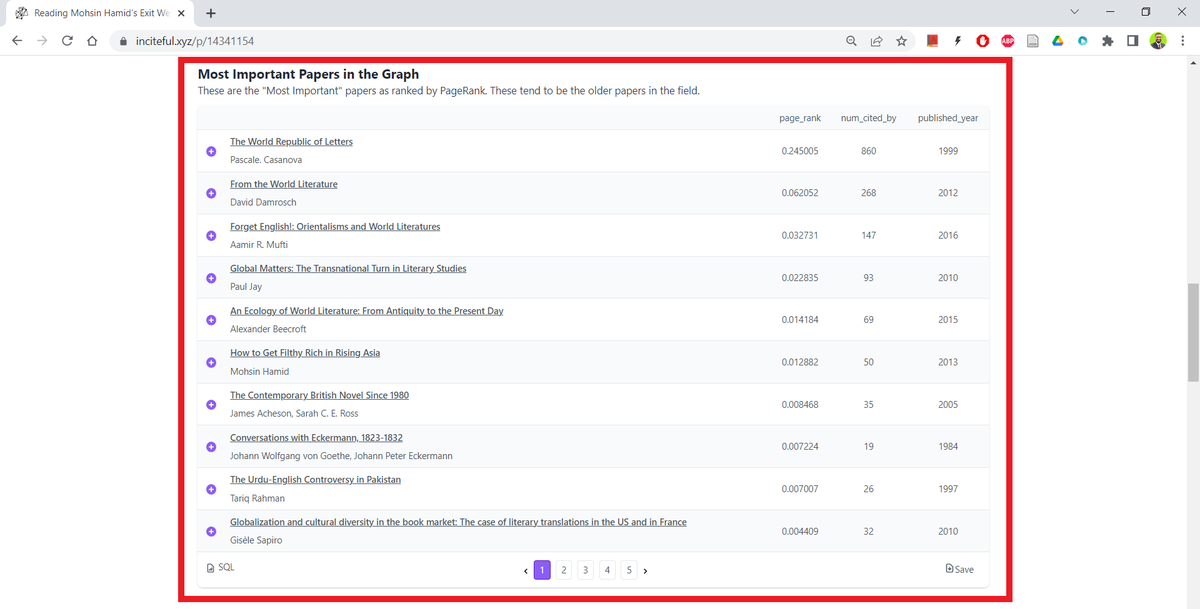
Go further down and Inciteful will show you a list of the most important papers in the graph.
I am familiar with most of the works in this list, but it's still helpful to be reminded.
I am familiar with most of the works in this list, but it's still helpful to be reminded.
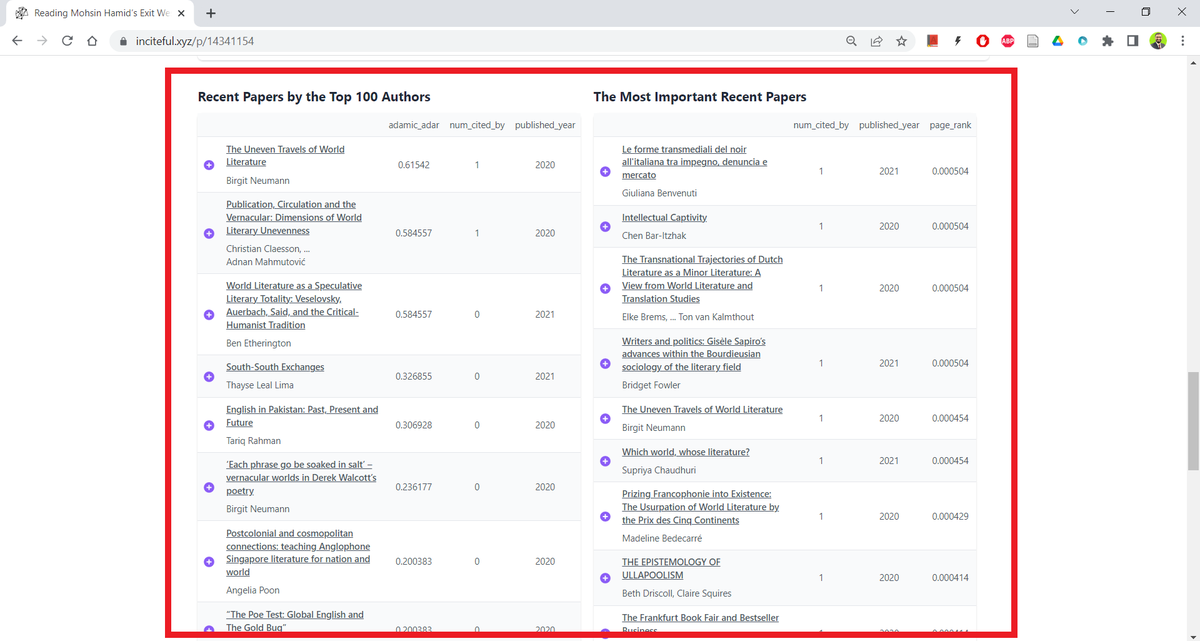
Inciteful also gives you a list of recent papers by top 100 authors and the most important recent papers.
These lists are very helpful.
These lists are very helpful.
Now pick one of the lists that contains most articles relevant to your project.
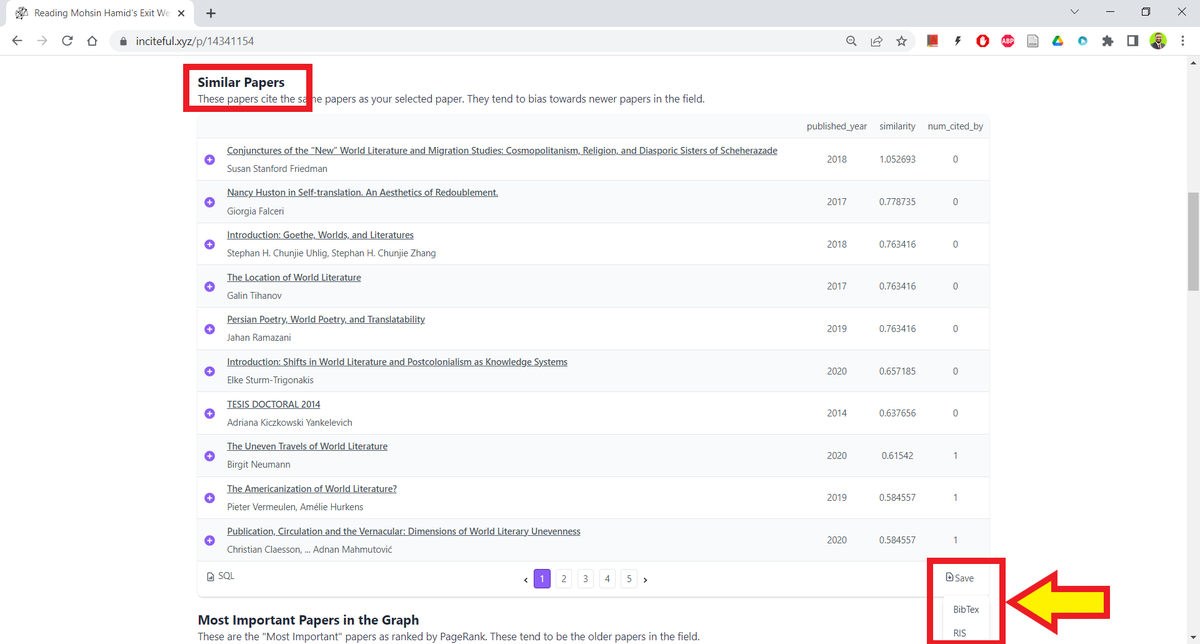
Here I am going with the list of similar papers.
In the bottom-right corner of the list, you will see a "Save" button.
Click on it and then select "BibTeX."
Here I am going with the list of similar papers.
In the bottom-right corner of the list, you will see a "Save" button.
Click on it and then select "BibTeX."
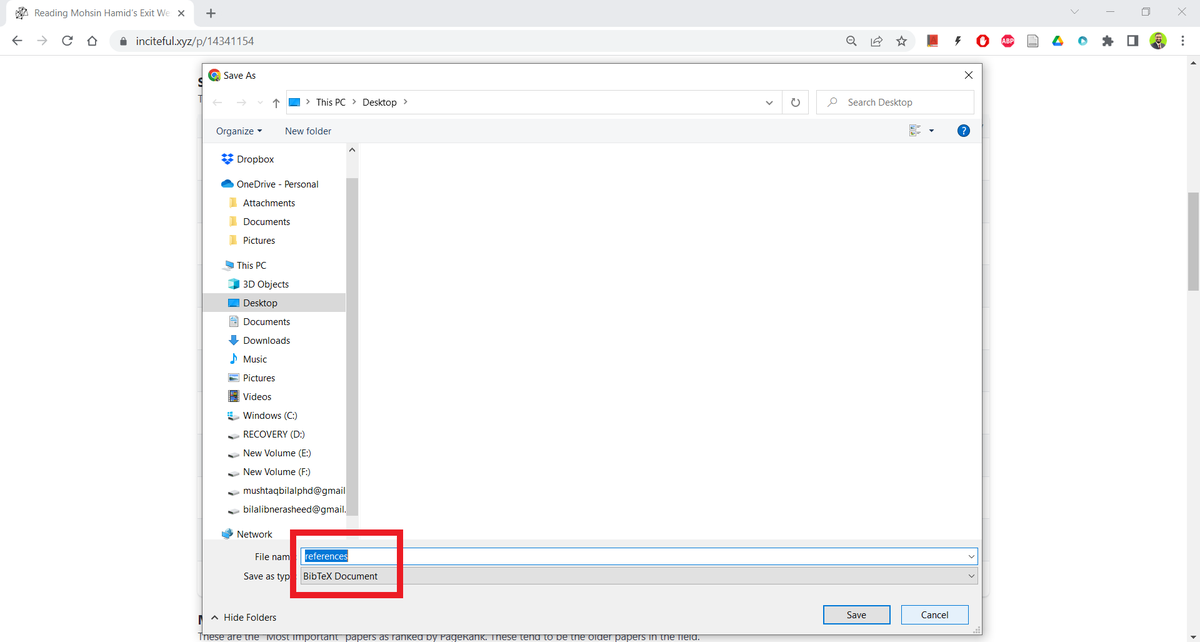
Inciteful will save a .bib file named "references" on you computer.
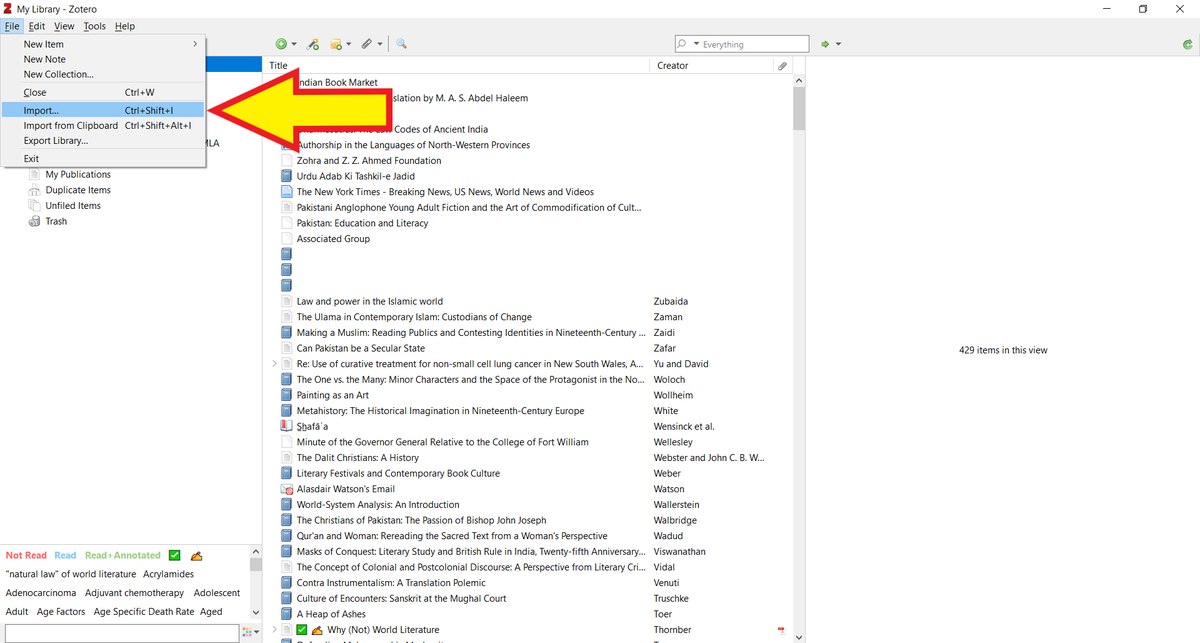
Now open your Zotero desktop app.
Click on "File" and select "Import" from the drop down menu.
Click on "File" and select "Import" from the drop down menu.
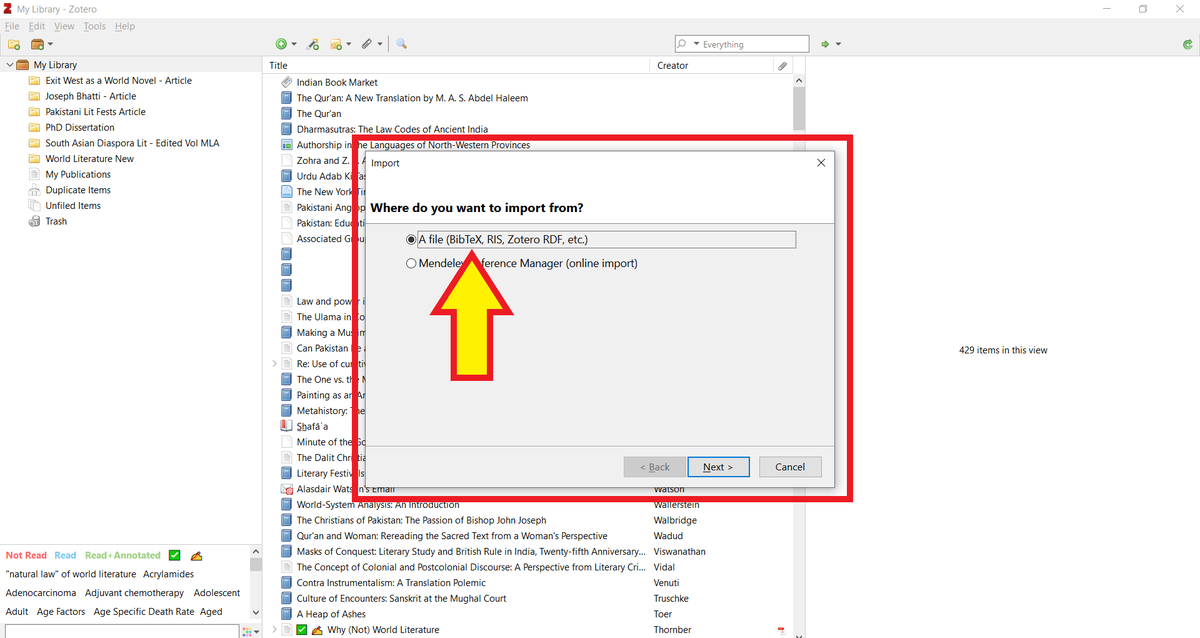
Zotero will ask you about what you want to import.
Click on "A file" and then "Next."
Click on "A file" and then "Next."
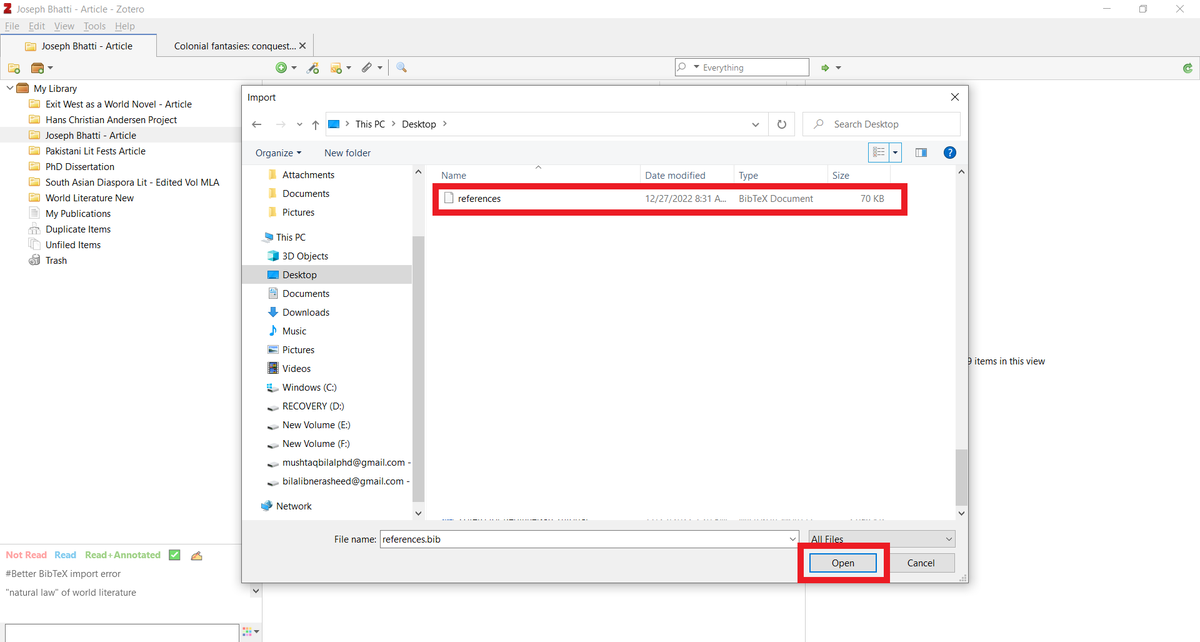
Navigate to the "references" file you just downloaded and open it.
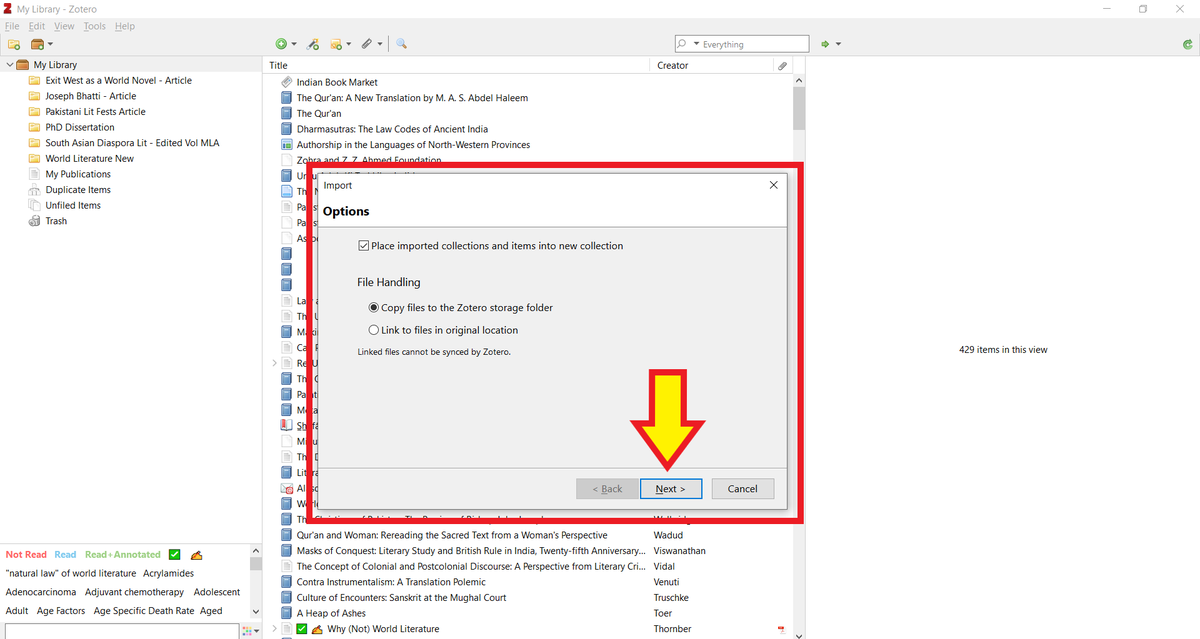
Zotero will ask you if you want the imported items in a new collection.
Check that and then click on "Next."
Check that and then click on "Next."
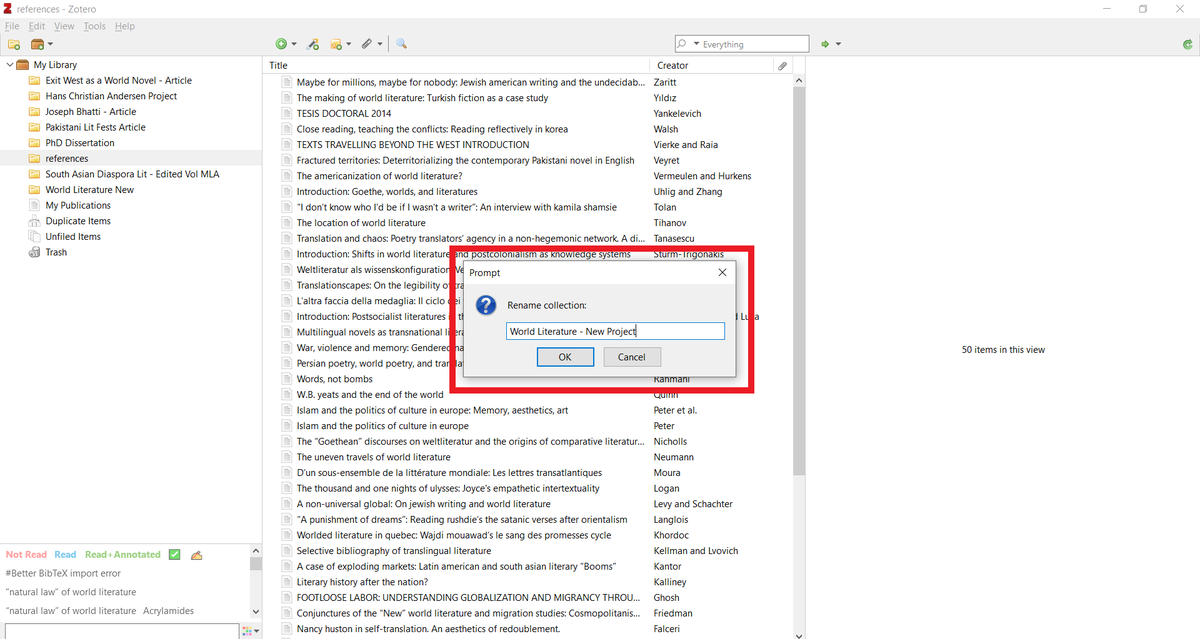
Zotero will create a new collection named "references" with all the papers from Inciteful.
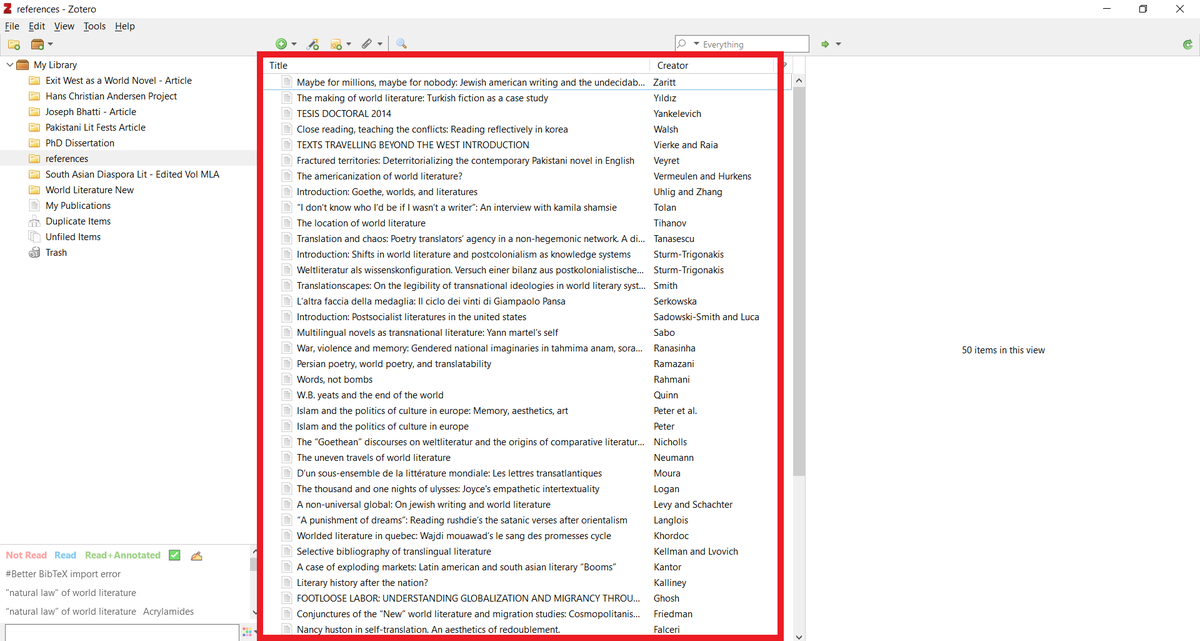
Rename the collection, and start reading the articles.
Keep what's relevant/useful. Delete what's not.
Keep what's relevant/useful. Delete what's not.
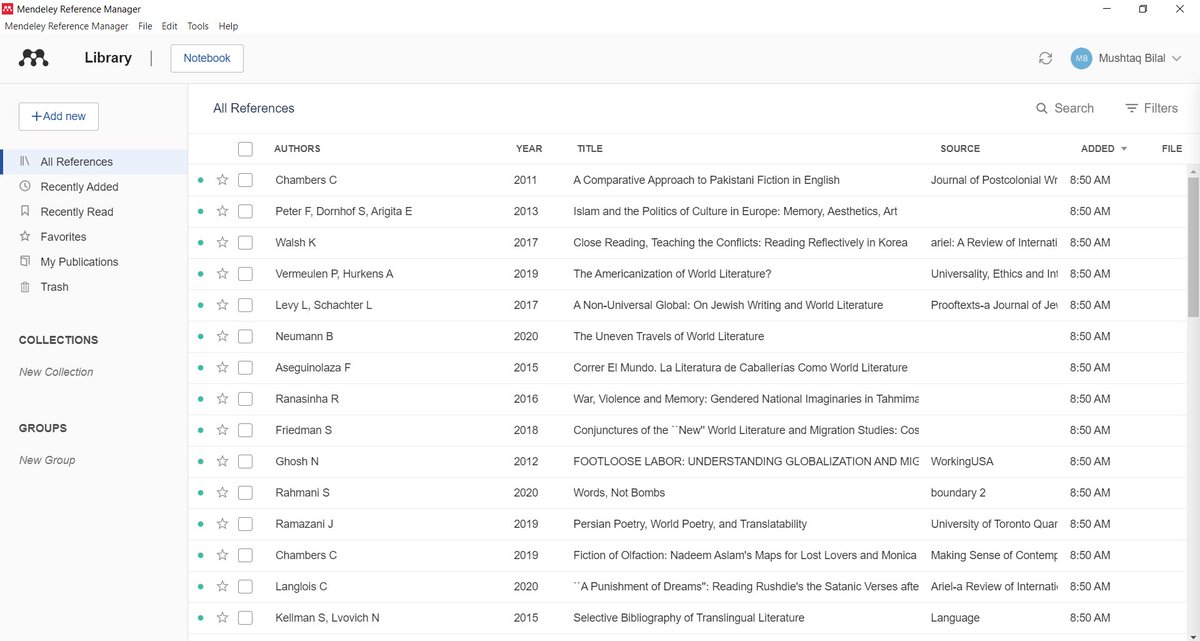
If you use Mendeley, click on the "+Add Button" in the top left corner of your screen.
Go to "Import library" and then select "BibTeX."
Navigate to the "references" file you just downloaded and add it to Mendeley.
Go to "Import library" and then select "BibTeX."
Navigate to the "references" file you just downloaded and add it to Mendeley.

Mendeley will import all items from Inciteful into your library.
Now comes the hard part, which is reading these articles, and for that you are pretty much on your own 😂
Now comes the hard part, which is reading these articles, and for that you are pretty much on your own 😂
Found this thread helpful?
1. Scroll to the top and retweet the first tweet to share it with your friends who will starting their research projects in the new year.
2. Follow me @MushtaqBilalPhD for more threads like this.
1. Scroll to the top and retweet the first tweet to share it with your friends who will starting their research projects in the new year.
2. Follow me @MushtaqBilalPhD for more threads like this.
Loading suggestions...