

Python Dunder of the Day
Day 8: ✨__module__✨
Let's talk about the functools module first: It has some really useful tools, such as `cache`, which caches results from function calls.
🐍This can easily speed up code that has repeated calls to pure functions:
Day 8: ✨__module__✨
Let's talk about the functools module first: It has some really useful tools, such as `cache`, which caches results from function calls.
🐍This can easily speed up code that has repeated calls to pure functions:

It also has `partial()`, which lets you create partial functions: Functions whose some arguments have been pre-set.
✨It's helpful when you want to call some function repeatedly with some common arguments:
✨It's helpful when you want to call some function repeatedly with some common arguments:

Did you know that `functools` also has its own `namedtuple` class?
✨It can be used like so:
✨It can be used like so:
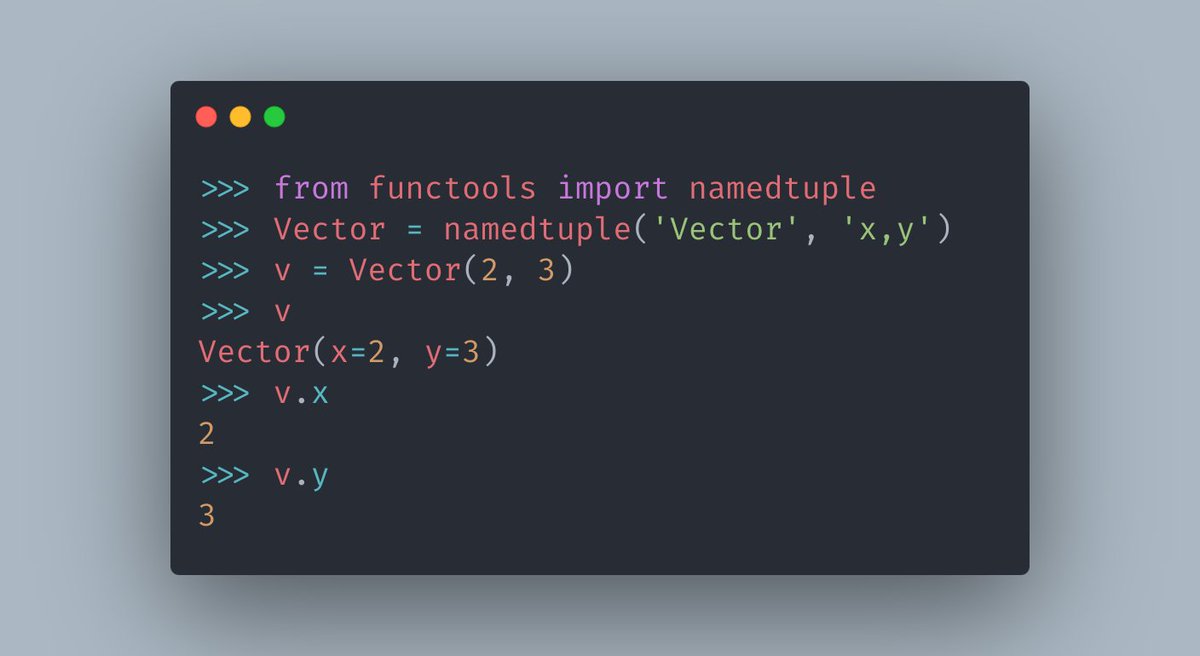
Now you might be wondering how functool's `namedtuple` is different from the one defined in collections.
🐍The truth is, they're exactly the same.
And also, I lied to you. `functools` doesn't actually define a `namedtuple`.
✨Let's look at the source code of `functools .py`:
🐍The truth is, they're exactly the same.
And also, I lied to you. `functools` doesn't actually define a `namedtuple`.
✨Let's look at the source code of `functools .py`:
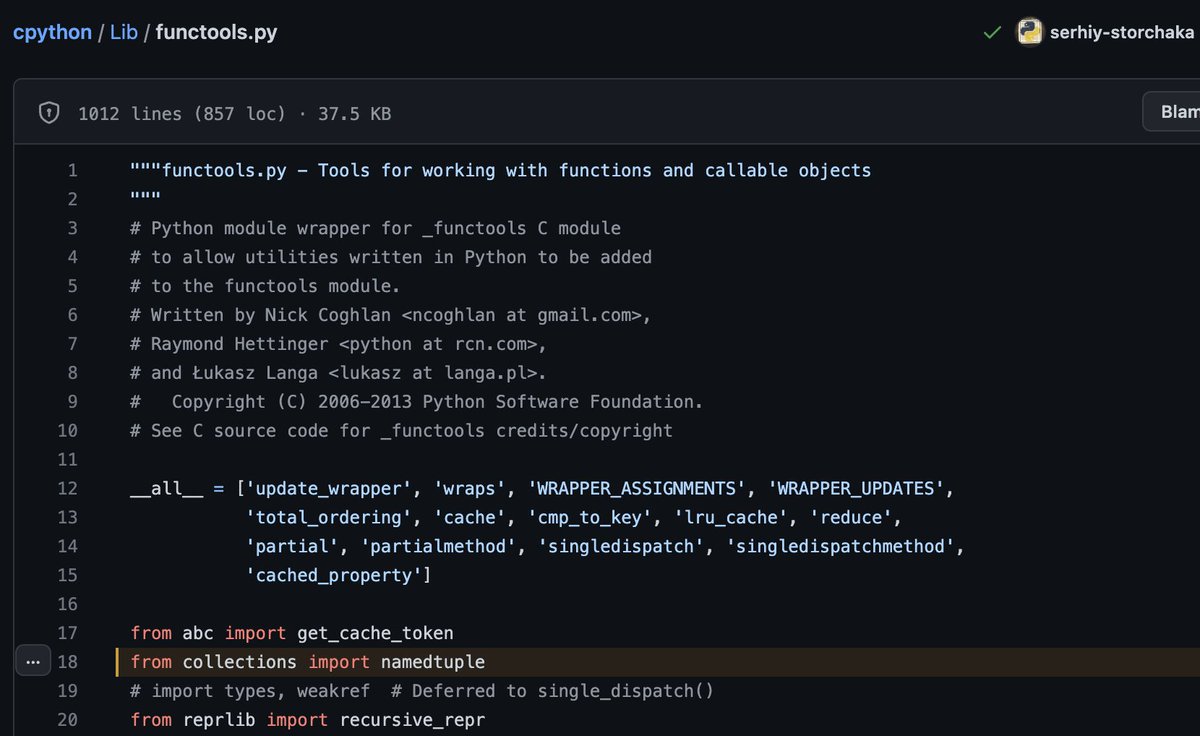
So in reality, `functools` doesn't define `namedtuple`, it just imports namedtuple.
And because of that... we can import namedtuple from `functools`? Is that how it works?
Sadly, yeah. Everything that you import into a Python file is now a part of its scope. Even other modules:
And because of that... we can import namedtuple from `functools`? Is that how it works?
Sadly, yeah. Everything that you import into a Python file is now a part of its scope. Even other modules:

Just because the `sched` module does `import time` inside it, now suddenly you can start using it like this:
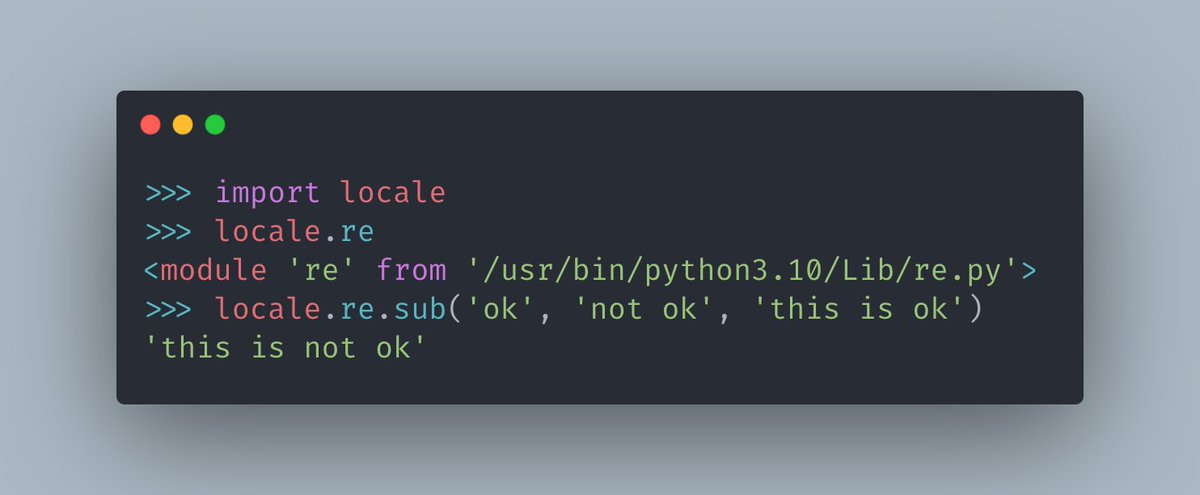
So how do we actually figure out whether a function or a class is actually defined where we imported it from?
What if you have code in your project that accidentally imports `namedtuple` from `functools` this whole time?
✨That's where `__module__` comes in:
What if you have code in your project that accidentally imports `namedtuple` from `functools` this whole time?
✨That's where `__module__` comes in:
`__module__` exists on most objects, that themselves aren't a module type.
🐍Using it, you can find out if an object actually belongs to a class or not:
🐍Using it, you can find out if an object actually belongs to a class or not:
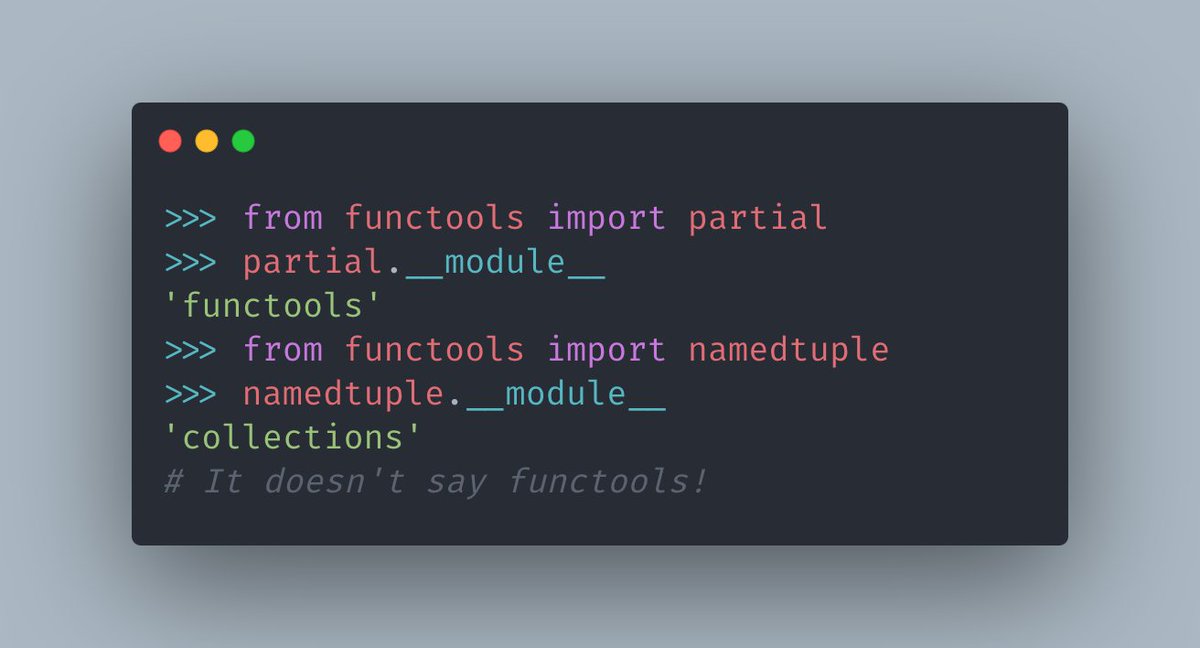
The main reason for __module__ to exist is for introspection reasons: To figure out at runtime where an object's class may be defined, for example.
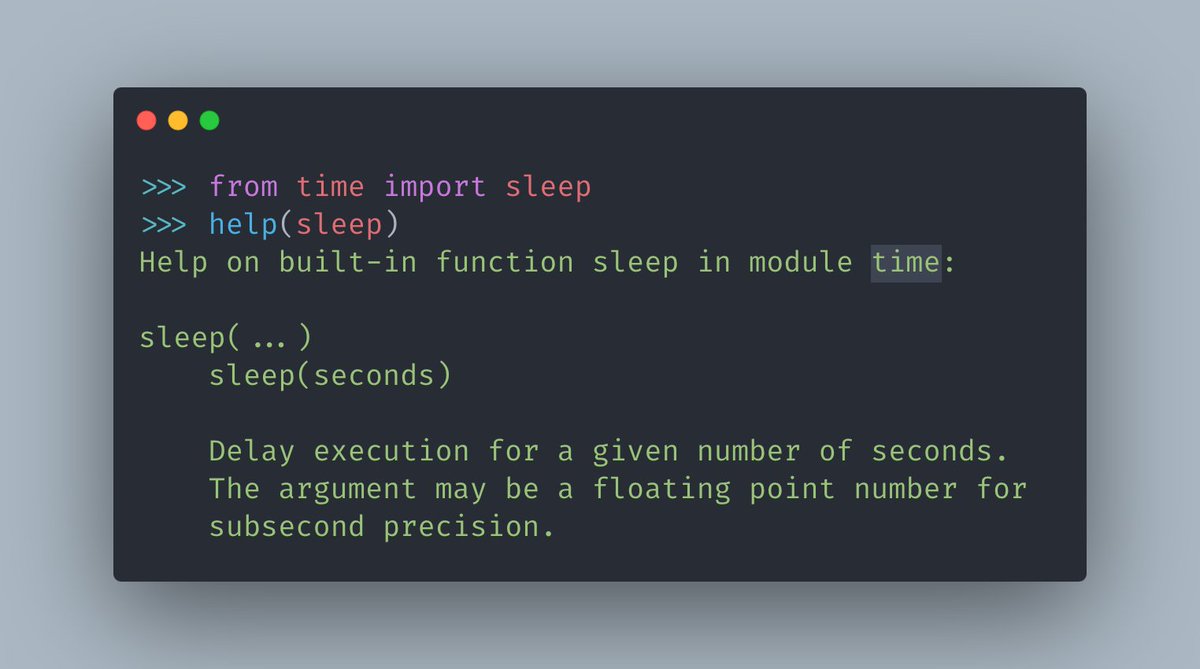
The reason that you can see the module for an object inside help() is because of __module__.
🐍These simple things can help a lot!
The reason that you can see the module for an object inside help() is because of __module__.
🐍These simple things can help a lot!
Loading suggestions...