

A guide on CSS Positioning:🧵↓
CSS positioning allows you to specify how an element is positioned within a document.
There are four different position values:
There are four different position values:
1. Static
This is the default value and means that the element will be positioned according to the normal flow of the document.
This is the default value and means that the element will be positioned according to the normal flow of the document.

2. Relative
This value allows you to specify that an element should be positioned relative to its normal position in the document.
You can use the top, right, bottom, and left properties to specify how much the element should be offset from its normal position.
This value allows you to specify that an element should be positioned relative to its normal position in the document.
You can use the top, right, bottom, and left properties to specify how much the element should be offset from its normal position.
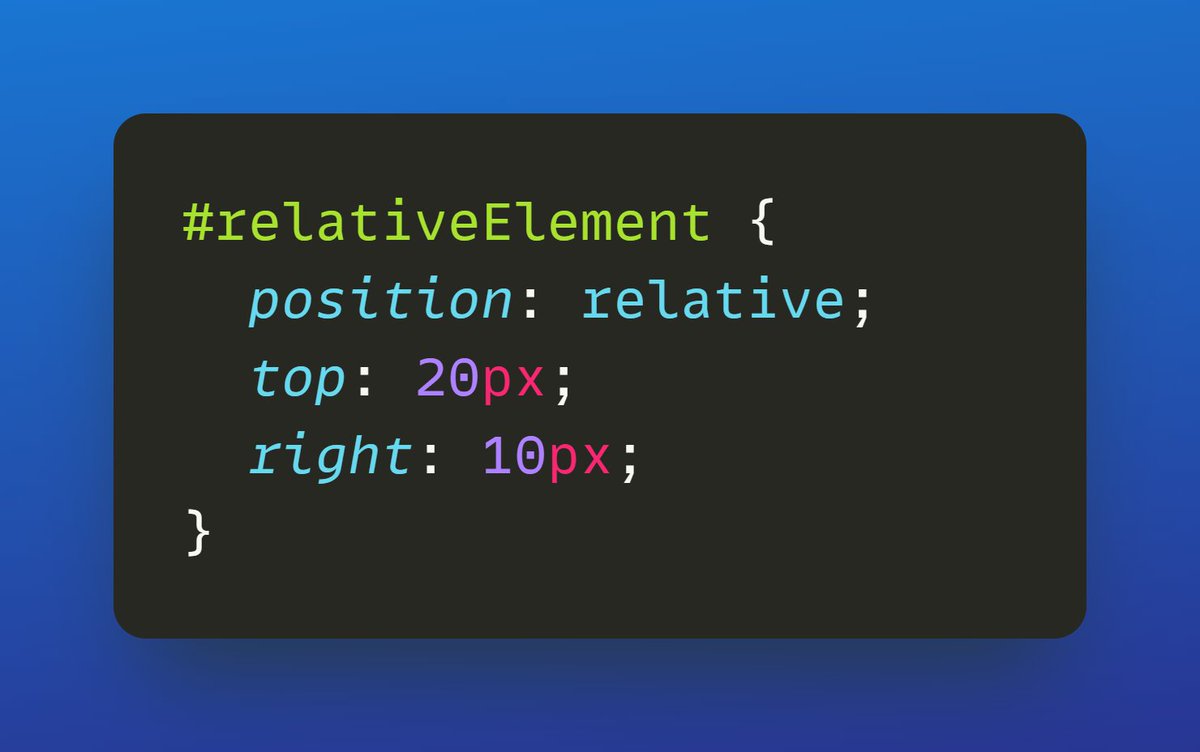
This will position the element with an ID of "relativeElement" 20 pixels below its normal position and 10 pixels to the right of its normal position.
3. Absolute
This value allows you to position an element absolutely within the document, relative to its nearest positioned ancestor.
If there is no positioned ancestor, the element will be positioned relative to the initial containing block.
This value allows you to position an element absolutely within the document, relative to its nearest positioned ancestor.
If there is no positioned ancestor, the element will be positioned relative to the initial containing block.
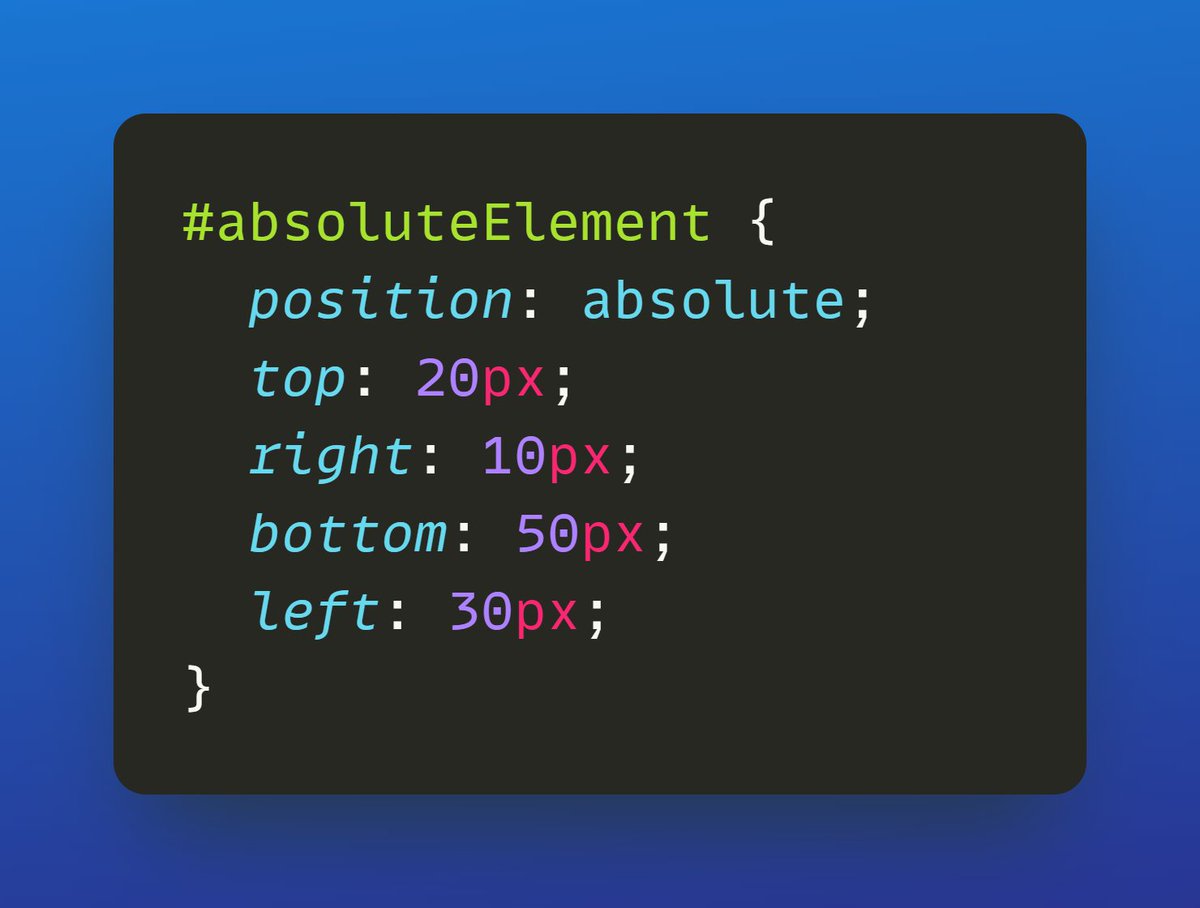
This will position the element with an ID of "absoluteElement" 20 pixels from the top of the document, 10 pixels from the right side of the document, 50 pixels from the bottom of the document, and 30 pixels from the left side of the document.
4. Fixed
This value allows you to position an element fixed within the browser window, regardless of the scrolling position.
This value allows you to position an element fixed within the browser window, regardless of the scrolling position.
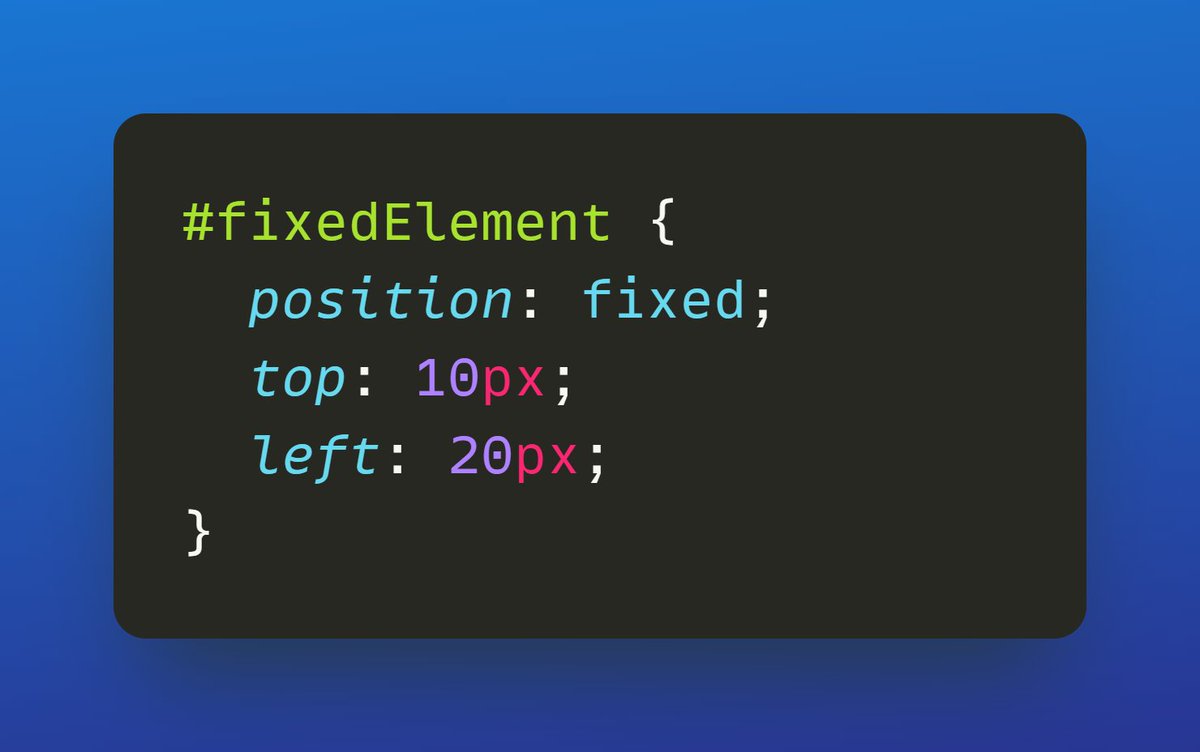
This will position the element with an ID of "fixedElement" 10 pixels from the top of the browser window and 20 pixels from the left side of the browser window, regardless of the scrolling position.
It's important to note that when using the `absolute` or `fixed` position values, the element will be removed from the normal flow of the document and will not affect the layout of other elements on the page.
That's all for now.
If you enjoyed reading this thread, please :
✔ Like the thread❤️
✔ Retweet the first tweet.
✔ Follow me @Damn_Coder for more such content.
If you enjoyed reading this thread, please :
✔ Like the thread❤️
✔ Retweet the first tweet.
✔ Follow me @Damn_Coder for more such content.
Loading suggestions...