

How to Apply for Financial Aid in Coursera.
Hello guys,
I have said consistently here that MOOCs (Massive Open Online Courses) are good tools for anyone interested in Grad school.
These categories of people need it:
1. People whose intended Grad school course is not related
Hello guys,
I have said consistently here that MOOCs (Massive Open Online Courses) are good tools for anyone interested in Grad school.
These categories of people need it:
1. People whose intended Grad school course is not related
to their present experience or undergrad.
2. People who want updates about the latest trends in their research area.
3. People interested in knowing the latest tools/software in their research areas.
Anyone who has a certificate in MOOCs can use it as part of their
2. People who want updates about the latest trends in their research area.
3. People interested in knowing the latest tools/software in their research areas.
Anyone who has a certificate in MOOCs can use it as part of their
continuing education or even research experience.
However, the issue is that most of these courses are paid for. How do you apply for financial aid?
Let's use coursera as an example.
Step 1: coursera.org. Create an account if you don't have. Login again.
However, the issue is that most of these courses are paid for. How do you apply for financial aid?
Let's use coursera as an example.
Step 1: coursera.org. Create an account if you don't have. Login again.
Step 2: Select a course from the list.
Please make sure the course is related to your intended post-grad course or something you are fascinated about.
Step 3: Confirm if financial aid is available for the course as shown below:
Please make sure the course is related to your intended post-grad course or something you are fascinated about.
Step 3: Confirm if financial aid is available for the course as shown below:
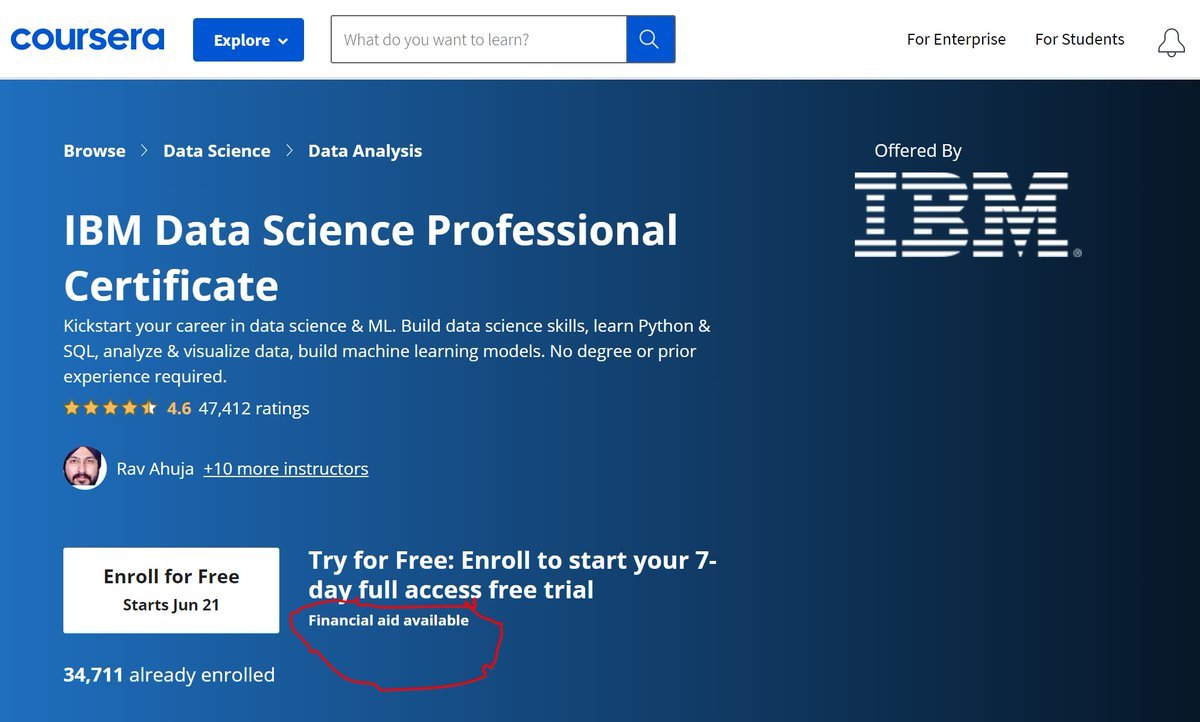
This means that you can earn a free certificate IF you complete the course.
Step 4: Click on the 'Financial aid available' and you will see the image below:
Click on 'continue to the application'
Step 4: Click on the 'Financial aid available' and you will see the image below:
Click on 'continue to the application'

Step 5: Fill the necessary box as shown here:
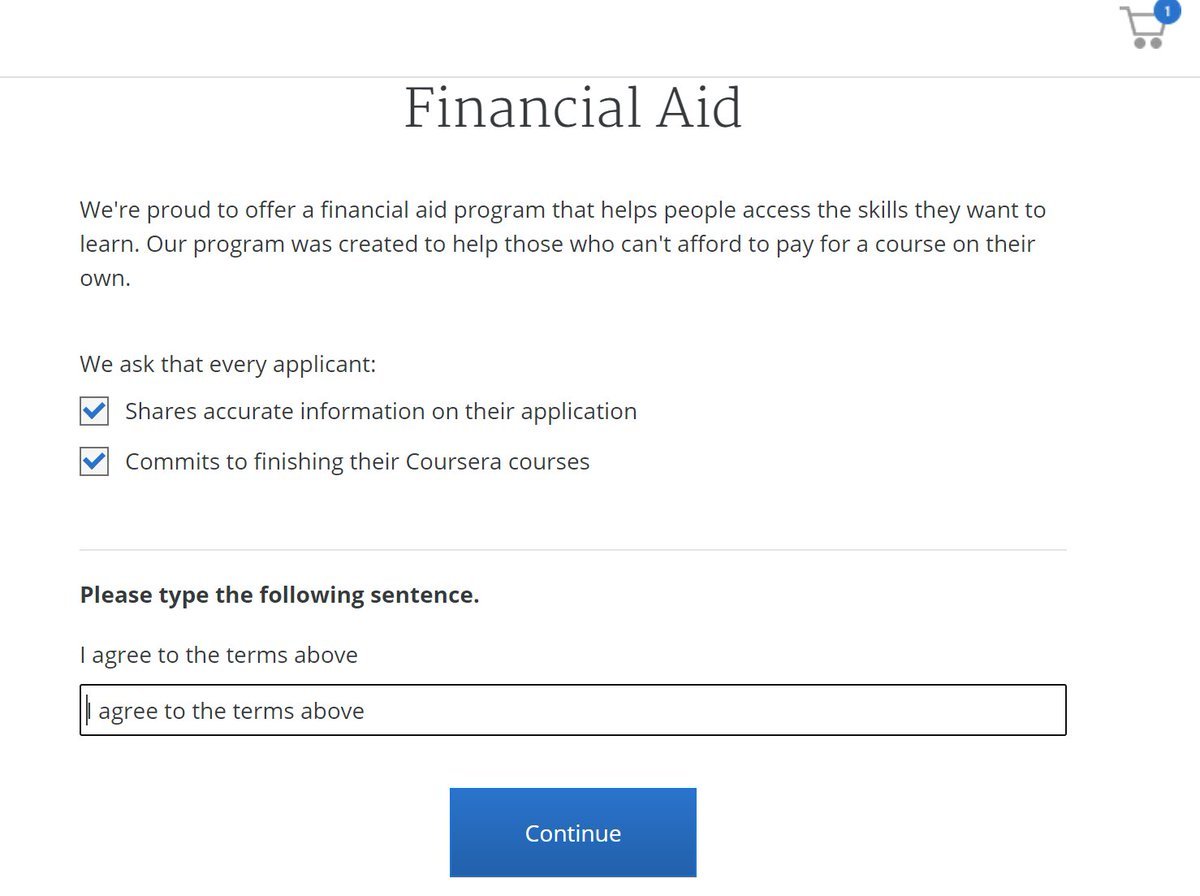
Step 6: Fill in the background Information according to discretion:
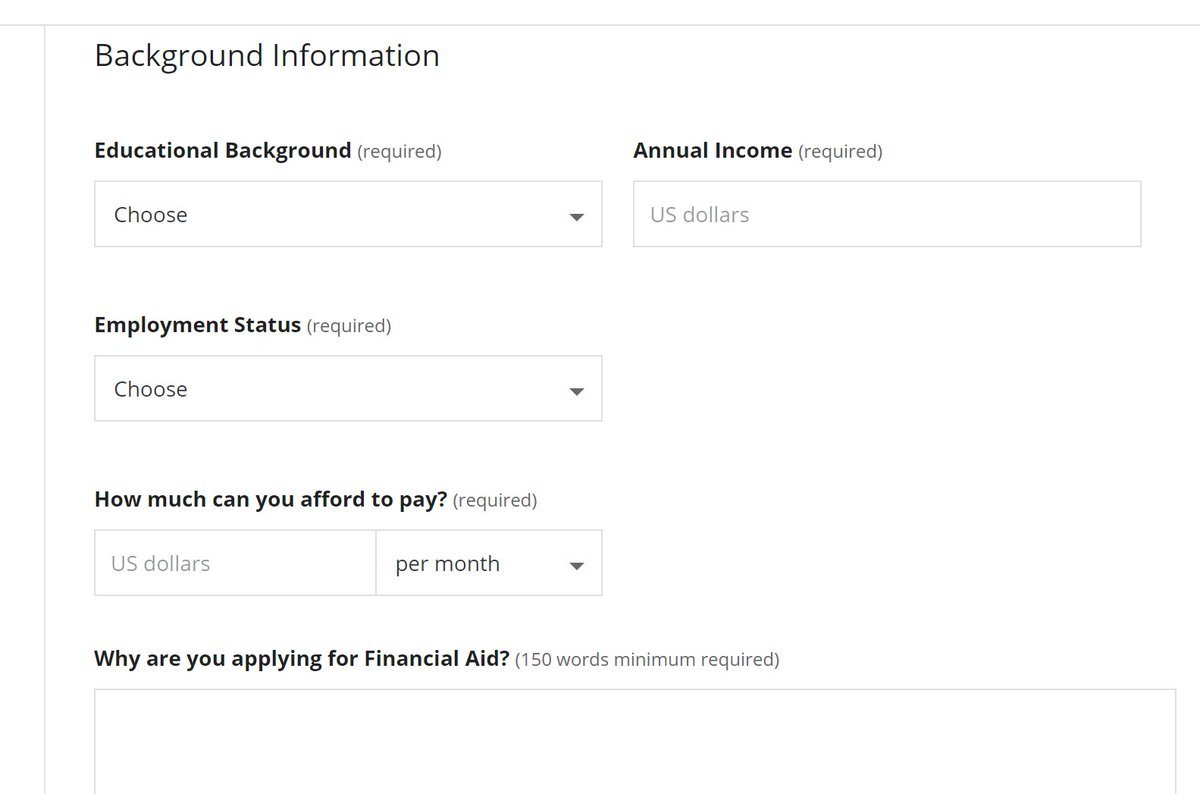
You will need to explain why you are applying for financial aid and how long it will take you to achieve your career goals in 150 words each.
Once you are done, you will get an email response, and when it's approved, you will get another email.
Once you are done, you will get an email response, and when it's approved, you will get another email.
P.S: Ensure you complete the course you get approval for. Else, you won't get approval for another course anymore.
This makes you self-disciplined and determined.
Also, you can get approval for more than one course, but you must be sure you can finish those courses.
This makes you self-disciplined and determined.
Also, you can get approval for more than one course, but you must be sure you can finish those courses.
RT and tag your friend.
Follow @Oludeewon for more tips.
Dm @Japaconsults_ for your Admission/scholarship help.
RT.
Follow @Oludeewon for more tips.
Dm @Japaconsults_ for your Admission/scholarship help.
RT.
Loading suggestions...