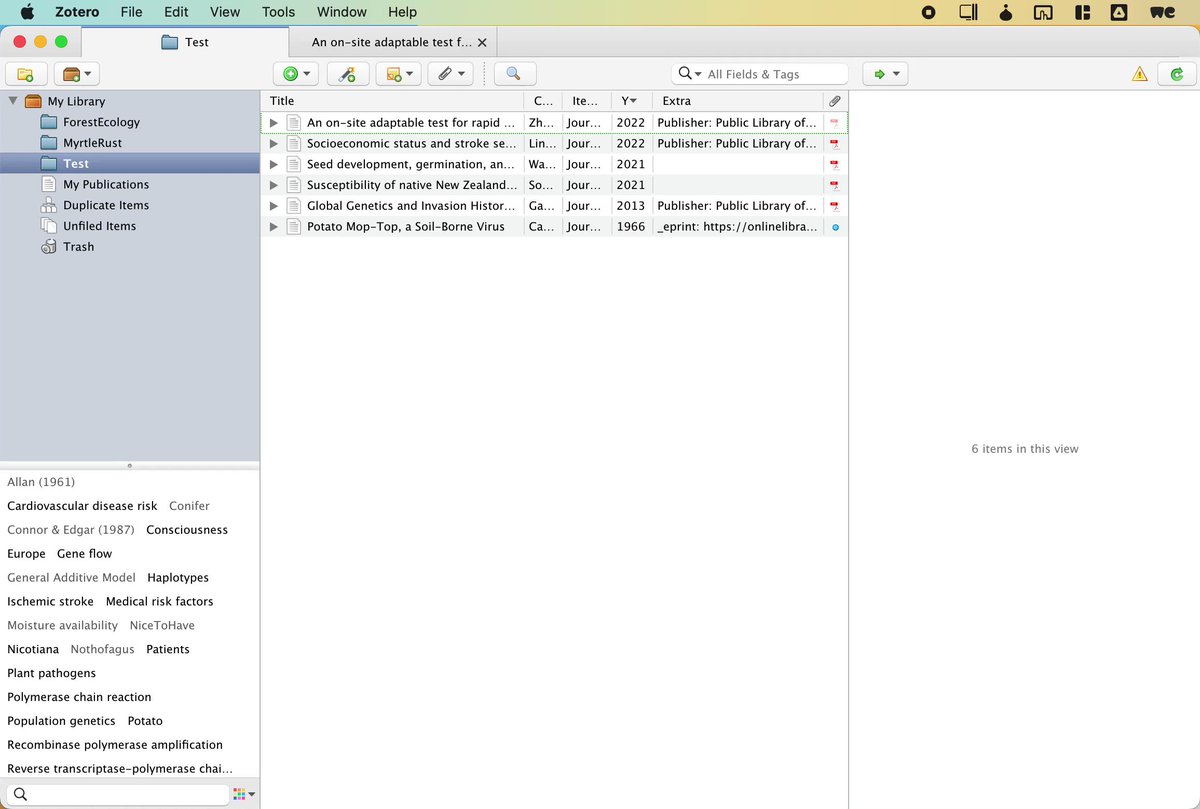
61.9% of academics use @zotero. But: Insight doesn't come from collecting PDFs and notes.
Insight comes from CONNECTING them. To go from collecting → connecting we need: @obsdmd, a note-taking app. Learn this luxurious, effortless and powerful workflow:
🧵👇
@zotero@obsdmd 1. How do I know this number? 61.9%? I made a small survey with 367 votes at the moment.
Participate if you like even more precise results! buff.ly
@zotero@obsdmd 2. Download Zotfile and Betterbibtex: ZF: buff.ly
BB: buff.ly Both downloads give you an XPI file, that you can add as "add-on" into Zotero. Got to Tools > Add-Ons - click on ⚙️ > Install Add-on From File
Select the XPI file to finish.
@zotero@obsdmd 3 Generate Citation Keys, or names by which to refer to a paper Go to Settings > BetterBibTeX > Citation Keys. Type in "(auth + '-' + year)" to generate names like "Smith-2022". Select all papers in library,
Right click > Better BibTex > Refresh BibTeX key
@zotero@obsdmd 4 Rename PDFs Go to Tools > Zotfile Preferences, Tab: Renaming Rules. Set "{%b}" into the "Format for all items except Patents" textfield. Select all Papers in Library.
Right Click > Manage Attachments > Rename and Move All PDFs are renamed equally to e.g. "Smith-2022.pdf"
@zotero@obsdmd 5 Install Zotero Integration Plugin in Obsidian Go to Settings > Community Plugins and search for "Zotero Integration". Download. Enable. Click "Options". At the top download "PDF Utility".
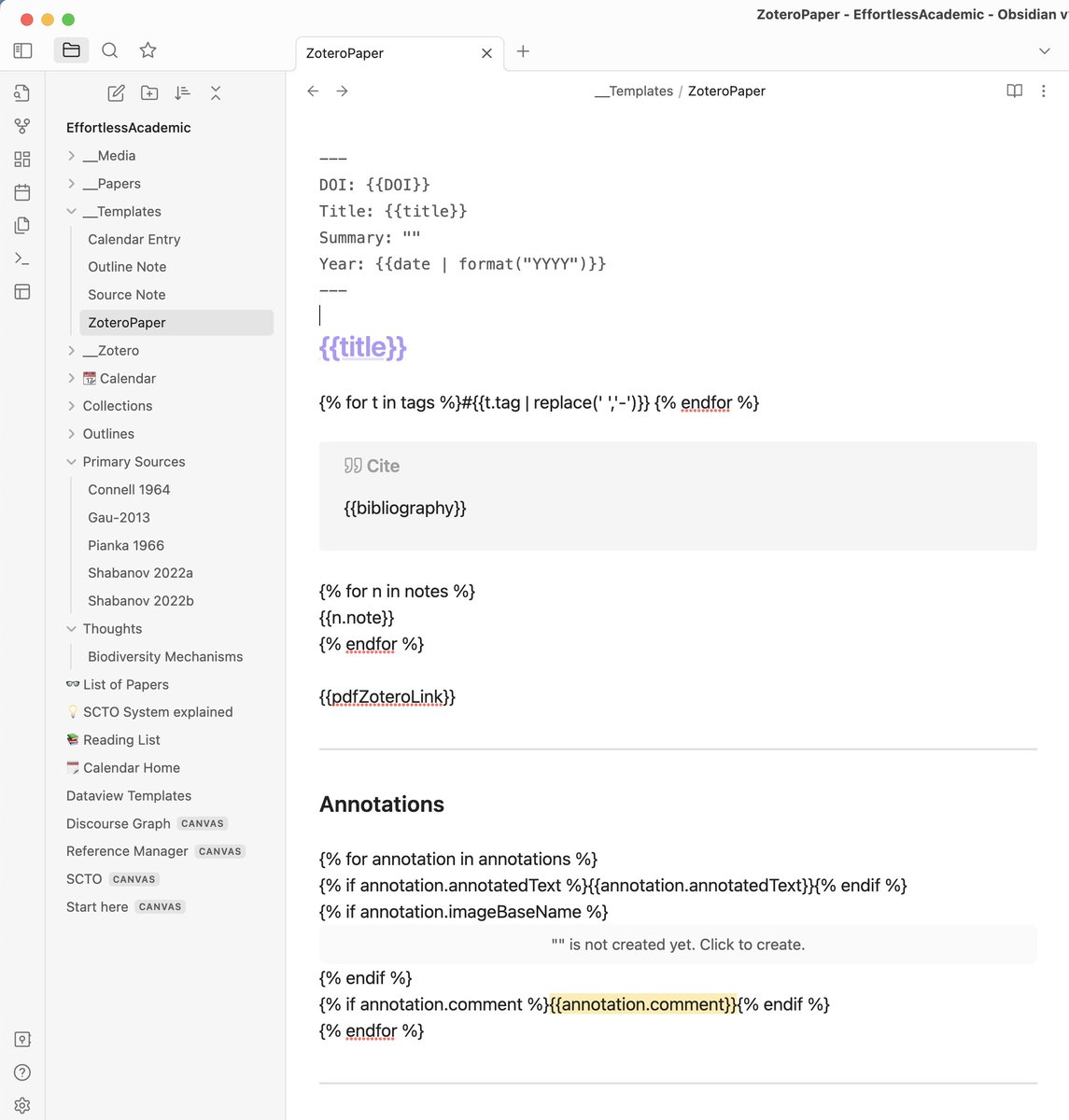
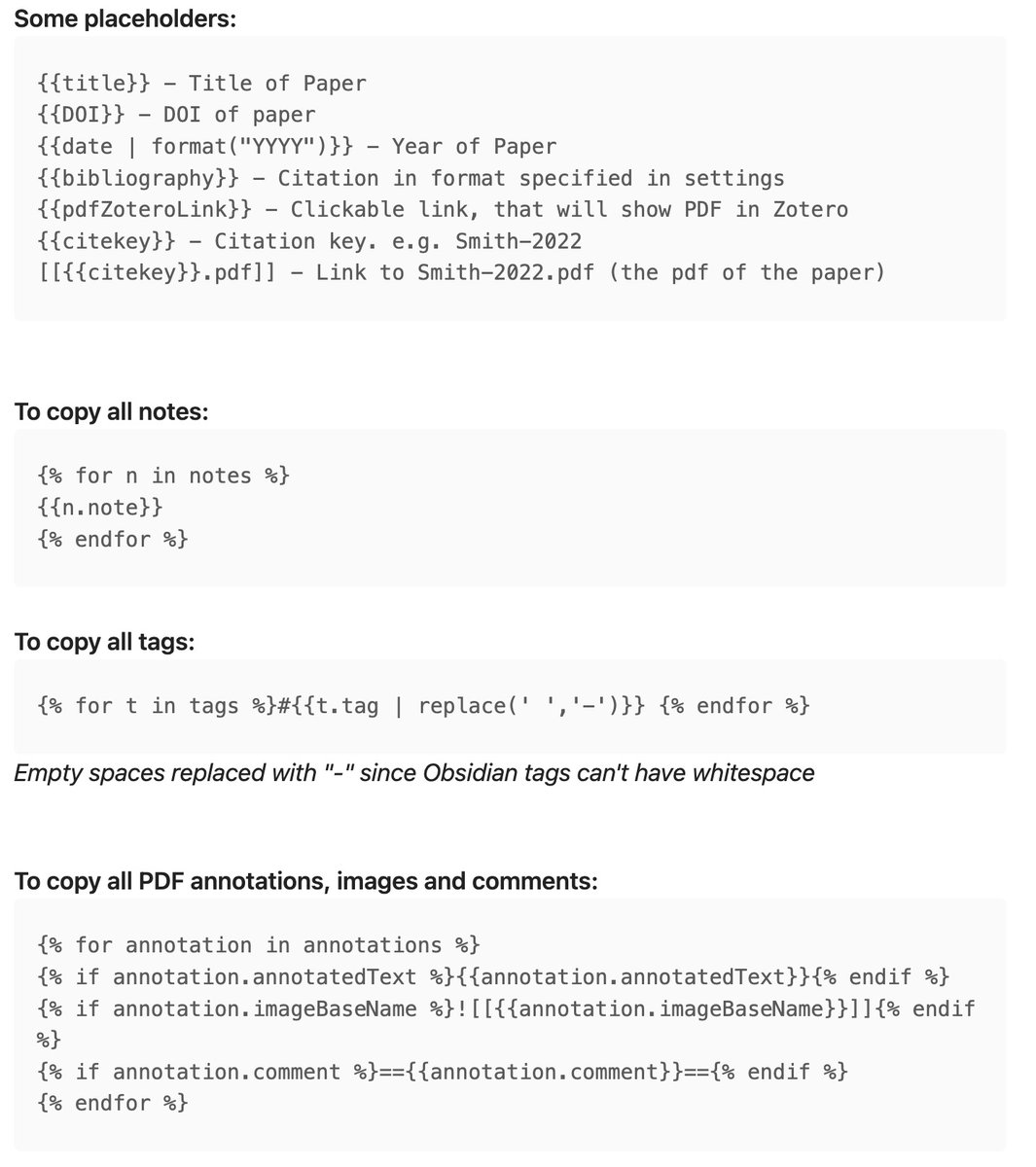
@zotero@obsdmd 6 Create a Template for Pulling a Literature note A template is an obsidian note, that may contain placeholders like {{title}}. Here is how my template looks like + a small reference of other placeholders.
@zotero@obsdmd 7 Create an "Import Format" Go to Settings > Zotero Integration
Click on "Add Import Format".
(You can have multiple formats for books, papers etc) Set the Template File you created and if you used {{bibliogrpahy}} placeholder, set the citation format as well.
@zotero@obsdmd 8 Import the PDF Using the Command Palette (hotkey: Ctrl or Cmd + P ) type in the name of your Import format. Sometimes you need to switch to Zotero to see the red popup. Type in what you want to import. Everything is now in Obsidian. (But PDF is not yet linked )
@zotero@obsdmd 9 Link Zotero PDFs into your vault (MAC) Create a folder inside your vault, e.g. "__Zotero". Copy its path (TO). In Zotero: Right click any PDF > "Show File" to open finder.
Locate a folder called "storage". Copy its path (FROM). open terminal and type in:
ln -s "FROM" "TO"
@zotero@obsdmd 9 Link Zotero PDFs into your vault (WIN) In Zotero: Right click any PDF > Show File to open finder.
Locate the "storage" folder. Copy its path (FROM). Copy path of the vault, append "\__Zotero" (TO) Open Command prompt as ADMIN, type:
mklink /D "TO" "FROM" Restart Obsidian
@zotero@obsdmd Summary ► BetterBibTeX created readable citekeys e.g. Smith-2020
► Zotfile renamed PDFs to the citekey
► Symlink trick embedded raw PDF into your vault, ready to link
► Zotero Plugin pulls annotations and Metadata via template. What else would you need?
@zotero@obsdmd Unfortunately annotations won't sync automatically.
If you like to annotate like you are used to in Zotero. I suggest to use this workflow:
@zotero@obsdmd But why this complicated workflow? Because we want to CONNECT our notes!
Now we have created a note for each paper and we can use visual methods to work with them. For example:
@zotero@obsdmd My personal strategy is to split papers into atomic bits of knowledge and use those to connect them into a network. This helps me synthesize my knowledge. There is a whole system here:
@zotero@obsdmd A lot of information in one thread! Click link in my profile, if you want all this packaged into one comprehensive online course.The course will teach you the basics of Obsidian and end with complex topics like this thread. Folow @Artifexx to become an effortless academic.