

A quick brief look at "HTML Quotation"
Open this Thread🧵 for more.
Open this Thread🧵 for more.

🔶 HTML Quotation
👉 HTML <q> for Short Quotations
- The HTML `<q>` tag defines a short quotation.
- Browsers normally insert quotation marks around the quotation.
Example➖
👉 HTML <q> for Short Quotations
- The HTML `<q>` tag defines a short quotation.
- Browsers normally insert quotation marks around the quotation.
Example➖

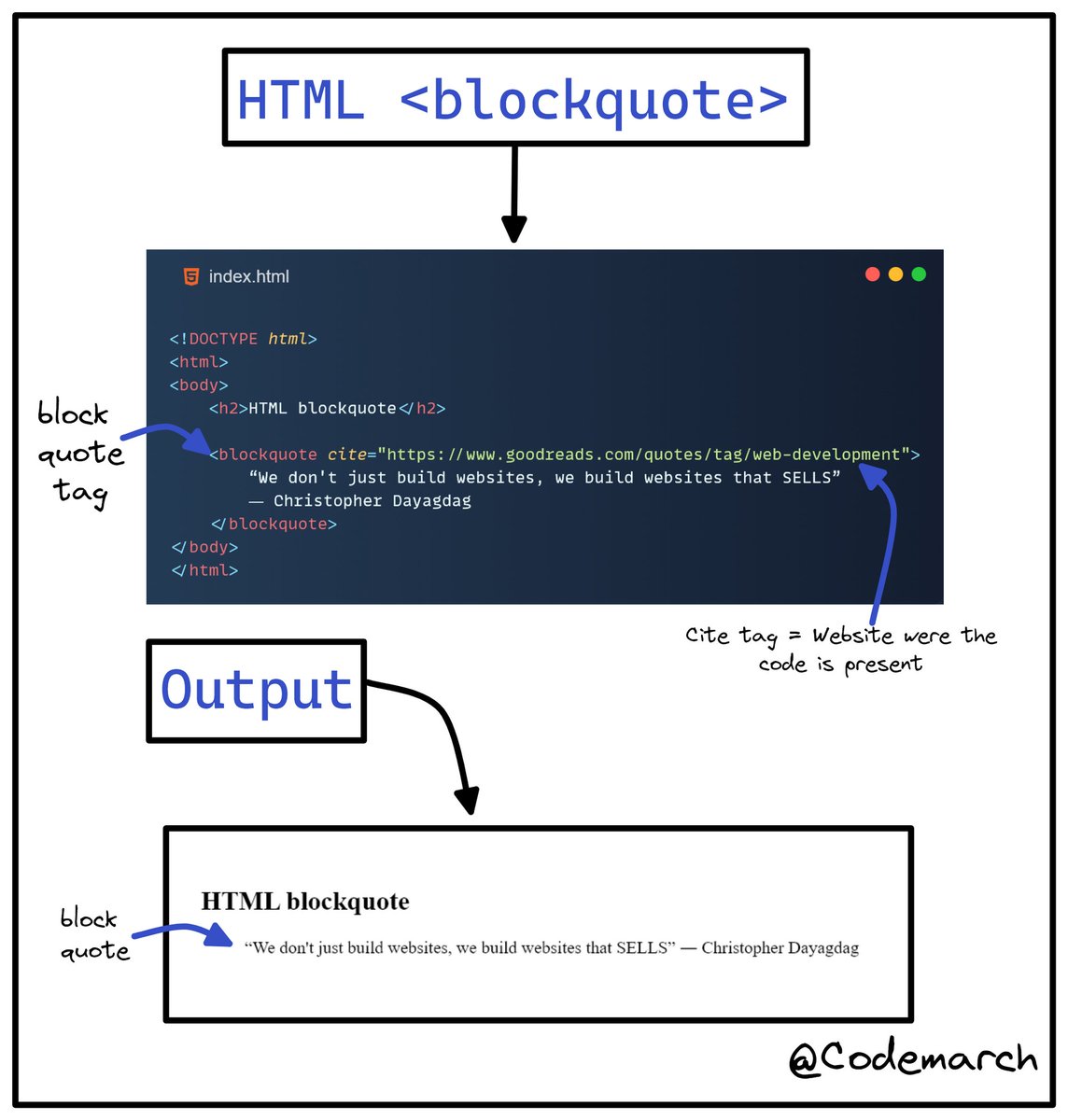
👉 HTML <blockquote> for Quotations
- The HTML `<blockquote>` element defines a section that is quoted from another source.
- Browsers usually indent `<blockquote>` elements.
Example➖
- The HTML `<blockquote>` element defines a section that is quoted from another source.
- Browsers usually indent `<blockquote>` elements.
Example➖
- The HTML `<cite>` tag defines the title of a creative work (e.g. a book, a poem, a song, a movie, a painting, a sculpture, etc.).
- Note: A person's name is not the title of a work.
- The text in the `<cite>` element usually renders in *italic*.
- Note: A person's name is not the title of a work.
- The text in the `<cite>` element usually renders in *italic*.
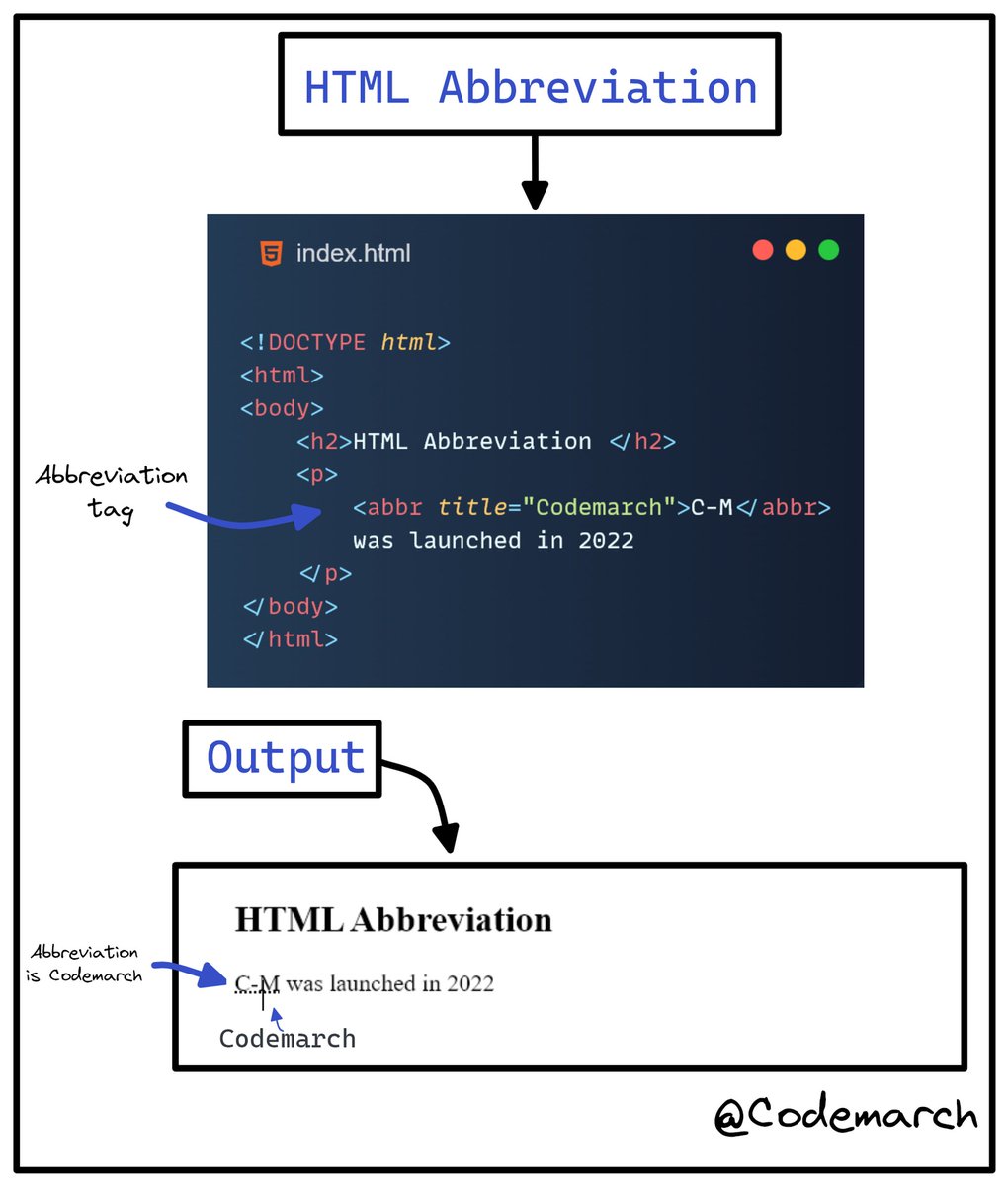
👉HTML <abbr> for Abbreviations
- The HTML `<abbr>` tag defines an abbreviation or an acronym, like "HTML", "CSS", "Mr.", "Dr.", "ASAP", "ATM".
- Marking abbreviations can give useful information to browsers, translation systems and search-engines.
Example➖
- The HTML `<abbr>` tag defines an abbreviation or an acronym, like "HTML", "CSS", "Mr.", "Dr.", "ASAP", "ATM".
- Marking abbreviations can give useful information to browsers, translation systems and search-engines.
Example➖
👉HTML <address> for Contact Information
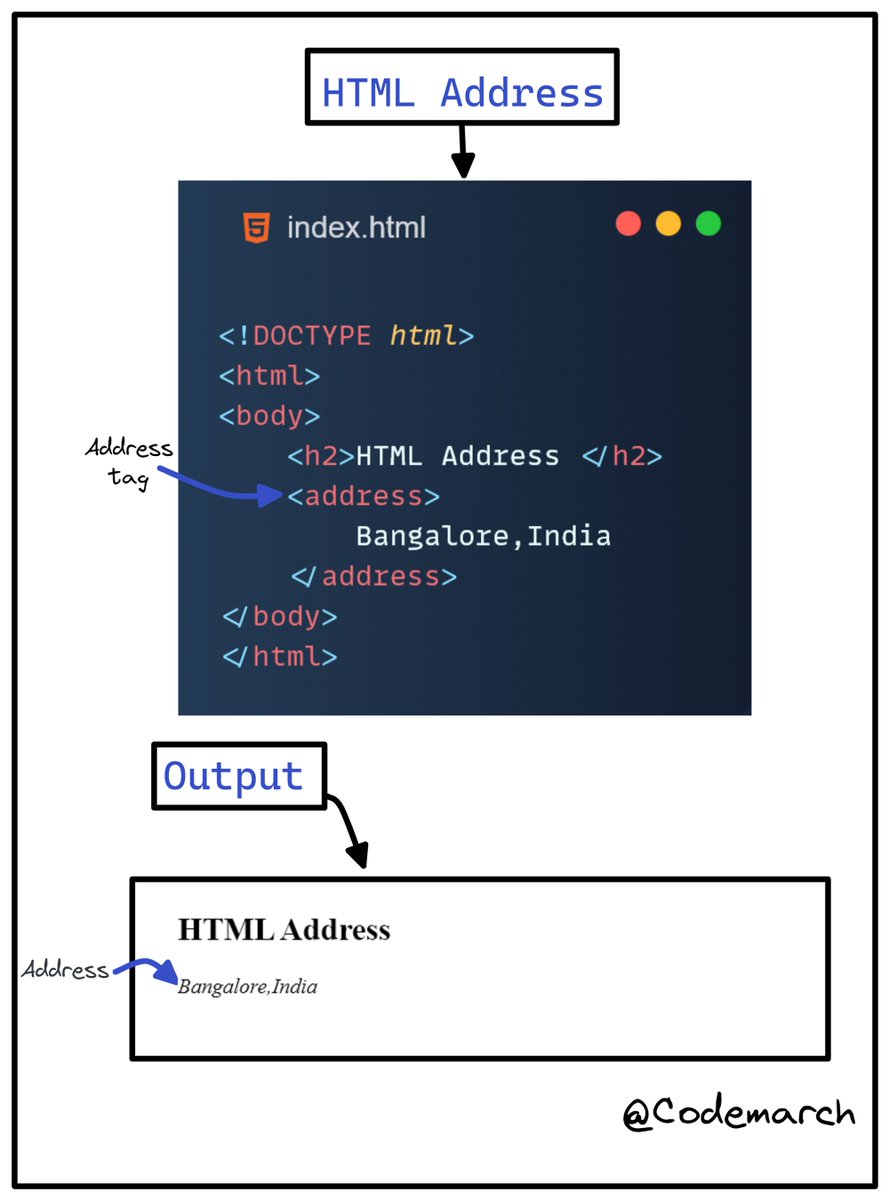
- The HTML `<address>` tag defines the contact information for the author/owner of a document or an article.
- The contact information can be an email address, URL, physical address, phone number, social media handle, etc.
- The HTML `<address>` tag defines the contact information for the author/owner of a document or an article.
- The contact information can be an email address, URL, physical address, phone number, social media handle, etc.
- The text in the `<address>` element usually renders in *italic,* and browsers will always add a line break before and after the `<address>` element.
Example➖
Example➖
if you enjoyed this thread, please like, comment, and retweet the opening tweet.
🔹Follow @codemarch
🔹You can also check our HTML & CSS Visual Treat!😍for more!!!
codemarch.gumroad.com
🔹Follow @codemarch
🔹You can also check our HTML & CSS Visual Treat!😍for more!!!
codemarch.gumroad.com
Loading suggestions...