

I reviewed over 50+ Zotero plugins.
Here are my top picks to supercharge your Zotero use.
Follow the thread or read the long version and watch the demo video in the post:
buff.ly
Here are my top picks to supercharge your Zotero use.
Follow the thread or read the long version and watch the demo video in the post:
buff.ly
1. Translate PDFs into any language
Perfect for non-native speakers.
Translate abstract and title into any language with a single hotkey.
Highlight a section inside the PDF and instantly see the translation.
► buff.ly
Perfect for non-native speakers.
Translate abstract and title into any language with a single hotkey.
Highlight a section inside the PDF and instantly see the translation.
► buff.ly


2. Add Citation counts
Citation counts are great to identify impactful papers (all other factors being equal) or reviews.
Load citation counts and display them as a sortable column in Zotero.
► buff.ly
Citation counts are great to identify impactful papers (all other factors being equal) or reviews.
Load citation counts and display them as a sortable column in Zotero.
► buff.ly

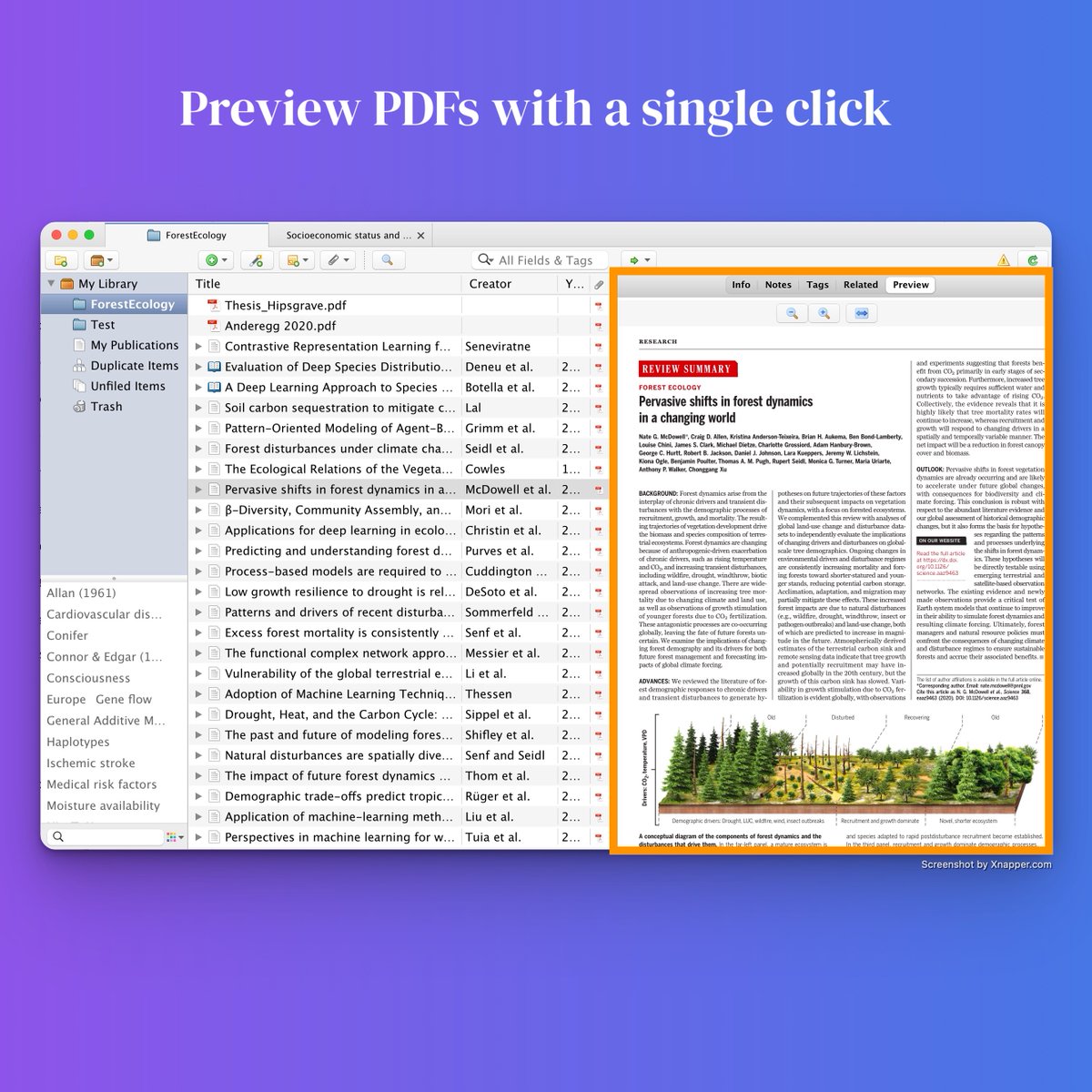
3. Preview PDFs
Quickly seeing a PDF creates a visual anchor. It helps to remember the contents.
PDF Preview is a small but wonderful plugin that makes your workflow more effortless.
► buff.ly
Quickly seeing a PDF creates a visual anchor. It helps to remember the contents.
PDF Preview is a small but wonderful plugin that makes your workflow more effortless.
► buff.ly
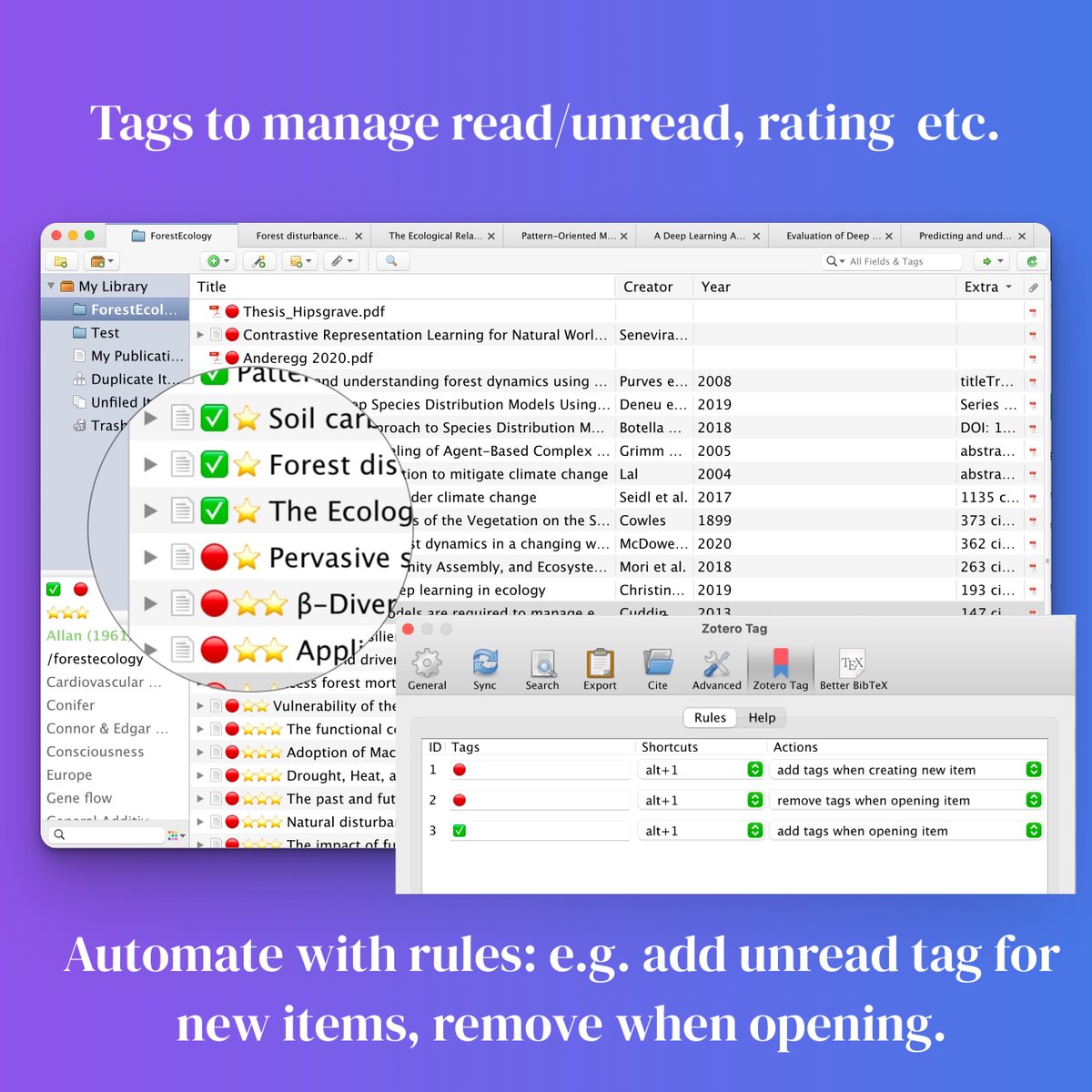
4. Auto Tag PDFs
I use emojis as tags:
Automatically tag new items with 🔴 = unread tag.
When opened retag it with ✅ = read and remove 🔴.
Use hotkeys to rate papers ⭐️⭐️⭐️.
Very useful to effortlessly stay organized.
► buff.ly
I use emojis as tags:
Automatically tag new items with 🔴 = unread tag.
When opened retag it with ✅ = read and remove 🔴.
Use hotkeys to rate papers ⭐️⭐️⭐️.
Very useful to effortlessly stay organized.
► buff.ly


Loading suggestions...