

Organizing a big Zotero library is a huge challenge.
Using automated Emoji-Tags will bring (and keep) order in the chaos.
Learn how in this tutorial:
👇
Using automated Emoji-Tags will bring (and keep) order in the chaos.
Learn how in this tutorial:
👇
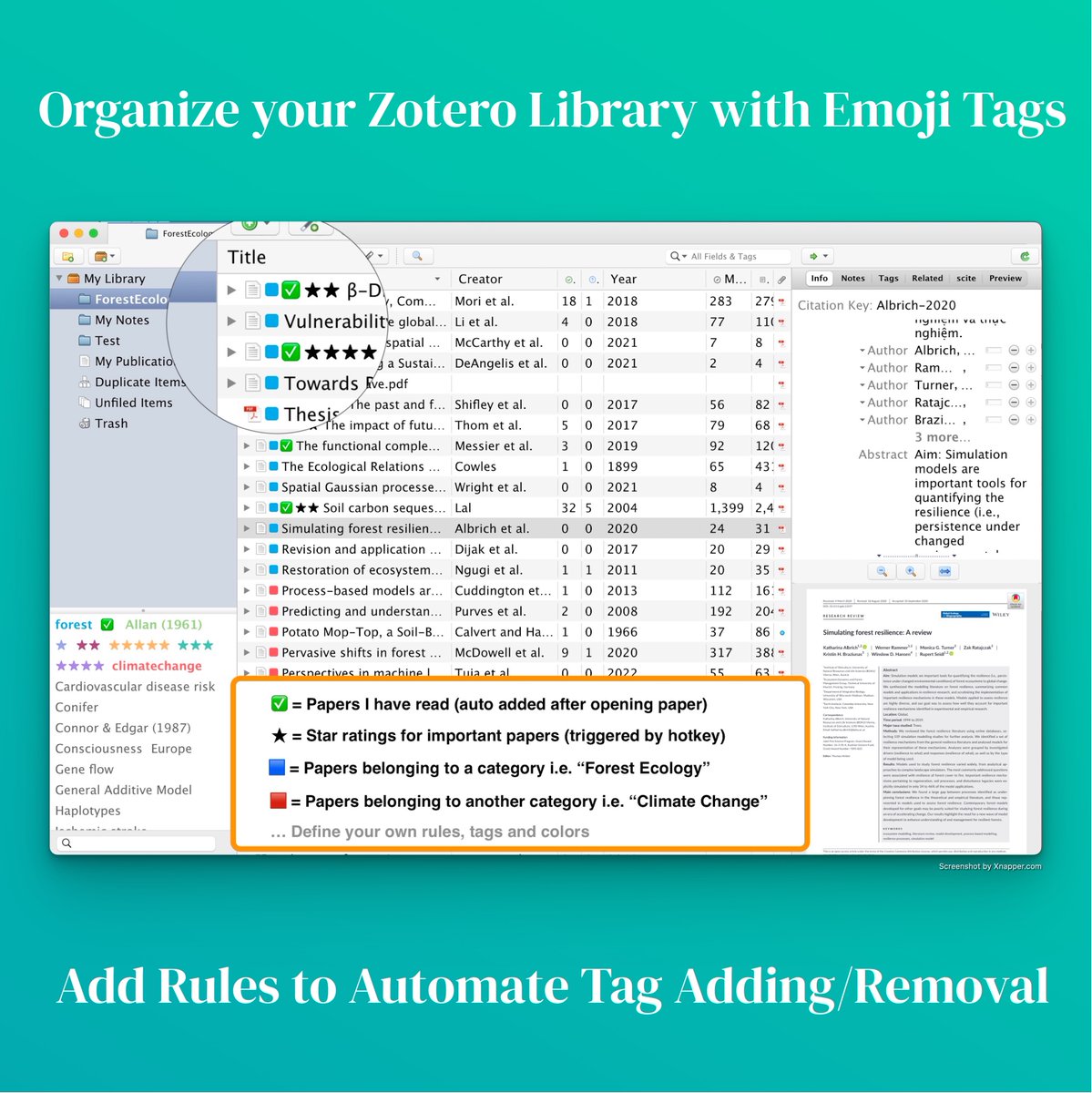
1. Install the Zotero Tag plugin
► Download Link: buff.ly
To install a Zotero plugin download the *.xpi file.
In the main menu go to Tools > Add-ons and select "Install Add-on From File..."
Select the xpi file you just downloaded.
Restart Zotero.
► Download Link: buff.ly
To install a Zotero plugin download the *.xpi file.
In the main menu go to Tools > Add-ons and select "Install Add-on From File..."
Select the xpi file you just downloaded.
Restart Zotero.
2. Add Star Ratings with a hotkey
Mac: Zotero > Settings
Win: Edit > Preferences
Select tab "Zotero Tag".
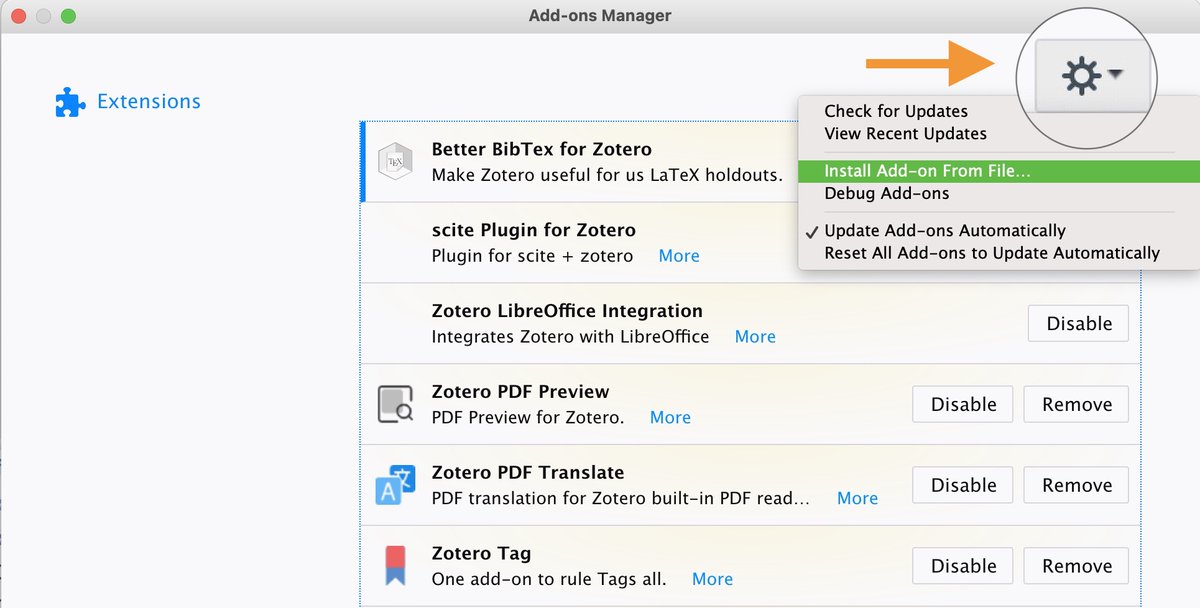
Using the "Add Rule" button create x5 rules using the ★ emojis.
Assign hotkeys (see img).
Set action to "disabled" since we assign them manually, i.e. not automated.
Mac: Zotero > Settings
Win: Edit > Preferences
Select tab "Zotero Tag".
Using the "Add Rule" button create x5 rules using the ★ emojis.
Assign hotkeys (see img).
Set action to "disabled" since we assign them manually, i.e. not automated.

3. Add ✅ to papers that have been closed
Add another rule and set action to "Add tags when closing item".
The tag will be added automatically when you open a paper, read it and close it again.
(Alternative: Set the rule to add the tag immediately when you open the paper)
Add another rule and set action to "Add tags when closing item".
The tag will be added automatically when you open a paper, read it and close it again.
(Alternative: Set the rule to add the tag immediately when you open the paper)
4. Add a tag to any paper
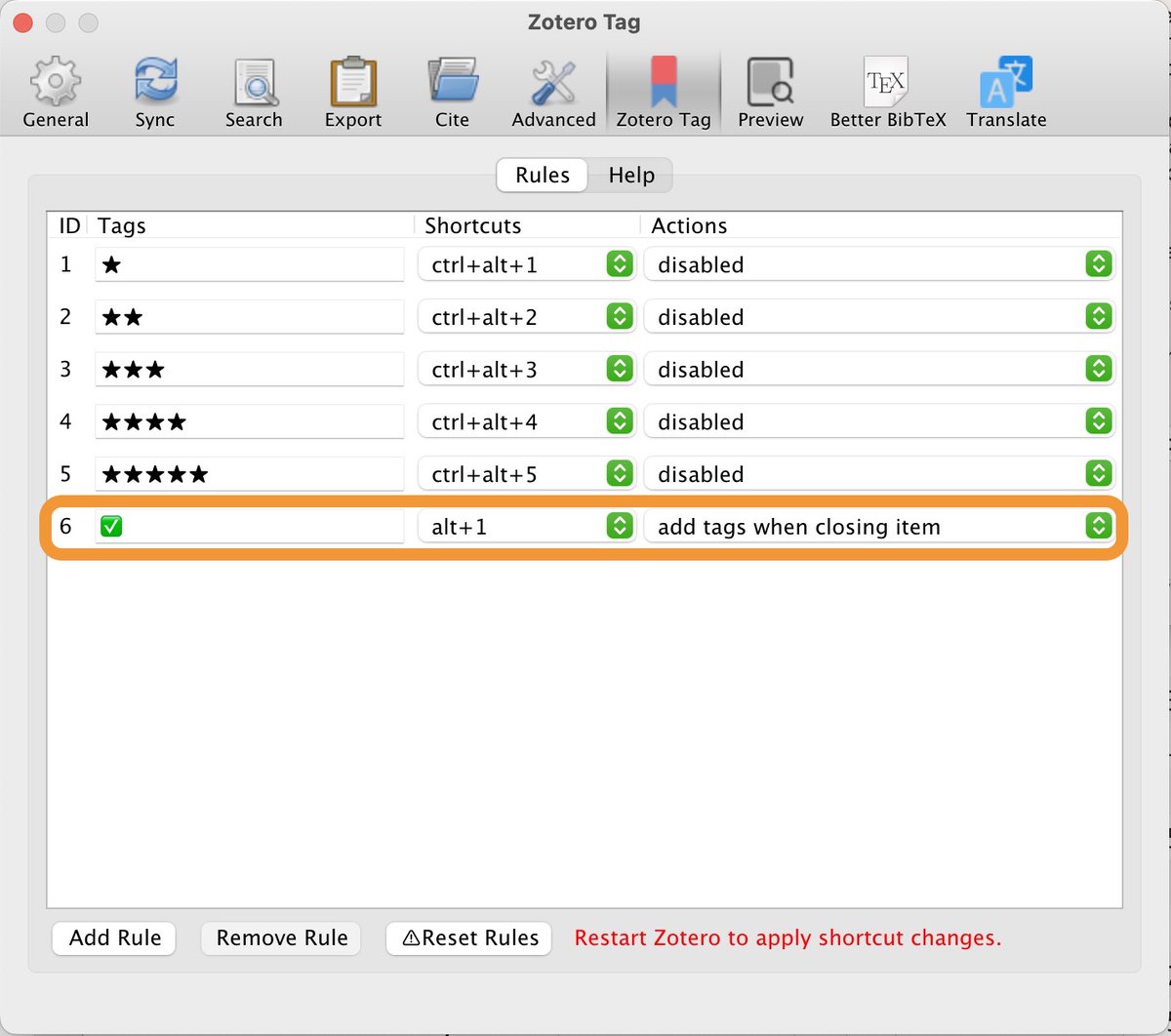
This is needed for the tags to show up in the bottom left pane (In next step we will remove them again).
Use your assigned hotkeys or the tag pane in the right sidebar.
Note: The tags won't show up yet, since we need the next step first.
This is needed for the tags to show up in the bottom left pane (In next step we will remove them again).
Use your assigned hotkeys or the tag pane in the right sidebar.
Note: The tags won't show up yet, since we need the next step first.

5. Assign a position to the tags
In the bottom left pane right-click on each of the new tags and select "Assign Color".
Color: Has no effect if your tag is an emoji.
Position: Defines the order of tags if you have multiple.
When done, remove the tags from the "test" paper.
In the bottom left pane right-click on each of the new tags and select "Assign Color".
Color: Has no effect if your tag is an emoji.
Position: Defines the order of tags if you have multiple.
When done, remove the tags from the "test" paper.

6. Rate your papers and note the ✅ emoji appearing
If you open and then close an item the ✅ will appear
Using the hotkeys you can add ratings to your papers.
(The position you set in the previous step, governs what apperas first ✅ or ★)
If you open and then close an item the ✅ will appear
Using the hotkeys you can add ratings to your papers.
(The position you set in the previous step, governs what apperas first ✅ or ★)

7. Add colors and tag multiple papers at once
Select some papers, right click and select "Manage Tags".
You can now BULK add/remove tags.
In the bottom left panel you can assign colors as in previous steps.
The color will show in a small square next to the title.
Select some papers, right click and select "Manage Tags".
You can now BULK add/remove tags.
In the bottom left panel you can assign colors as in previous steps.
The color will show in a small square next to the title.

8. Filter by Tag
Click one or more tags in the bottom left pane.
Notice the main view filtering your papers by tag.
Example: Climate Chage papers + 5/5 rating.
Click one or more tags in the bottom left pane.
Notice the main view filtering your papers by tag.
Example: Climate Chage papers + 5/5 rating.
9. Create your own system
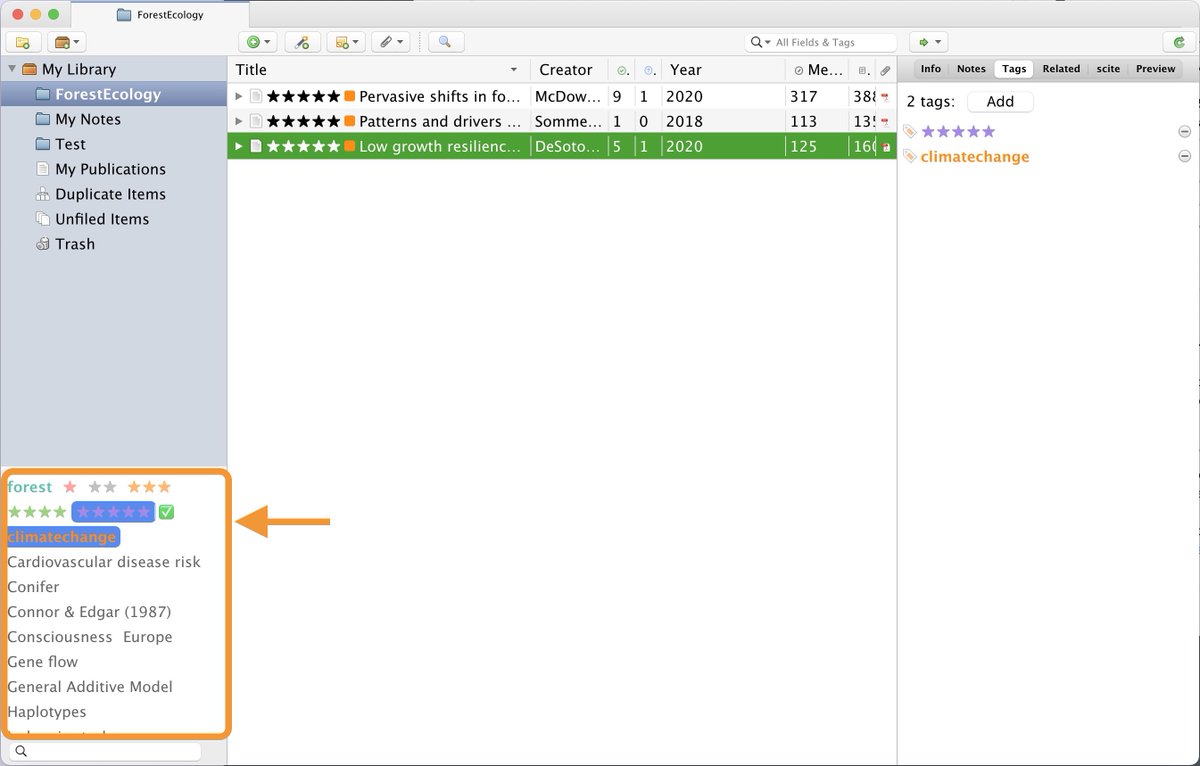
There are many other automations offered by this plugin.
You can now define a set of rules that automatically add or remove tags.
Can you come up with rules that will add an emoji tag to annotated papers for example?
There are many other automations offered by this plugin.
You can now define a set of rules that automatically add or remove tags.
Can you come up with rules that will add an emoji tag to annotated papers for example?

Want to get even more out of Zotero?
I have tested 50+ plugins and these are my top picks so far:
I have tested 50+ plugins and these are my top picks so far:
Summary
► Install Zotero-Tag plugin
► Use emojis as tags: e.g. ✅ = read or ★★ = 2/5 rating
► Assign hotkeys to quickly add/remove tags
► Assign a color to any tag to display a colored box before the tilte
► Bulk edit tags
► Install Zotero-Tag plugin
► Use emojis as tags: e.g. ✅ = read or ★★ = 2/5 rating
► Assign hotkeys to quickly add/remove tags
► Assign a color to any tag to display a colored box before the tilte
► Bulk edit tags
With a few tweaks we can make Zotero a much more useful tool.
👍 There will be more tutorials like this, follow @Artifexx.
♻️ Retweet to help a colleague
📩 Newsletter link in profile
👍 There will be more tutorials like this, follow @Artifexx.
♻️ Retweet to help a colleague
📩 Newsletter link in profile
Loading suggestions...