

How do containers work? 🤔 📦
There are 3 fundamental Linux technologies that software like @Docker use behind the scenes to work their magic.
Namespaces, control groups, and union filesystems.
Let's explore these features!
There are 3 fundamental Linux technologies that software like @Docker use behind the scenes to work their magic.
Namespaces, control groups, and union filesystems.
Let's explore these features!
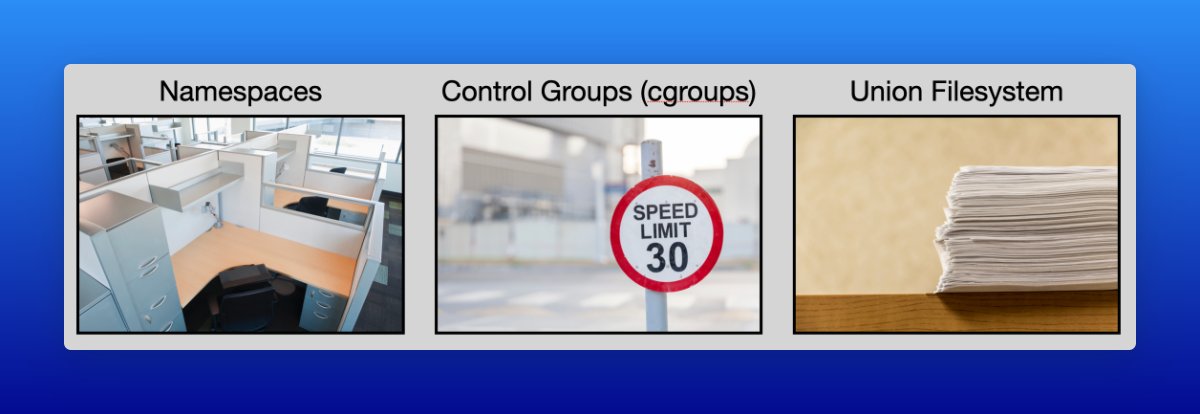
Namespaces provide isolation between a container and the host it is running on (and other containers running on the same host).
They wrap a global system resource to make it appear to processes within the namespace that they have their own isolated instance.
They wrap a global system resource to make it appear to processes within the namespace that they have their own isolated instance.

There are many namespaces, but the PID (process id) namespace is a good example.
By setting up a PID namespace, we can hide all processes outside of the namespace from processes within the namespace. For example, if I run the ps command within an ubuntu container it shows PID #1
By setting up a PID namespace, we can hide all processes outside of the namespace from processes within the namespace. For example, if I run the ps command within an ubuntu container it shows PID #1

Setting up a User namespace enables a user ID for processes within the namespace to map to different user IDs outside the namespace.
This is important to help prevent a root user inside of a container from having root privileges outside of the container (if an attacker escaped)
This is important to help prevent a root user inside of a container from having root privileges outside of the container (if an attacker escaped)
Control groups (or cgroups) enable putting limits on access to system resources such as CPU, Memory, storage devices, etc...
In the context of containers, this enables us to prevent "noisy neighbors" where one process hogs the system resources and starves another of resources!
In the context of containers, this enables us to prevent "noisy neighbors" where one process hogs the system resources and starves another of resources!
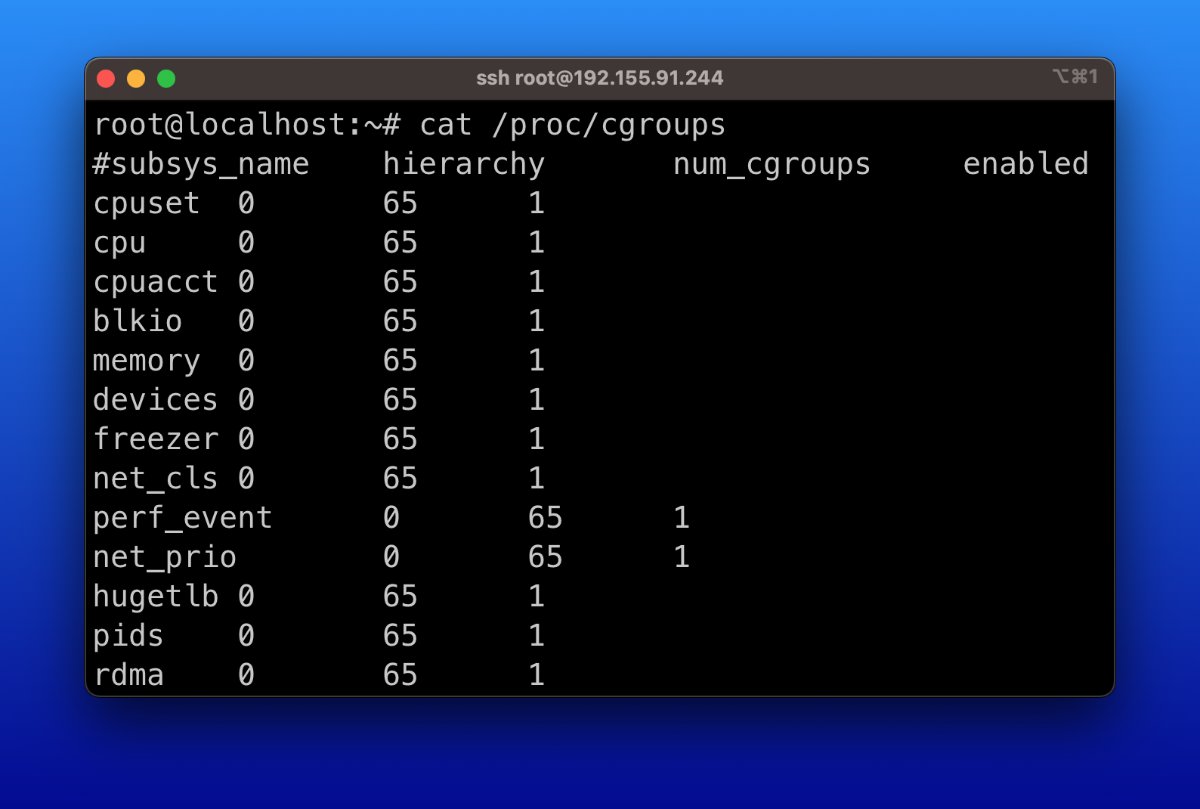
Using cgroups we can create a specification for each of our processes and tell the system exactly how many resources to allocate.
For example, the cpu.shares cgroup specifies what percentage of the CPU cycles processes in that cgroup should be allowed to consume.
For example, the cpu.shares cgroup specifies what percentage of the CPU cycles processes in that cgroup should be allowed to consume.

While namespaces and cgroups make containers possible, union filesystems make them practical!
A union filesystem (for example overlayfs) takes a number of distinct layers and presents them as a single filesystem as shown in this diagram.
Why does this matter?
A union filesystem (for example overlayfs) takes a number of distinct layers and presents them as a single filesystem as shown in this diagram.
Why does this matter?
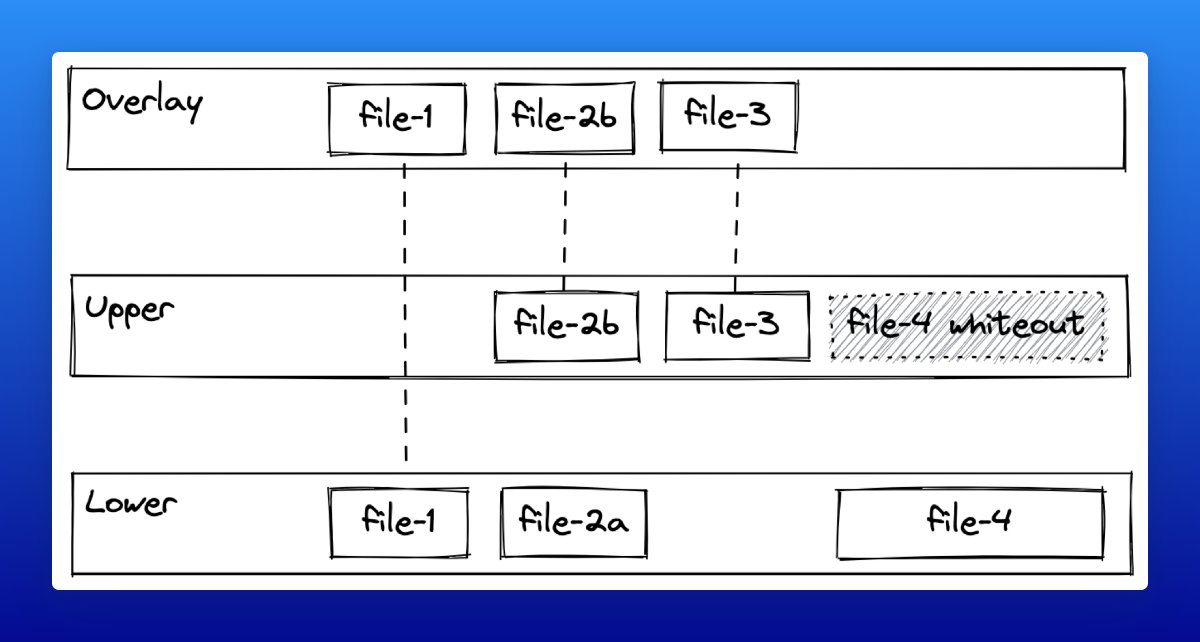
Because container images are comprised of these layers it enables huge efficiency gains by sharing and caching common layers to minimize the amount of data that needs to be transmitted and stored.
The lower layers can be shared while the upper layers are unique!
The lower layers can be shared while the upper layers are unique!
At runtime, containers leverage union filesystems to prevent needing to allocate space for the entire image size with each copy of the container.
It creates a new read/write later on top while treating all other layers as read-only!
It creates a new read/write later on top while treating all other layers as read-only!

Using these 3 technologies, we could create our own container implementation by:
1) Start with an archive containing the necessary dependencies
2) Create some namespaces and cgroups
2) Running our process within those namespaces/cgroups
Or we can just use "docker run" 😅
1) Start with an archive containing the necessary dependencies
2) Create some namespaces and cgroups
2) Running our process within those namespaces/cgroups
Or we can just use "docker run" 😅
Some additional resources for further reading on these topics:
- jvns.ca (@b0rk)
- martinheinz.dev (@Martin_Heinz_)
- youtube.com (@joshva_jebaraj)
- jvns.ca (@b0rk)
- martinheinz.dev (@Martin_Heinz_)
- youtube.com (@joshva_jebaraj)
Hopefully, this thread helped you understand containers a bit better!
This content is adapted from a portion of my upcoming FREE course on Docker + containers.
Check out (and ⭐️) the repo and follow
@sidpalas
to be notified when the course is released!
github.com
This content is adapted from a portion of my upcoming FREE course on Docker + containers.
Check out (and ⭐️) the repo and follow
@sidpalas
to be notified when the course is released!
github.com
Loading suggestions...