

This Funnel Made $134,522 In 14 Days And It Only Took 6 Hours To Create Using With FREE Software

Feel free to steal everything.
I'm going to be super detailed.
Follow it to:
🤑 Sell your products
🧑💻 Sell this process as a services
💰 Get sweet Stripe notifications
😎 Make more money in a weekend than in a whole year.
Let's go!
I'm going to be super detailed.
Follow it to:
🤑 Sell your products
🧑💻 Sell this process as a services
💰 Get sweet Stripe notifications
😎 Make more money in a weekend than in a whole year.
Let's go!
# Introducing the Waitlist Funnel.
I’ve simplified this to the point it feels absurd.
Here’s what the funnels look like:
Social Media → Waitlist → Sales
Really simple.
But rest assured it works.
I’ve simplified this to the point it feels absurd.
Here’s what the funnels look like:
Social Media → Waitlist → Sales
Really simple.
But rest assured it works.
# Here’s What We’ll Cover
1. Why a waitlist funnel?
2. Expenses & Software
3. Product
4. Waitlist
5. Promotion post
6. Email automation
7. E-commerce platform
8. Sales emails
9. (Bonus)
10. The Next Level
Let's dive into it.
1. Why a waitlist funnel?
2. Expenses & Software
3. Product
4. Waitlist
5. Promotion post
6. Email automation
7. E-commerce platform
8. Sales emails
9. (Bonus)
10. The Next Level
Let's dive into it.
# 1. Why A Waitlist Funnel?
Never sell something that nobody needs.
The waitlist lets you gauge interest.
Therefore, if nobody joins the waitlist, cancel the launch.
And move to the next one.
Never sell something that nobody needs.
The waitlist lets you gauge interest.
Therefore, if nobody joins the waitlist, cancel the launch.
And move to the next one.
# 2. Expenses & Software
You’ll spend zero dollars this funnel.
The software I recommend is free to use.
I’ve used these for 3 years now.
And I’ve never been let down by them
Here they are . . .
You’ll spend zero dollars this funnel.
The software I recommend is free to use.
I’ve used these for 3 years now.
And I’ve never been let down by them
Here they are . . .
We’ll use:
💌 ConvertKit for the email marketing
💰 Gumroad for eCommerce
🔎 Tally for the market research
💌 ConvertKit for the email marketing
💰 Gumroad for eCommerce
🔎 Tally for the market research
# 3. Product
No product = no money.
No money = death.
But before creating your product, reach out to your followers.
Do so to figure out their goals and challenges.
This will give the insights to know what to include in your course.
That said, don’t create it just yet.
No product = no money.
No money = death.
But before creating your product, reach out to your followers.
Do so to figure out their goals and challenges.
This will give the insights to know what to include in your course.
That said, don’t create it just yet.
# 4. Waitlist
A waitlist is a special marketing tactic.
This tactic helps you gauge interest in your products.
See, when people join the waitlist, they give you their names and emails.
Basically, they’re giving you permission to sell to them.
A waitlist is a special marketing tactic.
This tactic helps you gauge interest in your products.
See, when people join the waitlist, they give you their names and emails.
Basically, they’re giving you permission to sell to them.
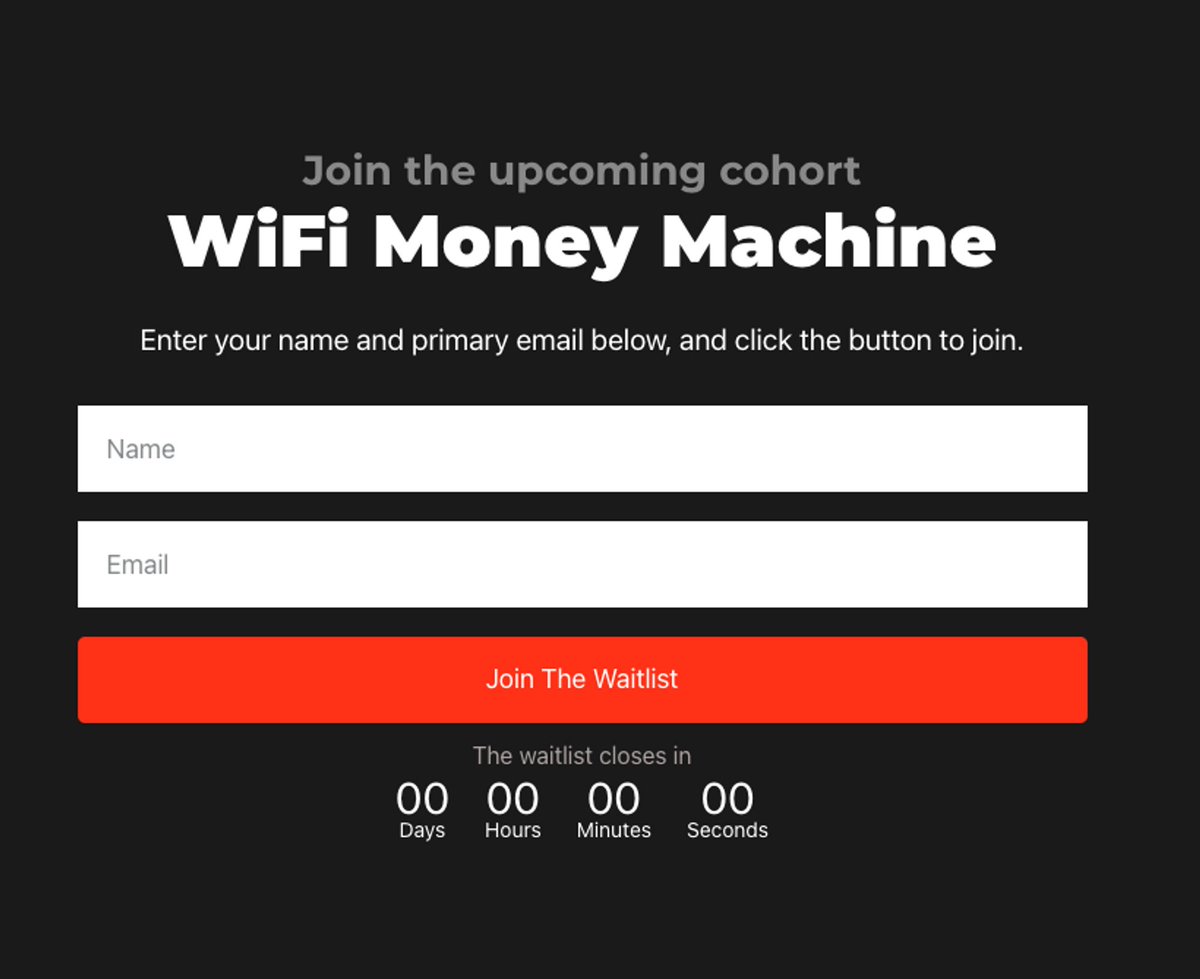
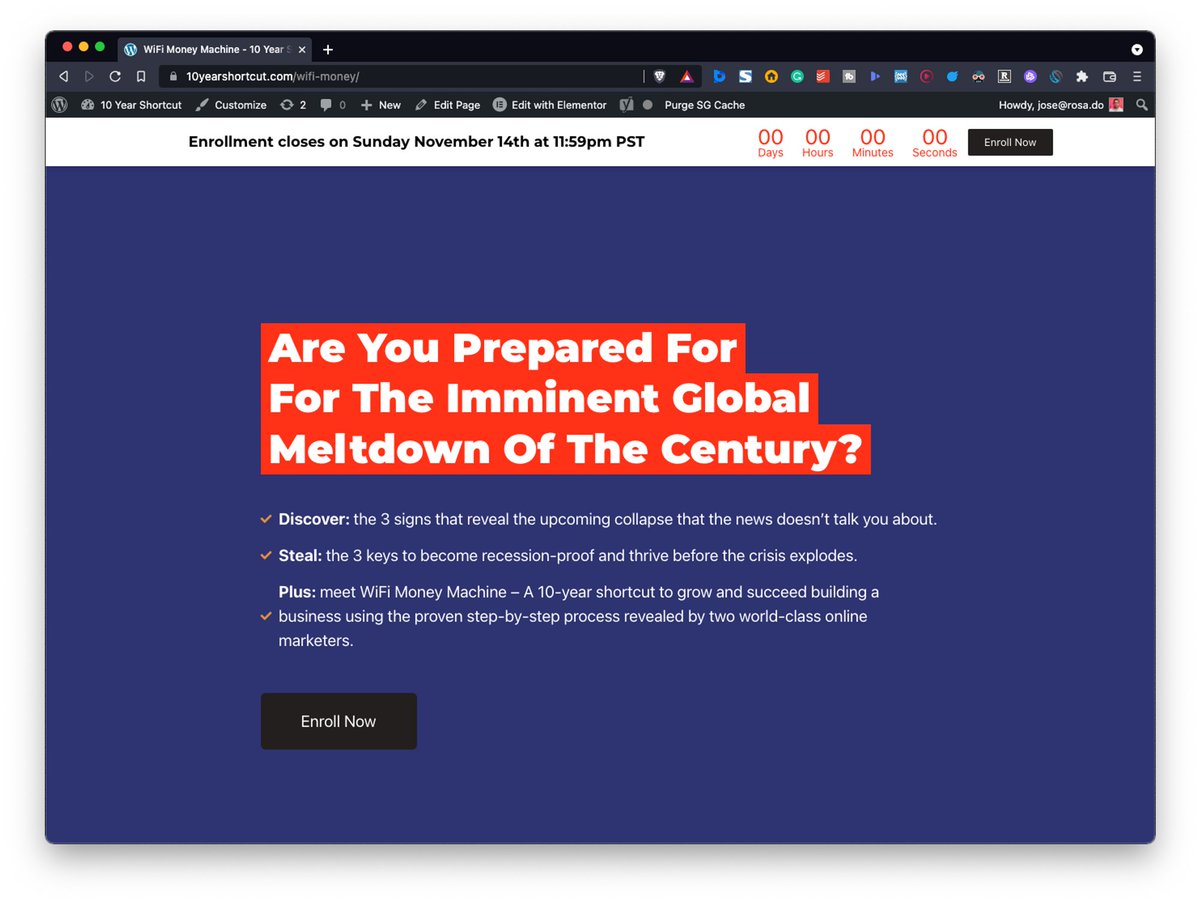
A simple waitlist landing page needs:
🪝 Hook to get attention
🏄♀️ Lead to create desire
📝 Body to describe the product
🖥 Opt-in form to ppl's names and emails
🤑 Price so they know the investment
✅ Call to action to get them to join the waitlist
🪝 Hook to get attention
🏄♀️ Lead to create desire
📝 Body to describe the product
🖥 Opt-in form to ppl's names and emails
🤑 Price so they know the investment
✅ Call to action to get them to join the waitlist
# 5. Promotion Posts
Self-promotion is mandatory.
Nobody will do this for you.
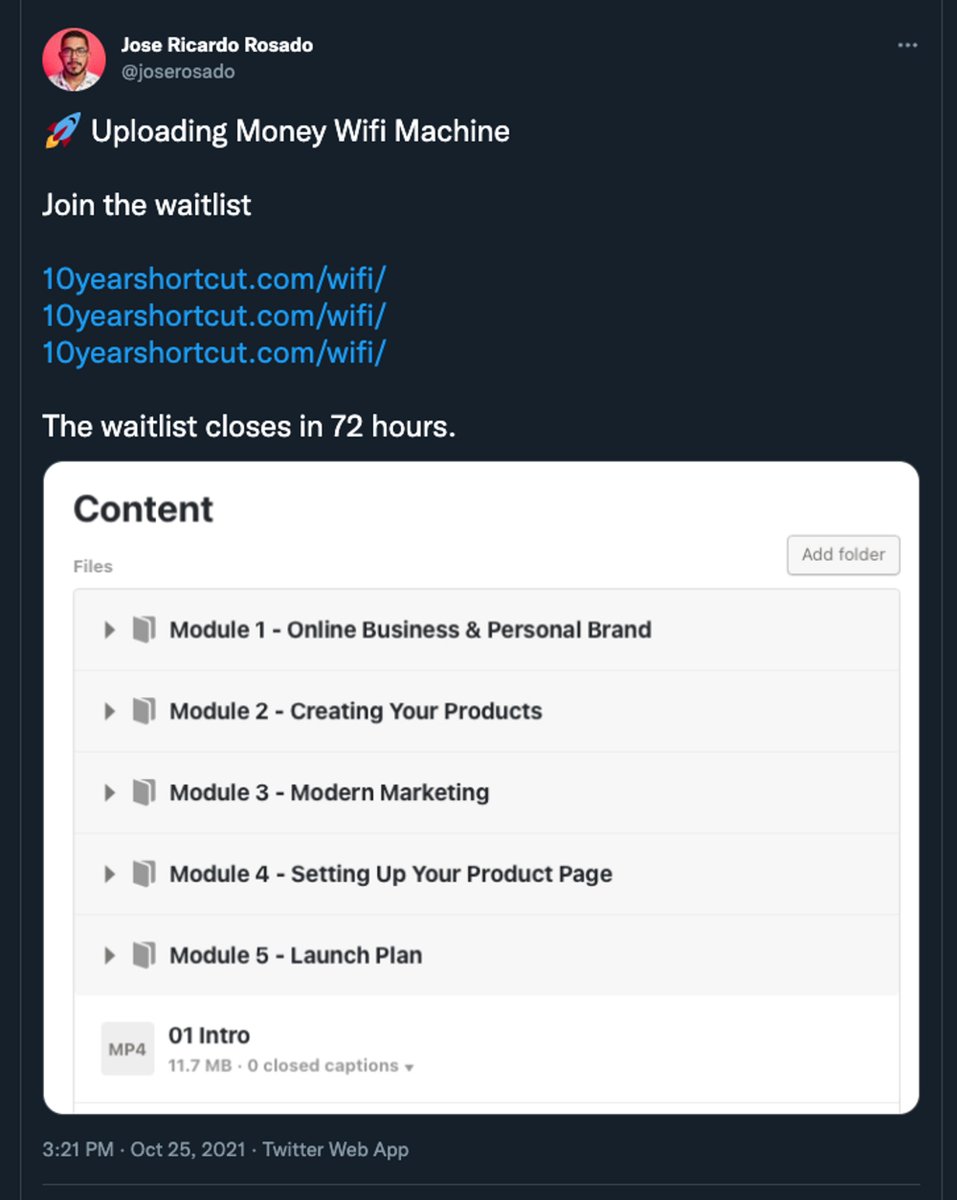
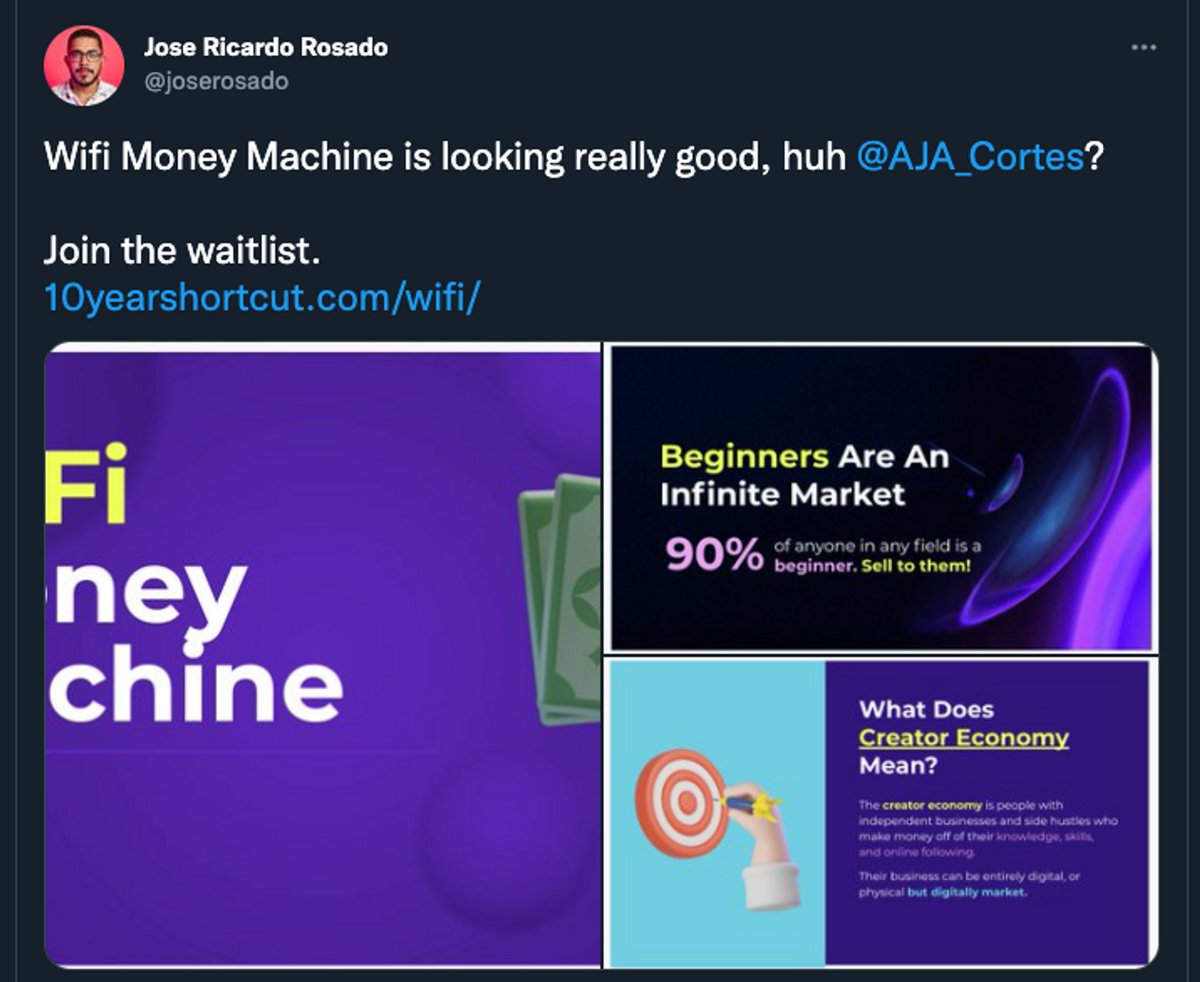
Therefore, post a link to your waitlist a bunch of times.
Write 10-15 posts in a couple of minutes.
Examples below 👇
Self-promotion is mandatory.
Nobody will do this for you.
Therefore, post a link to your waitlist a bunch of times.
Write 10-15 posts in a couple of minutes.
Examples below 👇
I use Hypefury for scheduling my tweets.
And Meta Business Suite to schedule my Instagram posts.
Also, be sure to create the promotion posts for when you’re ready to launch.
Here are some examples tweets.
And Meta Business Suite to schedule my Instagram posts.
Also, be sure to create the promotion posts for when you’re ready to launch.
Here are some examples tweets.
# 6. Email Automation
With ConvertKit you can send emails automatically to new subscribers.
(You’ll need the paid version to set up the automation, but you can send emails to the waitlist using the free version)
With ConvertKit you can send emails automatically to new subscribers.
(You’ll need the paid version to set up the automation, but you can send emails to the waitlist using the free version)
Add these 4 emails:
👋 Welcome email to set expectations
🌠 Story email to tell your story
🏆 Value email to teach an idea related to the product
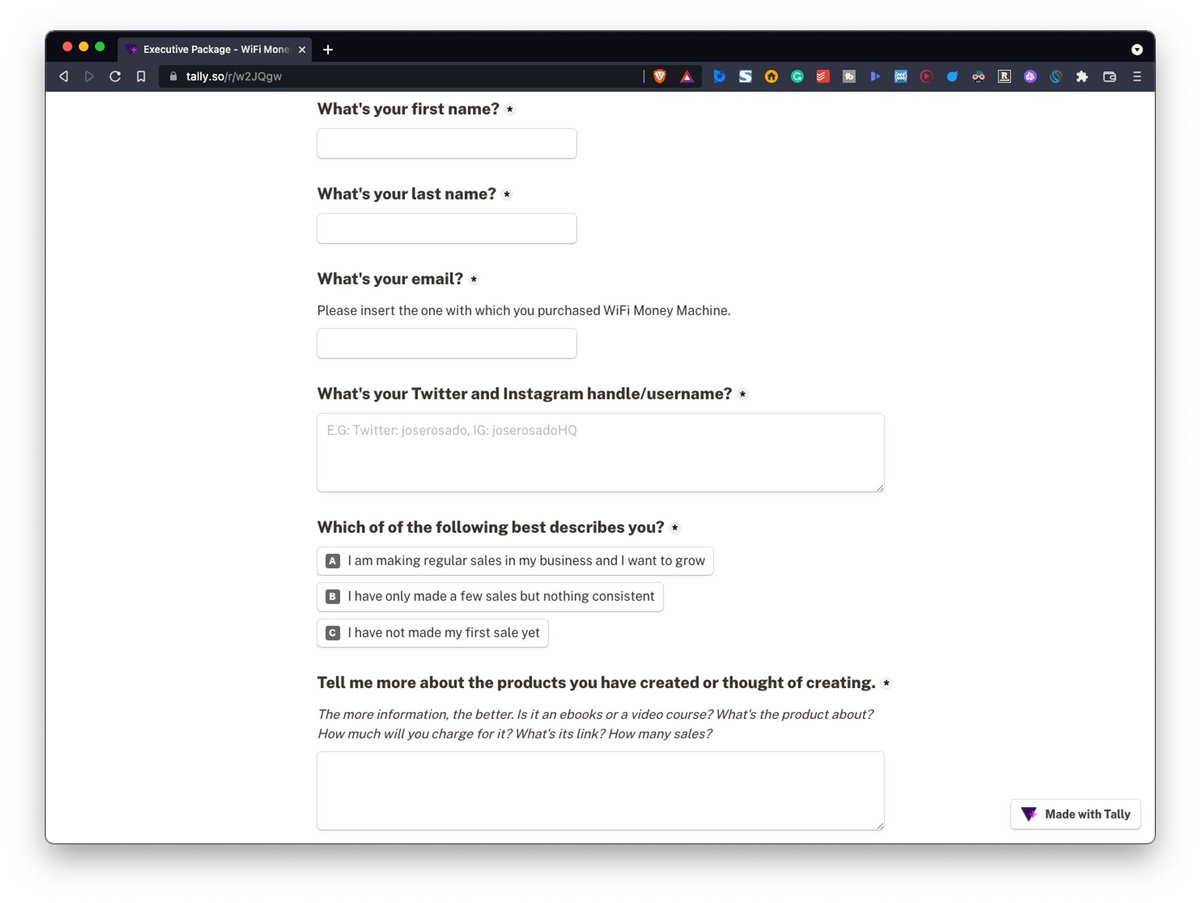
🔎 Research email to link people to a form to learn more about their challenges and goals.
The research email is special…
👋 Welcome email to set expectations
🌠 Story email to tell your story
🏆 Value email to teach an idea related to the product
🔎 Research email to link people to a form to learn more about their challenges and goals.
The research email is special…
Use the research email to figure out your potential buyer expectations.
- What are their goals?
- What’s preventing them from achieving their goals?
- What are they looking forward to learning?
- What are their goals?
- What’s preventing them from achieving their goals?
- What are they looking forward to learning?
What Now?
By now, you should have been promoting your waitlist.
Get at least 50-100 subscribers before starting to create your course!
Use the research you got from your subscribers and merge it with your own ideas to create the outline of your course.
By now, you should have been promoting your waitlist.
Get at least 50-100 subscribers before starting to create your course!
Use the research you got from your subscribers and merge it with your own ideas to create the outline of your course.
Then design a short slideshow using PowerPoint, Keynote for Mac, or Canva.
Finally, record yourself explaining your ideas for 60-90 minutes.
Finally, record yourself explaining your ideas for 60-90 minutes.
# 7. Ecommerce Platform
Keep it simple.
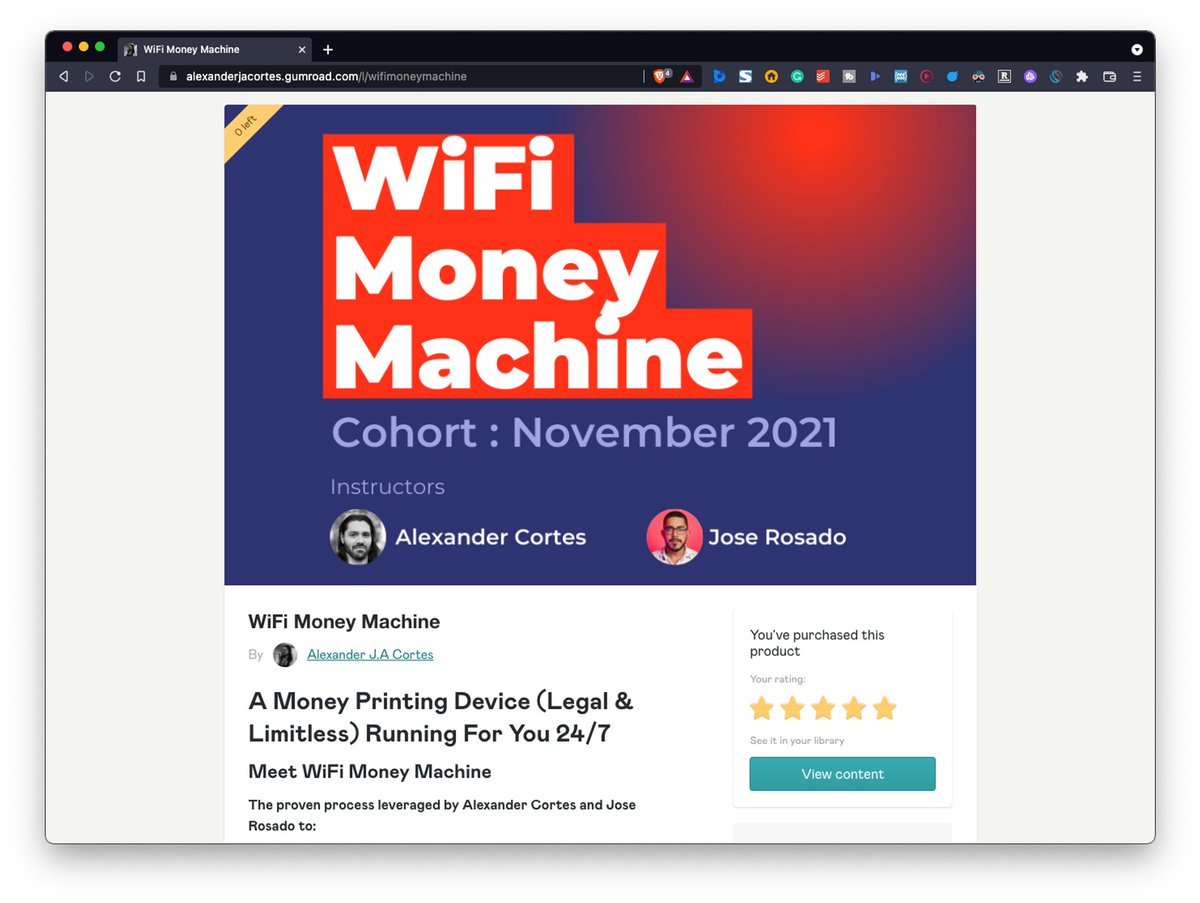
Use Gumroad
It’s easy to use and free.
All you need to do is:
1️⃣ Write a short product description
2️⃣ Price the product
3️⃣ Upload the video files
Done? Start drafting the sales emails.
Keep it simple.
Use Gumroad
It’s easy to use and free.
All you need to do is:
1️⃣ Write a short product description
2️⃣ Price the product
3️⃣ Upload the video files
Done? Start drafting the sales emails.
# 8. Sales emails
It’s time to sell.
Use these emails to talk about:
✅ Why you created the product
✅ Your story
✅ The benefits
✅ The features
✅ Sneak peeks
✅ FAQs
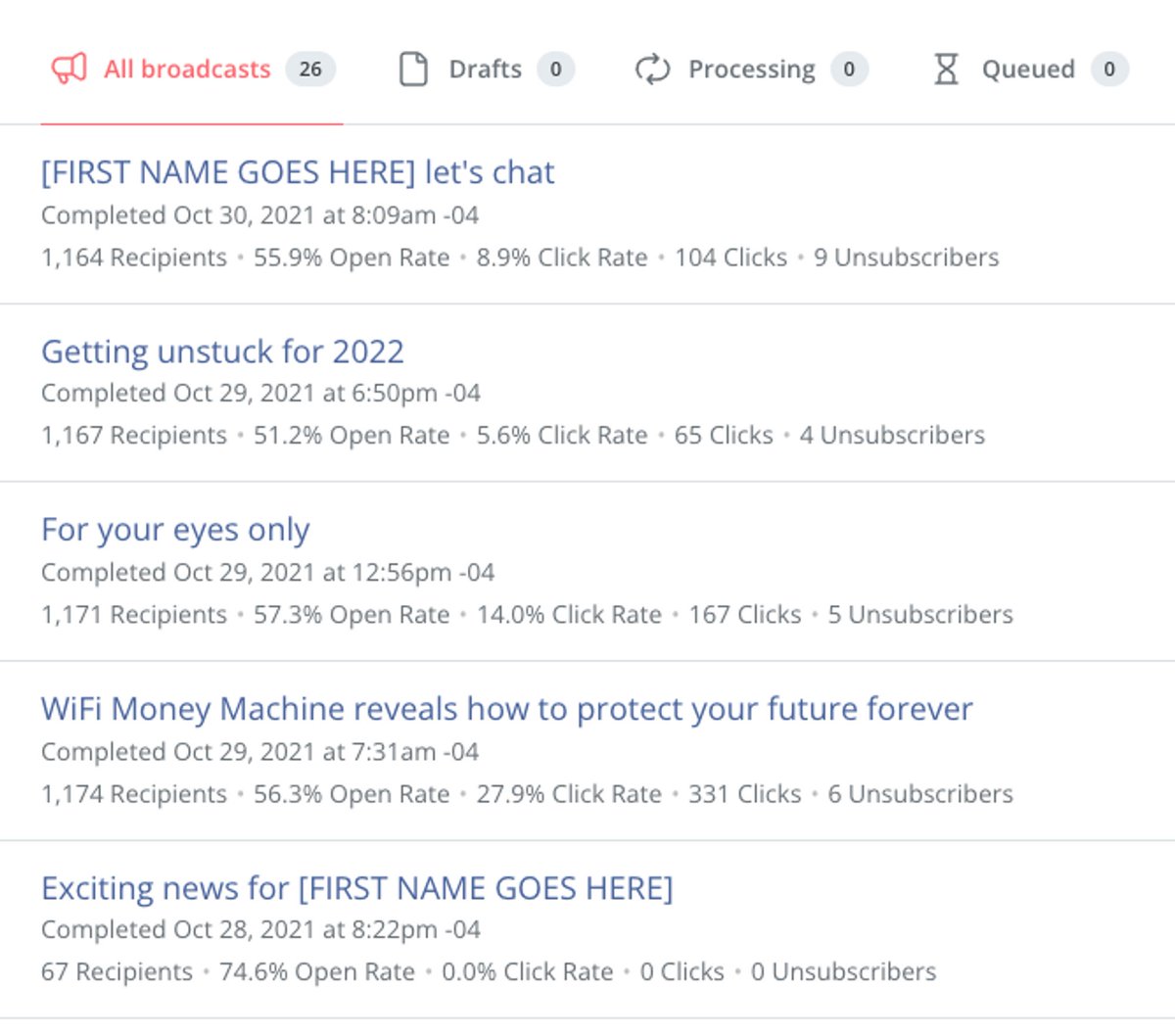
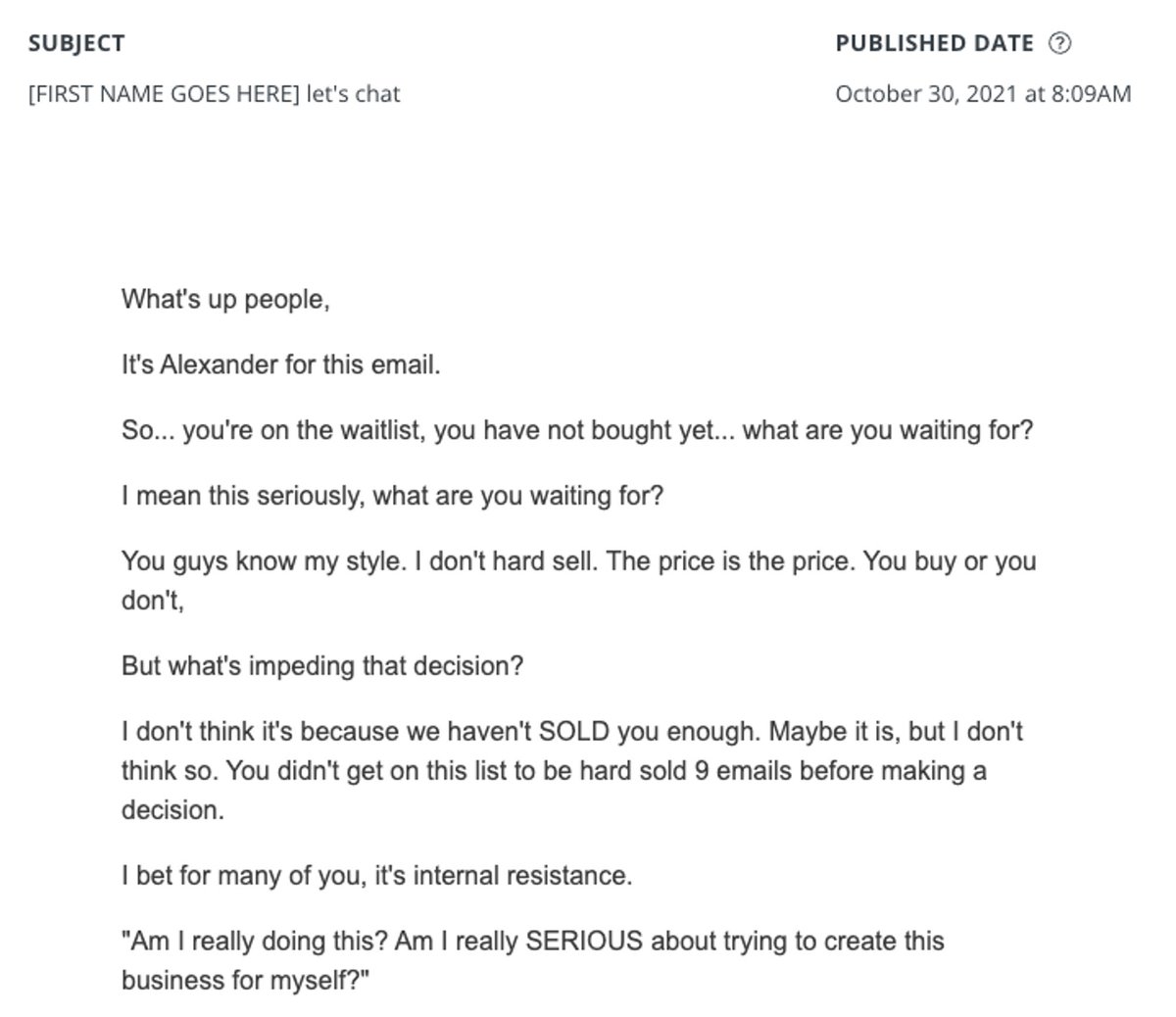
Here are some example emails I sent to promote the course.
It’s time to sell.
Use these emails to talk about:
✅ Why you created the product
✅ Your story
✅ The benefits
✅ The features
✅ Sneak peeks
✅ FAQs
Here are some example emails I sent to promote the course.
How many emails should you send?
As many as possible.
Send at least 10 emails in a span of 3 days to the waitlist.
And give them 3 days to take advantage of the special ‘waitlist’ price.
Then raise the price and start promoting on social media.
As many as possible.
Send at least 10 emails in a span of 3 days to the waitlist.
And give them 3 days to take advantage of the special ‘waitlist’ price.
Then raise the price and start promoting on social media.
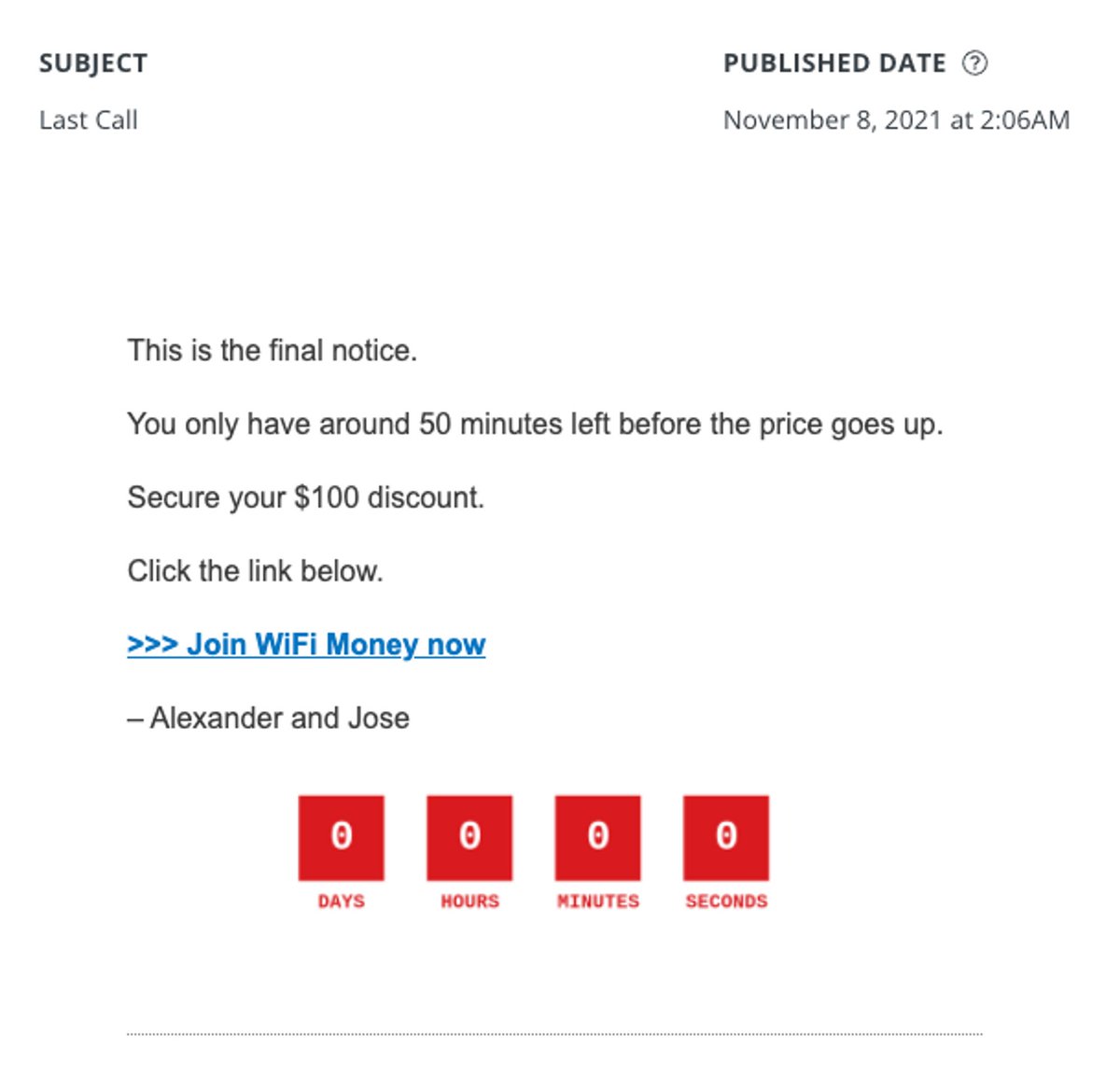
# 9. Urgency (bonus)
Urgency is when someone feels the time is running out.
Add urgency to your marketing campaign to make them extra powerful.
Do so by:
1️⃣ Closing enrollment
2️⃣ Raising the prices
3️⃣ Limiting spots
Urgency is when someone feels the time is running out.
Add urgency to your marketing campaign to make them extra powerful.
Do so by:
1️⃣ Closing enrollment
2️⃣ Raising the prices
3️⃣ Limiting spots
#10. Want To Take This To The Next Level?
Join the WiFi Money Machine waitlist.
Details here:
10yearshortcut.com
🤝
Join the WiFi Money Machine waitlist.
Details here:
10yearshortcut.com
🤝
That's a wrap!
If you enjoyed this thread:
1. Follow me @joserosado for more of these
2. RT the tweet below to share this thread with your audience
If you enjoyed this thread:
1. Follow me @joserosado for more of these
2. RT the tweet below to share this thread with your audience
Loading suggestions...