

🔥This has been my most requested thread.
Here's the site speed thread. 👇
Here's the site speed thread. 👇

The focus of this is going to be mostly for WordPress because I help people with WordPress but some of the concepts can be taken to any type of site.
First the analysis tools. Bookmark these:
gtmetrix.com
webpagetest.org
pagespeed.web.dev
First the analysis tools. Bookmark these:
gtmetrix.com
webpagetest.org
pagespeed.web.dev
The first thing I do is run the site through gtmetrix.
I look at the core web vitals reported here.
Largest contentful paint is the time it takes for the largest element above the fold to load. If you have a hero image banner, this is usually the hero image.
I look at the core web vitals reported here.
Largest contentful paint is the time it takes for the largest element above the fold to load. If you have a hero image banner, this is usually the hero image.
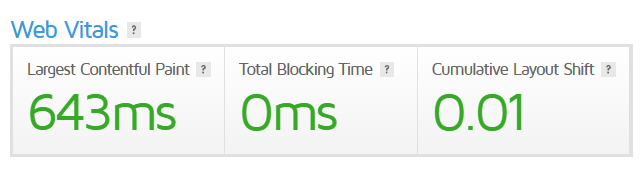
Total blocking time is usually CSS or JS that is keeping something else from loading until it is finished.
Cumulative layout shift is when you go to a page and then while it is loading things are moving around.
Cumulative layout shift is when you go to a page and then while it is loading things are moving around.
To reduce FCP, I go to the waterfall tab and sort by file size. I try to remove or reduce the size of the top items. I really do not like seeing anything larger than 150kb but I know sometimes you can't get around it.
The culprit I see on most sites is usually image size.
The culprit I see on most sites is usually image size.
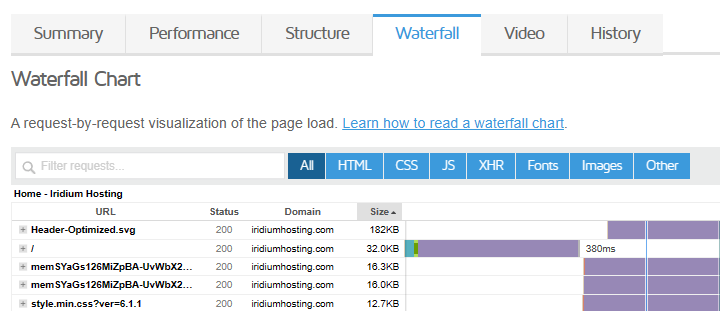
To optimize your images see my tweet here. If you have a big backlog of unoptimized images. Sign up for an unlimited plan on Imagify and then use my process going forward for new images. Using Imagify won't be the best but better than redoing all images.
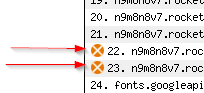
For TBT, I like using the core web vitals test at webpagetest. Go to their waterfall view and they add an icon to show the items in the list that are blocking. Try to remove these items or delay them so they are no longer render blocking.
CLS is sometimes hard to figure out what is moving. For this I use the core web vitals test at webpagetest and then click on the CLS number it will take you down to that section of the report. It will highlight the item(s) on the page that are moving while they load.
Once you know what is moving you can do things to stop it from moving. For example setting a static height to the div that encompasses a slow loading image or 3rd party loaded font.
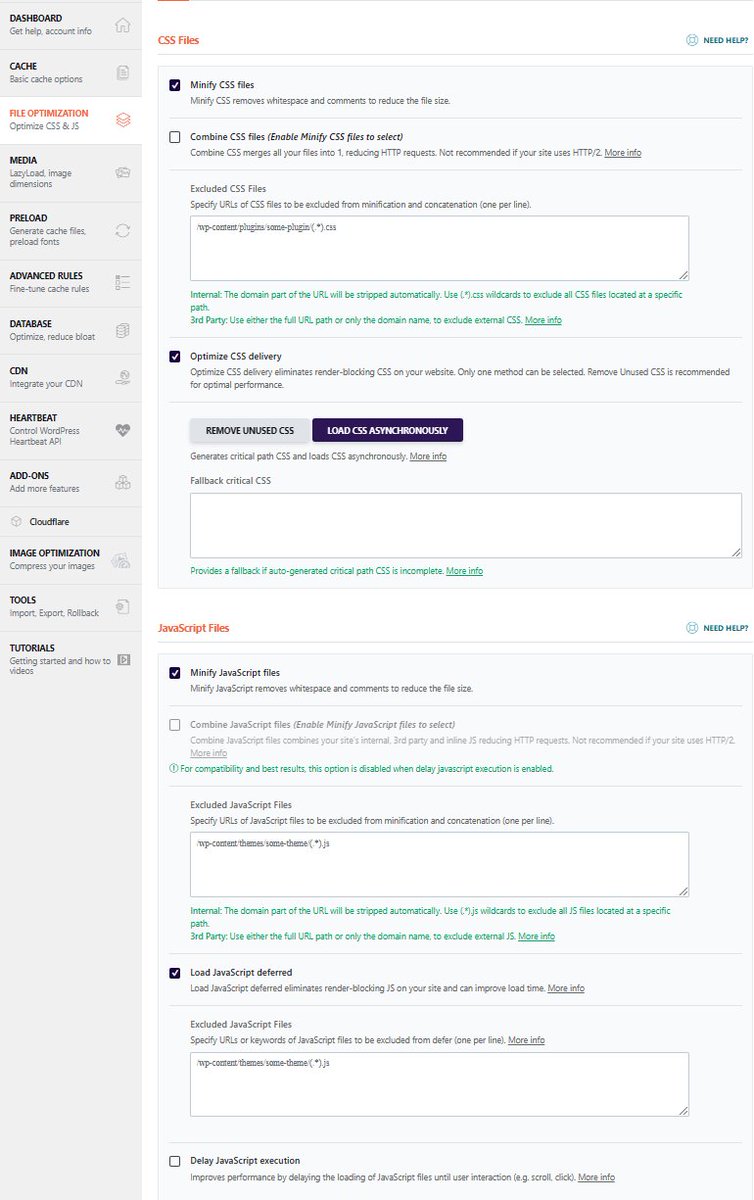
My first steps on an unoptimized site is to use an optimization plugin like WP Rocket. Using the settings in these types of plugins usually can knock out 90% of the problems. Read about the settings, don't just apply them all.
I also put a site on Cloudflare. Make sure to go into the addons section in WP Rocket and connect the API. If you don't Cloudflare won't update site changes when you make them.
If you are using Siteground or Cloudways use their plugins.
On Ezoic? You need to use leap.
If you are using Siteground or Cloudways use their plugins.
On Ezoic? You need to use leap.
Settings for these optimization plugins really vary depending on your site. As a starting point here are the settings that are usually safe on most sites.
Rerun the tests after you have this all configured to do the fine tuning of all 3 web vitals.
Rerun the tests after you have this all configured to do the fine tuning of all 3 web vitals.
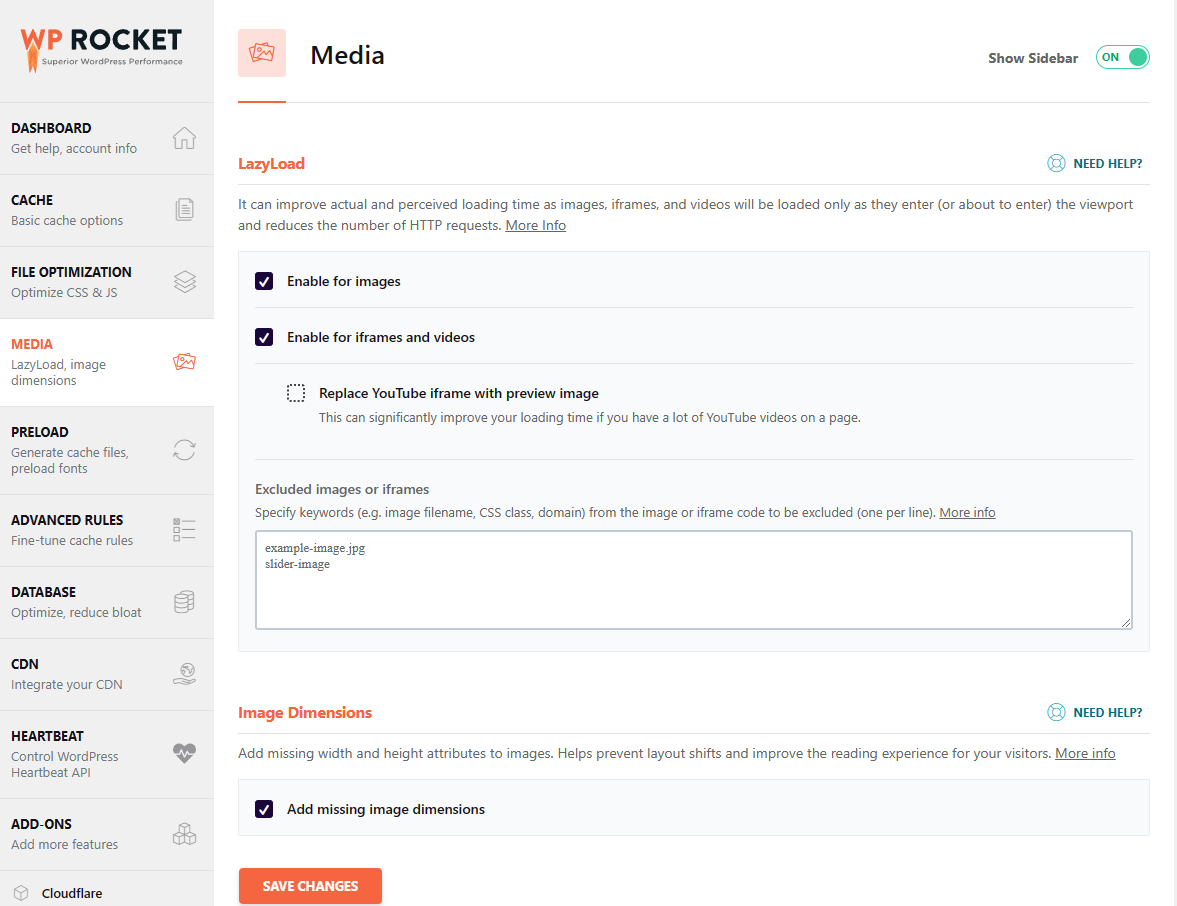

Check your site on desktop and mobile. Make sure everything looks right and still is loading properly.
If your mobile menu doesn't work, it is probably a JS file. Under the waterfall, find the related JS file and add it to the exclude section of defer Javascript in WPR.
If your mobile menu doesn't work, it is probably a JS file. Under the waterfall, find the related JS file and add it to the exclude section of defer Javascript in WPR.
These instructions won't be 100% for every site but I've tried to explain the things that will move the needle for most people.
If you found anything in this thread useful, please retweet it and follow me for more WordPress help.
Thank you for reading it all!
Thank you for reading it all!
Loading suggestions...