

Tradovate Charting Configuration Guide
If anyone uses @Tradovate to trade its a great platform to enter and manage your positions. They make it very easy!
But Tradovate makes it very difficult to figure out how to change the chart settings.
So I made a handy guide
🧵 ⤵️
If anyone uses @Tradovate to trade its a great platform to enter and manage your positions. They make it very easy!
But Tradovate makes it very difficult to figure out how to change the chart settings.
So I made a handy guide
🧵 ⤵️
Candle Color Change: 1/3
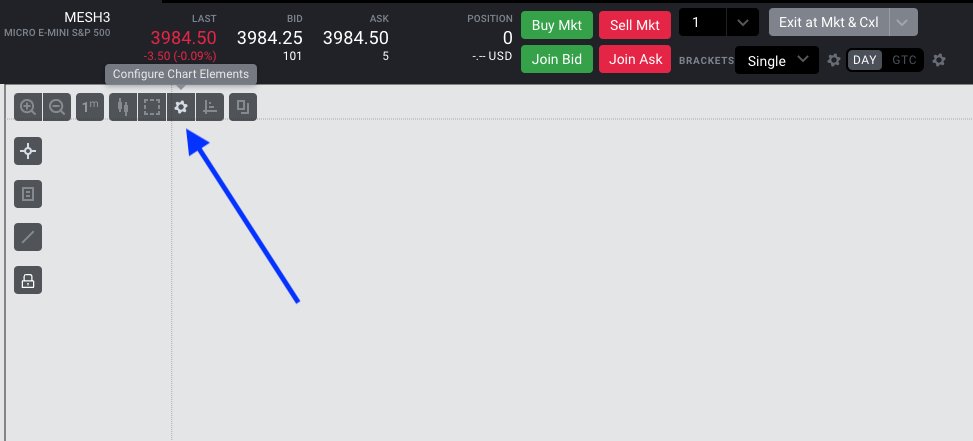
On the chart click on the gear icon "Configure Chart Elements"
On the chart click on the gear icon "Configure Chart Elements"
Candle Color Change: 2/3
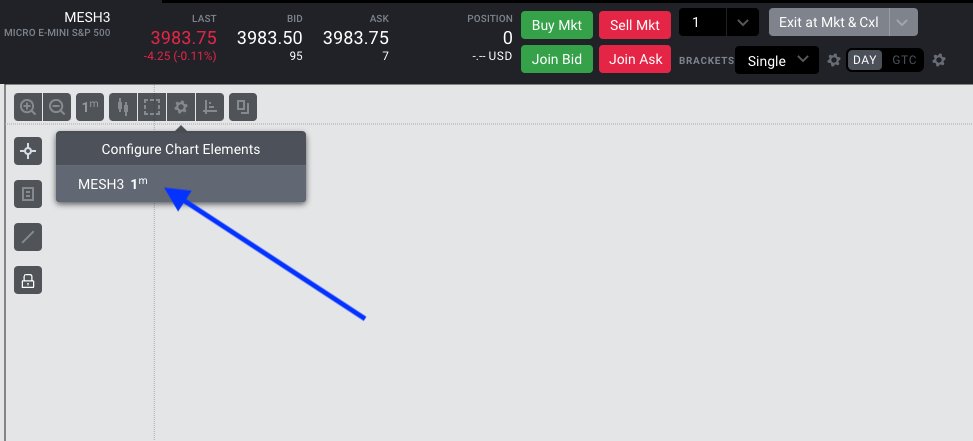
On your chart whichever symbol you have pulled up will show here along with your current timeframe. So yours will be different than mine
Just click on the symbol
On your chart whichever symbol you have pulled up will show here along with your current timeframe. So yours will be different than mine
Just click on the symbol
Candle Color Change: 3/3
The pop-up allows you to change the the body, wick, and entry colors
Save your changes
The pop-up allows you to change the the body, wick, and entry colors
Save your changes
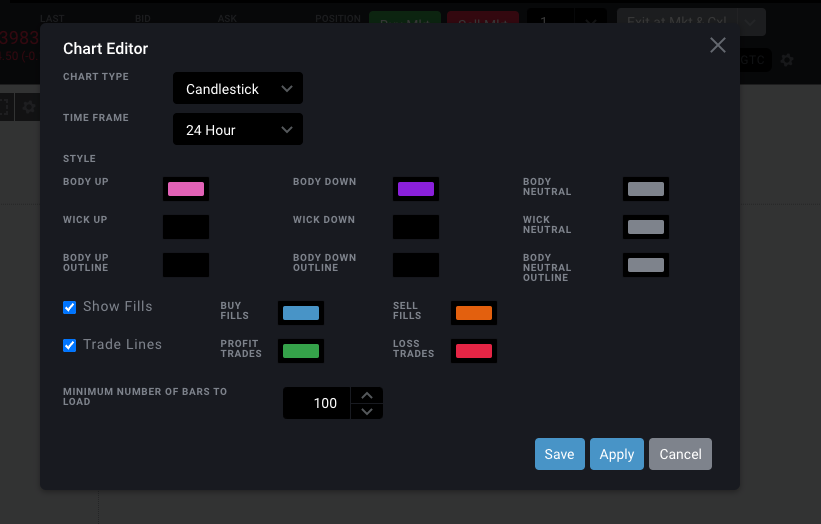
Chart Background Color Change: 1/3
Click on "Settings" --> "Color Scheme ..."
Click on "Settings" --> "Color Scheme ..."

Chart Background Color Change: 2/3
Depending on whether your computer is in Light or Dark Mode you can specify and name a theme.
Click on the Edit button
Depending on whether your computer is in Light or Dark Mode you can specify and name a theme.
Click on the Edit button
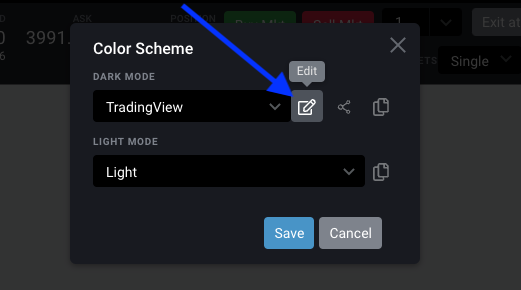
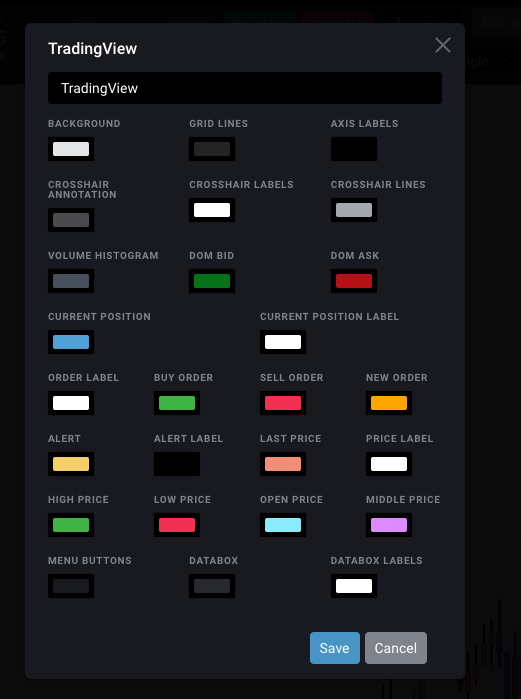
Chart Background Color Change: 3/3
Change the background color, grid color, and axis color
Save and name the theme
Change the background color, grid color, and axis color
Save and name the theme
Attention @SirPickle_
Loading suggestions...