

This is not on Youtube.
Our team searched everywhere online - Youtube, Google, Reddit, Twitter, etc but no one knew how to do it. (IT’S A SECRET)
So our team took a crack at it, and we figured it out. How to save a master file on CapCut (Desktop).
[Thread] 🧵
Our team searched everywhere online - Youtube, Google, Reddit, Twitter, etc but no one knew how to do it. (IT’S A SECRET)
So our team took a crack at it, and we figured it out. How to save a master file on CapCut (Desktop).
[Thread] 🧵
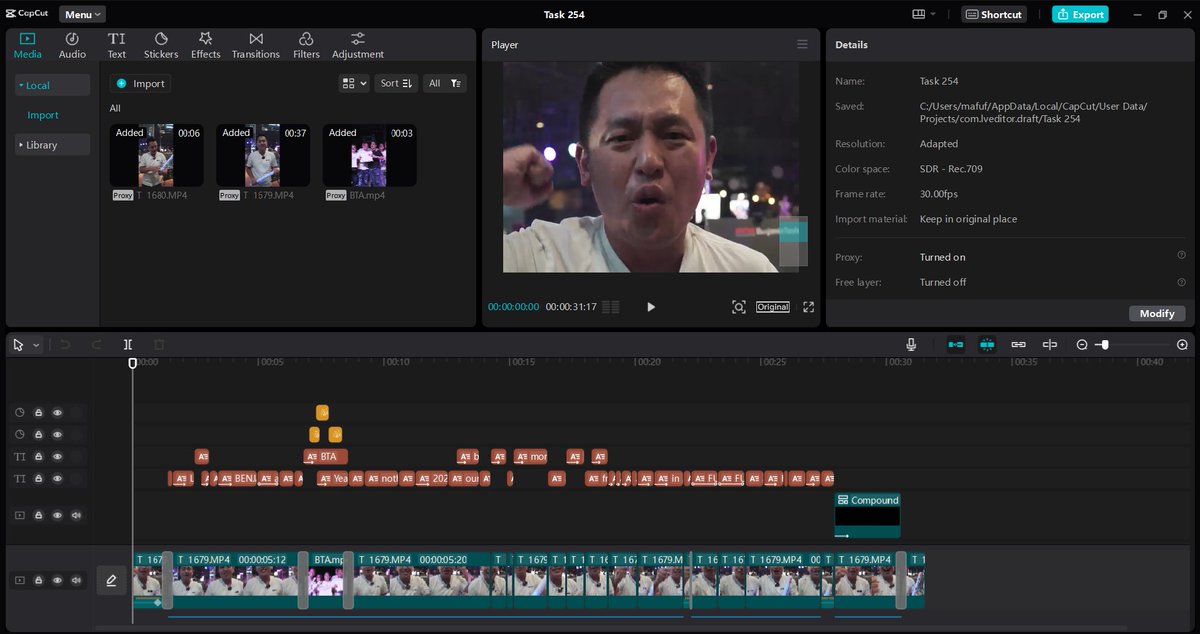
Save this and if I see any one of you post this on Youtube, I’m taking your AdSense money.
Step 1👇:
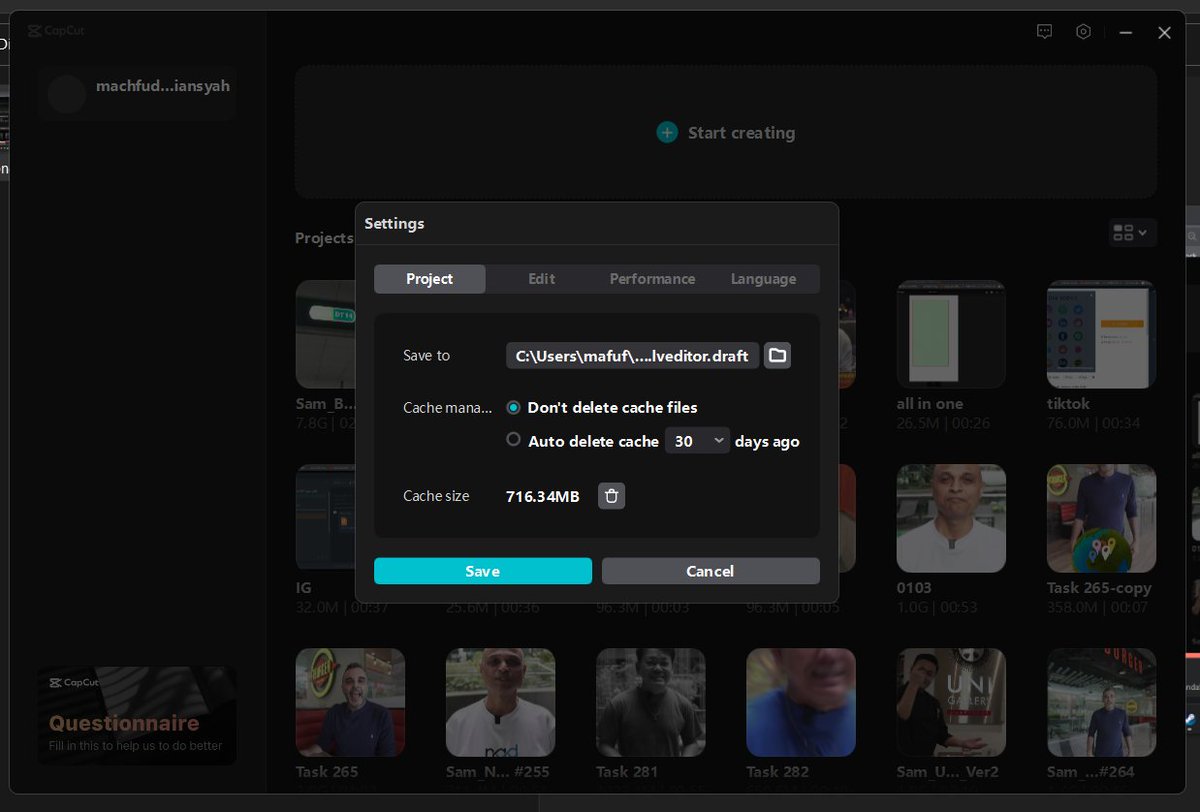
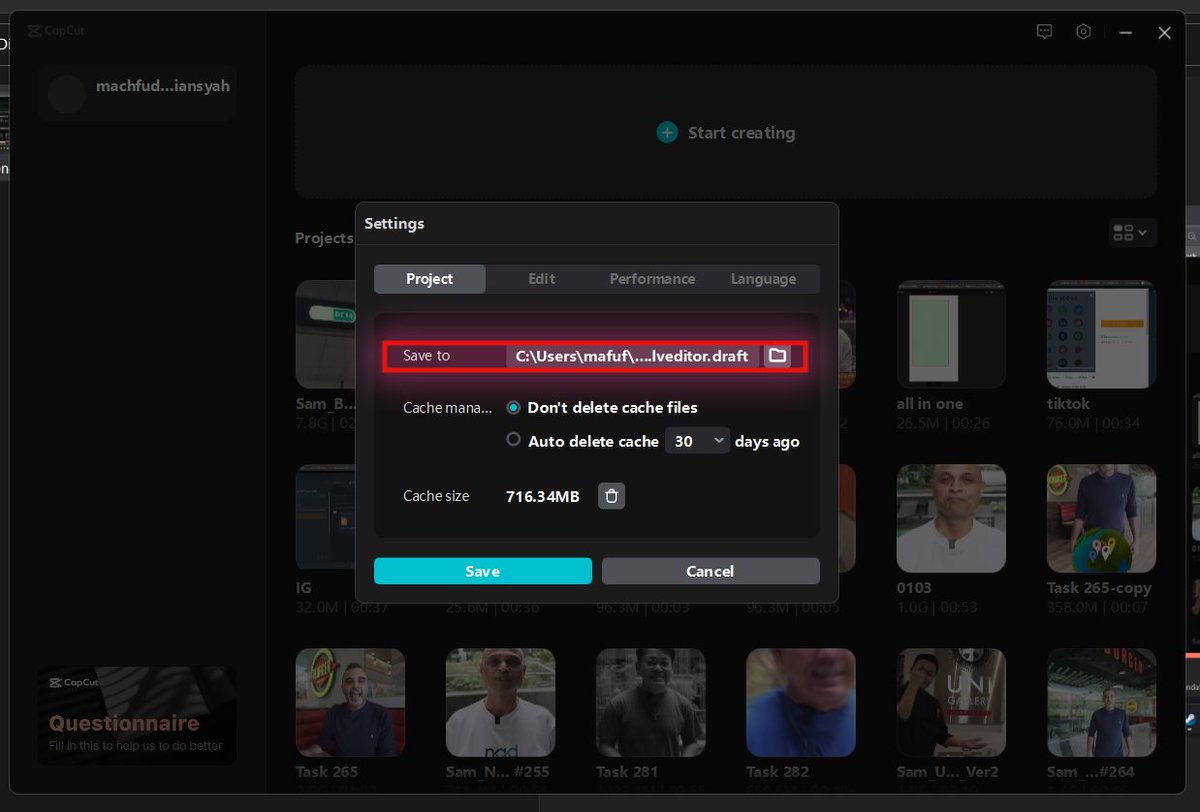
Go to the app's homepage and click on the gear icon at the top right corner → select 'Settings.'
Pay attention to the path inside the box, that's where CapCut stores your master file.
(Tips: Copy the path and access your master files in a snap!)
Go to the app's homepage and click on the gear icon at the top right corner → select 'Settings.'
Pay attention to the path inside the box, that's where CapCut stores your master file.
(Tips: Copy the path and access your master files in a snap!)
Step 2👇:
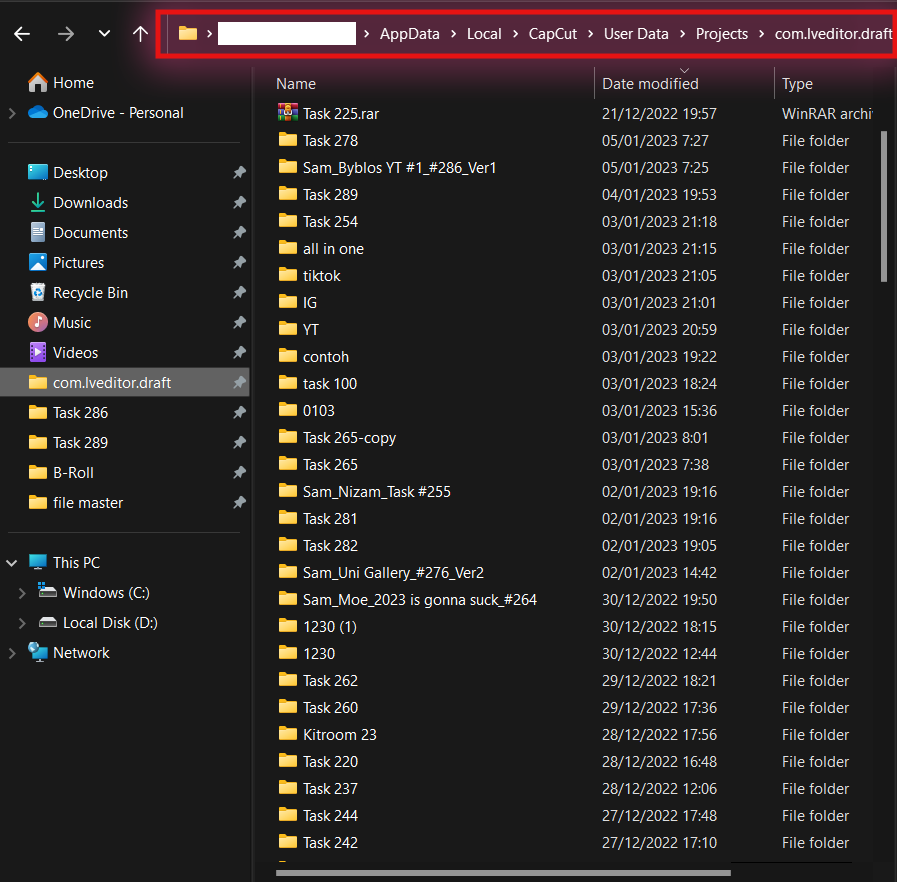
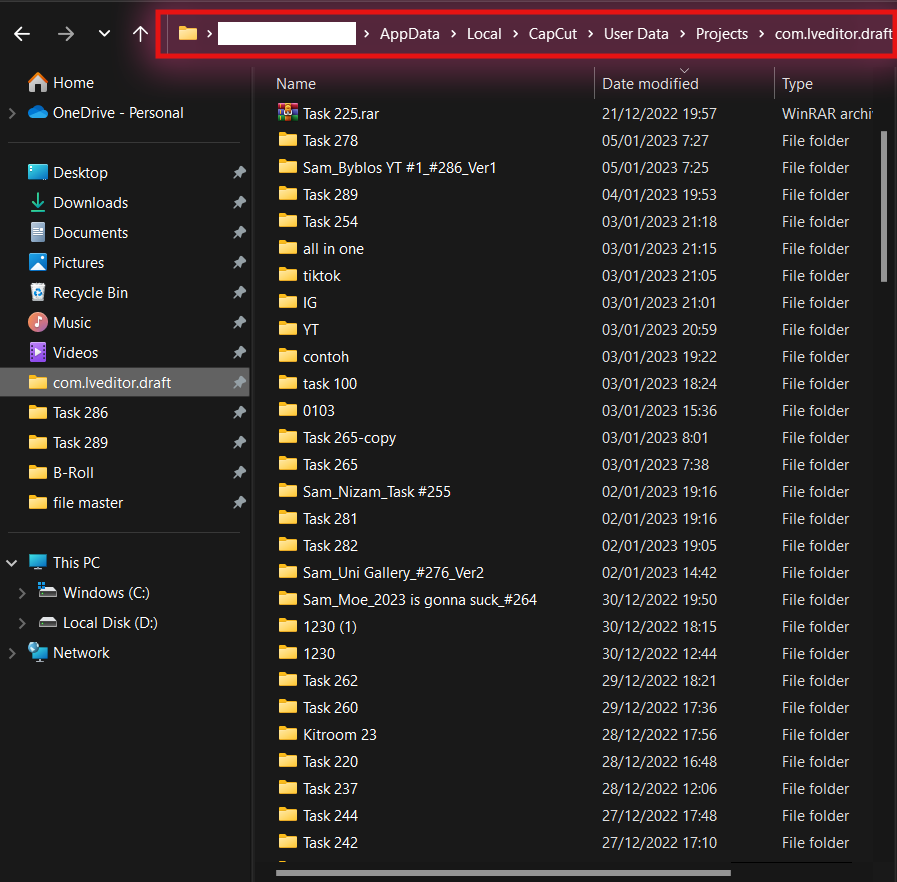
Simply open your file explorer and paste the path into the address bar → Choose which folder to move your master file to.
(make sure you choose the right name for the project)
Simply open your file explorer and paste the path into the address bar → Choose which folder to move your master file to.
(make sure you choose the right name for the project)
(Quick note: Once you paste the path into the bar, you will AUTOMATICALLY go to where the CapCut master file is)
Step 3👇:
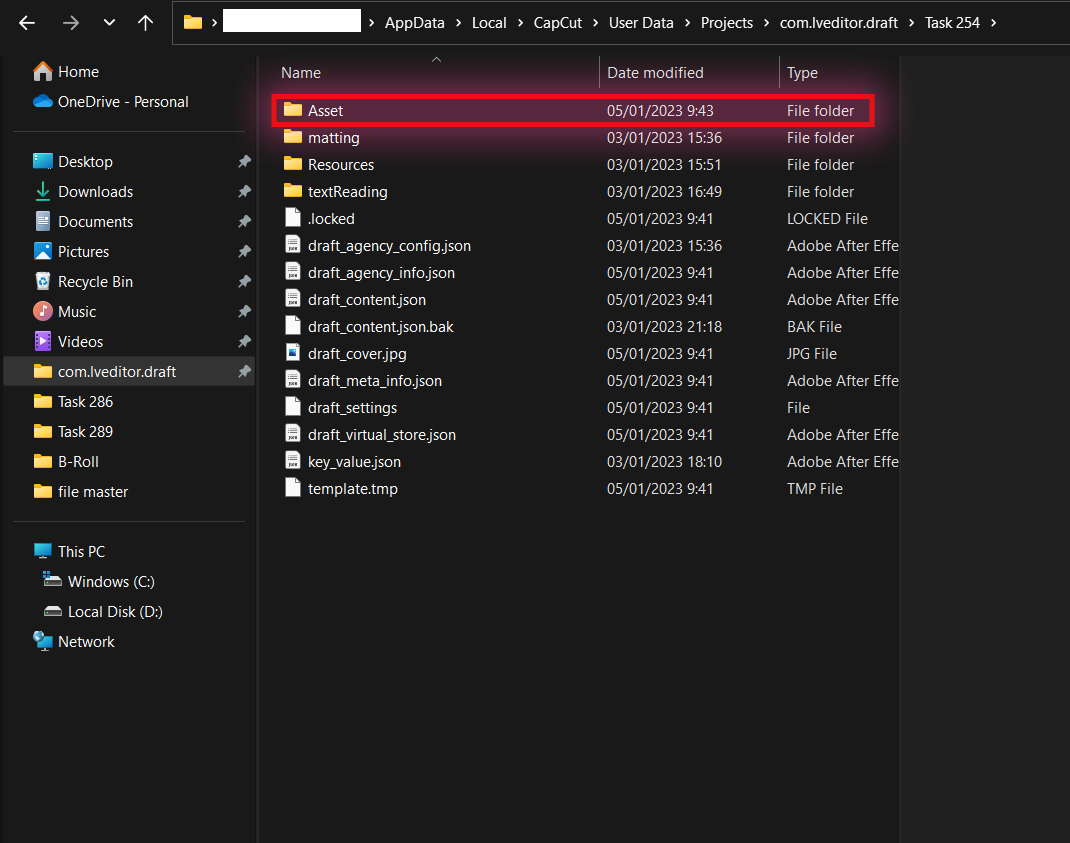
Once you've selected your folder, head inside → Create a new folder to keep all your assets in one place
(Into the different storage for your project)
Once you've selected your folder, head inside → Create a new folder to keep all your assets in one place
(Into the different storage for your project)
Step 4👇:
After adding all your assets to the master file folder, you can now seamlessly transfer them to another computer.
(make sure you archive all of them into ZIP/RAR files)
After adding all your assets to the master file folder, you can now seamlessly transfer them to another computer.
(make sure you archive all of them into ZIP/RAR files)
No more wasting time searching for individual files.
BUT.
Here's an alternative if you need to restore your project.
You can simply follow these steps to RESTORE your lost projects.
BUT.
Here's an alternative if you need to restore your project.
You can simply follow these steps to RESTORE your lost projects.
Step 1👇:
The first step is knowing where CapCut stores its master file folder!
Luckily, you can follow the first step for backing up files to discover the location of CapCut's master file folder.
The first step is knowing where CapCut stores its master file folder!
Luckily, you can follow the first step for backing up files to discover the location of CapCut's master file folder.
Step 2👇:
Once you've found the path to the master file folder, it's as simple as pasting your project into that folder!
Once you've found the path to the master file folder, it's as simple as pasting your project into that folder!
Step 3👇:
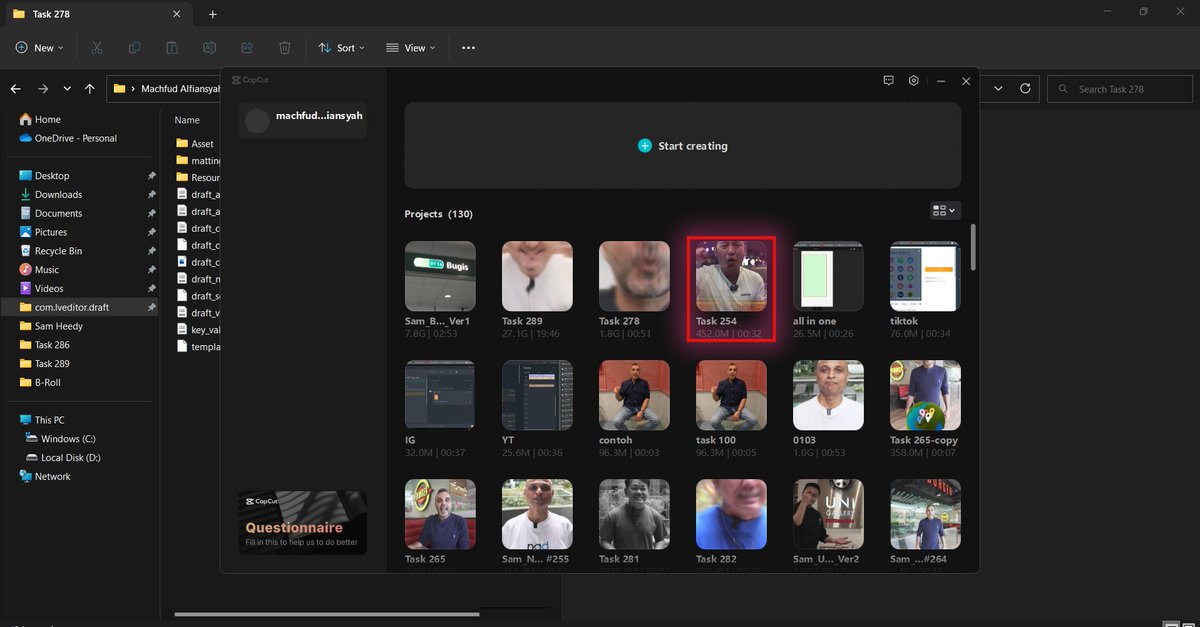
After transferring your CapCut master file to another computer, simply head back to the CapCut homepage and click on the project you just moved.
After transferring your CapCut master file to another computer, simply head back to the CapCut homepage and click on the project you just moved.
Step 4👇:
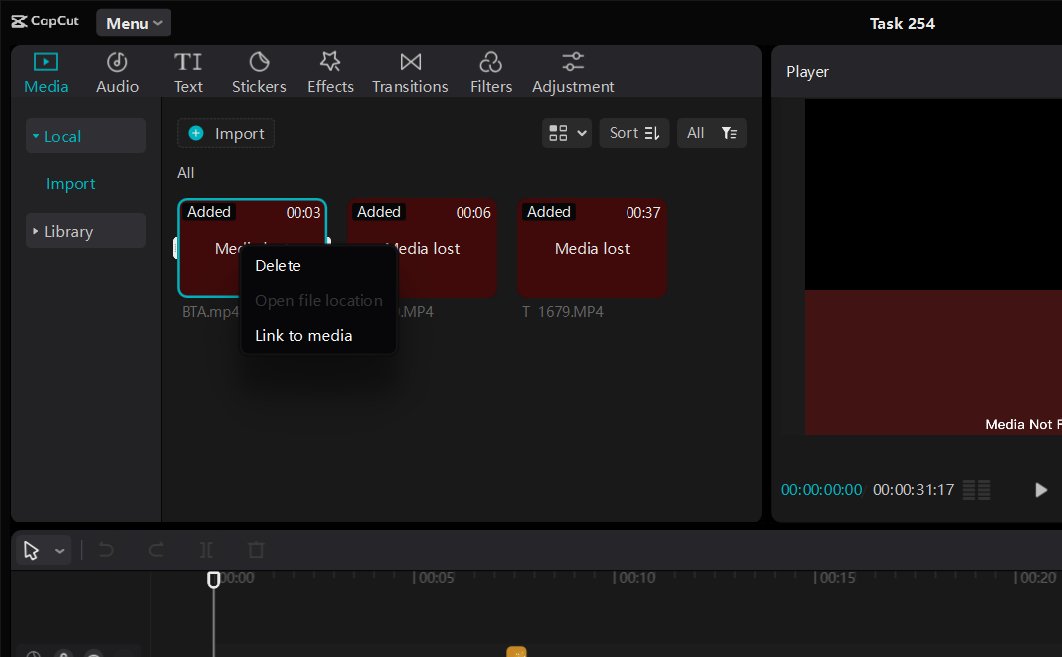
Don't panic if you encounter missing files after transferring your CapCut master file to another computer!
Simply right-click on the missing footage → select 'link to media' to reconnect it
(Relocate media files)
Don't panic if you encounter missing files after transferring your CapCut master file to another computer!
Simply right-click on the missing footage → select 'link to media' to reconnect it
(Relocate media files)
With these guides, you can now seamlessly continue your CapCut video editing process on a new computer.🔥
Want to streamline your or your agency's content creation process & work with a TEAM of video editors operating 24/7?
We'll edit your raw footages into engaging short-form (TT) & long-form (YT) videos at SCALE!
While saving you $30,000/year
Talk to me: calendly.com
We'll edit your raw footages into engaging short-form (TT) & long-form (YT) videos at SCALE!
While saving you $30,000/year
Talk to me: calendly.com
Loading suggestions...