


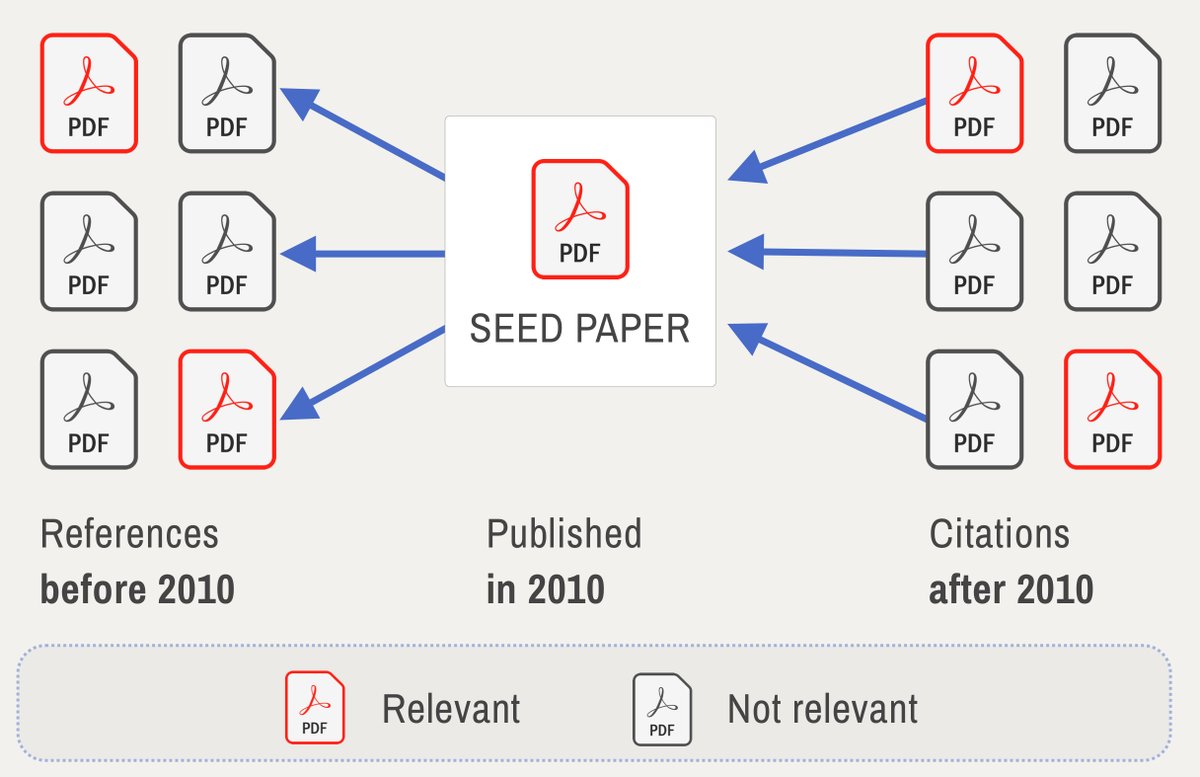
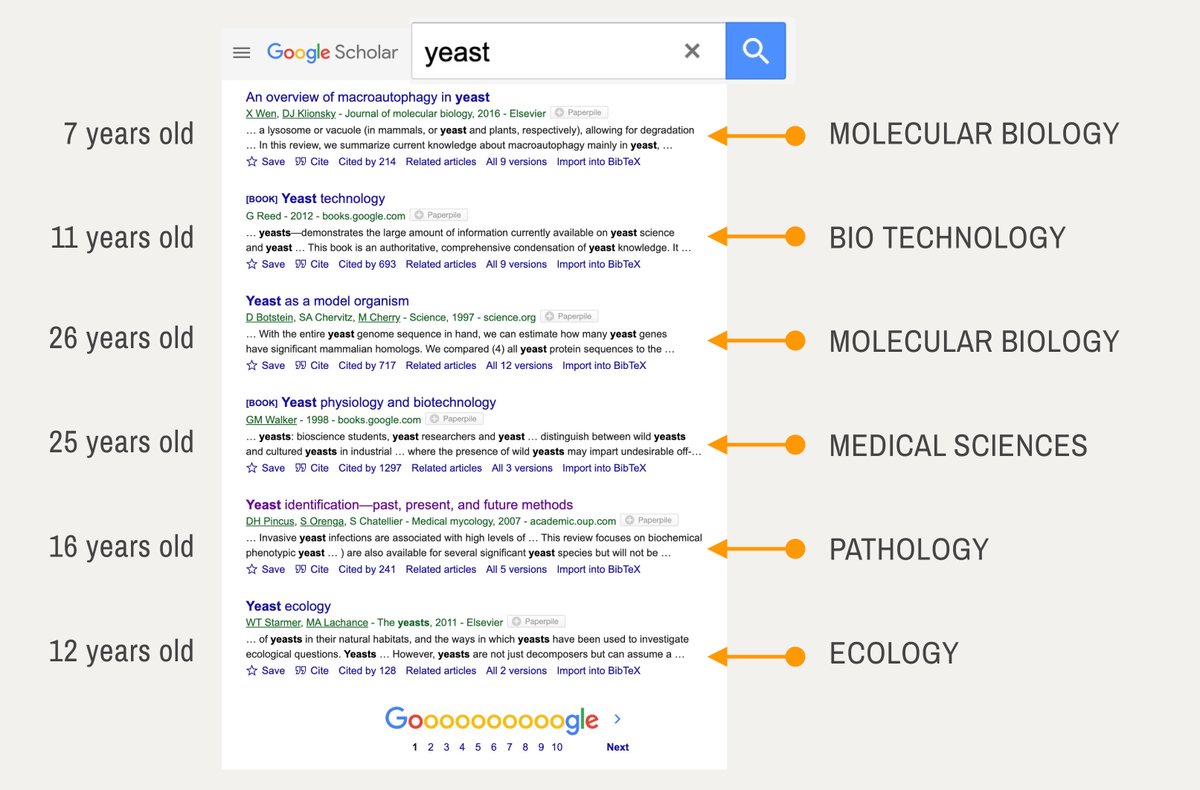
@scite @LitMaps @zotero @obsdmd Zotero is a BRIDGE between different tools in my workflow.
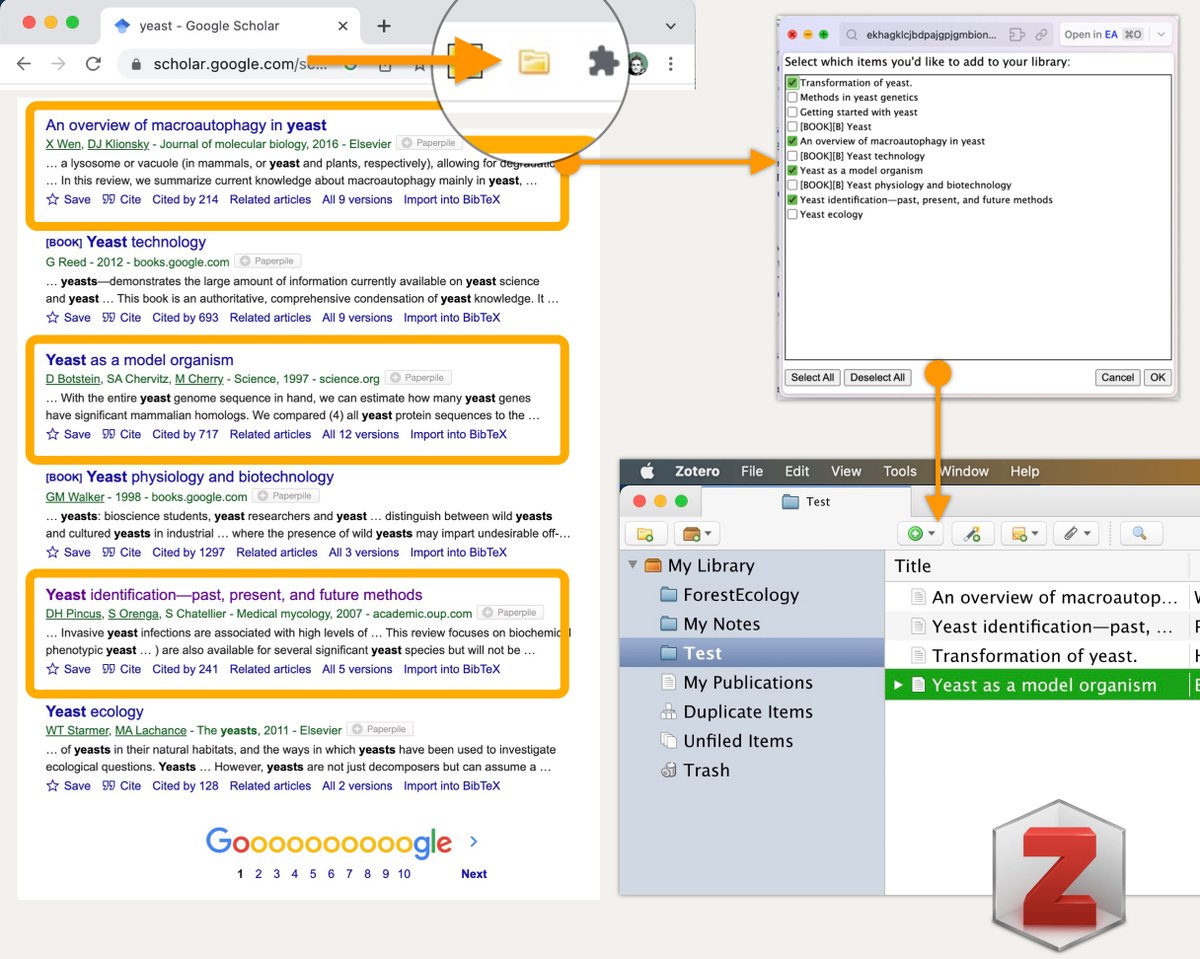
To collect papers with a single click, install the Zotero connector (link in last tweet).
Click its icon in the browser and select papers into a new collection.
I don't use it for annotations (why, in a second).
To collect papers with a single click, install the Zotero connector (link in last tweet).
Click its icon in the browser and select papers into a new collection.
I don't use it for annotations (why, in a second).
@scite @LitMaps @zotero @obsdmd To identify RELEVANT papers, I use the @scite browser extension (link in last tweet).
New ideas aren't accepted right away.
The more supports/contrasts, the more novel/relevant the idea in the paper.
Scite will add a box under each paper in Google Scholar telling you this!
New ideas aren't accepted right away.
The more supports/contrasts, the more novel/relevant the idea in the paper.
Scite will add a box under each paper in Google Scholar telling you this!
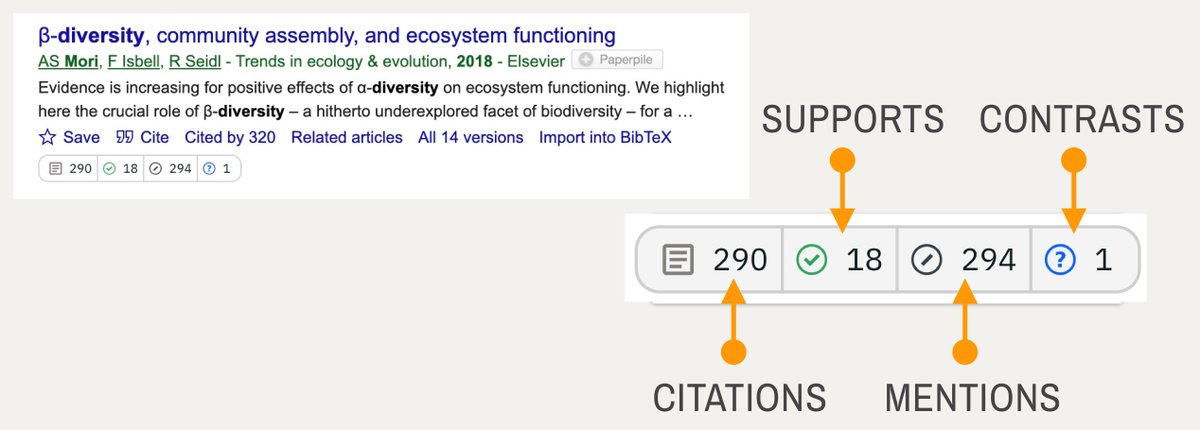
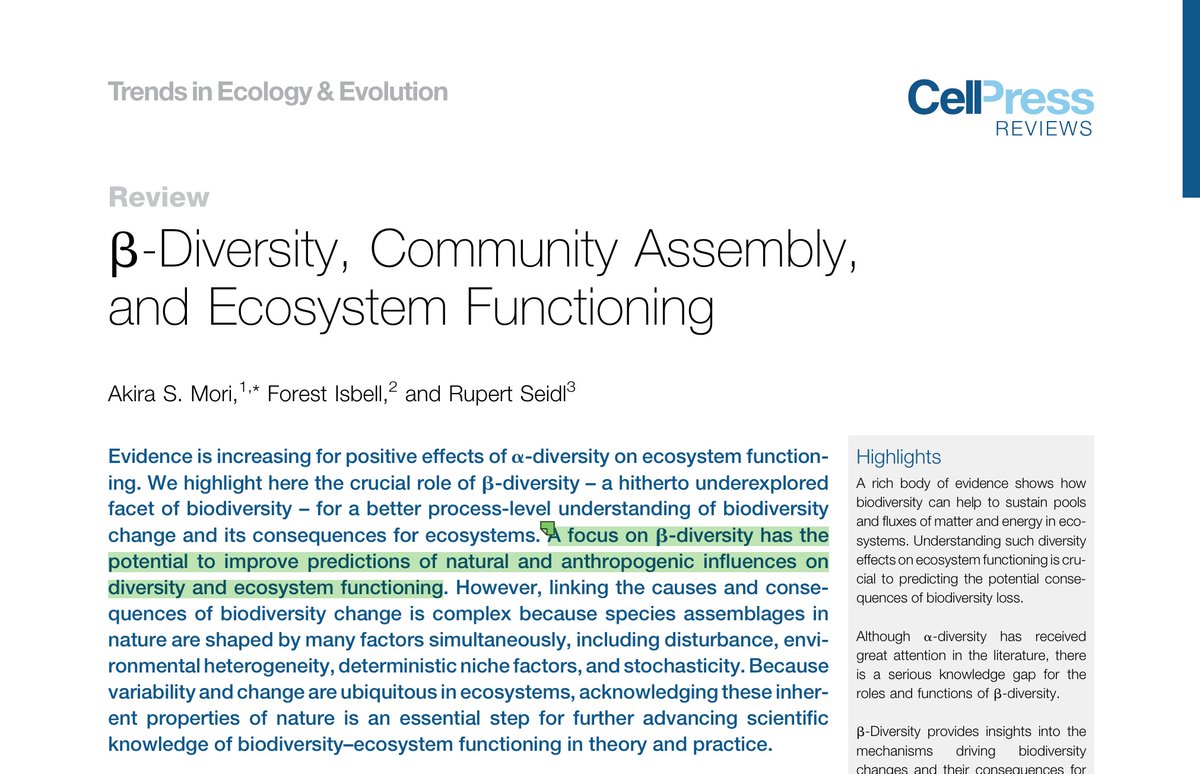
@scite @LitMaps @zotero @obsdmd This paper states: "Bio diversity improves eco system services".
But:
1. Biodiversity drivers are debated for ~70 years.
2. We don't fully understand services ecosystems provide to us.
→ This idea is speculative & novel.
We should read it and scite helped us discover this.
But:
1. Biodiversity drivers are debated for ~70 years.
2. We don't fully understand services ecosystems provide to us.
→ This idea is speculative & novel.
We should read it and scite helped us discover this.
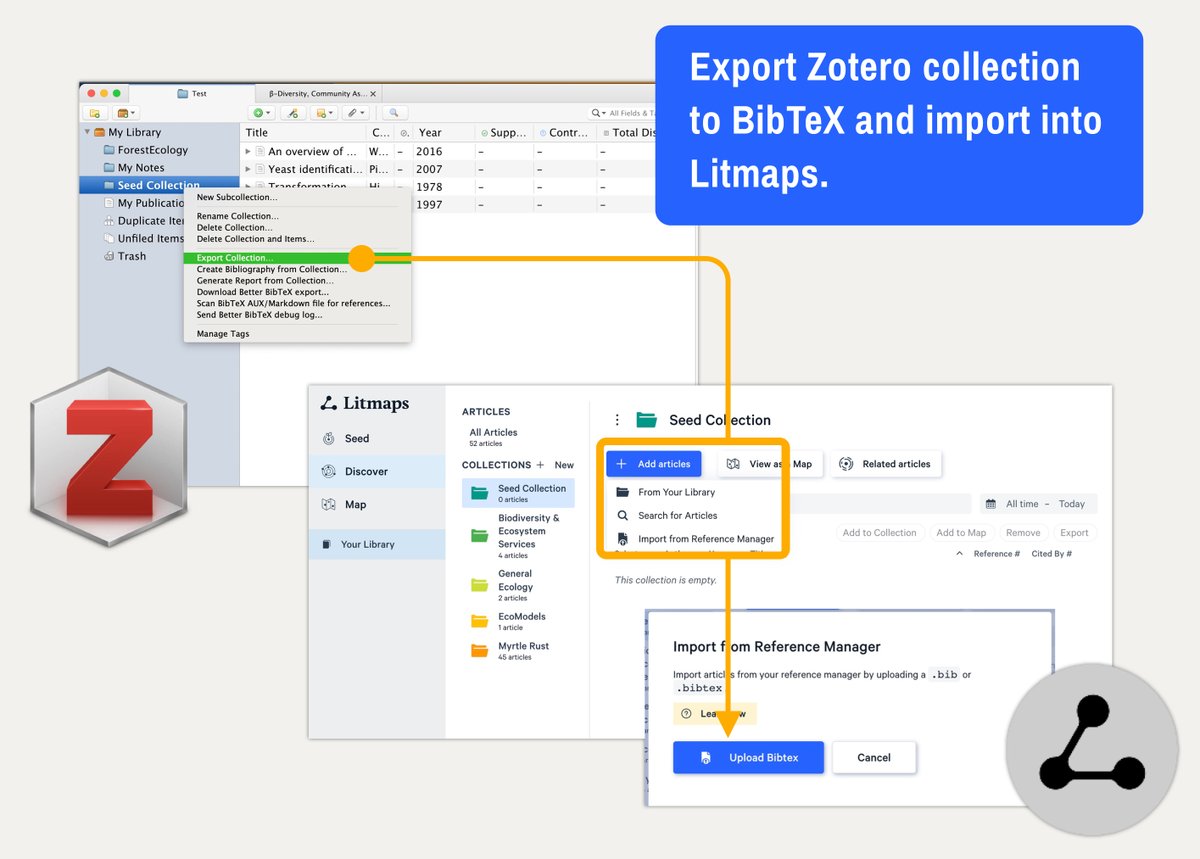
@scite @LitMaps @zotero @obsdmd We now have a few SEED papers in Zotero.
Let's explore their references and citations with @LitmapsApp .
"Export Collection" from Zotero and import into Litmaps.
Litmaps looks at the entire collection not single papers!
Here is what you can learn:
Let's explore their references and citations with @LitmapsApp .
"Export Collection" from Zotero and import into Litmaps.
Litmaps looks at the entire collection not single papers!
Here is what you can learn:
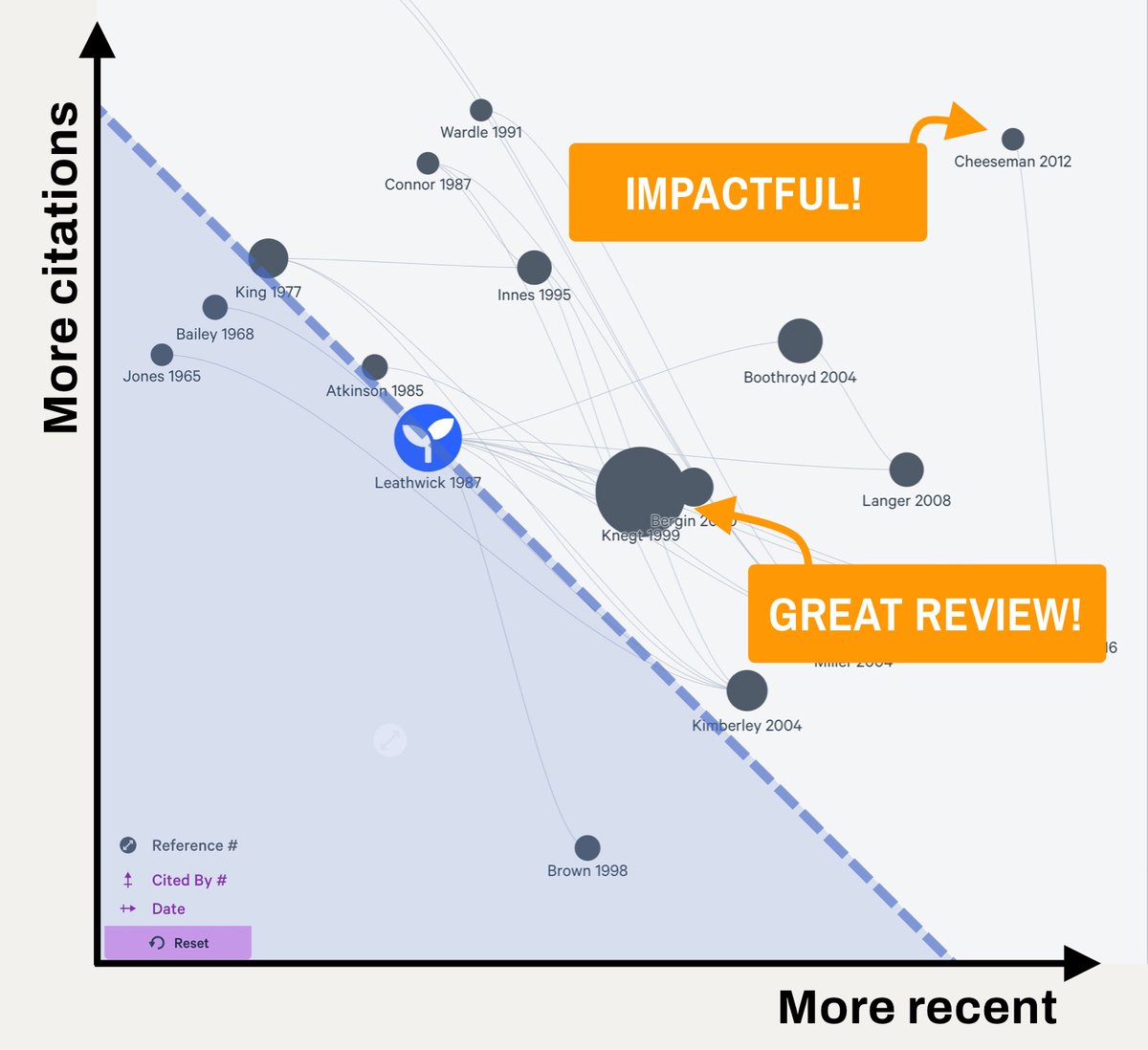
@scite @LitMaps @zotero @obsdmd @LitmapsApp Litmaps can visualize citations vs age.
Older papers usually have more citations. You will notice a diagonal trend.
→ Impactful papers (recent + highly cited) sit far off the diagonal!
We can SEE what is relevant.
Continue to grow you collection this way.
Older papers usually have more citations. You will notice a diagonal trend.
→ Impactful papers (recent + highly cited) sit far off the diagonal!
We can SEE what is relevant.
Continue to grow you collection this way.
@scite @LitMaps @zotero @obsdmd @LitmapsApp To get the most "value for my time", I focus on reading the:
- 10% most cited
- 10% most recent
- 10% reviews
The rest can be archived or postponed for now.
Here is how you can do it in Litmaps:
- 10% most cited
- 10% most recent
- 10% reviews
The rest can be archived or postponed for now.
Here is how you can do it in Litmaps:
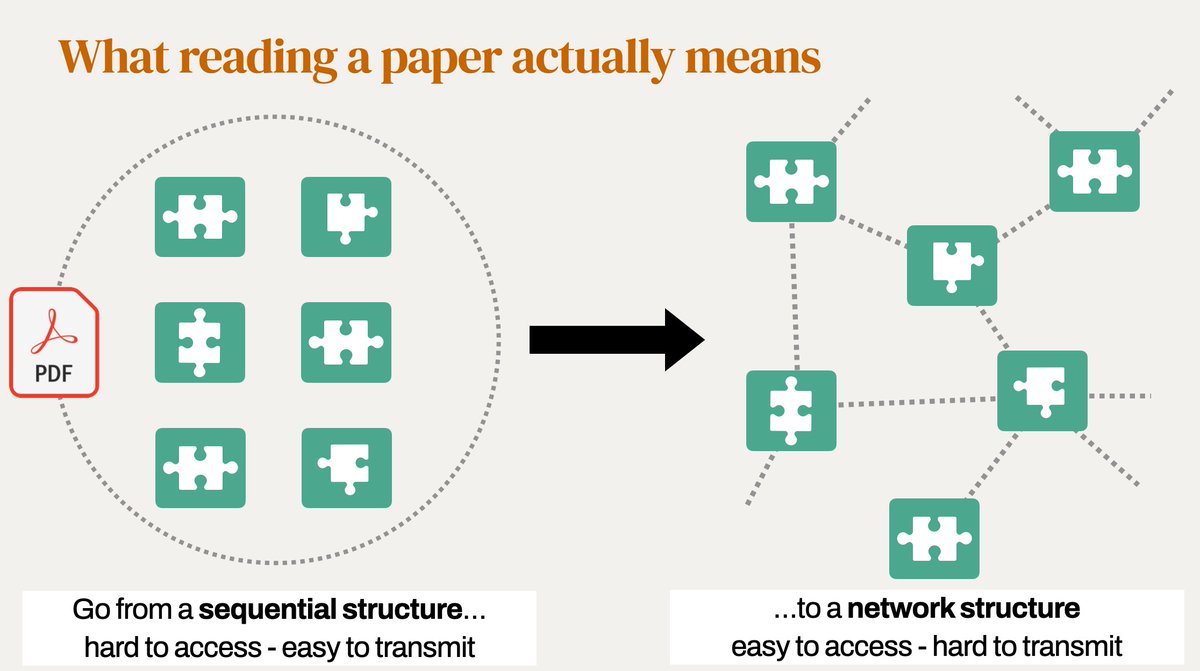
@scite @LitMaps @zotero @obsdmd @LitmapsApp To take GOOD notes, I don't summarize.
Instead I break it up into concepts and link those together.
A summary is just paraphrasing.
But linking concepts generates new ideas.
Our brains are a network not a database.
You can do this with Obsidian but not with Zotero.
Instead I break it up into concepts and link those together.
A summary is just paraphrasing.
But linking concepts generates new ideas.
Our brains are a network not a database.
You can do this with Obsidian but not with Zotero.
@scite @LitMaps @zotero @obsdmd @LitmapsApp Summary:
1. Find seed papers with Google Scholar
2. Filter with @scite , add to @zotero
3. Add collection to @LitmapsApp and grow it
4. Prioritize top 10% by age, citations & reviews
5. Take notes in @obsdmd (link to Zotero)
(6. Ideally use a typewriter to write manuscript!)
1. Find seed papers with Google Scholar
2. Filter with @scite , add to @zotero
3. Add collection to @LitmapsApp and grow it
4. Prioritize top 10% by age, citations & reviews
5. Take notes in @obsdmd (link to Zotero)
(6. Ideally use a typewriter to write manuscript!)

@scite @LitMaps @zotero @obsdmd @LitmapsApp Links:
Google Scholar: scholar.google.com
Zotero Extension: zotero.org
Scite Extension: scite.ai
Litmaps: litmaps.com
Obsidian: obsidian.md
My Newsletter: ilyashabanov.substack.com
Google Scholar: scholar.google.com
Zotero Extension: zotero.org
Scite Extension: scite.ai
Litmaps: litmaps.com
Obsidian: obsidian.md
My Newsletter: ilyashabanov.substack.com

ilyashabanov.substack.com
The Effortless Academic | Ilya Shabanov | Substack
Learn to leverage modern information tools and systems to excel as a researcher or student. In-depth...
obsidian.md
Obsidian
Obsidian: A knowledge base that works on local Markdown files.
litmaps.com

scite.ai/extension-inst…
scite browser extension
See how research has been cited anywhere on the web.
zotero.org/download/
Zotero | Downloads
Zotero is a powerful, easy-to-use research tool that helps you gather, organize, and analyze sources...
scholar.google.com
Google Scholar
Google Scholar provides a simple way to broadly search for scholarly literature. Search across a wid...
@scite @LitMaps @zotero @obsdmd @LitmapsApp Processes like this are best shown.
I have put together a 2-hr workshop around this flow: effortlesslitreview.carrd.co
Priced resonably (I hope) at 15$.
If not, follow @artifexx as I deconstruct single steps of this process for more clarity here on Twitter in the next days.
I have put together a 2-hr workshop around this flow: effortlesslitreview.carrd.co
Priced resonably (I hope) at 15$.
If not, follow @artifexx as I deconstruct single steps of this process for more clarity here on Twitter in the next days.

One small update:
For the online workshop the CEO of @LitmapsApp is going to join us.
Let's chat with him live on March 18th.
Really excited about this!
For the online workshop the CEO of @LitmapsApp is going to join us.
Let's chat with him live on March 18th.
Really excited about this!
Some folks mentioned that ArxivGPT (in step 2) is not mentioned here.
As it is not a 100% essential I did not mention it initially.
But since you asked - here is how I use ChatGPT to screen papers by relevance:
As it is not a 100% essential I did not mention it initially.
But since you asked - here is how I use ChatGPT to screen papers by relevance:
Loading suggestions...