

4 Easy steps to train your AI model and create personal Avatar generator (in less than 20 mins):
1️⃣ Make the AI model
Create an Account on tryleap.ai and log in.
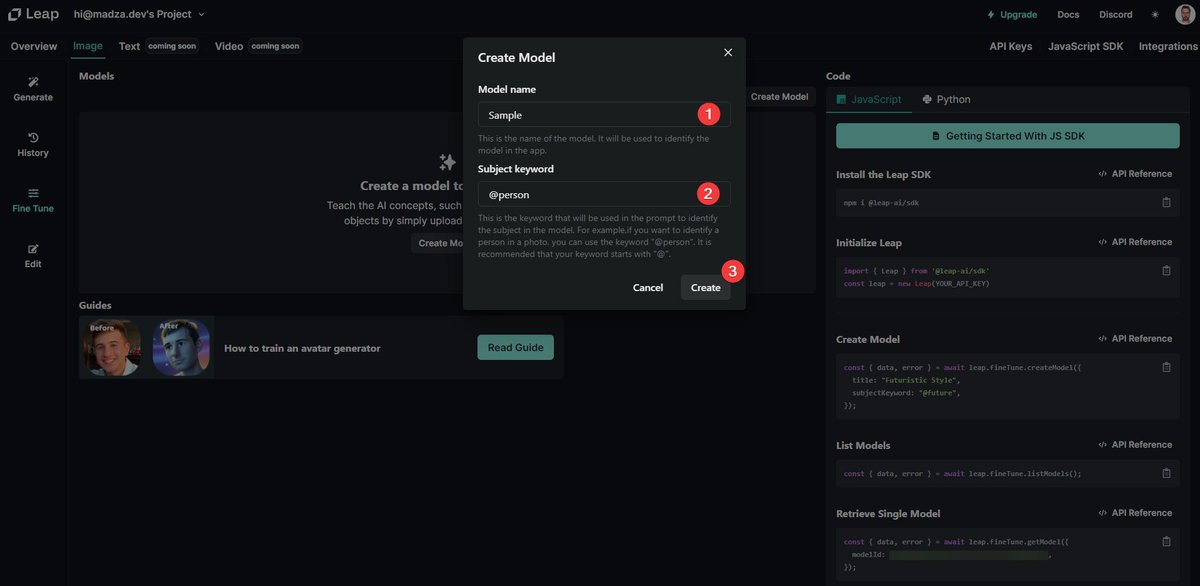
Navigate to "Image" → "Fine Tune" → "Create Model".
Assign your model the Name, Keyword and select "Create".
Create an Account on tryleap.ai and log in.
Navigate to "Image" → "Fine Tune" → "Create Model".
Assign your model the Name, Keyword and select "Create".
2️⃣ Provide samples
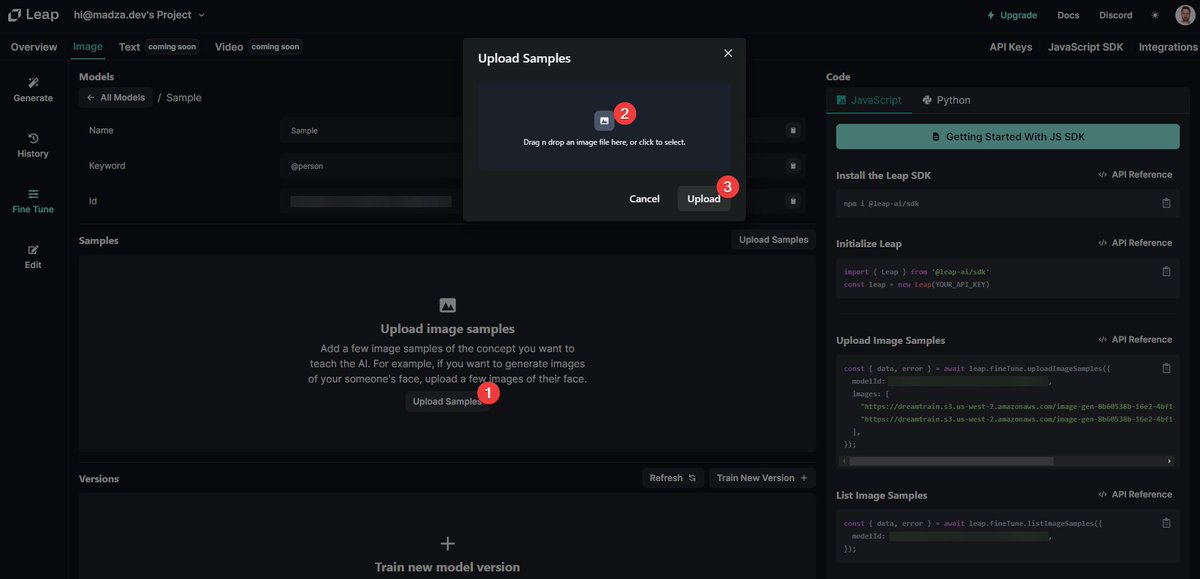
Provide at least 3 Sample images to train your AI model against.
Make sure the subject is clearly visible, it's best to upload 512x512px samples.
Provide at least 3 Sample images to train your AI model against.
Make sure the subject is clearly visible, it's best to upload 512x512px samples.
3️⃣ Train your model
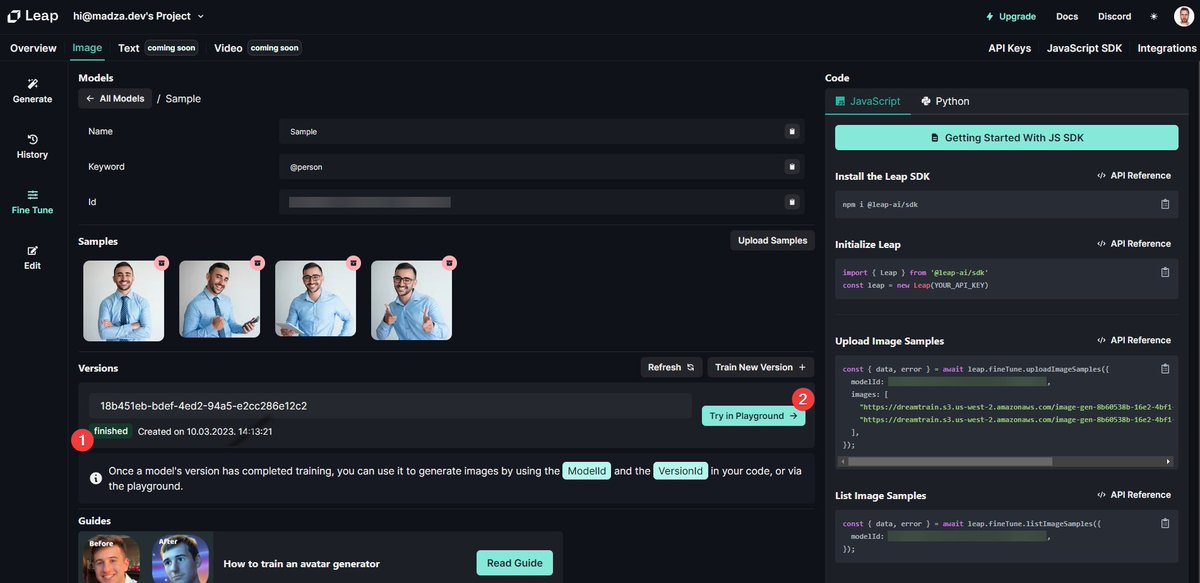
Click "Train New Version" to start training your AI model. Your request will be added to a queue.
It shouldn't take too long and you should receive the email when it's done.
Click "Train New Version" to start training your AI model. Your request will be added to a queue.
It shouldn't take too long and you should receive the email when it's done.
4️⃣ Test the Avatar Generator
You can use the built-in UI to test your generator.
Click on "Try in Playground", provide a text Prompt for your Image, and click "Generate".
You can use the built-in UI to test your generator.
Click on "Try in Playground", provide a text Prompt for your Image, and click "Generate".

🥳 Congrats! You have created your own avatar generator! 🎉🎊
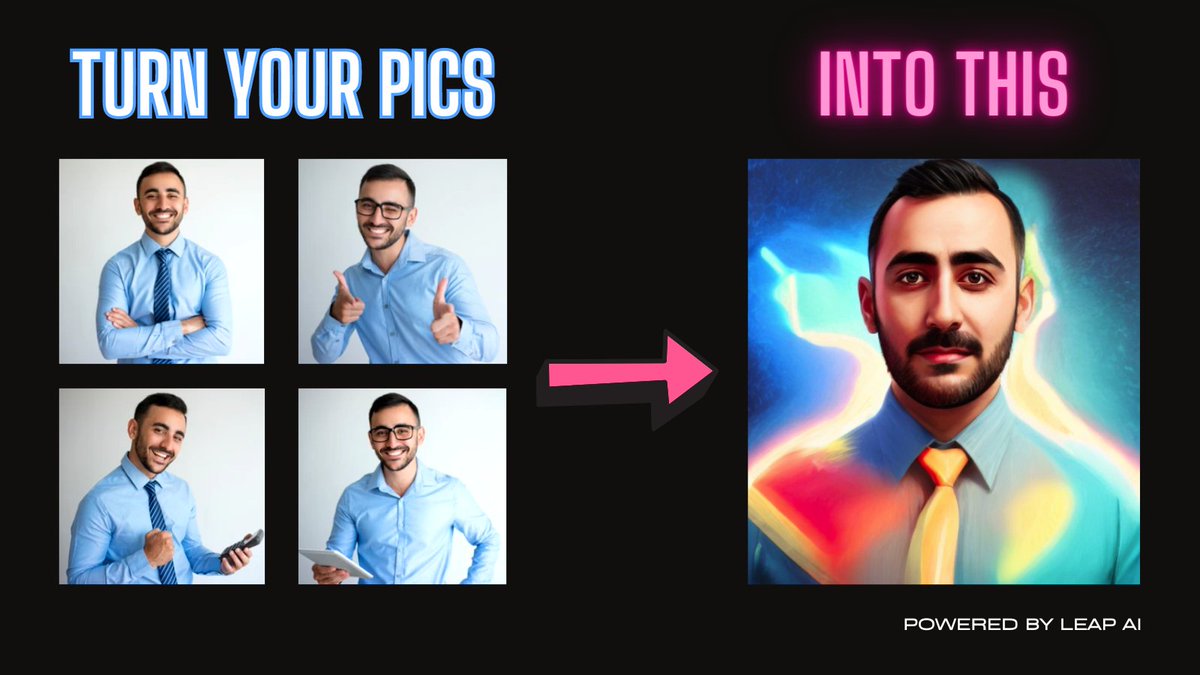
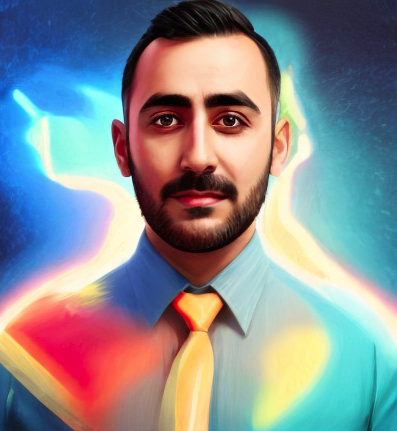
💡 Prompt example: front facing symmetrical centered painted portrait of [at]person, Blizzard concept art, bright vivid colors, illumination lighting
Generated result 👇👇
💡 Prompt example: front facing symmetrical centered painted portrait of [at]person, Blizzard concept art, bright vivid colors, illumination lighting
Generated result 👇👇
🚨 For more info, I have also written a tutorial with additional details 👇👇
📄 Article link: madza.hashnode.dev
📄 Article link: madza.hashnode.dev
If this thread was helpful to you:
1. Follow me (@madzadev) for daily content like this
2. Connect with me: linkedin.com
3. Subscribe to my newsletter: madzadev.substack.com
4. RT the tweet below to share it with your friends 👇👇
1. Follow me (@madzadev) for daily content like this
2. Connect with me: linkedin.com
3. Subscribe to my newsletter: madzadev.substack.com
4. RT the tweet below to share it with your friends 👇👇
Loading suggestions...