

Academics read and annotate papers daily.
With Annotator you can search and connect these annotations!
Here is how to use it:
(A game changer, if you are used to Zotero.)
👇
With Annotator you can search and connect these annotations!
Here is how to use it:
(A game changer, if you are used to Zotero.)
👇

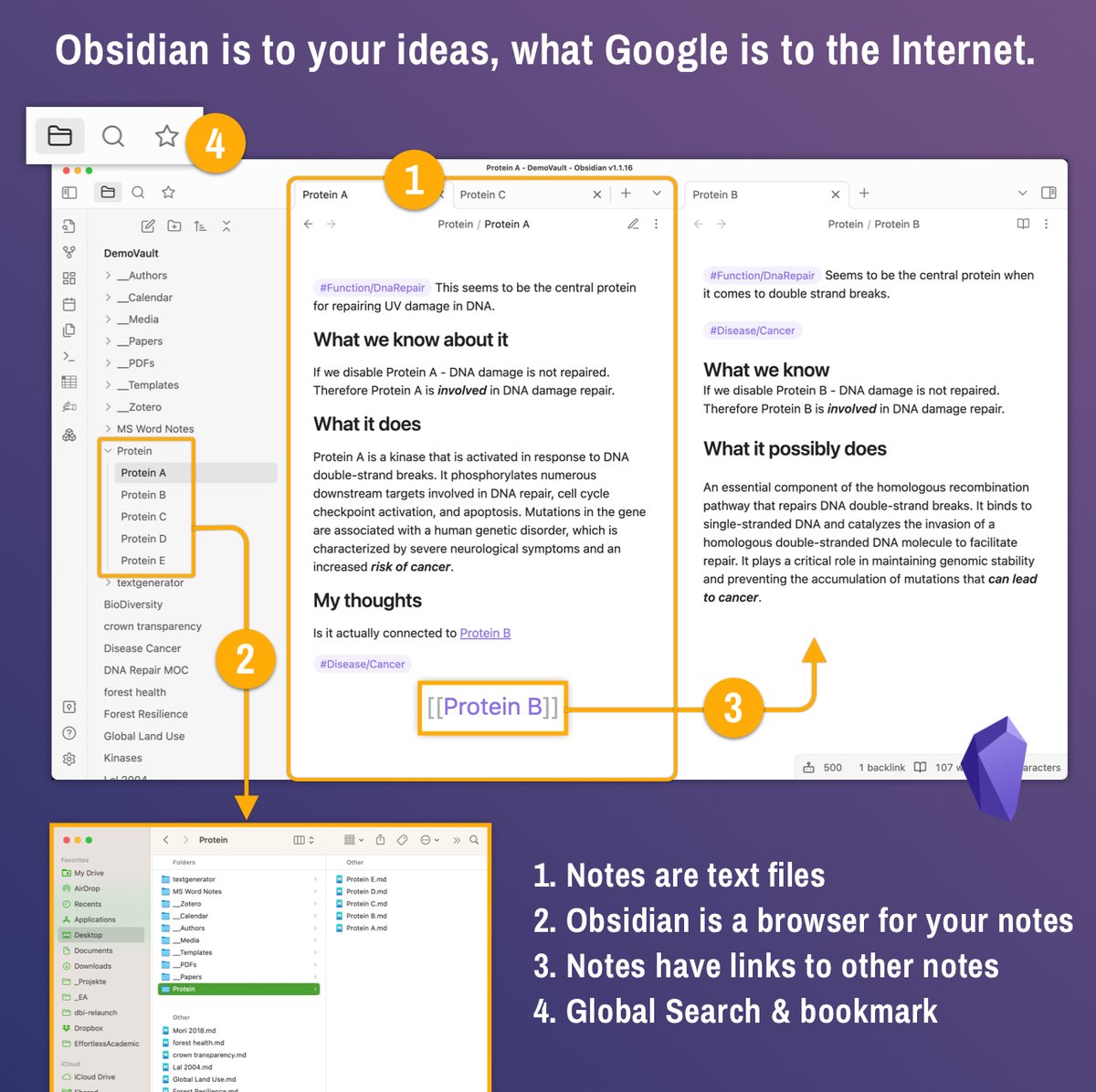
@obsdmd is like Google for my mind.
It contains ALL my research notes, ideas, PDFs, annotations - everything.
Imaging searching your mind in seconds: That's why it is so powerful.
Go to effortlessacademic(dot)com to learn more.
Plugins are free extensions for Obsidian.
It contains ALL my research notes, ideas, PDFs, annotations - everything.
Imaging searching your mind in seconds: That's why it is so powerful.
Go to effortlessacademic(dot)com to learn more.
Plugins are free extensions for Obsidian.
@obsdmd 1. Install the Annotator plugin.
Go to Settings > Community Plugins.
Search for Annotator.
Install, then Enable it.
Go to Settings > Community Plugins.
Search for Annotator.
Install, then Enable it.

@obsdmd 2. Create the Annotations Note
Add "annotation-target: <name of PDF>" to the top and surround it with ---
The PDF must be in your vault.
This note will contain all annotations.
So give it a name corresponding to the Paper
Add "annotation-target: <name of PDF>" to the top and surround it with ---
The PDF must be in your vault.
This note will contain all annotations.
So give it a name corresponding to the Paper

@obsdmd 3. Start Annotating
Click the 3 dots on the top right of the note and select "annotate".
The note will now display as a PDF with annotations.
It is very similar to using Zotero.
Click the 3 dots on the top right of the note and select "annotate".
The note will now display as a PDF with annotations.
It is very similar to using Zotero.

@obsdmd 4. Same note - 3 ways to view
The default view (right) it is filled with special characters and is not very useful.
Click the book icon at the top to display all annotations clearly (left).
Or as in step 3, switch to the PDF mode (middle).
The default view (right) it is filled with special characters and is not very useful.
Click the book icon at the top to display all annotations clearly (left).
Or as in step 3, switch to the PDF mode (middle).

@obsdmd 5. Global search
You will often get 2 hits for one annotation due to the way it works.
Click to jump to the PDF (but not the annotation).
Hover holding CMD/CTRL and click "Show Annotation" to jump straight into the annotation.
(This is unfortunately a small bug in annotator)
You will often get 2 hits for one annotation due to the way it works.
Click to jump to the PDF (but not the annotation).
Hover holding CMD/CTRL and click "Show Annotation" to jump straight into the annotation.
(This is unfortunately a small bug in annotator)

@obsdmd 6. Embed annotations
Type in "
@obsdmd Summary
Annotator adds your PDF annotations into a single Obsidian note.
It enables to globally search over all your PDFs and all your annotations!
A game changer.
This more than makes up for the few bugs it has.
Rating: 4/5
Annotator adds your PDF annotations into a single Obsidian note.
It enables to globally search over all your PDFs and all your annotations!
A game changer.
This more than makes up for the few bugs it has.
Rating: 4/5
@obsdmd This in-depth tutorial is part of my series on the perfect Obsidian setup for academics.
Get started on effortlessacademic(dot)com
Get started on effortlessacademic(dot)com

Loading suggestions...