

CSS Tip 💡
You may not know about this ::marker pseudo-element to easily enhance HTML List style ✨
Open this thread to learn all about it 🧵 ↓
You may not know about this ::marker pseudo-element to easily enhance HTML List style ✨
Open this thread to learn all about it 🧵 ↓

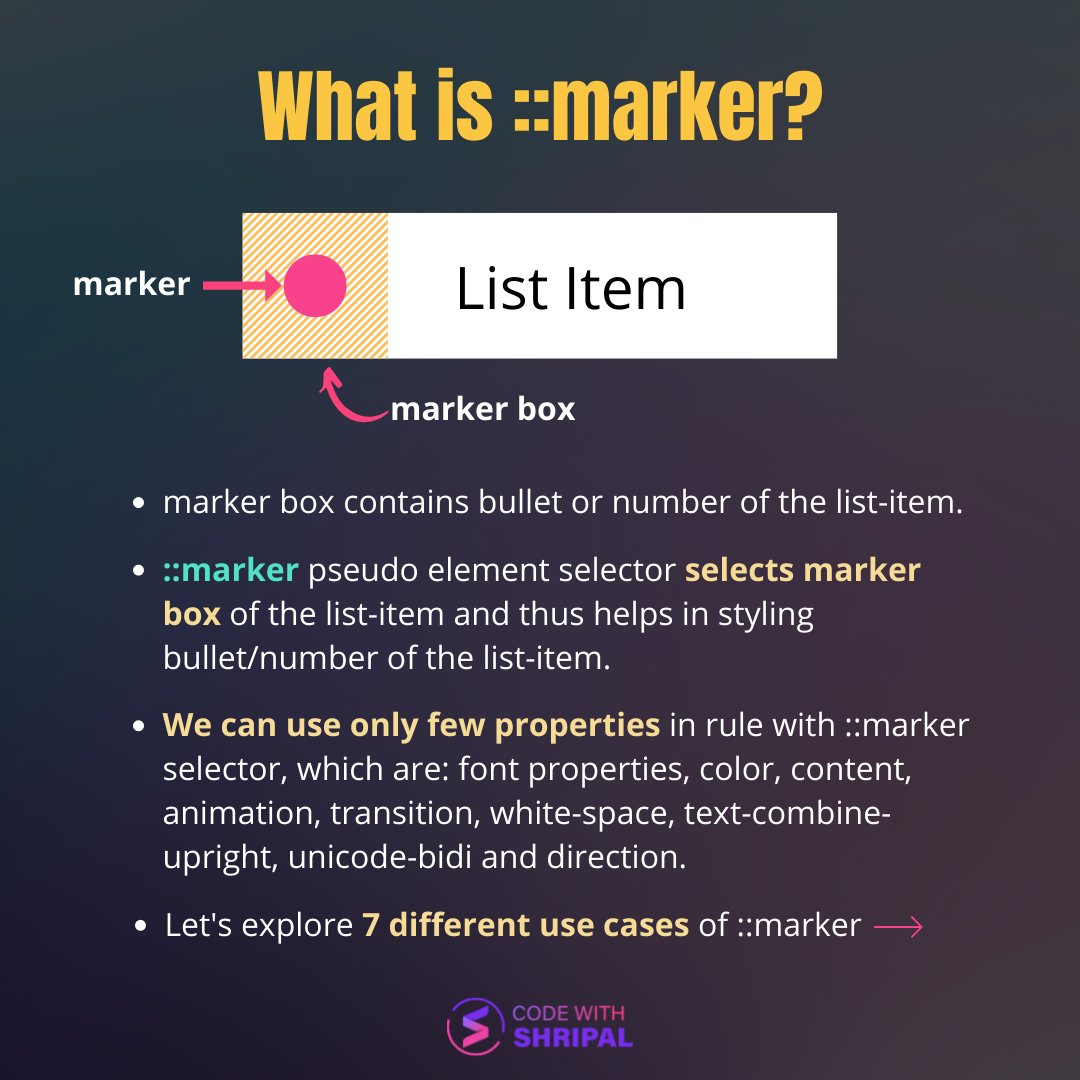
What is ::marker pseudo-element?
1️⃣ Change color of the bullet/number of the list item

2️⃣ Use a different marker for each list item

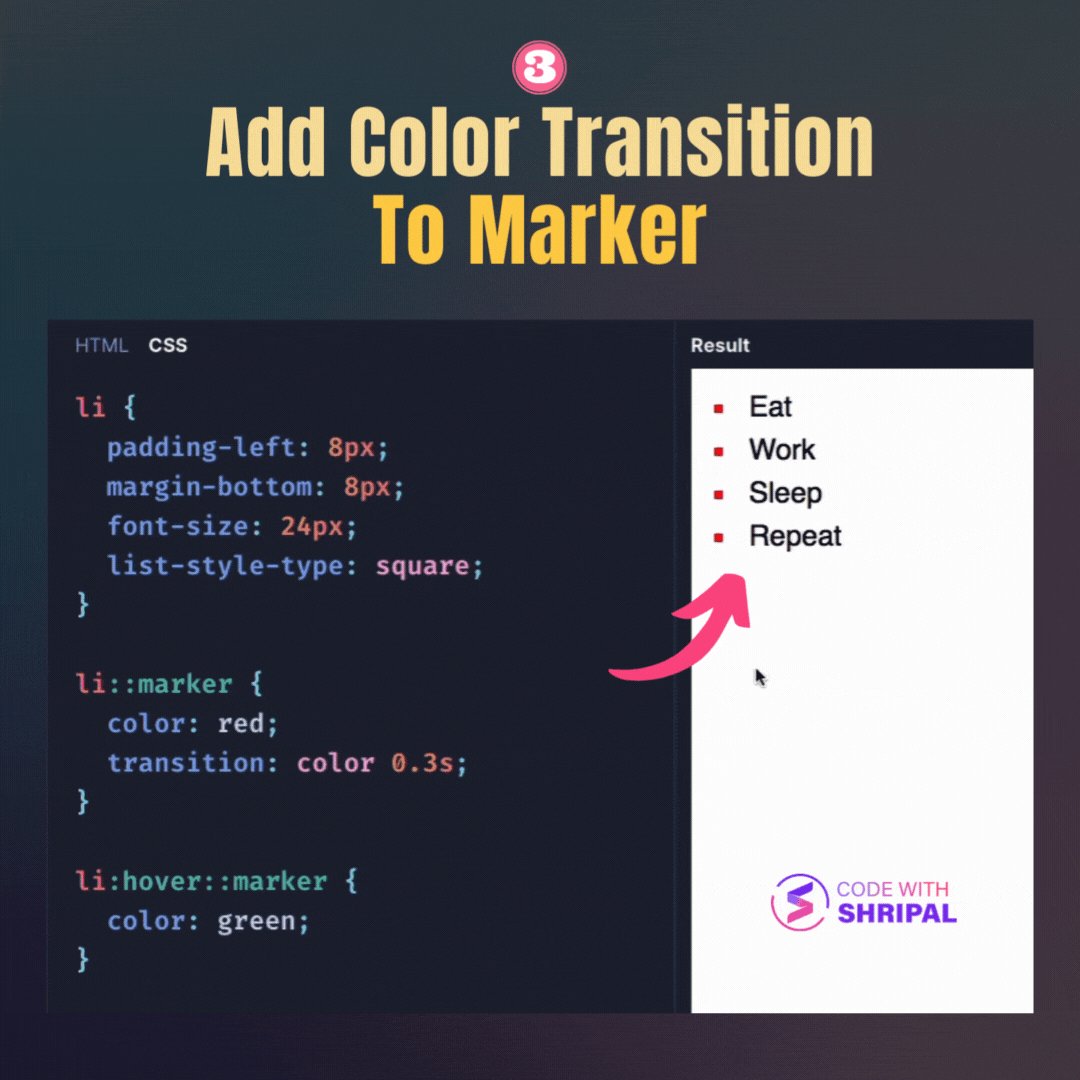
3️⃣ Add color transition to marker on hover
4️⃣ Use SVG icon for marker

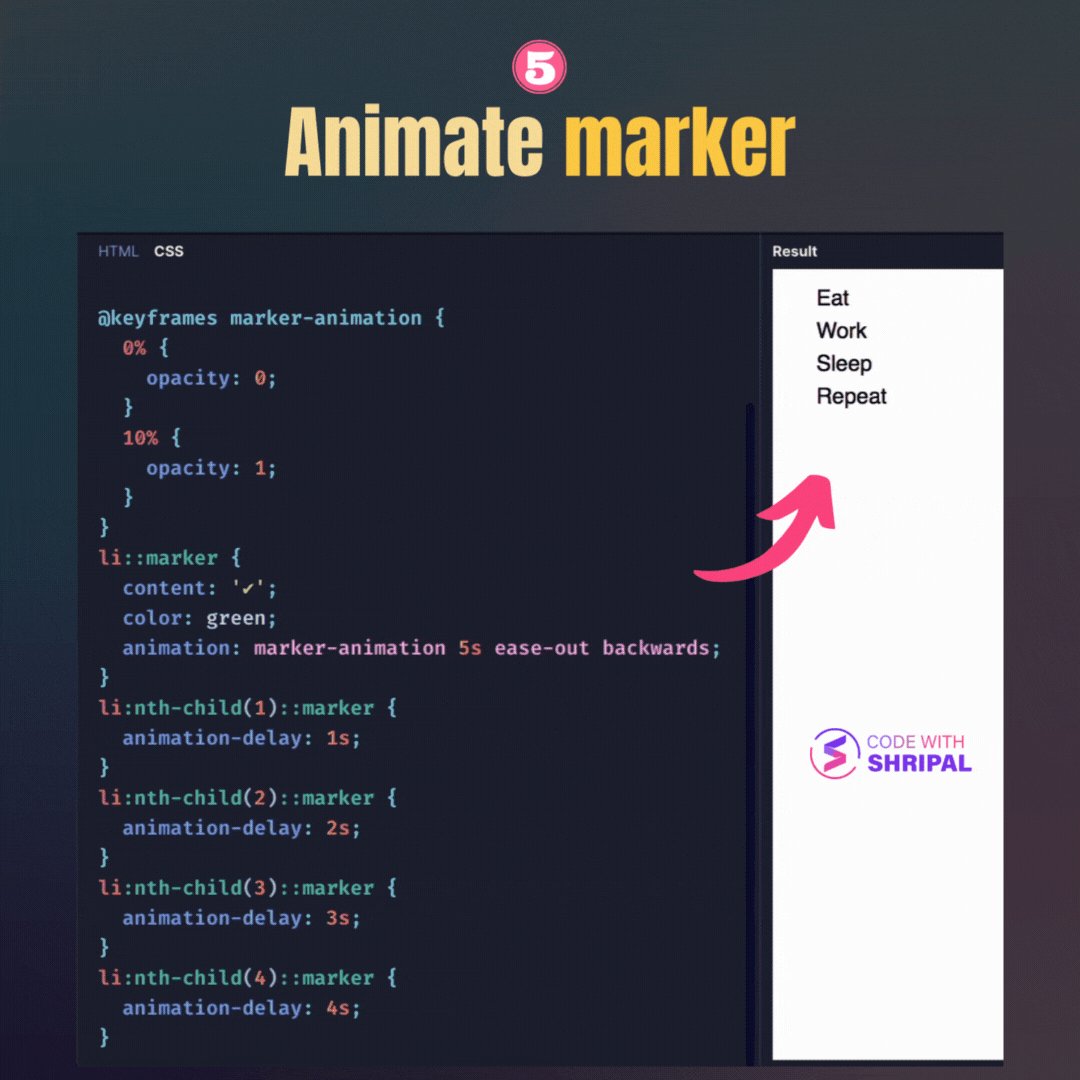
5️⃣ Animate marker of list-items
6️⃣ Use custom font for marker

7️⃣ Custom number presentation using ::marker

Bonus:
Use of ::marker is not limited to just <ul> and <ol> lists. We can use it with any element by setting display: list-item to it.
Use of ::marker is not limited to just <ul> and <ol> lists. We can use it with any element by setting display: list-item to it.
Debugging:
Chrome dev tools shows ::marker in Elements panel. We can select it to quickly check or change style of the marker.
Chrome dev tools shows ::marker in Elements panel. We can select it to quickly check or change style of the marker.

Check all these use cases of ::marker in action with editable code at this playground:
codewithshripal.com
codewithshripal.com
Thanks for checking this out.
Follow @codewithshripal for getting daily tips/threads about web development 🔥
Retweet/like the first tweet of the thread to help spread the word.
Follow @codewithshripal for getting daily tips/threads about web development 🔥
Retweet/like the first tweet of the thread to help spread the word.
Loading suggestions...