

Connected Papers also show you prior and derivate works related to the graph.
A very useful feature for literature review.
A very useful feature for literature review.

If you find a paper useful, you can save it.
To do so, simply click on the "Save" button in the right-hand panel.
To do so, simply click on the "Save" button in the right-hand panel.

Want to learn more about how you can supercharge your academic writing with AI-powered apps?
I have a complete tutorial for you. It has 14 modules and 250+ slides.
It's being used by academics at Harvard, Princeton, and Stanford.
You can get it here:
efficientacademicwriter.carrd.co
I have a complete tutorial for you. It has 14 modules and 250+ slides.
It's being used by academics at Harvard, Princeton, and Stanford.
You can get it here:
efficientacademicwriter.carrd.co

You can also download all your saved papers as a BibTeX file.
To do so, open your profile menu and click on "Saved papers."
You can use this BibTeX file to import these papers to managers like Zotero and Mendeley.
To do so, open your profile menu and click on "Saved papers."
You can use this BibTeX file to import these papers to managers like Zotero and Mendeley.

For Zotero, click on "File" and then select "Import."
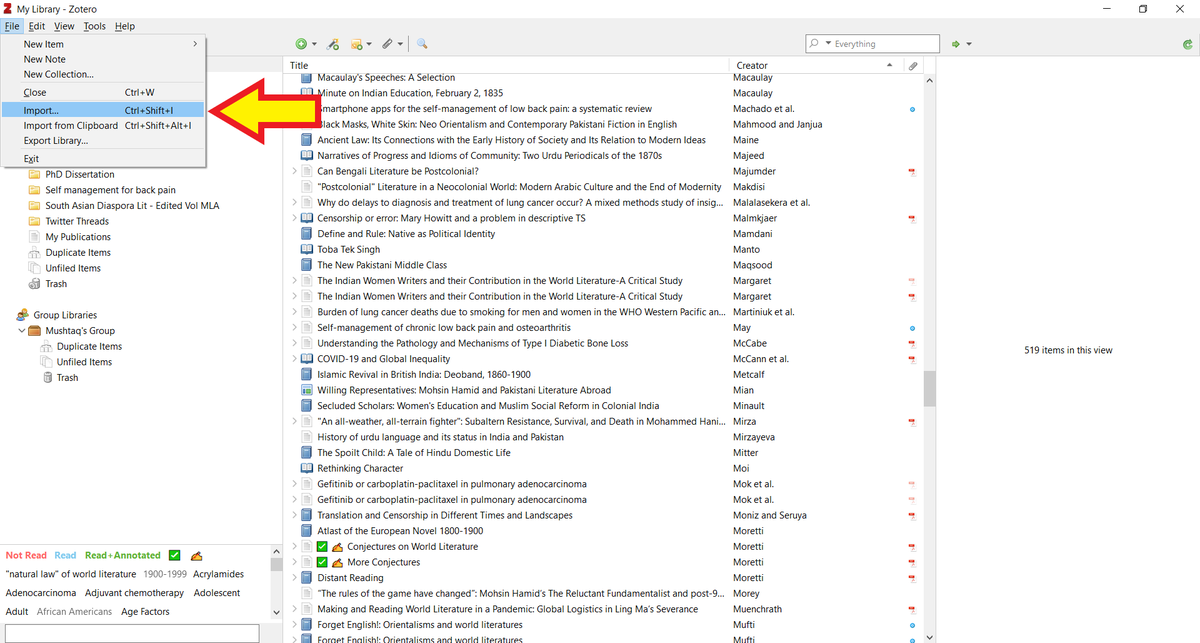
Choose "A file" option and click on "Next."
Navigate to the BibTeX file you just downloaded.
Navigate to the BibTeX file you just downloaded.

Zotero will ask you if you want to place all imported items in a new collection.
Click on "Next."
Click on "Next."

Zotero will put all the papers in a new collection for you.
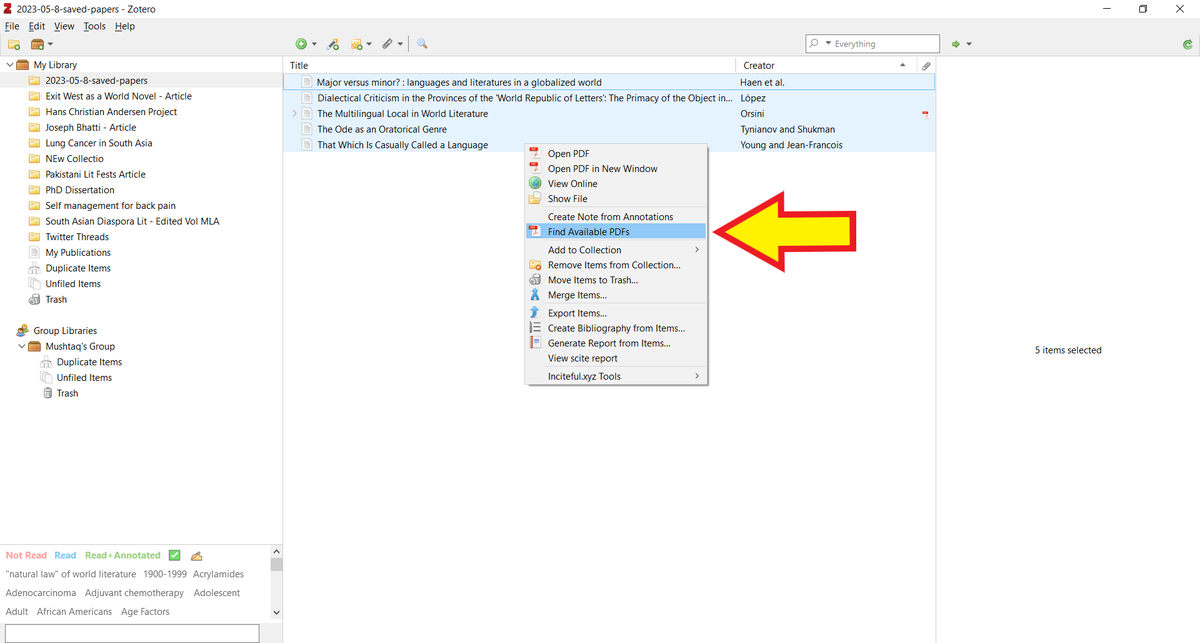
Select all the papers and right click. Then select "Find Available PDFs" and Zotero will retrieve PDFs of the papers for you.
Select all the papers and right click. Then select "Find Available PDFs" and Zotero will retrieve PDFs of the papers for you.
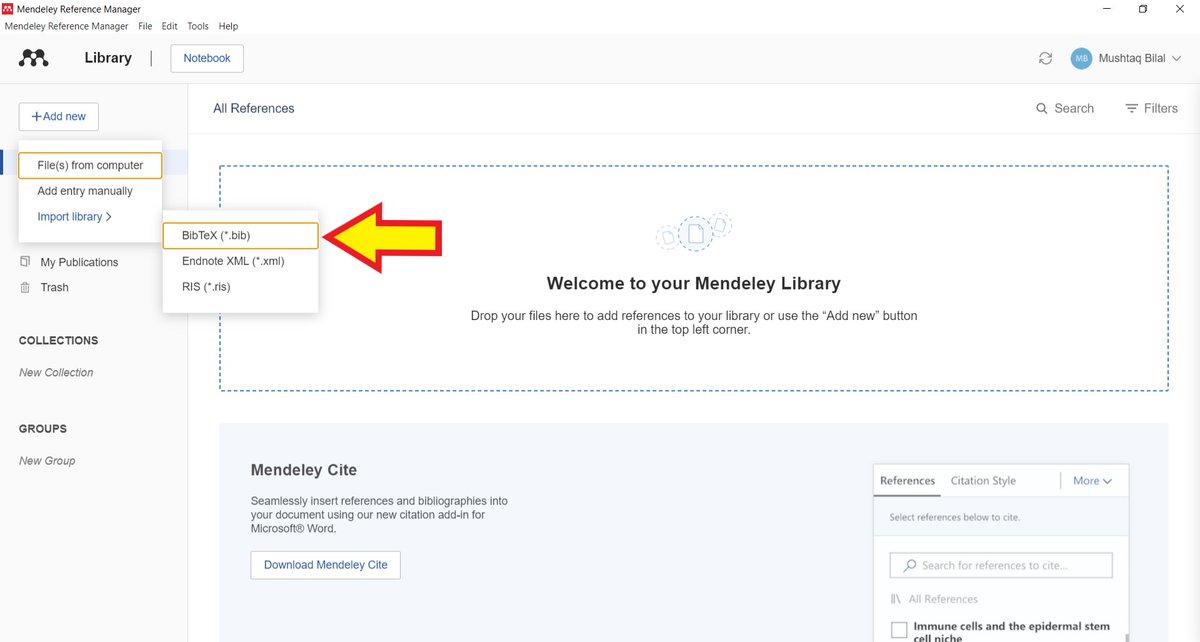
If you use Mendeley, click on "Add new" in the top left-corner.
Select "Import library" and then "BibTeX."
Navigate to the BibTeX file you just downloaded.
Select "Import library" and then "BibTeX."
Navigate to the BibTeX file you just downloaded.
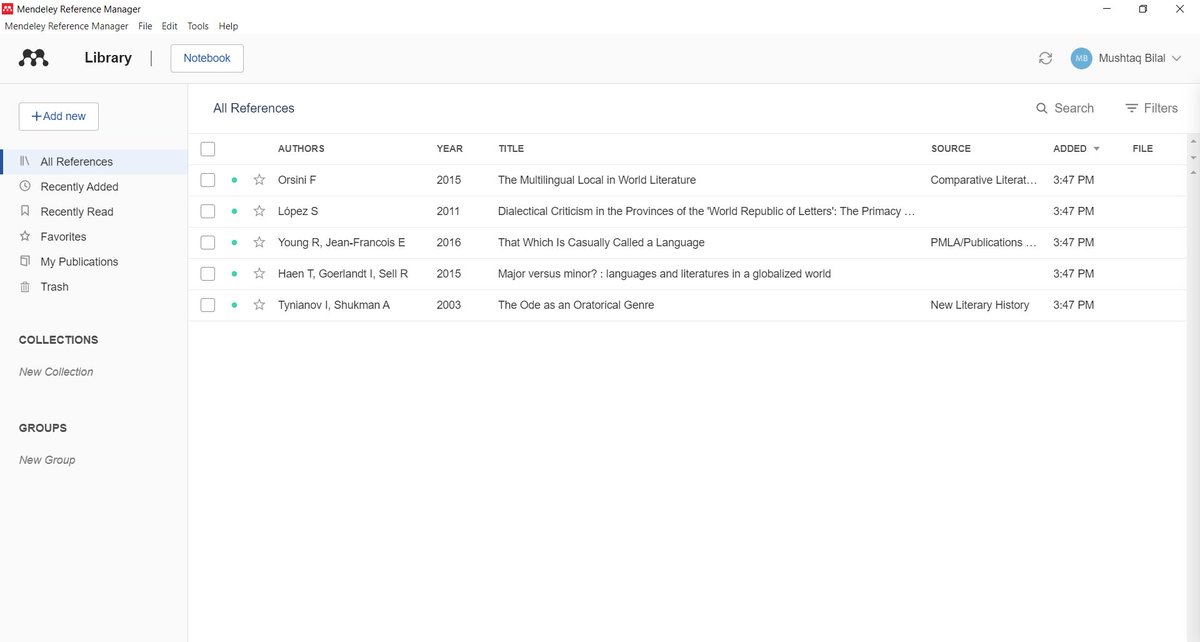
Mendeley will import all your papers into your library.
Unlike Zotero, Mendeley will not put your papers in a separate collection.
Unlike Zotero, Mendeley will not put your papers in a separate collection.
Found this thread helpful.
1. Scroll to the top and retweet the first tweet to share it with your friends and colleagues.
2. Follow me @MushtaqBilalPhD for regular threads on how to supercharge your academic writing with AI-powered apps.
1. Scroll to the top and retweet the first tweet to share it with your friends and colleagues.
2. Follow me @MushtaqBilalPhD for regular threads on how to supercharge your academic writing with AI-powered apps.
Loading suggestions...