

My friend who wanted to buy a TV called me while already at Hisense showroom asking me what TV to buy.
I told her what to look for and she was happy.
But in case of next time here is what you need to know when buying a TV. this is the....
TV BUYING GUIDE 🧵👇
I told her what to look for and she was happy.
But in case of next time here is what you need to know when buying a TV. this is the....
TV BUYING GUIDE 🧵👇
first off, knowing the right TV is a lot, and there are so many details to run through and talk about.
at the same time, I want to make this as simple as possible, especially for non-tech people
So I would start with a simple recommendation and go into the details after.
at the same time, I want to make this as simple as possible, especially for non-tech people
So I would start with a simple recommendation and go into the details after.
THE SIMPLE PART.
Ask for QLED or ULED TV, they mean the same thing, just different names. But there are very good TVs basically.
You can then filter by size and budget. The size of the TV depends on what can fit in your space, and the budget is your budget.
and you are good.
Ask for QLED or ULED TV, they mean the same thing, just different names. But there are very good TVs basically.
You can then filter by size and budget. The size of the TV depends on what can fit in your space, and the budget is your budget.
and you are good.

Now unto the NOT-SO-SIMPLE PART.
You first want to know the Panel(screen) Type. There are two major types of Panels, LCD and OLED.
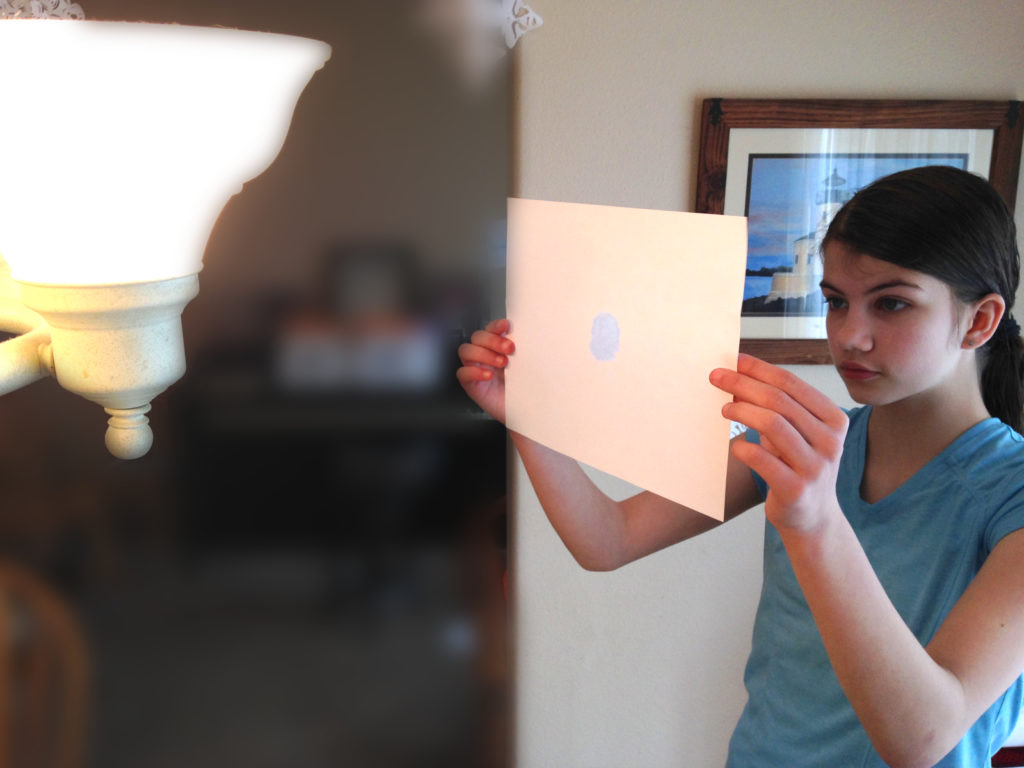
in simple terms, an LCD panel works like cutting a piece of paper and putting a light at its back to shine through the paper cut to form an image
You first want to know the Panel(screen) Type. There are two major types of Panels, LCD and OLED.
in simple terms, an LCD panel works like cutting a piece of paper and putting a light at its back to shine through the paper cut to form an image
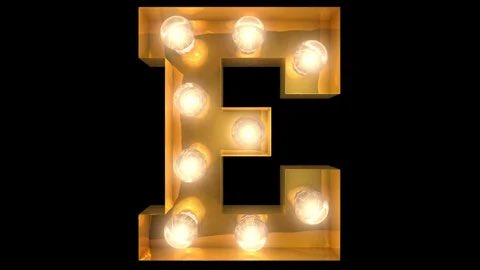
OLED on the other hand works like using light bulbs to write or draw on the wall, like the image below.
The difference is LCD has a screen and needs light bulbs to display the screen, while in OLED, the bulbs make up the screen.
and this would lead to more and more differences.
The difference is LCD has a screen and needs light bulbs to display the screen, while in OLED, the bulbs make up the screen.
and this would lead to more and more differences.
These differences would matter if you buy a phone, computer, or monitor, but for TVs, You only need to know a few differences between LCD and OLED.
1. LCD TVs are brighter.
2. OLED TV has better contrast. meaning its black is dark and its dark is black.
1. LCD TVs are brighter.
2. OLED TV has better contrast. meaning its black is dark and its dark is black.
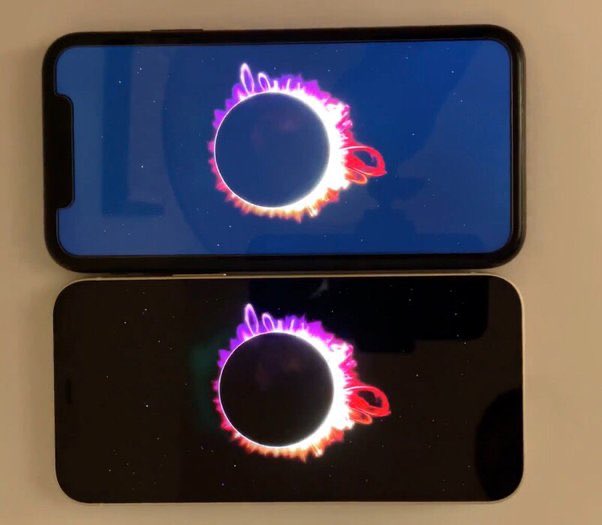
OLED has better contrast and is pitch black cos Unlike LCD which overlays a black screen on the already existing backlight that is always on, OLED can just turn off the bulbs in the areas that show Black.
This makes the OLED TVs LOOKS MUCH BETTER, which also means MORE EXPENSIVE
This makes the OLED TVs LOOKS MUCH BETTER, which also means MORE EXPENSIVE
yes, OLED TVs, OLED Monitors, OLED anything is very expensive, hence why they warned you not to buy Samsung phones because if the screen breaks, that is when you would discover the screen is OLED.
One last difference is OLED has a downside called “burn-in”
One last difference is OLED has a downside called “burn-in”
Remember this thing we do as a child when we look at a bright light for a while and then suddenly look away but will still be able to see images of that bright light? that is what burn-in is like.
When your OLED TV has been showing one thing consistently, even when you switch
When your OLED TV has been showing one thing consistently, even when you switch
When your OLED TV has been showing one thing consistently, even when you switch away, it feels like that thing is still showing on the screen.
For example, you can tell from the image below that the owner of this OLED TV watches a lot of CNN
For example, you can tell from the image below that the owner of this OLED TV watches a lot of CNN

So, unfortunately, OLED is not all roses. hence why we have to go back to still using LCD, Plus remember, LCD is brighter.
On top of that advancements have been made in LCD Technology to make it more “OLED-like”, to have better contrast and colours.
On top of that advancements have been made in LCD Technology to make it more “OLED-like”, to have better contrast and colours.
one of these advancements is QLED, which in simple terms is using multiple pieces of paper to block the backlight to make the overall picture better. QLED looks objectively amazing and if you see a QLED TV, you can only tell it is not OLED by putting it next to an OLED.
I mean just you, nerds and experts can still tell of course, but you probably can’t.
Even better than QLED is mini-LED. there are few mini-LED TVs but mini-LED being so good also means it is just as expensive as OLED.
ULED is exactly the same as QLED. just a different name.
Even better than QLED is mini-LED. there are few mini-LED TVs but mini-LED being so good also means it is just as expensive as OLED.
ULED is exactly the same as QLED. just a different name.
If you care about having a bright TV cos your room or office is very bright and has a lot of incoming light, you should definitely buy a QLED/ULED or if you have more money to spend, buy a Mini-LED TV.
Also if you are on a budget, then QLED/ULED should be your last bus stop.
Also if you are on a budget, then QLED/ULED should be your last bus stop.
If you be IDAN or agba baller, then you can consider OLED TVs. It has objectively better picture quality and other benefits than a QLED TV. Burn-In should not be a problem in your first few years of use, before then, you would have probably bought a new TV.
If you want to buy a second-hand or used TV. buy a QLED. It is cheaper and there is no fear of burn-in cos it is not OLED and so no matter how long the last owner used it, it should still look great!
My TV is a second-hand Samsung Q80R QLED TV. and I love it.
My TV is a second-hand Samsung Q80R QLED TV. and I love it.
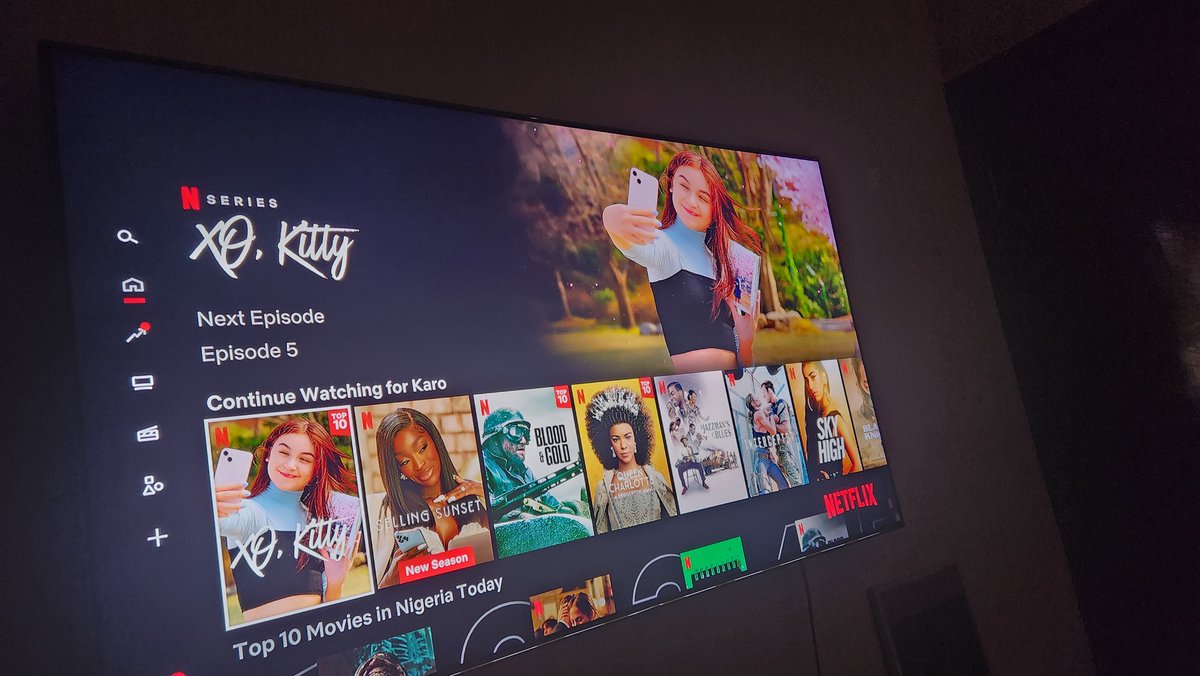
to learn more about QLED and OLED TVs. Watch this video - youtube.com
My TV cost me around ₦330k. quite expensive I know but cheap for what it actually is, cos there is more to know about when buying a TV, cos if I was to buy my TV new, would have been a million +
My TV cost me around ₦330k. quite expensive I know but cheap for what it actually is, cos there is more to know about when buying a TV, cos if I was to buy my TV new, would have been a million +
SIZE MATTERS. the bigger the TV the more expensive it is, and in some cases like with OLED TVs, bigger TVs are brighter. If you want to put the TV in your Living room, anything from 55” upwards is actually solid. Mine is 55”. but if you are on a budget, you can pick a smaller TV.
but note that, picture quality > size. so I would rather go for a QLED/OLED 45” TV than go for a 65” regular LCD TV from an unknown brand.
YES, BRAND MATTERS too. some brands are known to have problems in the long run or not actually have/use the technology they claim on the box
YES, BRAND MATTERS too. some brands are known to have problems in the long run or not actually have/use the technology they claim on the box
So I would only advise sticking to Sony, LG and Samsung.
Hisense and TCL are great budget options too. Anything outside that, my hand no dey. do your research well.
NO, WE ARE NOT DONE.
Hisense and TCL are great budget options too. Anything outside that, my hand no dey. do your research well.
NO, WE ARE NOT DONE.
Next is Refresh Rate.
Do you know how people draw different images in a book and then flip it to look like a video? That is how displays kinda work. Your TV draws a new image on the screen multiple times a second to make a video. How many times a second is the refresh rate.
Do you know how people draw different images in a book and then flip it to look like a video? That is how displays kinda work. Your TV draws a new image on the screen multiple times a second to make a video. How many times a second is the refresh rate.

this is important for gamers especially, normal modern TVs refresh at 60hz or 60 cycles per second, but if you game, those split-second movements and decisions can give you an edge, so you might want your TV to refresh faster at maybe 120hz, like my TV 😌
even better is a TV that has VRR - variable refresh rate, meaning rather than being stuck at either 60 or 120hz, the TV can constantly change its refresh rate based on what’s being shown on the screen.
But apart from gaming, people that watch a lot of sports or fast-moving videos might also notice a difference and prefer the higher refresh rate TVs. Learn More youtube.com
But if you are really serious about gaming, then you might want a TV with a LOW RESPONSE TIME
But if you are really serious about gaming, then you might want a TV with a LOW RESPONSE TIME
Response time is harder to explain, you are basically trying to avoid “ghosting”. I would leave this video here that explains it well youtube.com.
OLED TVs typically have better response times, but if you are not that serious of a gamer, then do not worry about it.
OLED TVs typically have better response times, but if you are not that serious of a gamer, then do not worry about it.
Next Ports!
You want to make sure your TV has the right ports that support the devices you already own. There are 2 major ones you should look out for.
If you own a PS5 or Xbox Series One or a Gaming Computer, you want to make sure your TV has a HDMI 2.1 Port.
You want to make sure your TV has the right ports that support the devices you already own. There are 2 major ones you should look out for.
If you own a PS5 or Xbox Series One or a Gaming Computer, you want to make sure your TV has a HDMI 2.1 Port.
HDMI 2.1 is what allows your PS5 (or others) to push 4K AND 120hz to your TV. if you plug it in another port, you might only get 4K but 60hz. You also have to use a supported cable too, typically the default cable that comes with your console is HDMI 2.1 supported
Another port you should look for is HDMI ARC or eARC. eARC allows you to plug your support Soundbar or speakers via HDMI into your TV. this allows you to transmit high-quality audio from your TV to your Soundbar.
All eARC ports are HDMI 2.1.
All eARC ports are HDMI 2.1.
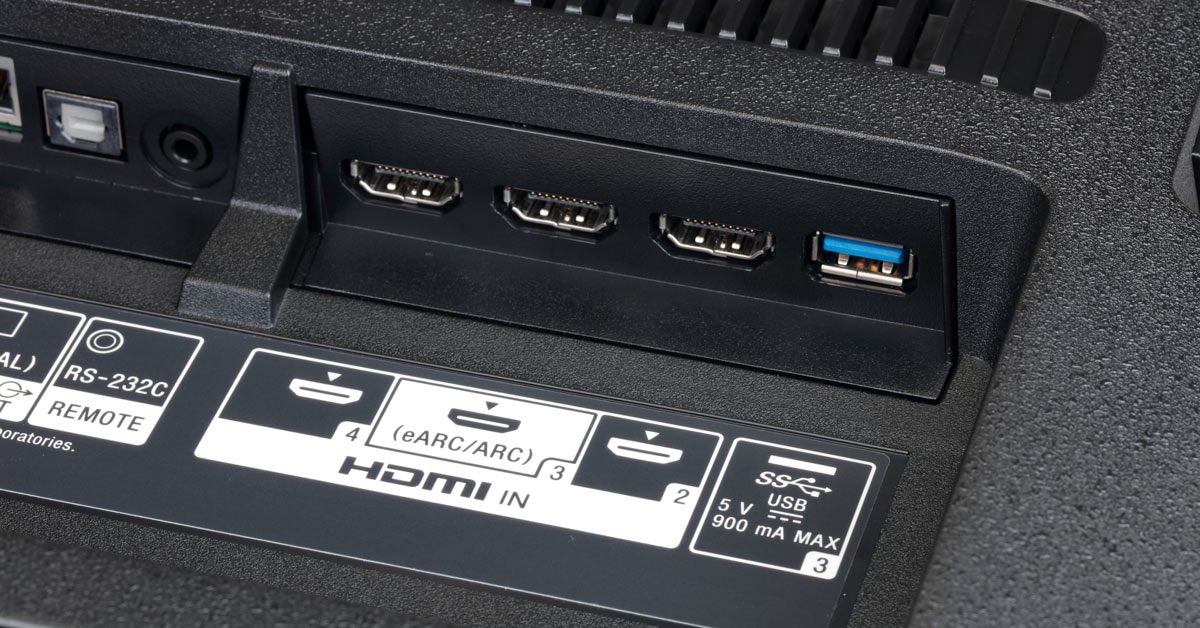
And basically, that is all you need to know to buy a good TV that fits your needs and budget.
Note that while these same things apply to monitors and other displays, there are a lot more details for those devices I didn’t talk about like Colour accuracy and all.
Note that while these same things apply to monitors and other displays, there are a lot more details for those devices I didn’t talk about like Colour accuracy and all.
Oh, and I did not talk about Resolution. well, it doesn’t really matter as much as you think, most TVs nowadays are 4K, and that is good. 8K TVs are kinda pointless, most content is in 4K, and they are super expensive. Resolution might matter more if we are talking about Monitors
If you have any questions or additions, feel free to drop them.
Two More things.
1. software (OS) doesn’t matter that much, but if you want to mirror your iPhone or Macbook to your TV, make sure your TV supports “Apple Airplay 2” (most modern TVs do). If you want to cast your Android phone, buy a Google/Android TV.
1. software (OS) doesn’t matter that much, but if you want to mirror your iPhone or Macbook to your TV, make sure your TV supports “Apple Airplay 2” (most modern TVs do). If you want to cast your Android phone, buy a Google/Android TV.
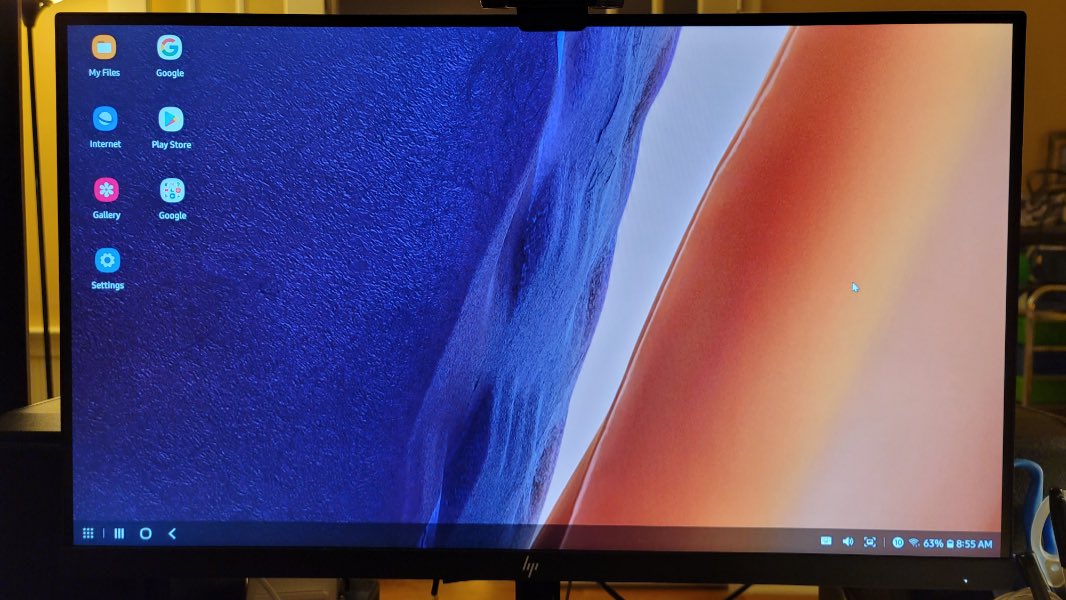
And Samsung TVs support “Smart View” and “Samsung Dex” for Samsung phones.
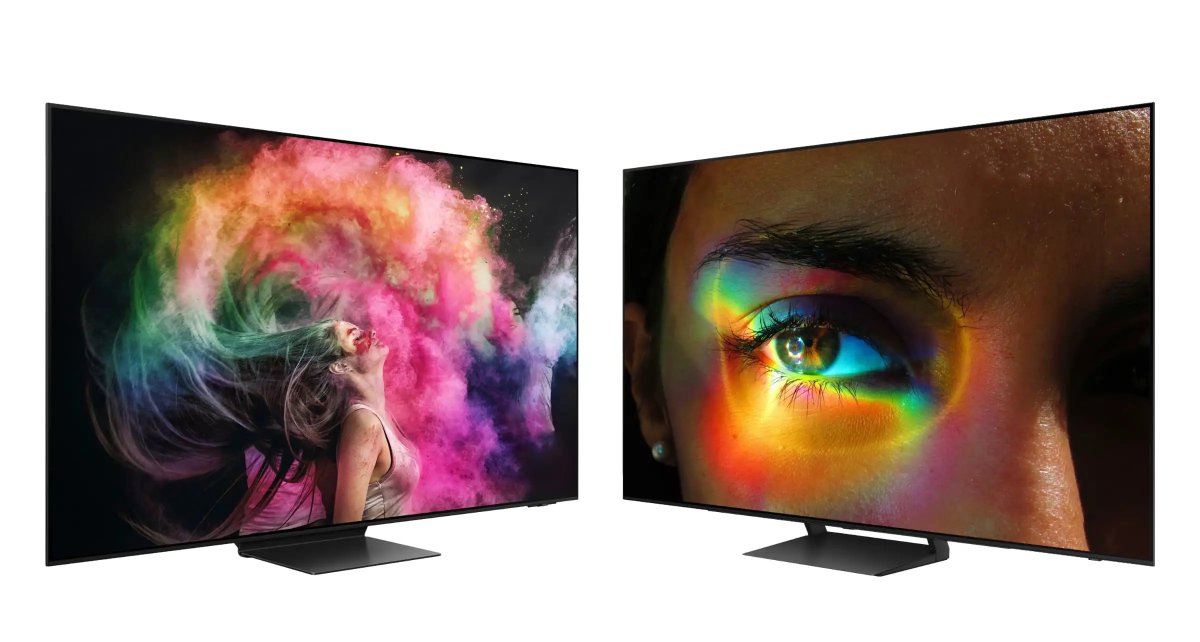
2. The absolute best TV you can buy right now are TVs with QD-OLED. QD-OLED is the newest TV display technology which makes OLED brighter and its colours more accurate. and they are just 2.
1. Sony A95K Series QD-OLED TV
2. SAMSUNG S90C Series QD-OLED TV
1. Sony A95K Series QD-OLED TV
2. SAMSUNG S90C Series QD-OLED TV
Two questions I have been getting a lot is.
What's UHD? it means 4k resolution. Which most TVs are so it does not make the difference.
Where did you buy your TV? Jiji. I asked him to deliver it and tested it before paying, and also recommend him to two of my other friends.
What's UHD? it means 4k resolution. Which most TVs are so it does not make the difference.
Where did you buy your TV? Jiji. I asked him to deliver it and tested it before paying, and also recommend him to two of my other friends.
Loading suggestions...