

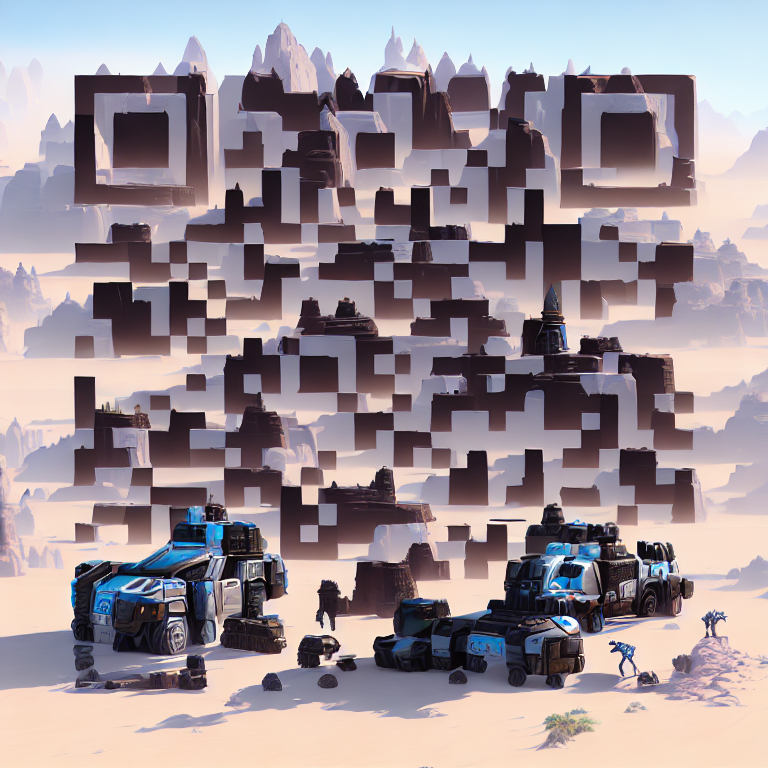
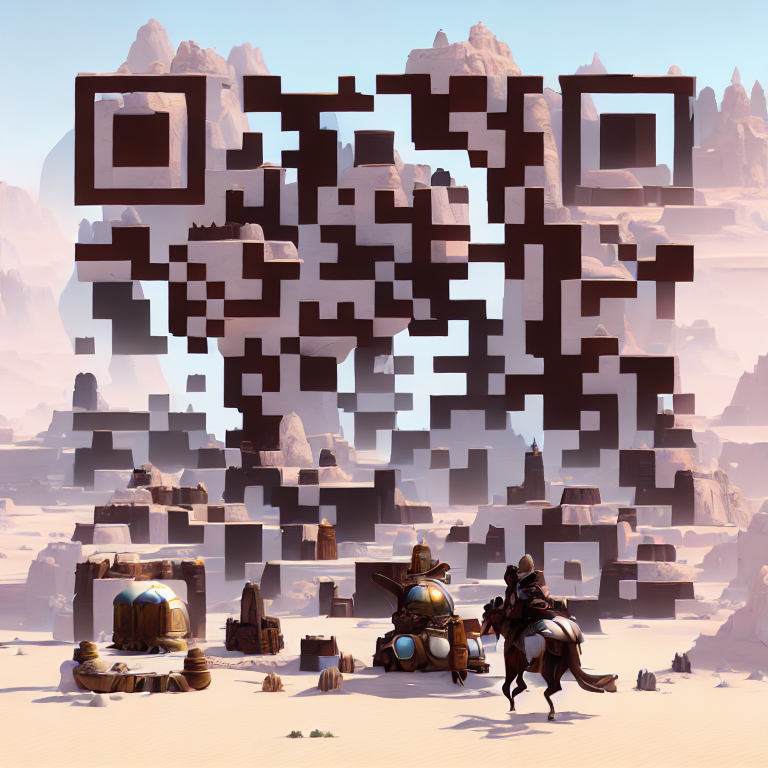
Artistic QR codes are the new viral trend in the marketing world.
Create your own in 10 seconds.
Only 3 easy steps 🧵
Create your own in 10 seconds.
Only 3 easy steps 🧵

Huge shoutout to @itsPaulAi for this trick. 🚀
Go follow him :)
Step 1
→ Visit stockimg.ai
→ Enter the Prompt of your image
→ Or click the "Surprise Me" button to get one
Go follow him :)
Step 1
→ Visit stockimg.ai
→ Enter the Prompt of your image
→ Or click the "Surprise Me" button to get one


Step 2
→ Enter the link in the text box labeled as "Content"
→ For this ex, I used my Twitter's link
→ Enter the link in the text box labeled as "Content"
→ For this ex, I used my Twitter's link

Step 3
→ Hit "Generate"
→ Hit "Generate"

Download the image and try to scan it.

This is the final result I got.
Both images are scannable and ready to go. ⬇️
This is the easiest method I found to create them.
Try yourself: stockimg.ai
Both images are scannable and ready to go. ⬇️
This is the easiest method I found to create them.
Try yourself: stockimg.ai
If you like this thread, you will love the 'The Tech Route' newsletter.
Subscribe for the latest AI tools, video tutorials & plugin reviews, all in under 5 minutes.
Get our FREE All-in-one AI guide as soon as you join!
the-tech-route.beehiiv.com
Subscribe for the latest AI tools, video tutorials & plugin reviews, all in under 5 minutes.
Get our FREE All-in-one AI guide as soon as you join!
the-tech-route.beehiiv.com

Follow me to make me happy → @CopySutra
RT/Like the first tweet & share the knowledge with others.
RT/Like the first tweet & share the knowledge with others.
Loading suggestions...