

A Comprehensive Guide on how to Navigate the DYDX Public Testnet!
Remember their previous Airdrop was worth over $10k
They've launched a new testnet, hinting at another Potential Airdrop.🔥
Cost: $0
A 🧵
Remember their previous Airdrop was worth over $10k
They've launched a new testnet, hinting at another Potential Airdrop.🔥
Cost: $0
A 🧵

1/ This is where our journey begins.
First You need your MetaMask Wallet
STEP 1: Head over to v4.testnet.dydx.exchange
STEP 2: Click on 'Connect Wallet', then choose MetaMask and sign the transaction.
First You need your MetaMask Wallet
STEP 1: Head over to v4.testnet.dydx.exchange
STEP 2: Click on 'Connect Wallet', then choose MetaMask and sign the transaction.

2/ 👉 Ensure you are on the Goerli Testnet Network.
You will be prompted to Create a Cosmos wallet and sign a transaction to confirm.
Once you sign the transaction, you will have your sub Cosmos wallet created.
You will be prompted to Create a Cosmos wallet and sign a transaction to confirm.
Once you sign the transaction, you will have your sub Cosmos wallet created.
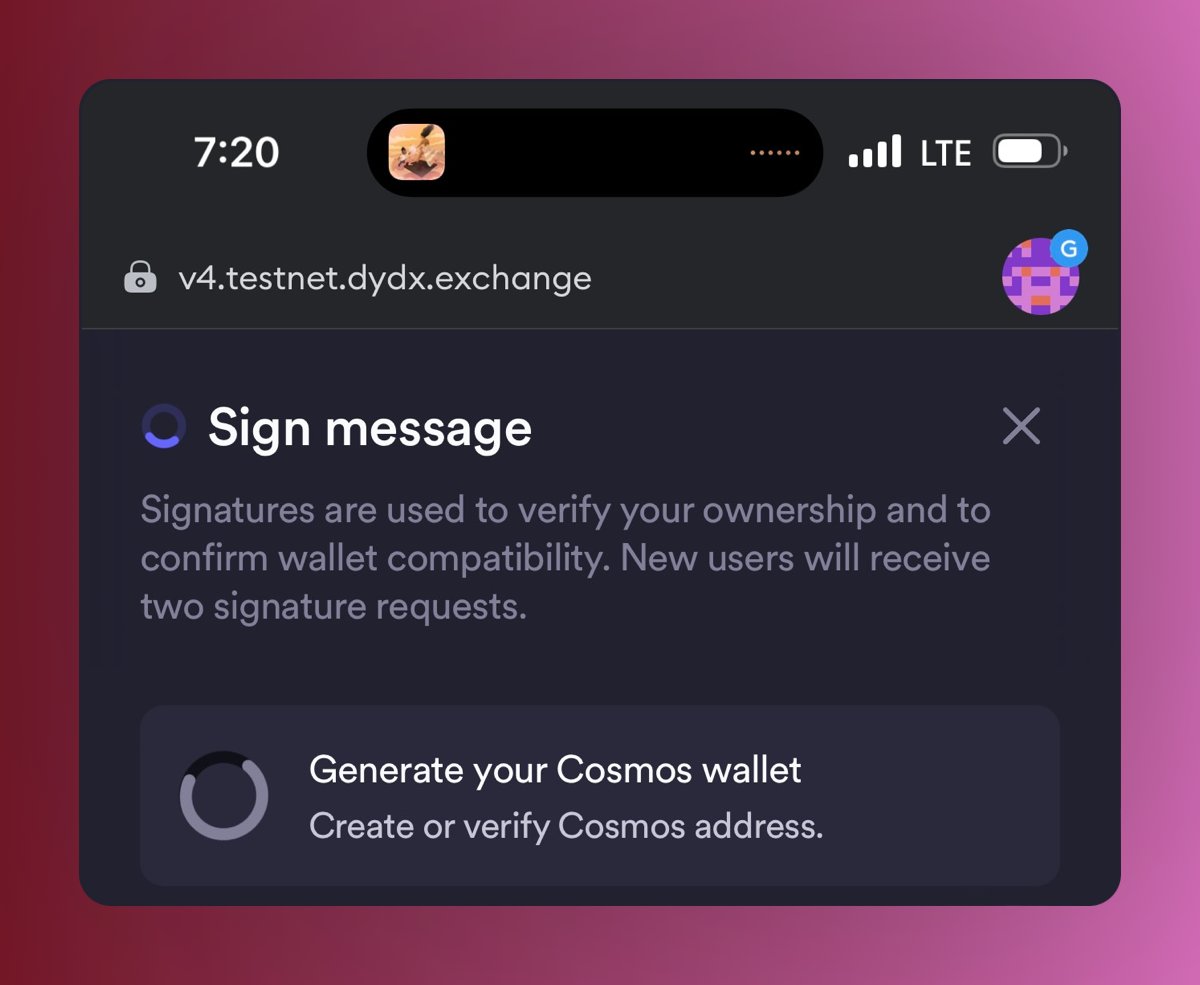
3/ STEP 3: Time to deposit. Click 'Deposit funds'. The balance should be deposited in a few seconds.
STEP 4: Secure your secret phrase. In the address bar, select 'Export secret phrase' from the dropdown. Reveal and view the secret phrase. Remember to save it securely!
STEP 4: Secure your secret phrase. In the address bar, select 'Export secret phrase' from the dropdown. Reveal and view the secret phrase. Remember to save it securely!
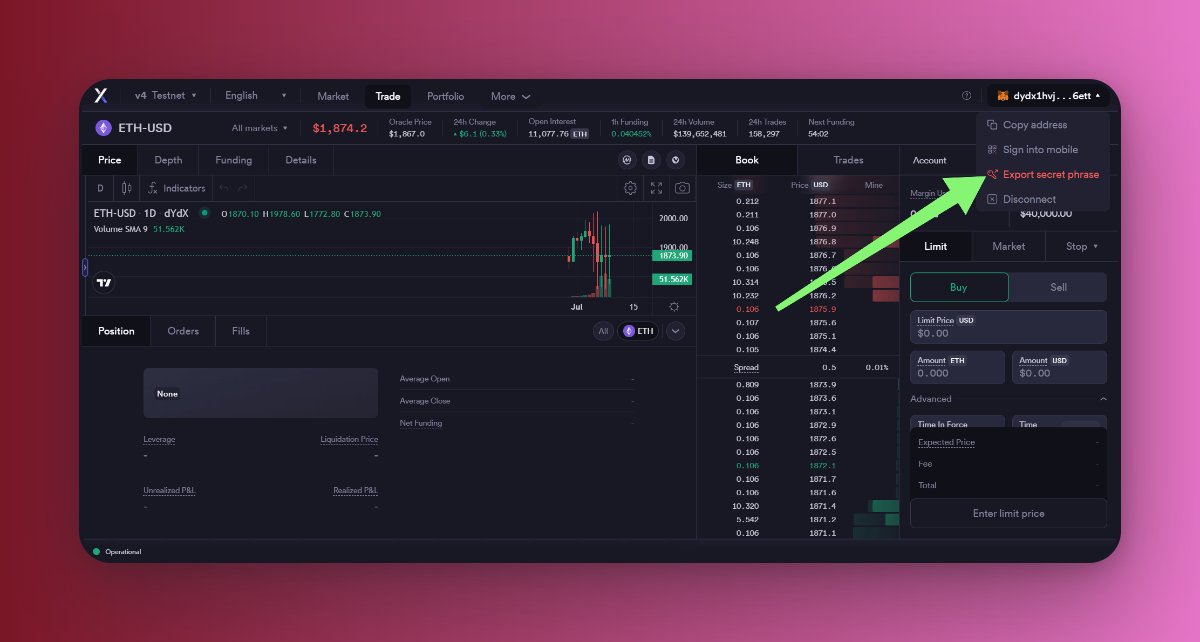
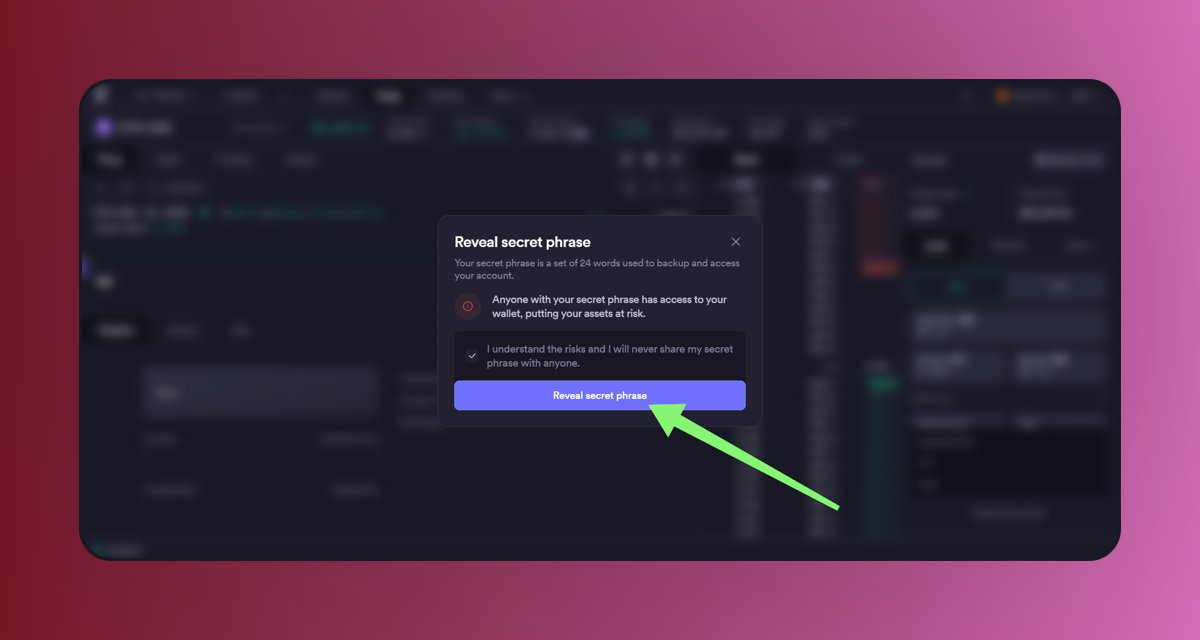
4/ STEP 5: Now it's time to trade! There are TWO markets available at the moment, BTC Market and the ETH Market, so make sure to use them both.
Remember this testnet is a Leverage (Futures) Trading testnet.
Place limit orders, market orders and more.
Let's Trade
Remember this testnet is a Leverage (Futures) Trading testnet.
Place limit orders, market orders and more.
Let's Trade
5/ First i choosed the ETH perpetual market, Then you can see i have a Buying power of $2000.
upon creation of your cosmos wallet, you will be credited with some amount to test run the Dex.
upon creation of your cosmos wallet, you will be credited with some amount to test run the Dex.
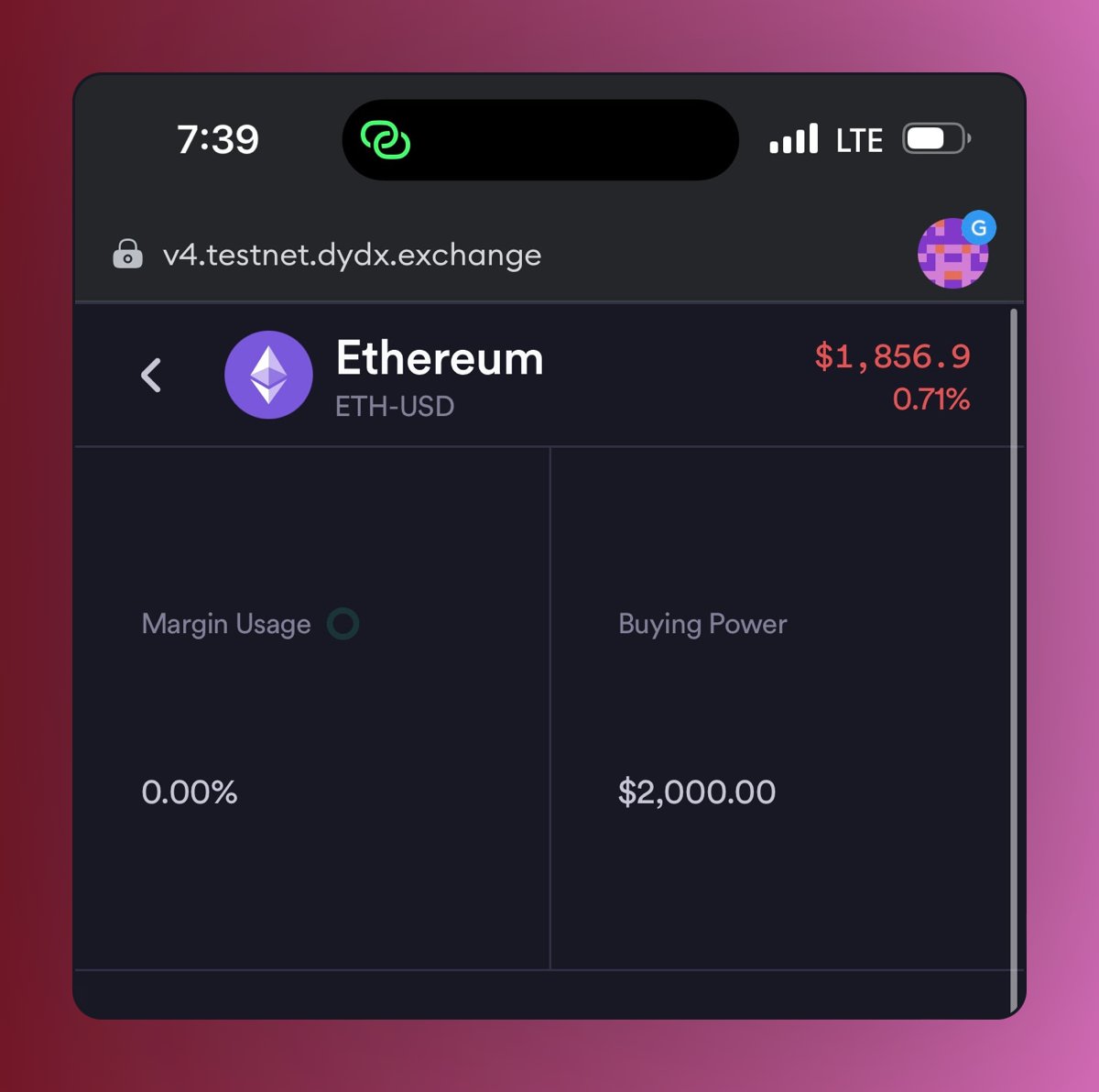
6/ Next is to open a long position using the market Price at the moment.
Put the amount of Eth you want to long (Buy), The Leverage will come up automatically.
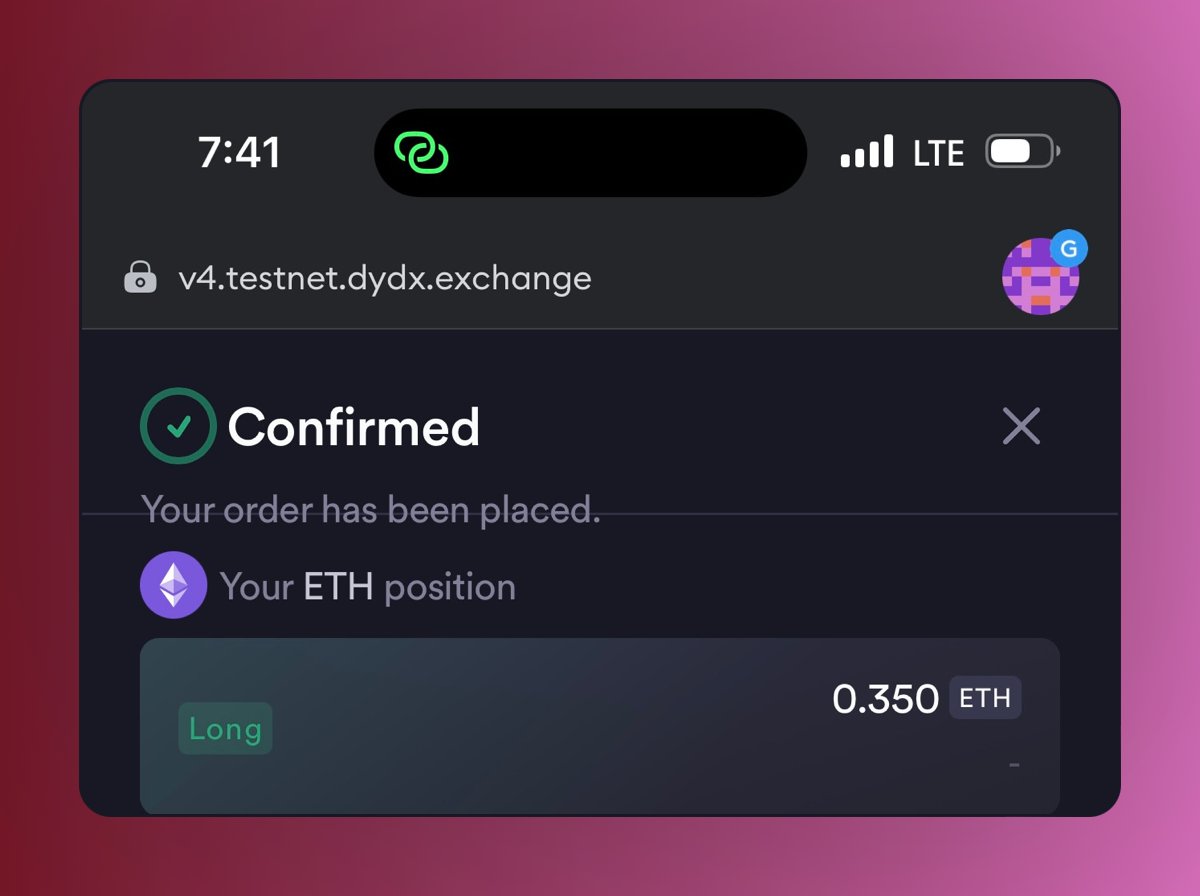
Preview the trade and confirm the transaction as seen in the pictures below
Put the amount of Eth you want to long (Buy), The Leverage will come up automatically.
Preview the trade and confirm the transaction as seen in the pictures below
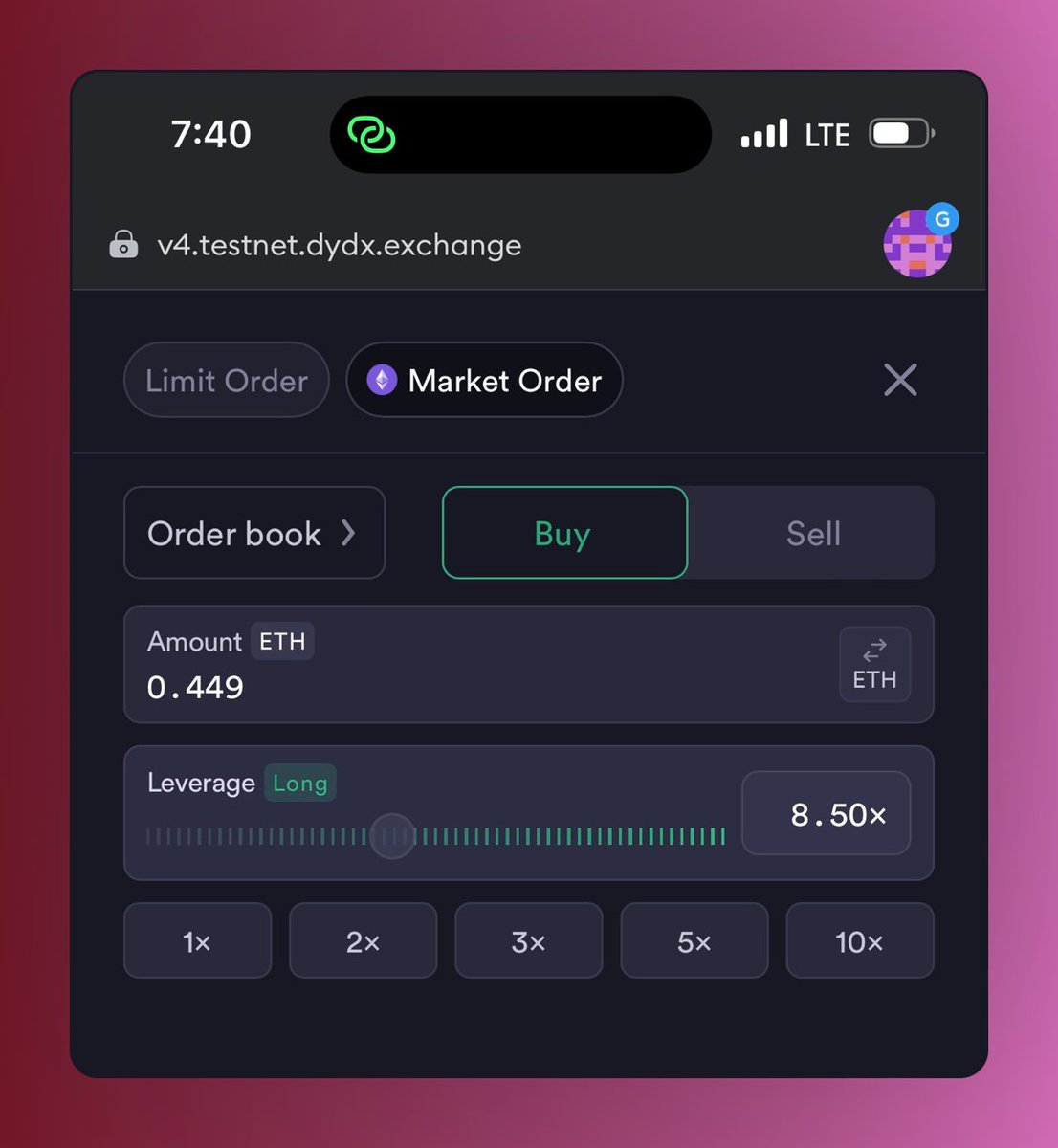
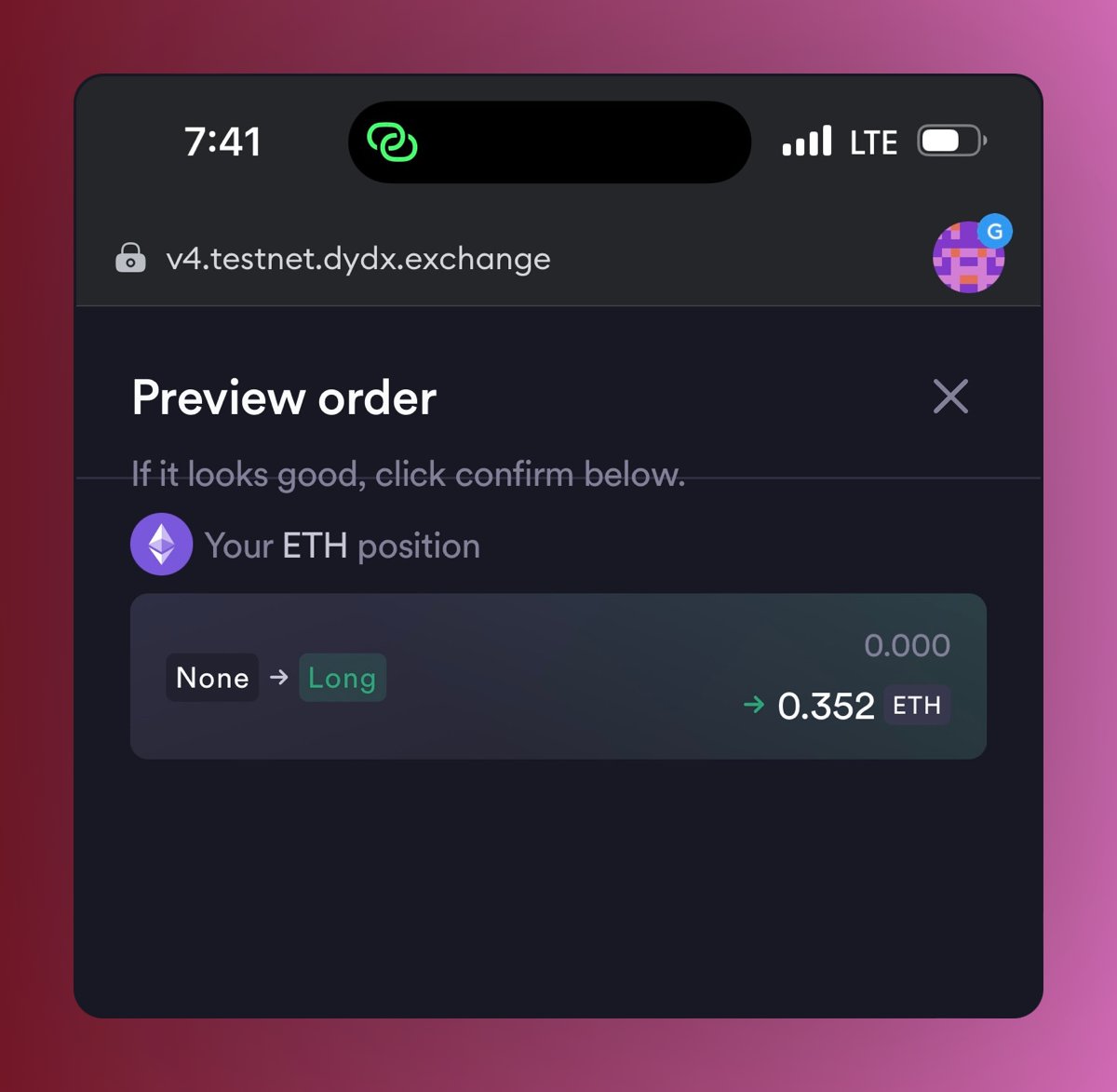
7/ Once the trade is confirmed then you are Good to go to the BTC USD perpetual market. Repeat the same process and confirm your leverage trade.
You can also close the trades to complete all transactions testing on the platform
You can also close the trades to complete all transactions testing on the platform
8/ STEP 7: They value your feedback! Submit it here: docs.google.com

9/ STEP 8: Join the conversation! Submit your feedback in the Discord 'testnet channel':
discord.com
STEP 9: For more info, check out these resources:
Explorer: testnet.mintscan.io
Status page: status.v4testnet.dydx.exchange
Blog post: dydx.exchange
discord.com
STEP 9: For more info, check out these resources:
Explorer: testnet.mintscan.io
Status page: status.v4testnet.dydx.exchange
Blog post: dydx.exchange
discord.com/channels/72480…

dydx.exchange/blog/public-te…
Public Testnet (v4 Milestone 4 is Complete)
The dYdX Chain public testnet is set to launch on 7/05/2023 at 17:00 UTC! Read this blog post for fu...
status.v4testnet.dydx.exchange
dYdX V4 Testnet Status
Welcome to dYdX V4 Testnet's home for real-time and historical data on system performance.
testnet.mintscan.io/dydx-testnet
10/ That's all for this guide.
I will be making a YouTube video today.
Join the DYDX community and stay updated. Your crypto journey has just begun!
🌐 Website: dydx.exchange
🐦 Twitter:
💬 Discord: discord.gg
I will be making a YouTube video today.
Join the DYDX community and stay updated. Your crypto journey has just begun!
🌐 Website: dydx.exchange
🐦 Twitter:
💬 Discord: discord.gg

discord.gg/dydx
Discord - A New Way to Chat with Friends & Communities
Discord is the easiest way to communicate over voice, video, and text. Chat, hang out, and stay clos...
dydx.exchange
dYdX - Trade Perpetuals on the most powerful trading platform
Trade Perpetuals on the most powerful open trading platform, backed by @a16z, @polychain, and @parad...
11/ I hope you've found this thread helpful.
Follow me @bloomstarbms, Retweet and like.
Also join TG T.me
Follow me @bloomstarbms, Retweet and like.
Also join TG T.me

Loading suggestions...