

Reading a PDF is boring?
1 prompt with ChatGPT = a summary, a diagram, and an audio.
This trio of plugins will save you an incredible amount of time:
1 prompt with ChatGPT = a summary, a diagram, and an audio.
This trio of plugins will save you an incredible amount of time:
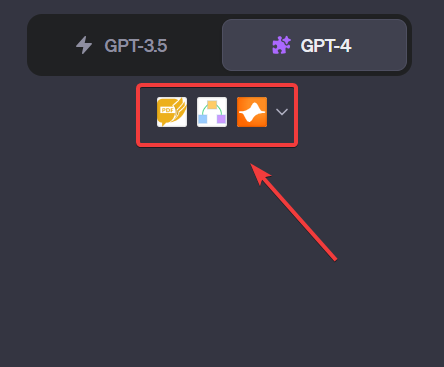
In 1 prompt, you get the essentials.
Easy to consume.
Once again, it's a time-saver for learning fast...
But also to teach the essentials!
We'll combine these 3 plugins:
-AskYourPDF
-Show Me Diagrams
-Speechki
[Sample and prompt at the end]
Easy to consume.
Once again, it's a time-saver for learning fast...
But also to teach the essentials!
We'll combine these 3 plugins:
-AskYourPDF
-Show Me Diagrams
-Speechki
[Sample and prompt at the end]
Step 1
Remember to activate your plugins.
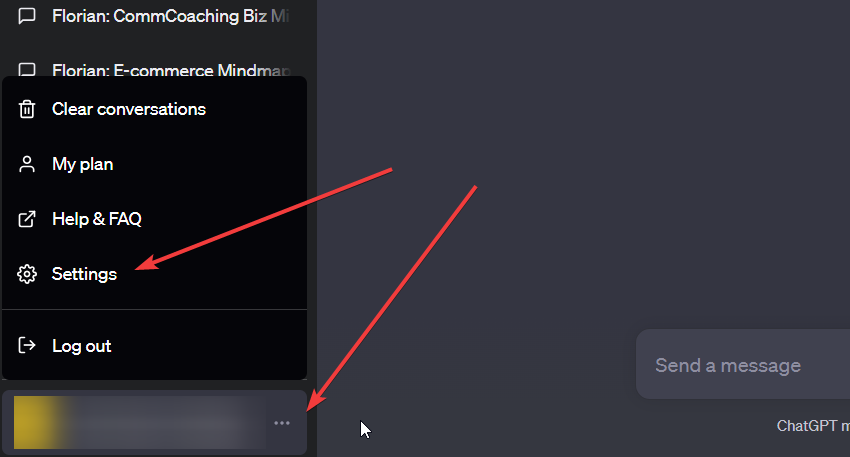
-Click on the 3 dots in the bottom left-hand panel, then on "Settings".
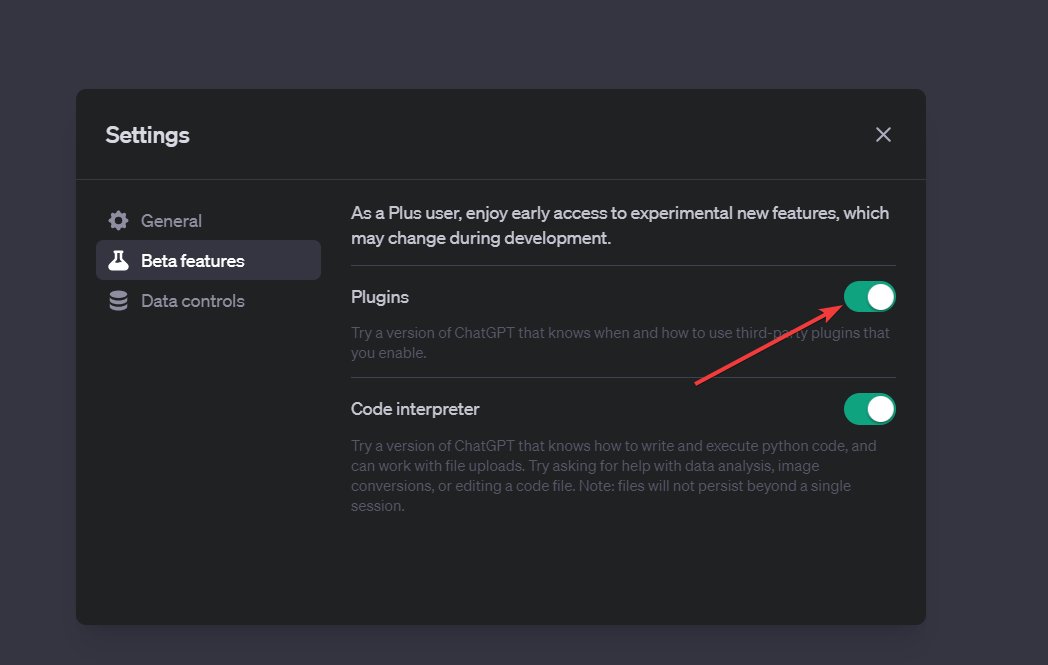
-In "Beta Features", activate "Plugins".
Remember to activate your plugins.
-Click on the 3 dots in the bottom left-hand panel, then on "Settings".
-In "Beta Features", activate "Plugins".
Step 2
-Go to ChatGPT+
-Click on Plugins then Plugin store
-Type in the search bar:
AskYourPDF
Show Me Diagrams
Speechki
-Install everything.
-Go to ChatGPT+
-Click on Plugins then Plugin store
-Type in the search bar:
AskYourPDF
Show Me Diagrams
Speechki
-Install everything.

Step 3
-Choose an online PDF
-Put the link in the prompt and launch
-Choose an online PDF
-Put the link in the prompt and launch

Prompt:
Here is a PDF:
[URL]
1. Write me a detailed step-by-step guide in bullet point form
2. Then make a diagram with the show me plugin to aid comprehension
3. Make an audio version of this resume
Here is a PDF:
[URL]
1. Write me a detailed step-by-step guide in bullet point form
2. Then make a diagram with the show me plugin to aid comprehension
3. Make an audio version of this resume
Result:
You have your summary.
You can also customize your diagram and listen to your audio.
You have your summary.
You can also customize your diagram and listen to your audio.


That's a wrap! Hope this was helpful!
If you enjoyed this thread, please:
1. Follow me (@FCamiade) for more.
2. Like & Retweet the first tweet below:
If you enjoyed this thread, please:
1. Follow me (@FCamiade) for more.
2. Like & Retweet the first tweet below:
Loading suggestions...