

ChatGPT replaces your assistant?
1 prompt = a DOCX with sources and a diagram.
This trio of plug-ins is a jewel of productivity:
1 prompt = a DOCX with sources and a diagram.
This trio of plug-ins is a jewel of productivity:
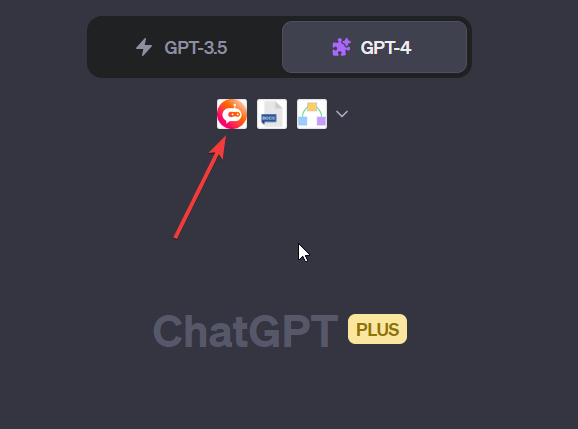
You'll gather all the information you need, along with the sources.
This will then be transformed into DOCX to share with your team or students.
And to simplify reading, a diagram.
We'll combine these 3 plugins:
-BrowserOp
-Show Me Diagrams
-DOCX Maker
[Sample at the end]
This will then be transformed into DOCX to share with your team or students.
And to simplify reading, a diagram.
We'll combine these 3 plugins:
-BrowserOp
-Show Me Diagrams
-DOCX Maker
[Sample at the end]
Step 1
Remember to activate your plugins.
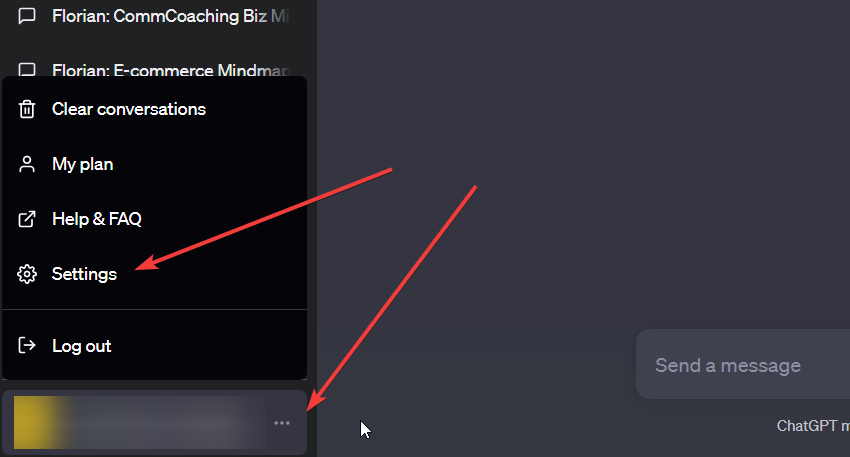
-Click on the 3 dots in the bottom left-hand panel, then on "Settings".
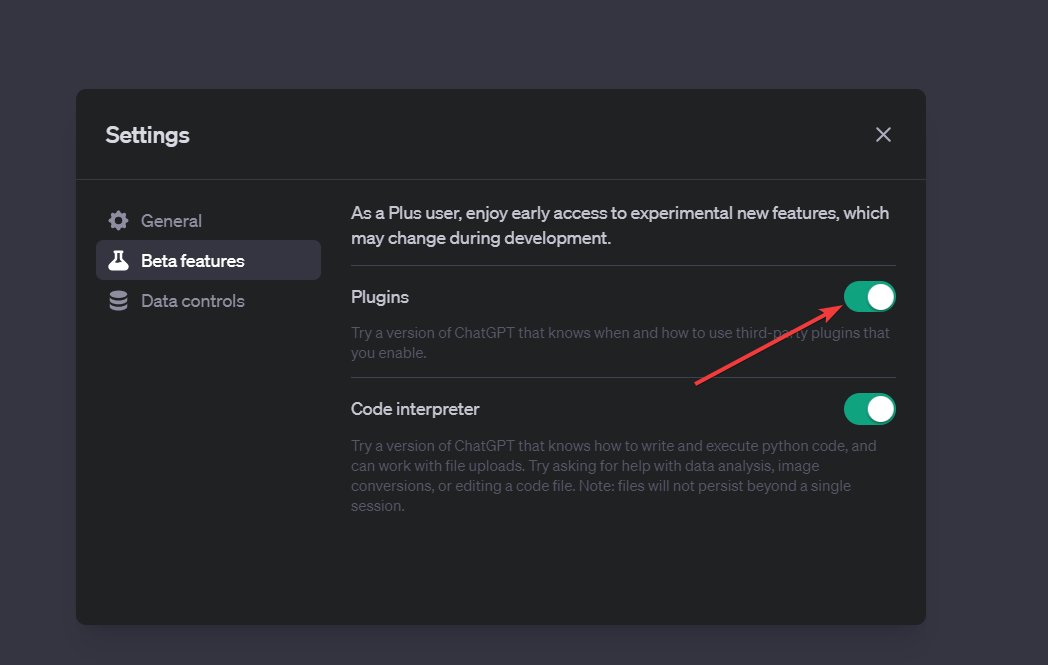
-In "Beta Features", activate "Plugins".
Remember to activate your plugins.
-Click on the 3 dots in the bottom left-hand panel, then on "Settings".
-In "Beta Features", activate "Plugins".
Step 2
-Go to ChatGPT+
-Click on Plugins then Plugin store
-Type in the search bar:
BrowserOp
Show Me Diagrams
DOCX Maker
-Install everything.
-Go to ChatGPT+
-Click on Plugins then Plugin store
-Type in the search bar:
BrowserOp
Show Me Diagrams
DOCX Maker
-Install everything.

Step 3
-Adapt the beginning of your prompt and launch
-Adapt the beginning of your prompt and launch

Prompt in the ALT:
![I'd like to share a PDF summary of [topic] with my colleagues.
Can you create this PDF for me by retrieving the main information published this year from the Internet?
In your PDF, for each piece of information you'll put a title, a punchy summary and a link to the source you've found.
Lay it out using markdown.
Then create a visual with Show Me Diagrams.](https://pbs.twimg.com/media/F2X9pHBW4AEnRQa.png)
Result:
You have your DOCX with sources and a clear visual.
You have your DOCX with sources and a clear visual.

Sample:
chat.openai.com
BrowserOp is a bit different from the usual Internet search plugins.
It can visit a dozens of pages at once!
chat.openai.com
BrowserOp is a bit different from the usual Internet search plugins.
It can visit a dozens of pages at once!

That's a wrap! Hope this was helpful!
If you enjoyed this thread, please:
1. Follow me (@FCamiade) for more.
2. Like & Retweet the first tweet below:
If you enjoyed this thread, please:
1. Follow me (@FCamiade) for more.
2. Like & Retweet the first tweet below:
Loading suggestions...