

How to Build an Ethical Hacking Lab to Practice Your Hacking Skills.
This virtual hacking lab consists of the following virtual machines:
1 - Kali Linux
2 - Windows 10
3 - Metasploitable 2
(Thread 🧵)
This virtual hacking lab consists of the following virtual machines:
1 - Kali Linux
2 - Windows 10
3 - Metasploitable 2
(Thread 🧵)

☑️ In this lab, VirtualBox will be used for virtualization
and network isolation of all virtual machines from internet & and real network.
and network isolation of all virtual machines from internet & and real network.
Requirements :
1⃣ A decent laptop or desktop with preferably 16 GB RAM or more.
2⃣Min 40 GB of free disk space .
1⃣ A decent laptop or desktop with preferably 16 GB RAM or more.
2⃣Min 40 GB of free disk space .
1. Download And Install VirtualBox
👉 Open a browser and navigate to the official VirtualBox download page.
👉 Click to download the VirtualBox installation package according to your operating system.
virtualbox.org
👉 Open a browser and navigate to the official VirtualBox download page.
👉 Click to download the VirtualBox installation package according to your operating system.
virtualbox.org
Double Click VirtualBox.exe and Install it.
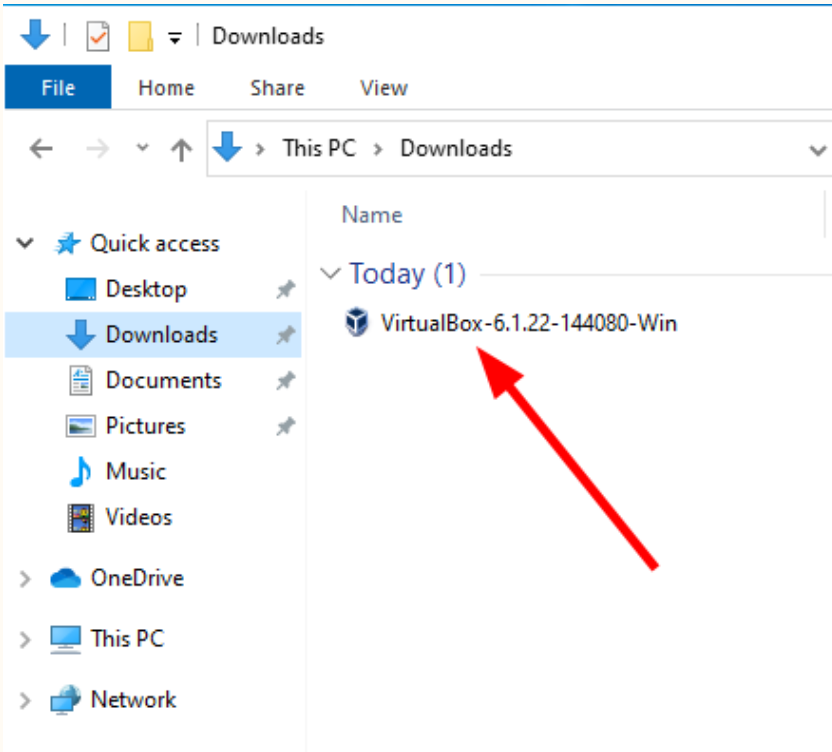
VirtualBox is now installed on your computer.
You should see a window similar to the one in below
👇👇
You should see a window similar to the one in below
👇👇

Step-2. Install Kali Linux in VirtualBox
👉 Download the Kali Linux installation image and do a manual install in VirtualBox like you would do on a physical machine.
👉 Download Kali Linux pre-made VM and import it into VirtualBox.
👉 Download the Kali Linux installation image and do a manual install in VirtualBox like you would do on a physical machine.
👉 Download Kali Linux pre-made VM and import it into VirtualBox.
Step-2. Install Kali Linux in VirtualBox
Download And Import Kali Linux VM Pre-built In
VirtualBox.
Download And Import Kali Linux VM Pre-built In
VirtualBox.

Step-2. Install Kali Linux in VirtualBox
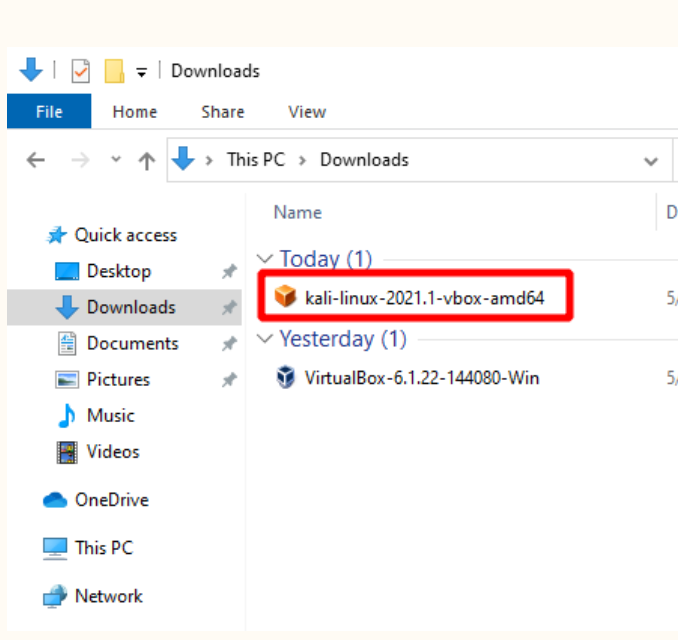
Locate the file in your Download folder and double
click on it to import it in VirtualBox.
Locate the file in your Download folder and double
click on it to import it in VirtualBox.
Step-2. Install Kali Linux in VirtualBox
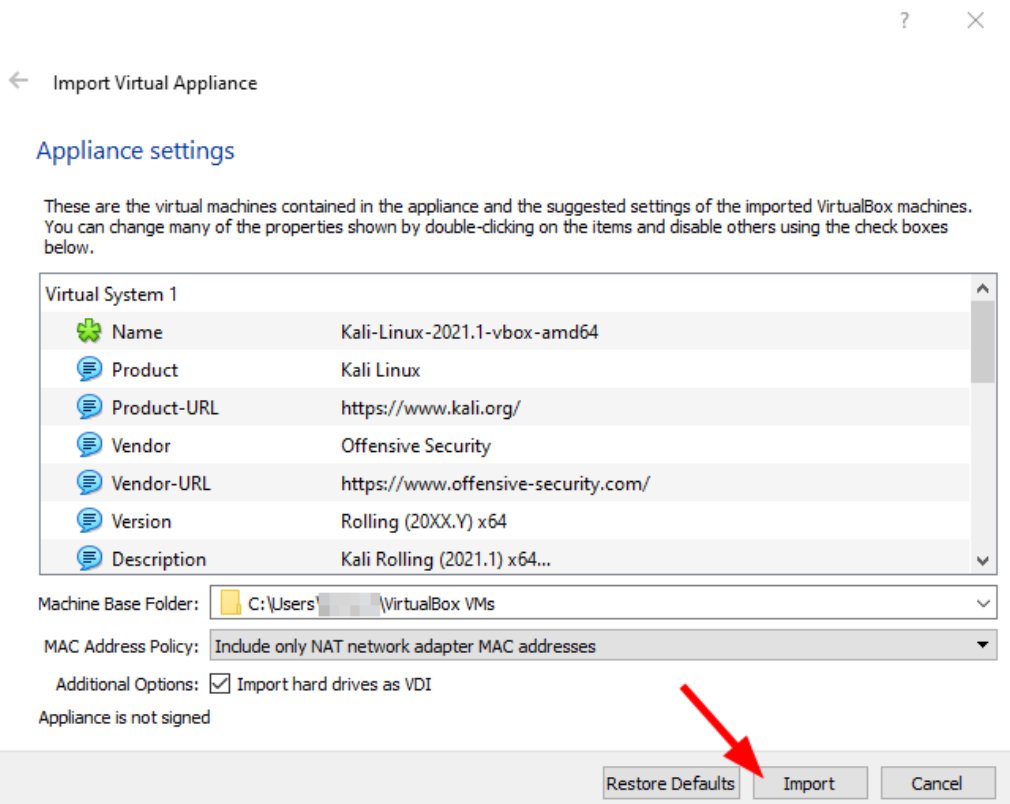
On the Appliance settings in VBox window, leave the
defaults and click the Import button
On the Appliance settings in VBox window, leave the
defaults and click the Import button
Step-2. Install Kali Linux in VirtualBox
Click Agree to accept the VirtualBox Software License
Agreement.
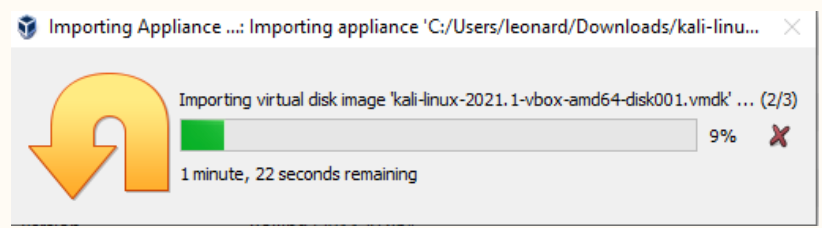
Grab a cup of tea / coffee and wait for the VM import process to compete.
Click Agree to accept the VirtualBox Software License
Agreement.
Grab a cup of tea / coffee and wait for the VM import process to compete.
Step-2. Install Kali Linux in VirtualBox
Once the import process completed, you should see
the Kali Linux VM in VirtualBox.
Once the import process completed, you should see
the Kali Linux VM in VirtualBox.

Step 3: Install Windows 10 on VirtualBox
If you own a license copy of Windows 10, you can
install it on VirtualBox very much the same way you
would install it on your physical machine.
If you don't have
Microsoft provides a Windows 10 VM for development purposes.
If you own a license copy of Windows 10, you can
install it on VirtualBox very much the same way you
would install it on your physical machine.
If you don't have
Microsoft provides a Windows 10 VM for development purposes.
Step 3: Download Windows 10 VirtualBox VM
Head over to the Microsoft Developer website.
Under the Select a download section, for Virtual
Machines select the MSEdge on Win10 (x64) Stable option.
Head over to the Microsoft Developer website.
Under the Select a download section, for Virtual
Machines select the MSEdge on Win10 (x64) Stable option.

Import Windows 10 VM in VirtualBox as we did with
Kali Linux
Kali Linux

Boot into Windows 10 VM
Let’s turn on the Windows 10 virtual machine
by clicking the Start button in the Oracle Virtual Box
Manager
Here you go. A fully functional Windows 10 VirtualBox VM
Let’s turn on the Windows 10 virtual machine
by clicking the Start button in the Oracle Virtual Box
Manager
Here you go. A fully functional Windows 10 VirtualBox VM

Step -3 Install Metasploitable 2 VM in VirtualBox
Metasploitable is a Ubuntu-based virtual machine
specially designed to contain vulnerabilities to help
ethical hackers and penetration testers safely
perform vulnerability tests for learning and research purposes.
Metasploitable is a Ubuntu-based virtual machine
specially designed to contain vulnerabilities to help
ethical hackers and penetration testers safely
perform vulnerability tests for learning and research purposes.
Step - 3 Download Metasploitable 2
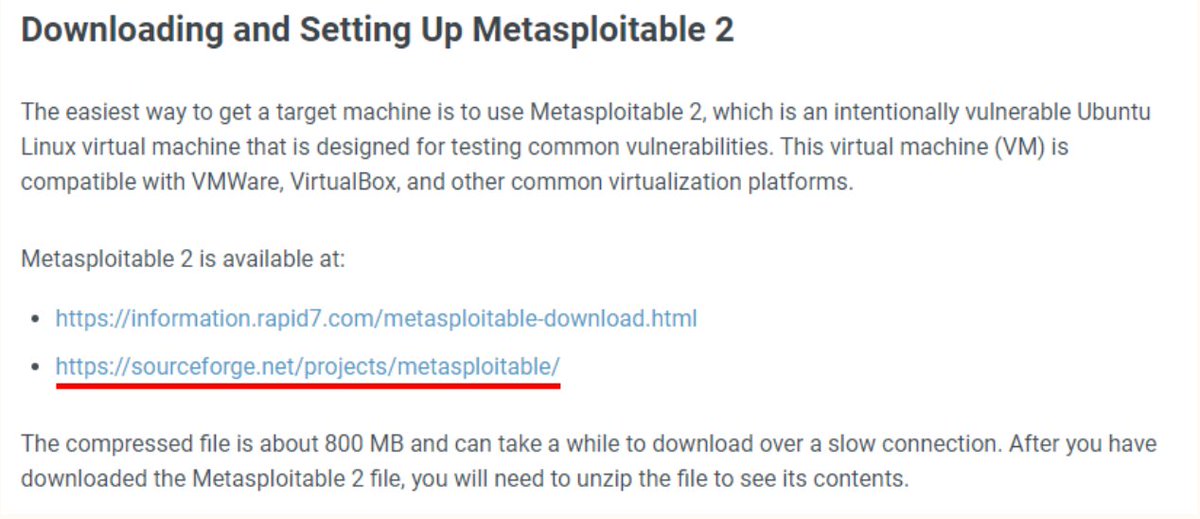
Download Metasploitable 2 virtualbox image from here
docs.rapid7.com
Download Metasploitable 2 virtualbox image from here
docs.rapid7.com
Step -3 Install Metasploitable 2 VM in VirtualBox
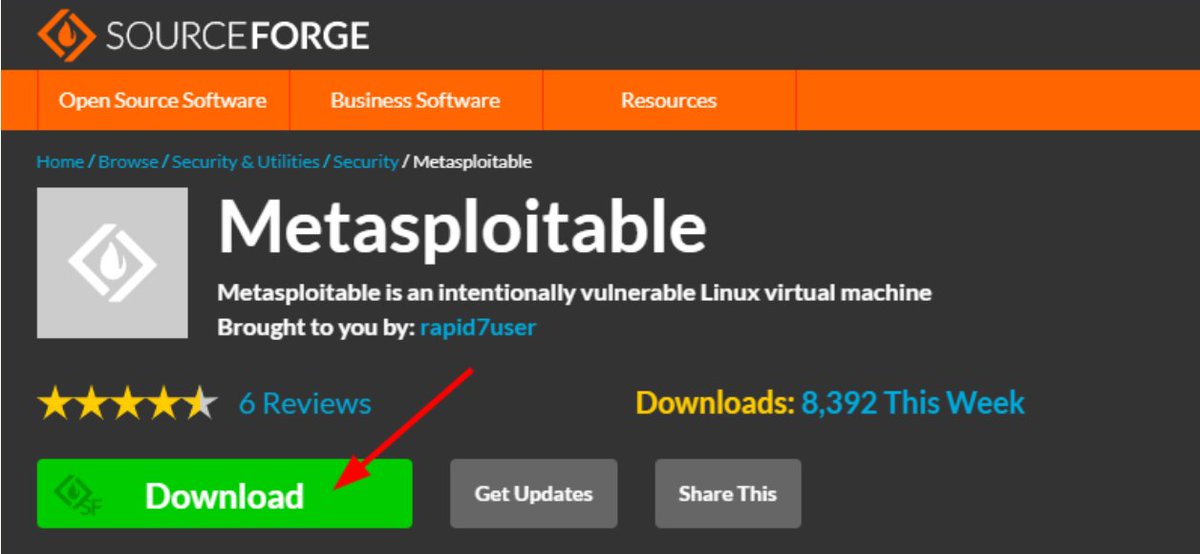
On the Sourceforge download page click on the
download button and save the file in your Downloads
folder on your machine.
On the Sourceforge download page click on the
download button and save the file in your Downloads
folder on your machine.
Step -3 Install Metasploitable 2 VM in VirtualBox
Import Metasploitable 2 in VirtualBox
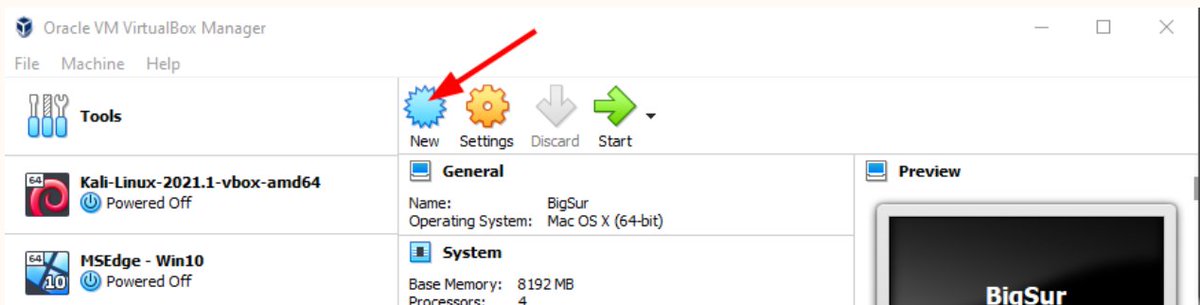
Open Oracle VirtualBox Manager and click on the New
icon to create a new virtual machine.
Import Metasploitable 2 in VirtualBox
Open Oracle VirtualBox Manager and click on the New
icon to create a new virtual machine.
Step -3 Install Metasploitable 2 VM in VirtualBox
On the Create Virtual Machine window, switch to the
Expert Mode.
On the Create Virtual Machine window, switch to the
Expert Mode.

Select the following fields
- Name: Metasploitable 2
- Machine Folder: <Leave default or select your custom VirtualBox folder>
- Type & Version: Linux \ Linux (64-bit).
- Memory size: 2048 MB.
- Select “Use an existing virtual hard disk file” and click on the browse icon
- Name: Metasploitable 2
- Machine Folder: <Leave default or select your custom VirtualBox folder>
- Type & Version: Linux \ Linux (64-bit).
- Memory size: 2048 MB.
- Select “Use an existing virtual hard disk file” and click on the browse icon

Step -3 Install Metasploitable 2 VM in VirtualBox
On the Metasploitable 2 – Hard Disk Selector window,
click on the Add icon on top
On the Metasploitable 2 – Hard Disk Selector window,
click on the Add icon on top

Step -3 Install Metasploitable 2 VM in VirtualBox
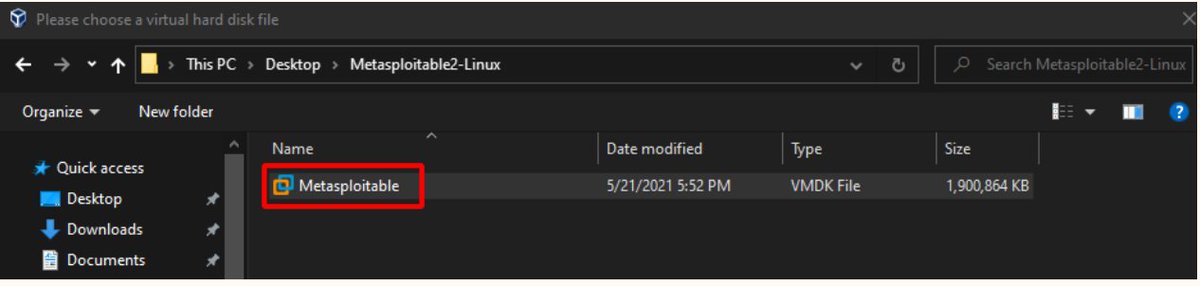
Locate and click on the Metasploitable 2 folder you
downloaded and extracted earlier.
Select the Metasploitable.vmdk file and click Open
Locate and click on the Metasploitable 2 folder you
downloaded and extracted earlier.
Select the Metasploitable.vmdk file and click Open
Step -3 Install Metasploitable 2 VM in VirtualBox
Create Virtual Machine settings should look like in Figure below.
Click the Create button.
Create Virtual Machine settings should look like in Figure below.
Click the Create button.

If you managed to follow this virtual hacking lab tutorial
till the end.
You just made your first serious step in becoming a cybersecurity expert.
I’m proud of you!
till the end.
You just made your first serious step in becoming a cybersecurity expert.
I’m proud of you!
Launch Metasploitable 2 VM
On the Oracle VirtualBox Manager, select the Metasploitable 2 VM and click the Start button on top.
Login on Metasploitable 2 VM using the following credentials for both username and password:
msfadmin
msfadmin
On the Oracle VirtualBox Manager, select the Metasploitable 2 VM and click the Start button on top.
Login on Metasploitable 2 VM using the following credentials for both username and password:
msfadmin
msfadmin
Loading suggestions...