
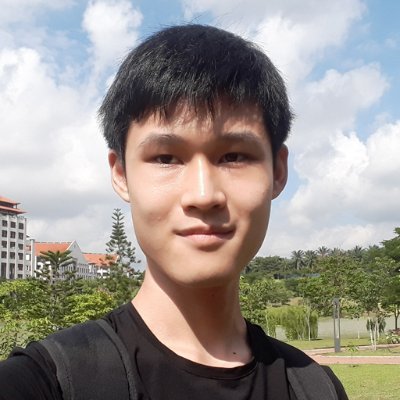
Many people use Midjourney to make pictures for coloring books.
But they don't know how to keep the character consistent throughout the book.
This is a big problem because children need consistent characters to bond with them.
In this guide, I'll show you how to fix it.
But they don't know how to keep the character consistent throughout the book.
This is a big problem because children need consistent characters to bond with them.
In this guide, I'll show you how to fix it.
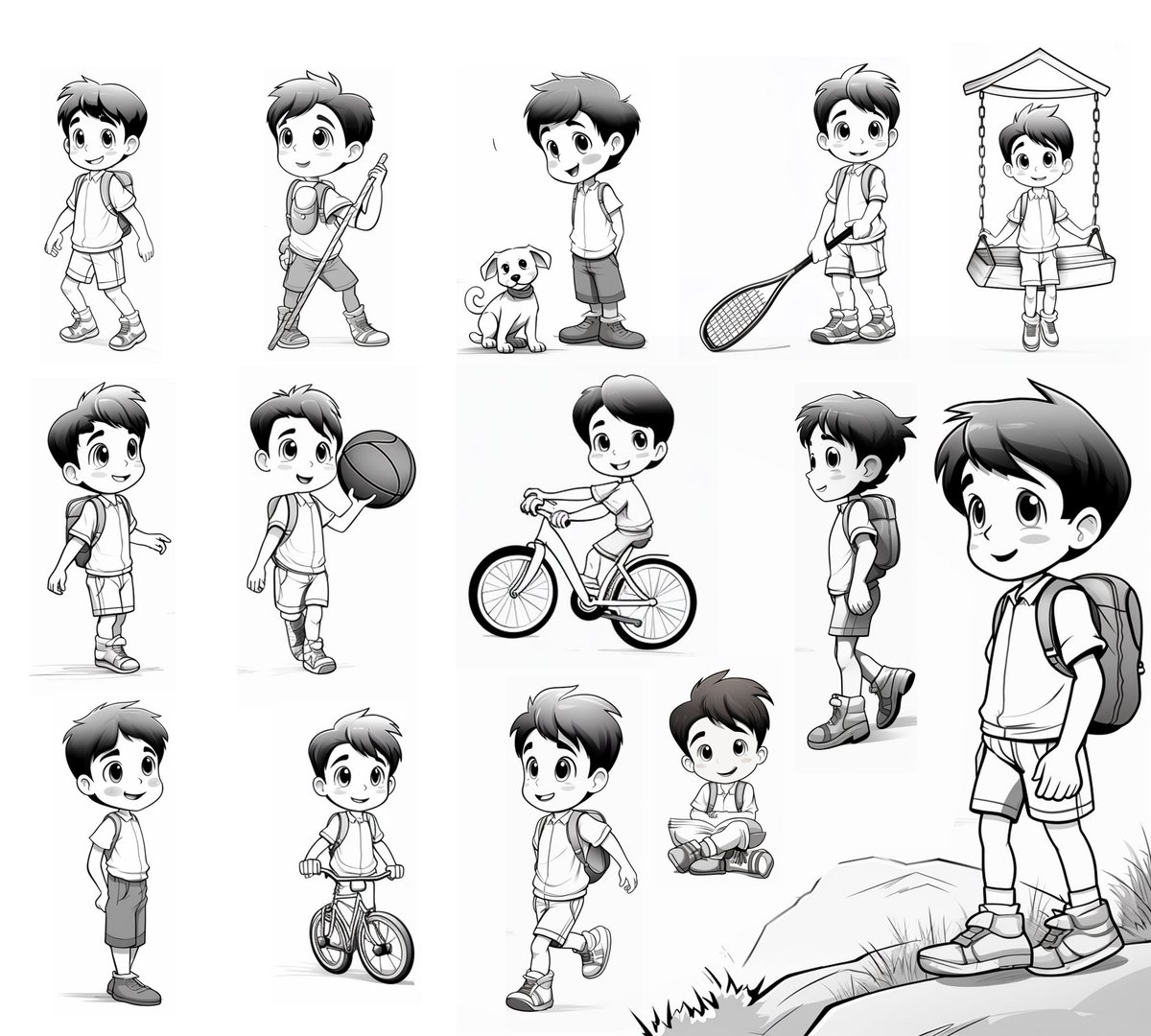
In this tutorial, I'll show you how to:
1. Create a children's coloring book character
2. Create the same character doing different poses and activities
3. Increase the resolution of the image for printing
Let's get started.
1. Create a children's coloring book character
2. Create the same character doing different poses and activities
3. Increase the resolution of the image for printing
Let's get started.
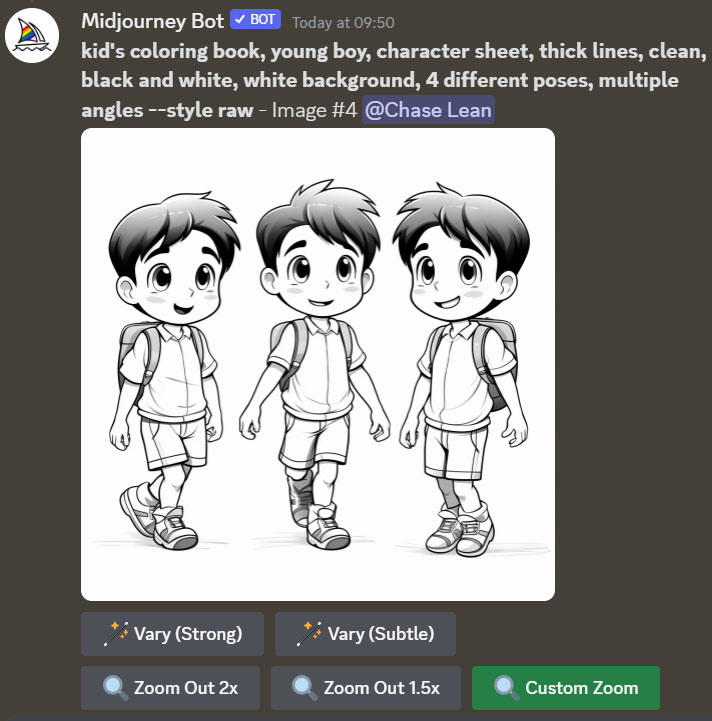
First, we have to create our character.
Prompt:
kid's coloring book, [young boy], character sheet, thick lines, clean, black and white, white background, 4 different poses, multiple angles --style raw
Choose an image that you like, and press U1, U2, U3 or U4.
Prompt:
kid's coloring book, [young boy], character sheet, thick lines, clean, black and white, white background, 4 different poses, multiple angles --style raw
Choose an image that you like, and press U1, U2, U3 or U4.
![First, we have to create our character.
Prompt:
kid's coloring book, [young boy], character sheet,...](https://pbs.twimg.com/media/F30MxCOasAAyspQ.jpg)
The image below contains different poses of the same character.
But he's just standing straight.
We want to make him do different activities like sitting down or riding a bicycle.
To achieve this, press "Custom Zoom", and change the prompt (see the next post below).
But he's just standing straight.
We want to make him do different activities like sitting down or riding a bicycle.
To achieve this, press "Custom Zoom", and change the prompt (see the next post below).
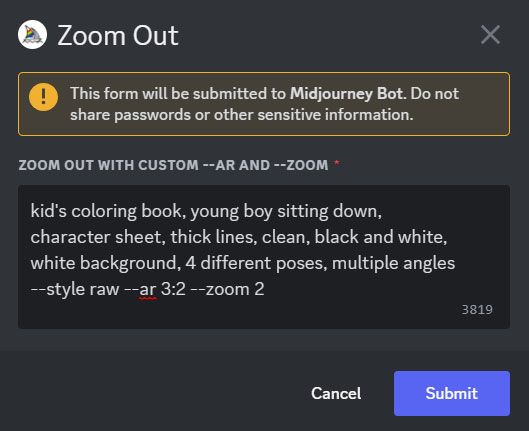
For this example, I did 3 things:
1. I added "sitting down" into the prompt (refer to screenshot below).
2. I also changed the aspect ratio to 3:2. This aspect ratio gives better results.
3. Next, I added "--zoom 2" to zoom the image out 2x.
1. I added "sitting down" into the prompt (refer to screenshot below).
2. I also changed the aspect ratio to 3:2. This aspect ratio gives better results.
3. Next, I added "--zoom 2" to zoom the image out 2x.
Here are the results.
As you can see, we have generated a new image of the boy sitting down.
All you need to do is to crop him out of the picture.
As you can see, we have generated a new image of the boy sitting down.
All you need to do is to crop him out of the picture.
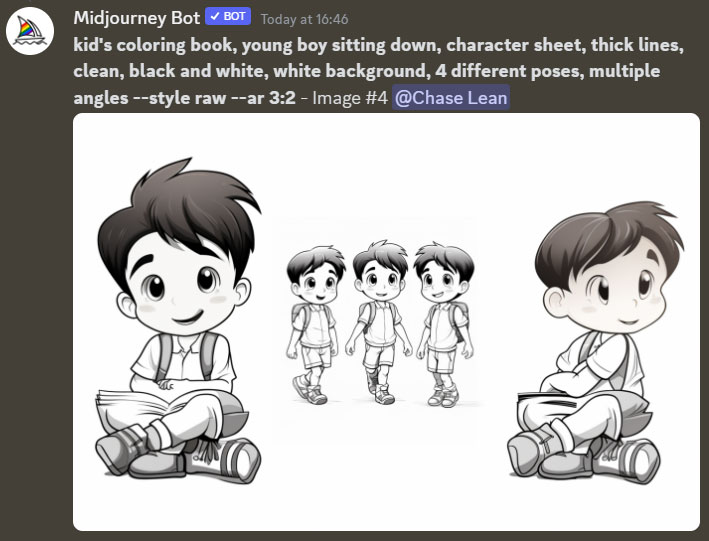
Here are 2 more examples.
In each picture, I changed the activity of the boy in the prompt before zooming out.
Left: Riding a bicycle
Right: Sitting on a swing
Sometimes the images will look weird.
But you can always generate more, and at least a few will look decent.
In each picture, I changed the activity of the boy in the prompt before zooming out.
Left: Riding a bicycle
Right: Sitting on a swing
Sometimes the images will look weird.
But you can always generate more, and at least a few will look decent.
![kid's coloring book, [young boy riding a bicycle], character sheet, thick lines, clean, black and white, white background, 4 different poses, multiple angles --style raw --ar 3:2 --zoom 2](https://pbs.twimg.com/media/F30av16aYAApx4M.jpg)
![kid's coloring book, [young boy sitting on a swing], character sheet, thick lines, clean, black and white, white background, 4 different poses, multiple angles --style raw --ar 3:2 --zoom 2](https://pbs.twimg.com/media/F30Pel3aIAAx4nX.jpg)
Now, we're done with generating the images.
But their resolution is not high enough for printing.
How to increase the resolution of the images?
I suggest 3 options:
But their resolution is not high enough for printing.
How to increase the resolution of the images?
I suggest 3 options:
1. Use a free online image upscaler like Clipdrop. Simple, but lower quality.
2. If have Automatic1111 for Stable Diffusion, use the R-ESRGAN 4x+Anime6B model for free.
3. Use Topaz Gigapixel, which is expensive.
I prefer #2. With it, I can enlarge a single pic to over 5000px
2. If have Automatic1111 for Stable Diffusion, use the R-ESRGAN 4x+Anime6B model for free.
3. Use Topaz Gigapixel, which is expensive.
I prefer #2. With it, I can enlarge a single pic to over 5000px
That's all for now.
1. Follow me at @chaseleantj for more practical Midjourney prompts and tutorials.
2. Like and repost the first post below to share it with others.
1. Follow me at @chaseleantj for more practical Midjourney prompts and tutorials.
2. Like and repost the first post below to share it with others.
Loading suggestions...