

Endnote is a powerful reference and citation manager. But it costs $275.
Zotero is equally powerful and costs $0.
But many academics are stuck with Endnote.
Here's how you can migrate your Endnote library to Zotero (and save money).
A step-by-step tutorial with visuals:
Zotero is equally powerful and costs $0.
But many academics are stuck with Endnote.
Here's how you can migrate your Endnote library to Zotero (and save money).
A step-by-step tutorial with visuals:
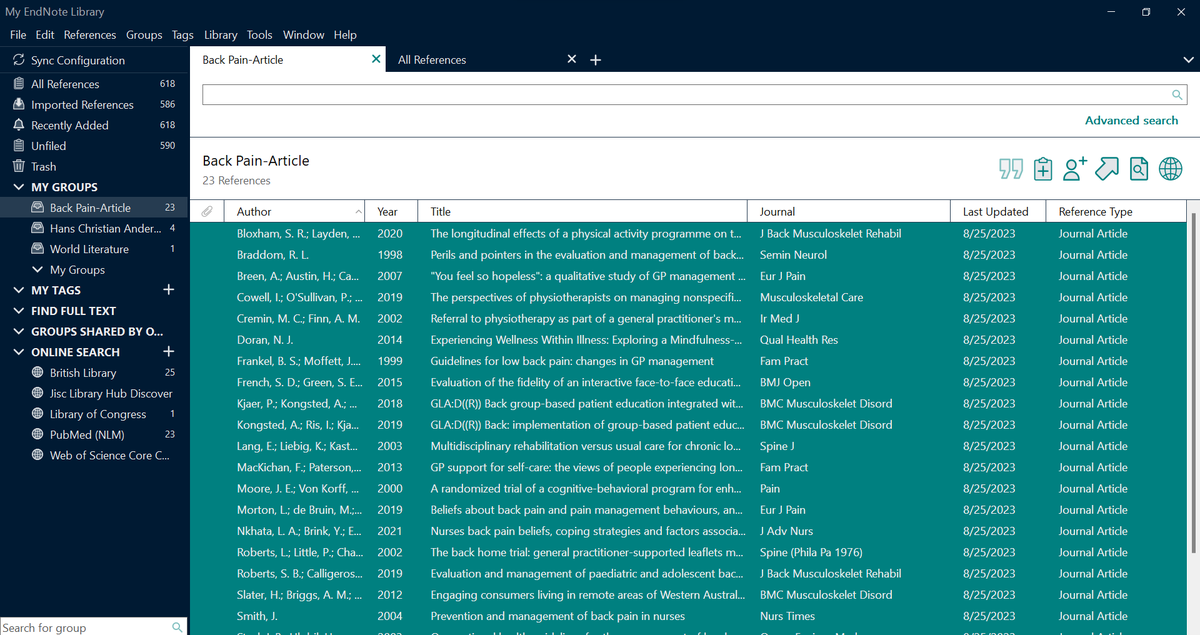
Open your Endnote library and select the "Group" you want to export to Zotero.
("Groups" in Endnote are called "Collections" in Zotero.)
("Groups" in Endnote are called "Collections" in Zotero.)

Please make sure to select all the items in the Group you have selected.
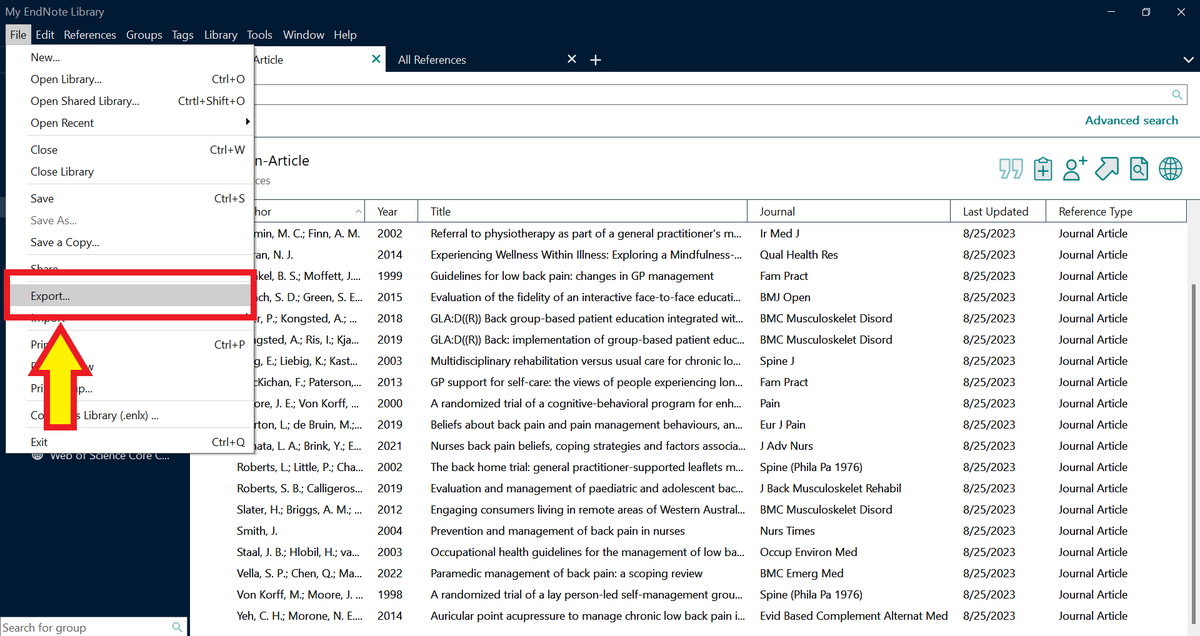
Click on "File" and then select "Export."
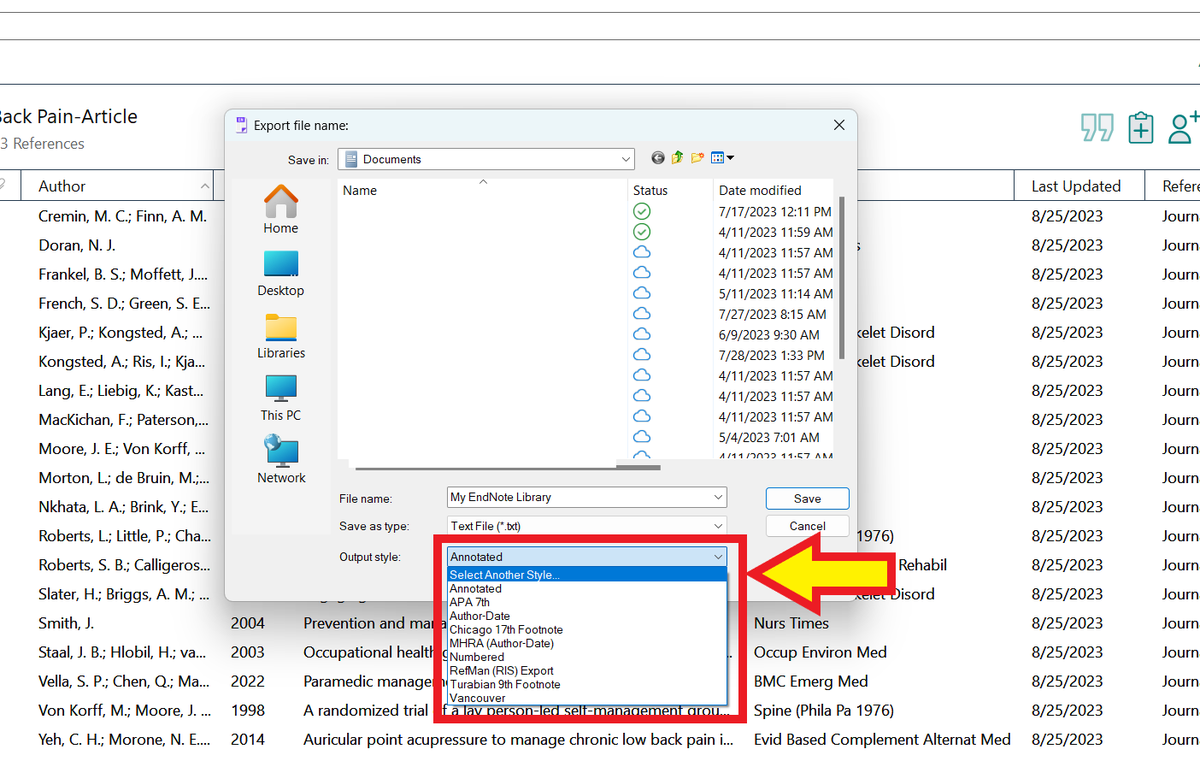
Endnote will open its "Export" menu.
Click on the down arrow in front of "Output Style."
Click on the down arrow in front of "Output Style."

From the drop down menu, choose "Select Another Syle."
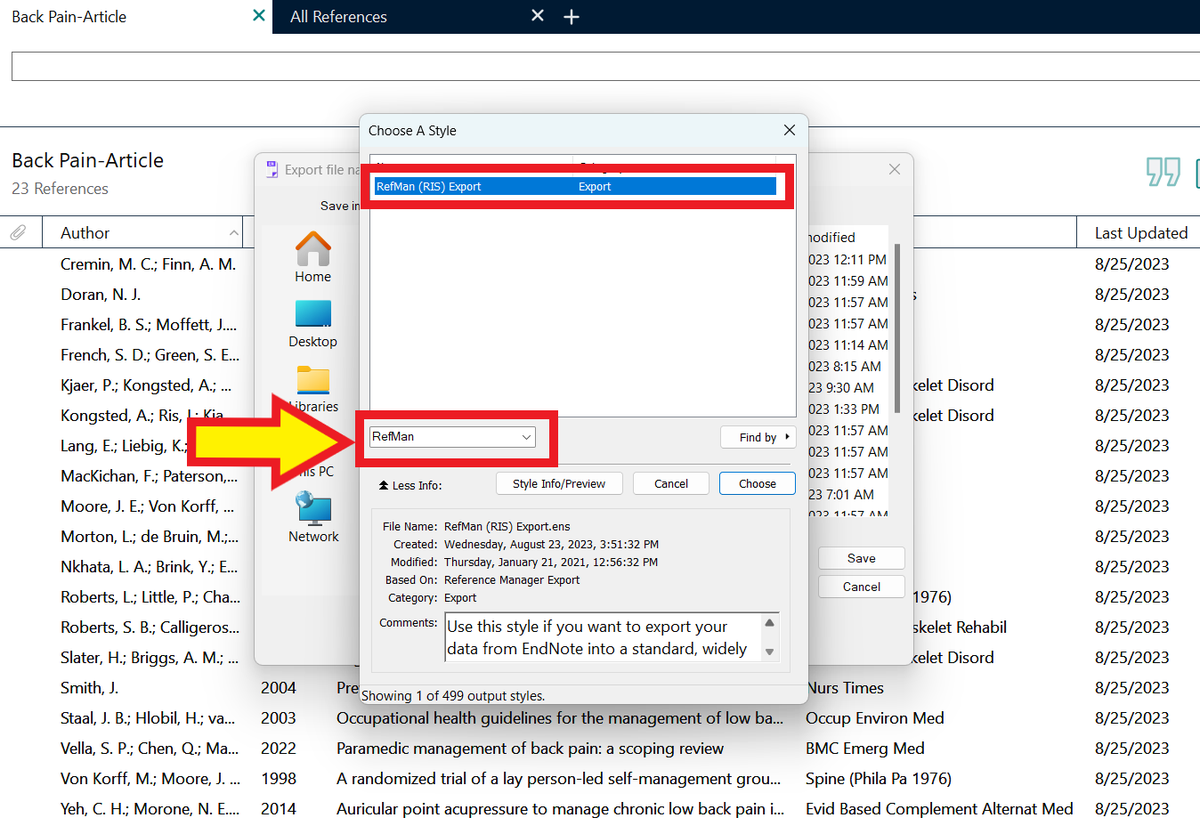
Endnote will open its Style menu.
In the Quick Search bar, write "RefMan" and press Enter/Return. You will see the "RefMan (RIS) Export" style in the menu.
Select this style and then click on "Choose."
In the Quick Search bar, write "RefMan" and press Enter/Return. You will see the "RefMan (RIS) Export" style in the menu.
Select this style and then click on "Choose."
Endnote will now show the Output Style as "RefMan (RIS) Export."
Click on "Save."
Click on "Save."
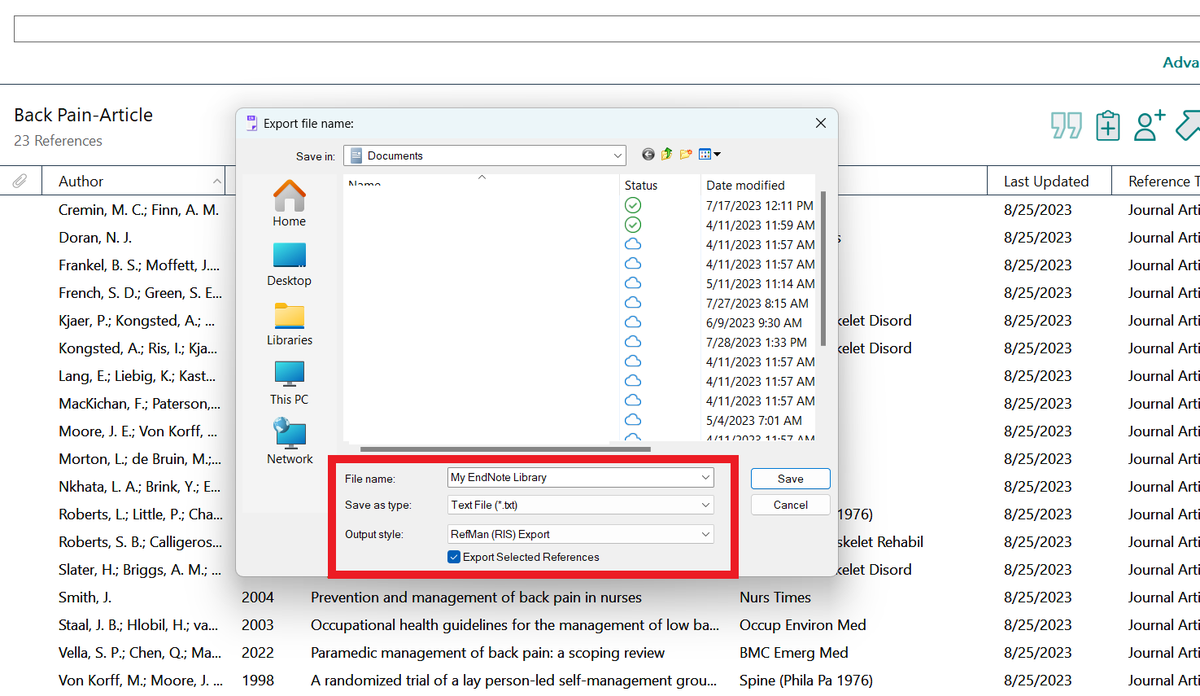
Endnote will download a file named "My Endnote Library" to your computer.
In my case, it downloaded the file to my Documents folder.
At this point, you are pretty much done with Endnote.
Time for a break 😀
In my case, it downloaded the file to my Documents folder.
At this point, you are pretty much done with Endnote.
Time for a break 😀

Want to learn more about how to supercharge your academic writing with AI apps?
I have a complete tutorial (250+ slides) for you.
It's being used by 3,200+ academics including those at Harvard, Stanford and Yale.
You can get it here:
efficientacademicwriter.carrd.co
I have a complete tutorial (250+ slides) for you.
It's being used by 3,200+ academics including those at Harvard, Stanford and Yale.
You can get it here:
efficientacademicwriter.carrd.co

Next, open your Zotero and click on "File" and then select "Import."
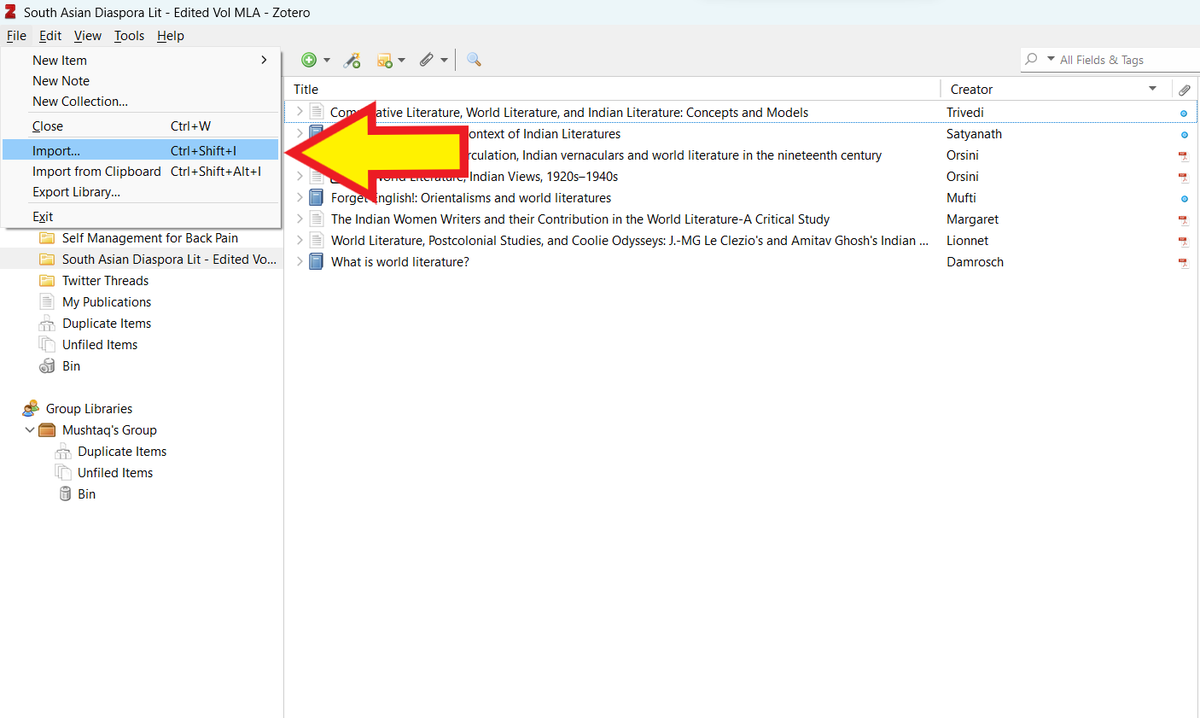
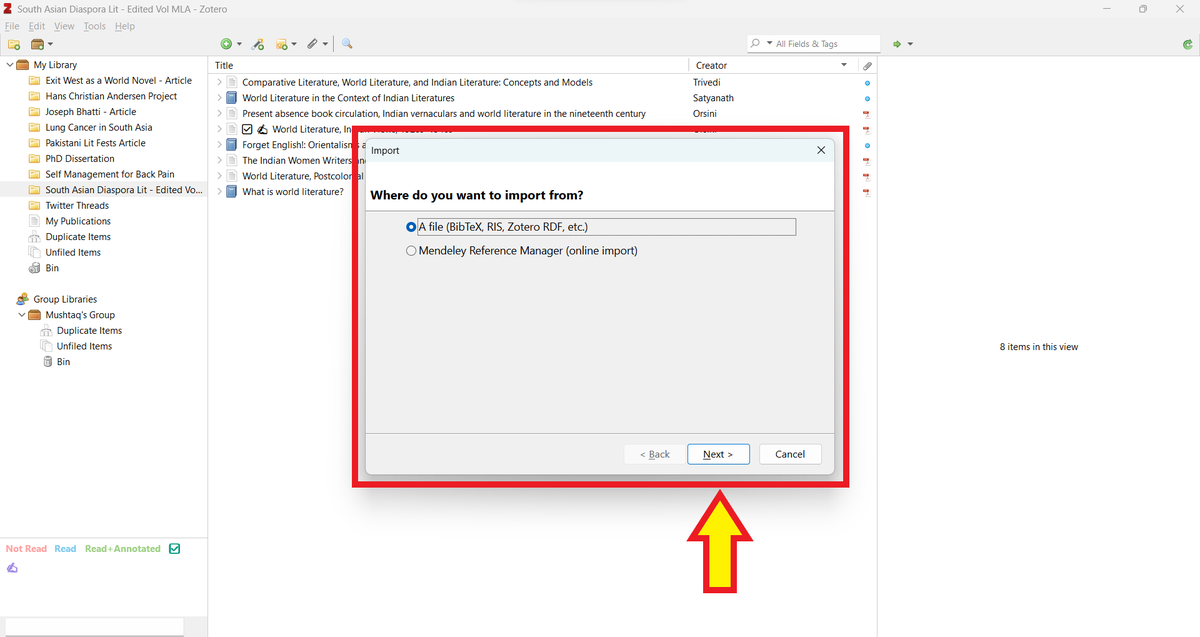
This will open Zotero's Importer. It will ask you what you want to import.
Select "A file (BiBTex, RIS, Zotero RDF, etc.)"
Then click on "Next."
Select "A file (BiBTex, RIS, Zotero RDF, etc.)"
Then click on "Next."
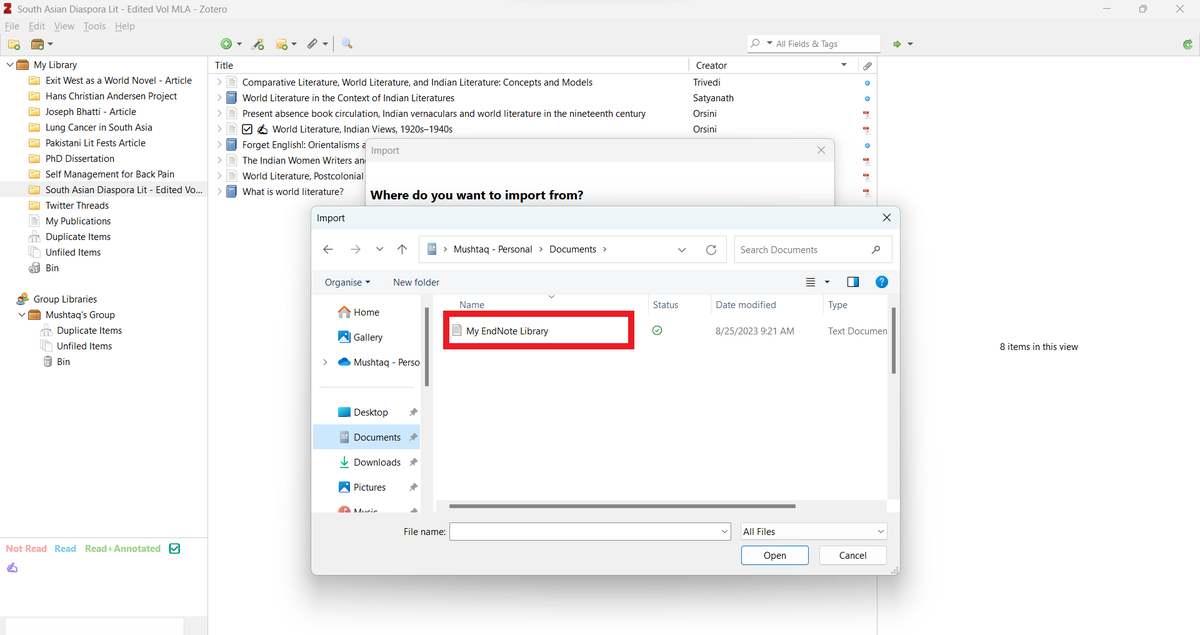
Navigate to the file named "My Endnote Library" that you just downloaded.
Select it and click on "Open."
Select it and click on "Open."
Zotero will ask you if you would like to place the imported items in a new collection.
Select it and click on "Next."
Select it and click on "Next."
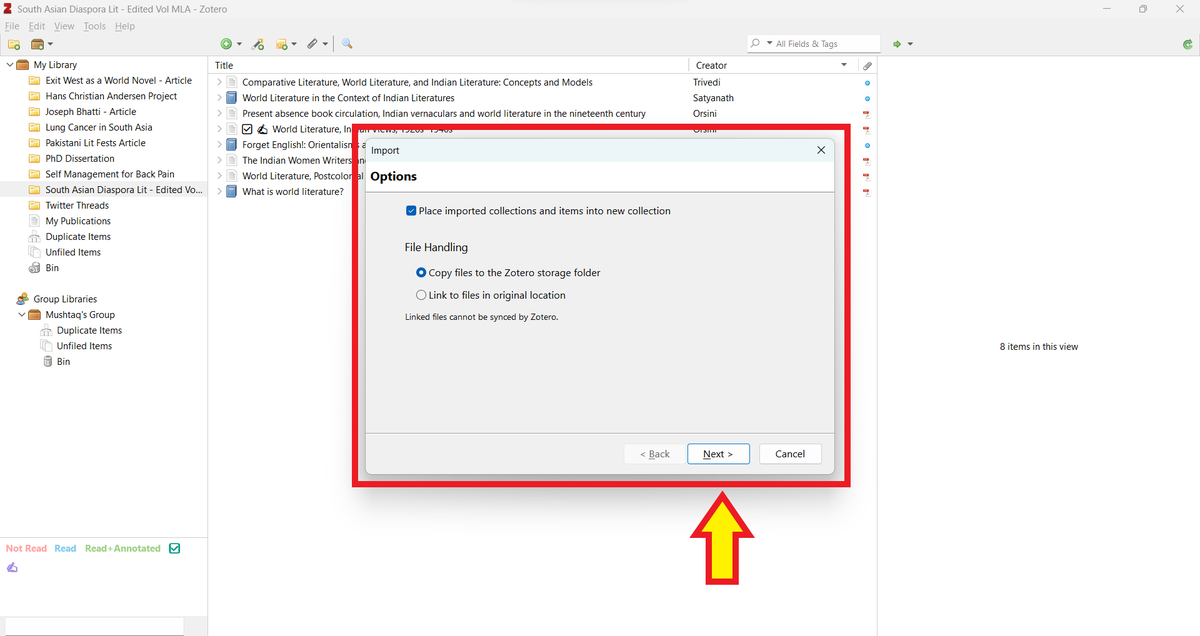
Zotero will create a new collection titled "My Endnote Library" and import all your items in it.
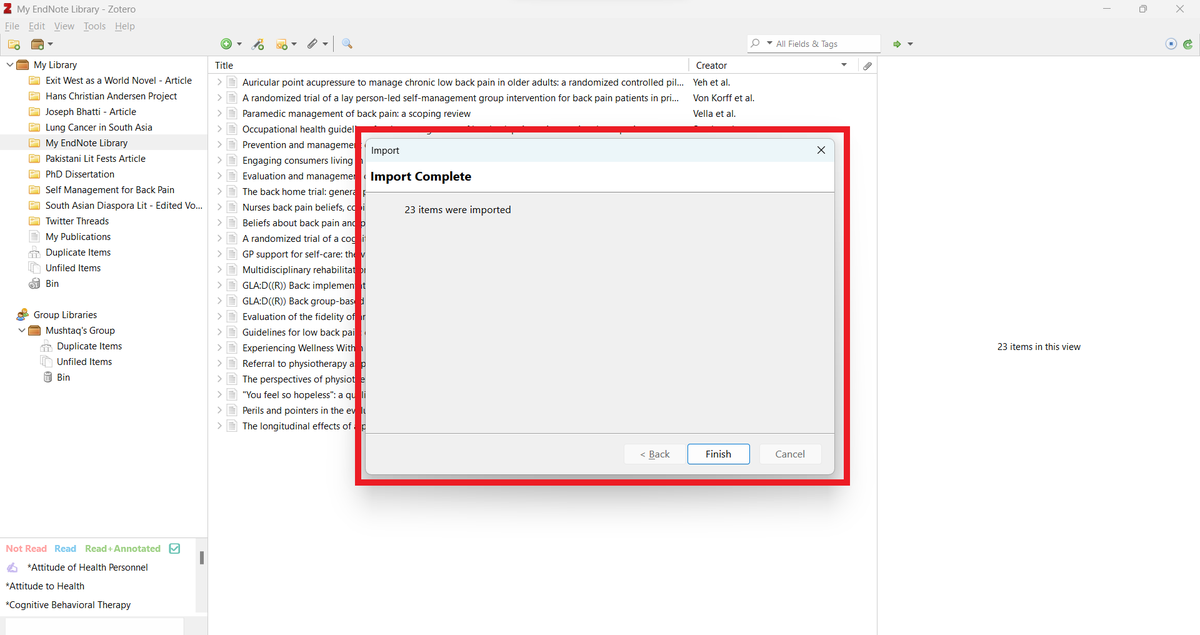
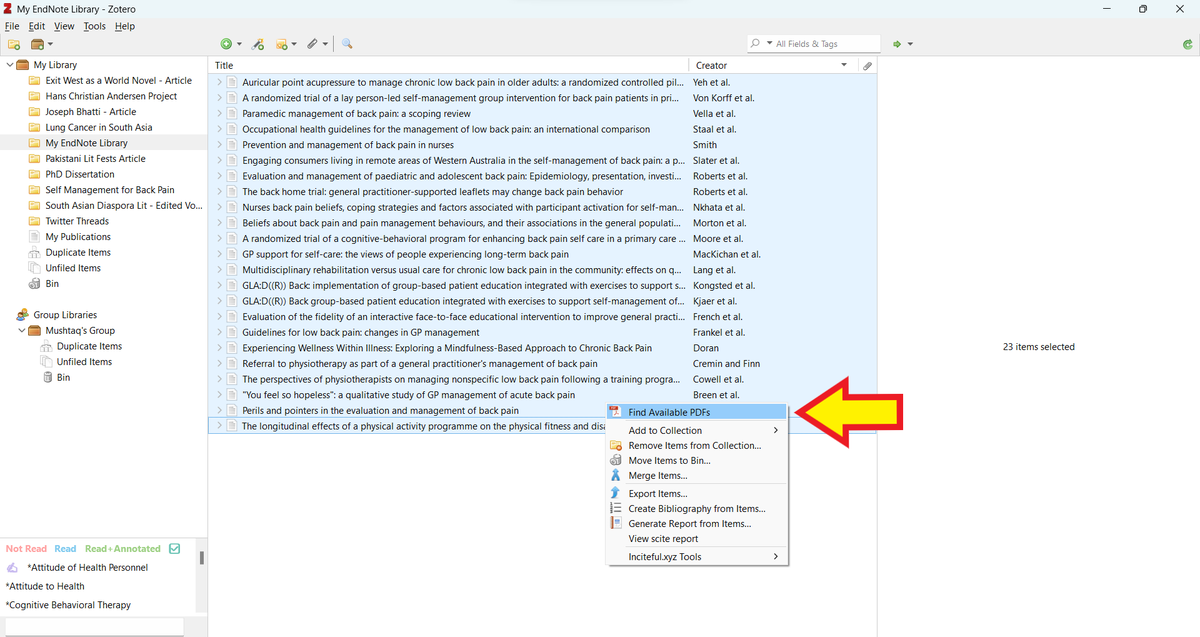
Next, select all the items in the collection and right click.
From the dropdown menu, select "Find Available PDFs."
From the dropdown menu, select "Find Available PDFs."
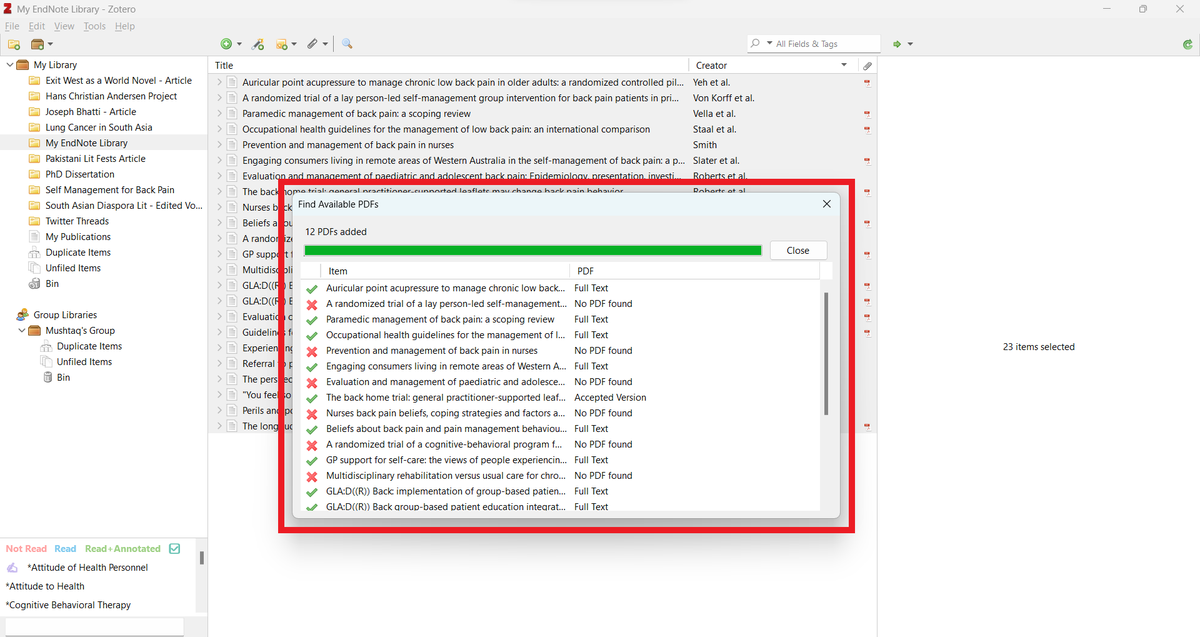
Zotero will find all open-access PDFs and add them to your collection. This will save you a lot of time.
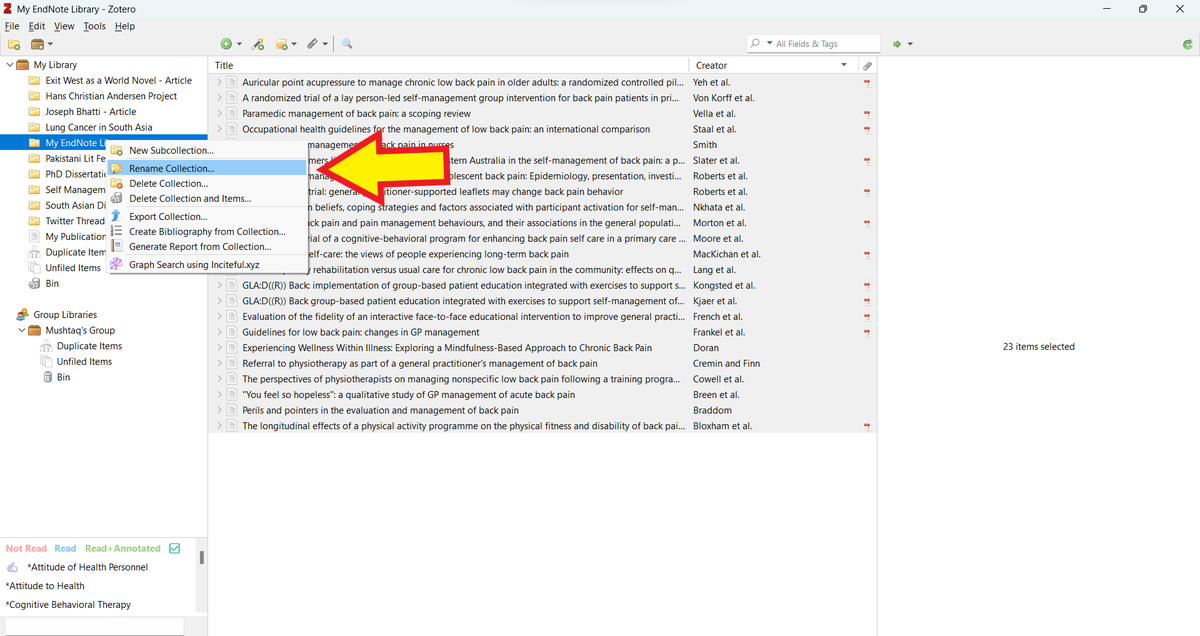
Next, right click on the collection named "My Endnote Library" and select "Rename Collection."
Rename it according to your project.
And that's how you migrate your Endnote library to Zotero.
Rename it according to your project.
And that's how you migrate your Endnote library to Zotero.
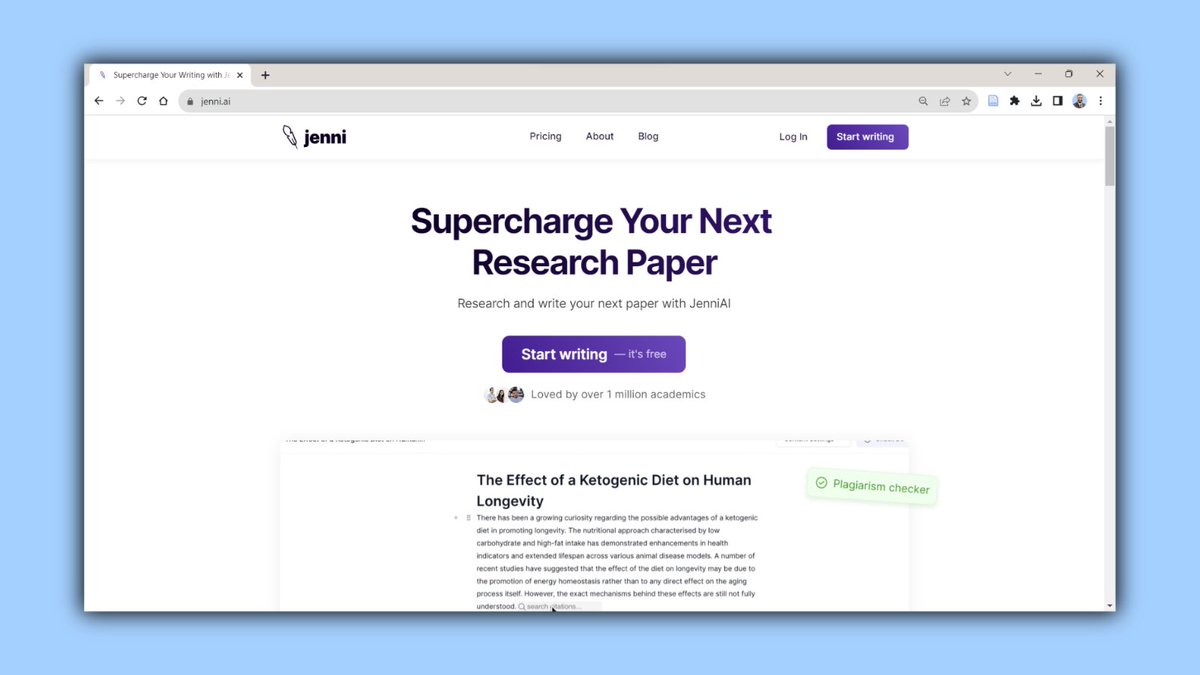
Shoutout to the wonderful folks at Jenni for supporting my work.
Jenni is a AI-powered personal assistant for academic writing.
Check it out for free at jenni(dot)ai.
Jenni is a AI-powered personal assistant for academic writing.
Check it out for free at jenni(dot)ai.
Found this tutorial helpful?
1. Scroll to the top and hit the "Like" button on the first tweet. It will cost you exactly $0 😀
2. Bookmark it so you can come back to it later.
3. Follow me for regular tips on academic writing.
1. Scroll to the top and hit the "Like" button on the first tweet. It will cost you exactly $0 😀
2. Bookmark it so you can come back to it later.
3. Follow me for regular tips on academic writing.
Loading suggestions...