

Forget Zotero, this app is the most advanced reference manager for academics.
- Built-in discovery tool for newly released papers
- One-click citations/references of a paper
- Mobile app
- Soon: AI integration
Here are all the features with screenshots:
👇
- Built-in discovery tool for newly released papers
- One-click citations/references of a paper
- Mobile app
- Soon: AI integration
Here are all the features with screenshots:
👇

1. Create account papersapp(dot)com
Zotero, Mendeley or Endnote COLLECT references.
Papers goes beyond that: It DISCOVERS new papers as well.
It feels more advanced in design and functionality. Let's look into each feature in detail.
First, create an account:
Zotero, Mendeley or Endnote COLLECT references.
Papers goes beyond that: It DISCOVERS new papers as well.
It feels more advanced in design and functionality. Let's look into each feature in detail.
First, create an account:

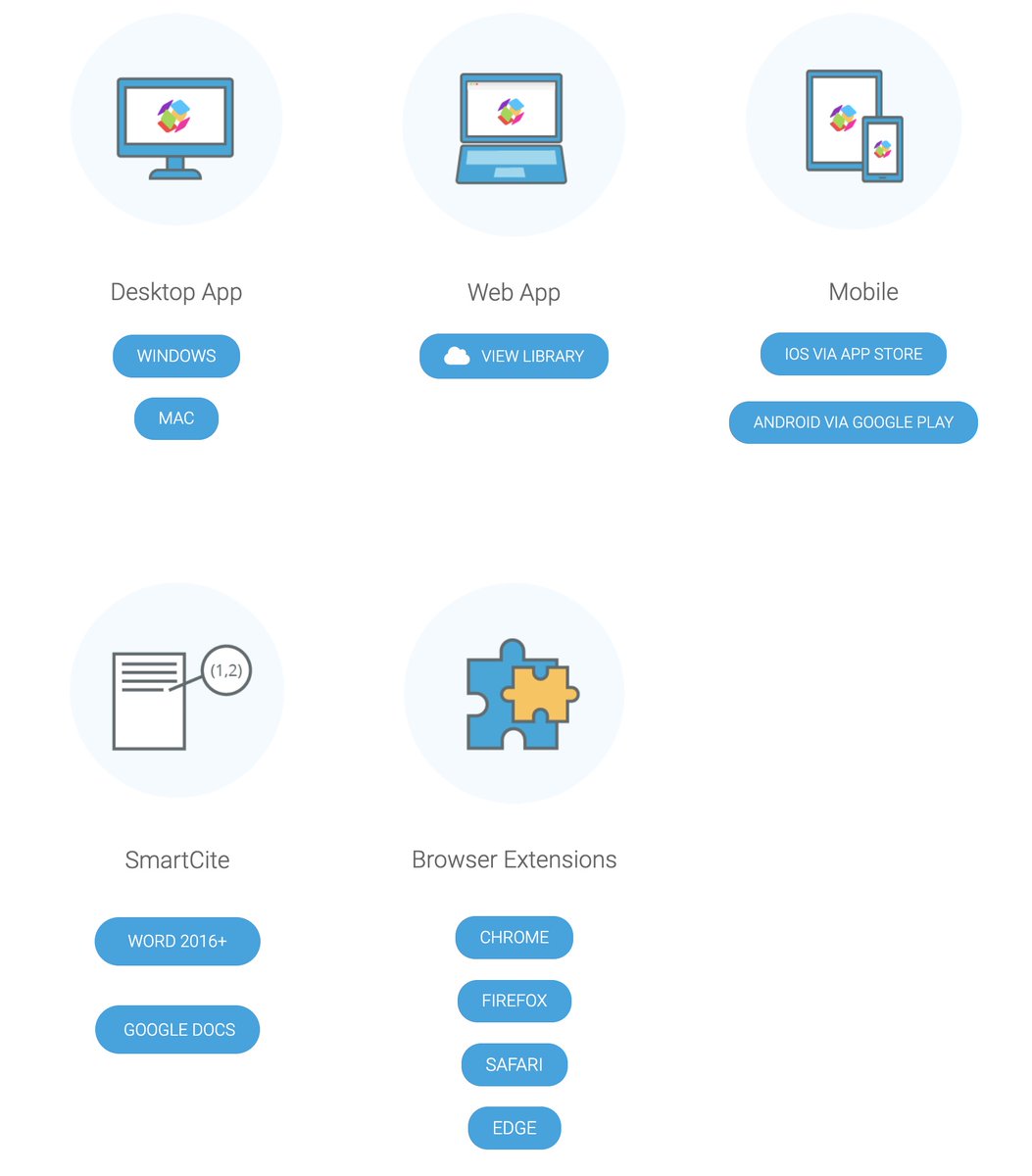
2. Web Version, Desktop or Mobile app
Papers supports every platform there is and integrates into Word, Google Docs or Overleaf.
No plugins or complicated setups necessary.
I suggest to download the Destkop app.
Papers supports every platform there is and integrates into Word, Google Docs or Overleaf.
No plugins or complicated setups necessary.
I suggest to download the Destkop app.
3. Main UI
The App is divided into 3 main sections, just like Zotero (1-3) and looks very clean and professional.
The really remarkable features are hidden behind DETAILS TABS(4) and DISCOVERY (5).
Let's look at them next.
The App is divided into 3 main sections, just like Zotero (1-3) and looks very clean and professional.
The really remarkable features are hidden behind DETAILS TABS(4) and DISCOVERY (5).
Let's look at them next.

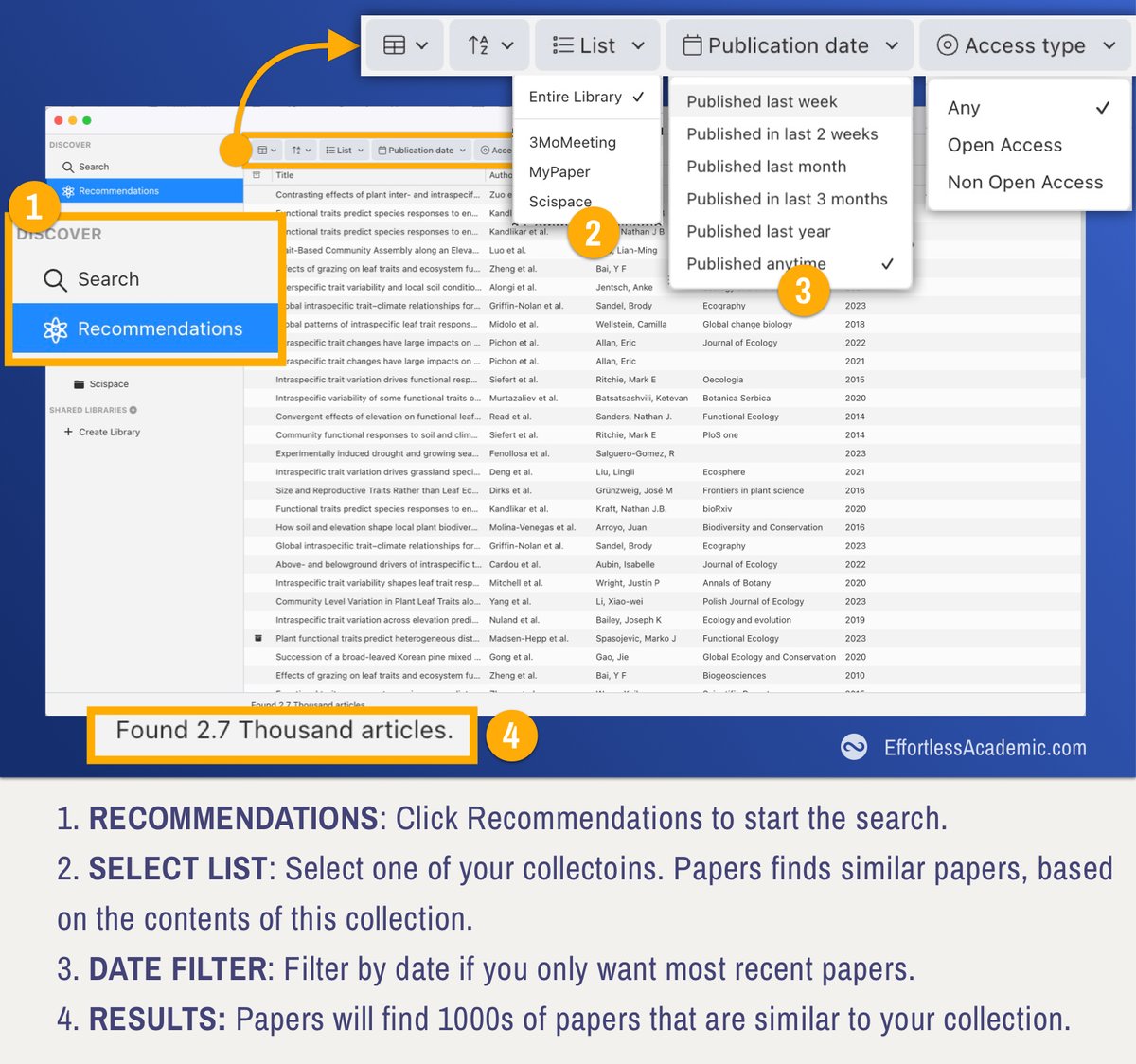
4. My favourite feature: Discovery
Take any of your collections (i.e. folders with papers) and let Papers automatically discover similar publications.
Additionally filter by date to only get the most recent ones.
Take any of your collections (i.e. folders with papers) and let Papers automatically discover similar publications.
Additionally filter by date to only get the most recent ones.
5. Citations and Metrics
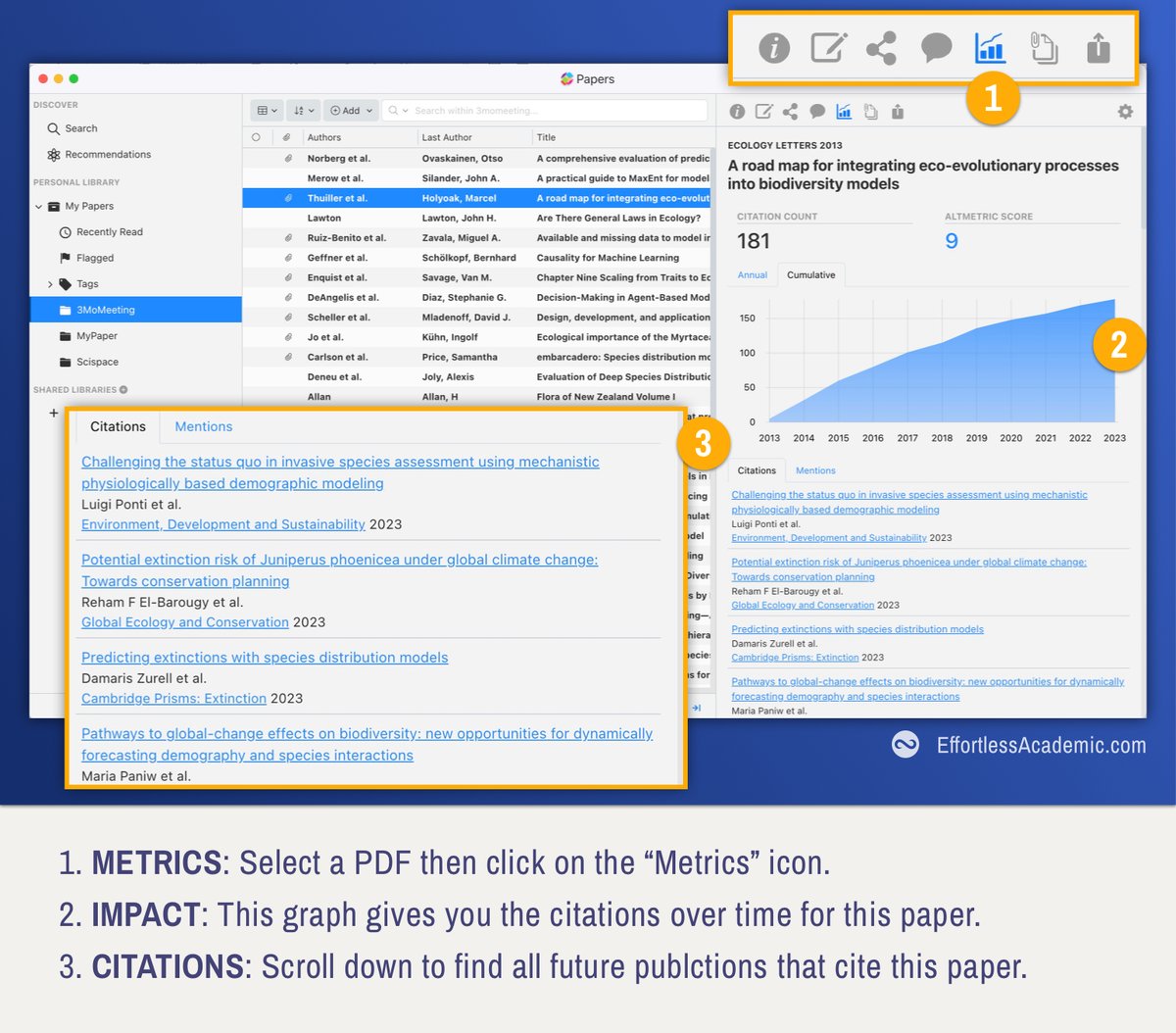
It is easy to find REFERENCES, every paper comes with a reference list.
CITATIONS are hard, as they are future publications.
Open the metrics tab to see all papers that cite or mention this paper. This feature is gold to discover new literature.
It is easy to find REFERENCES, every paper comes with a reference list.
CITATIONS are hard, as they are future publications.
Open the metrics tab to see all papers that cite or mention this paper. This feature is gold to discover new literature.
There are even better tools out there to help with your Literature Review.
Have a look at my workflow and the collection of tools used there:
Have a look at my workflow and the collection of tools used there:
6. Reading PDFs
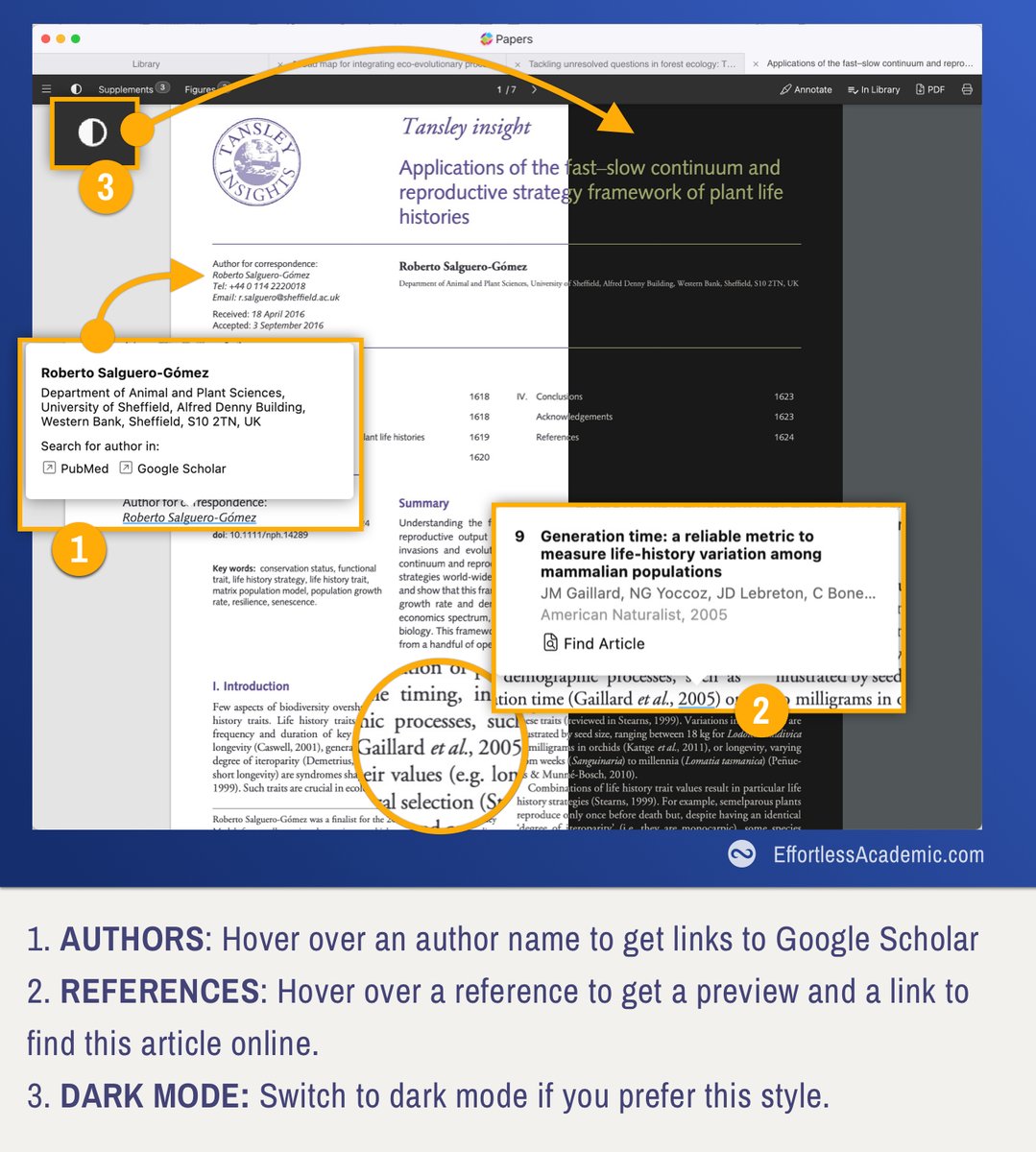
In contrast to Zotero, Papers processes the PDF and enriches it with features.
For example you can hover over a reference and immediately see the title of the publication or a link to it.
This makes reading so much easier.
In contrast to Zotero, Papers processes the PDF and enriches it with features.
For example you can hover over a reference and immediately see the title of the publication or a link to it.
This makes reading so much easier.
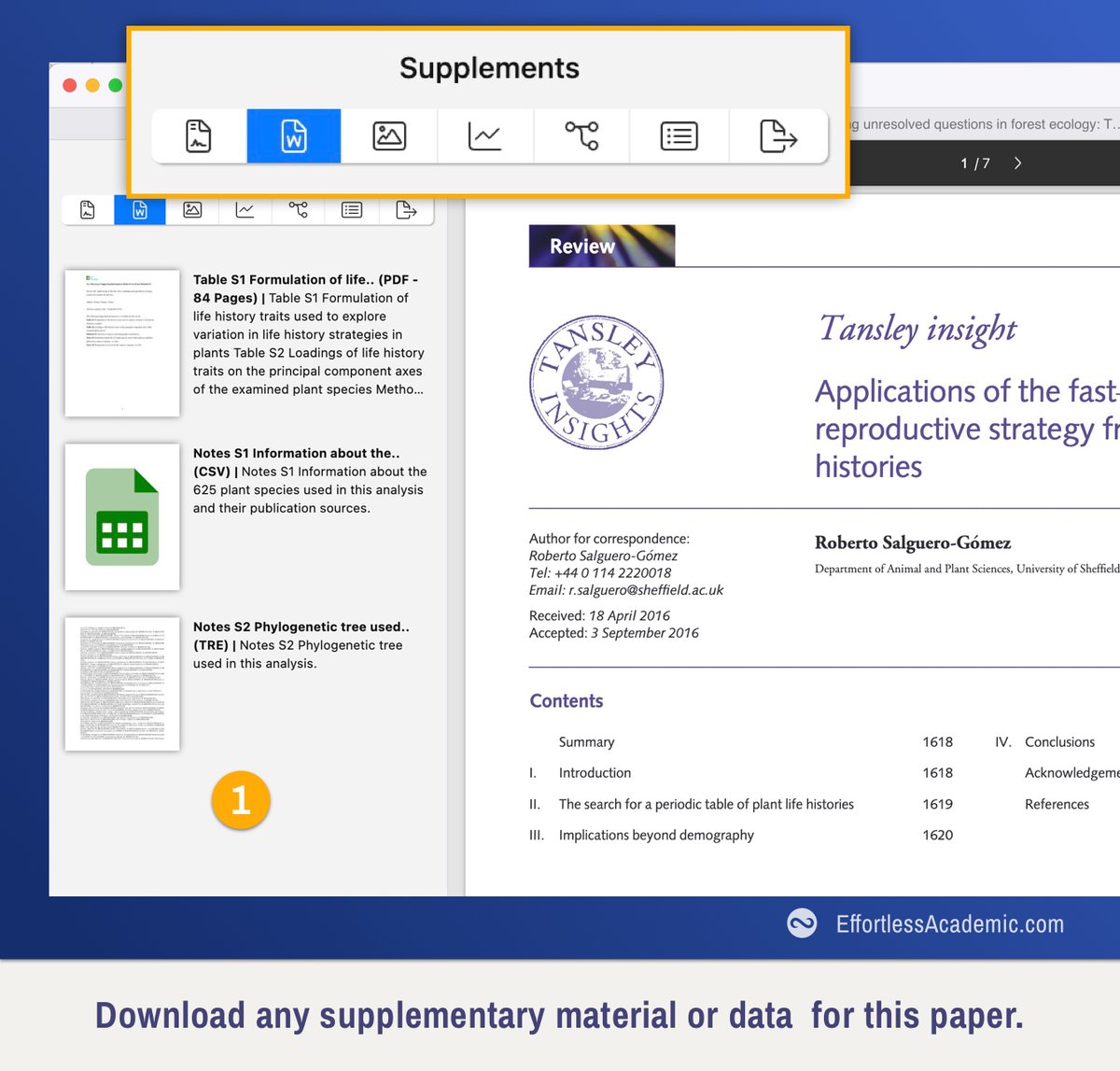
7. Automatic Download for Supplementary Materials
Click the "Menu" button on the top left to bring out the additional reading information.
One of my favourite features is the supplementary material. One click and Papers downloads it onto your computer.
Click the "Menu" button on the top left to bring out the additional reading information.
One of my favourite features is the supplementary material. One click and Papers downloads it onto your computer.
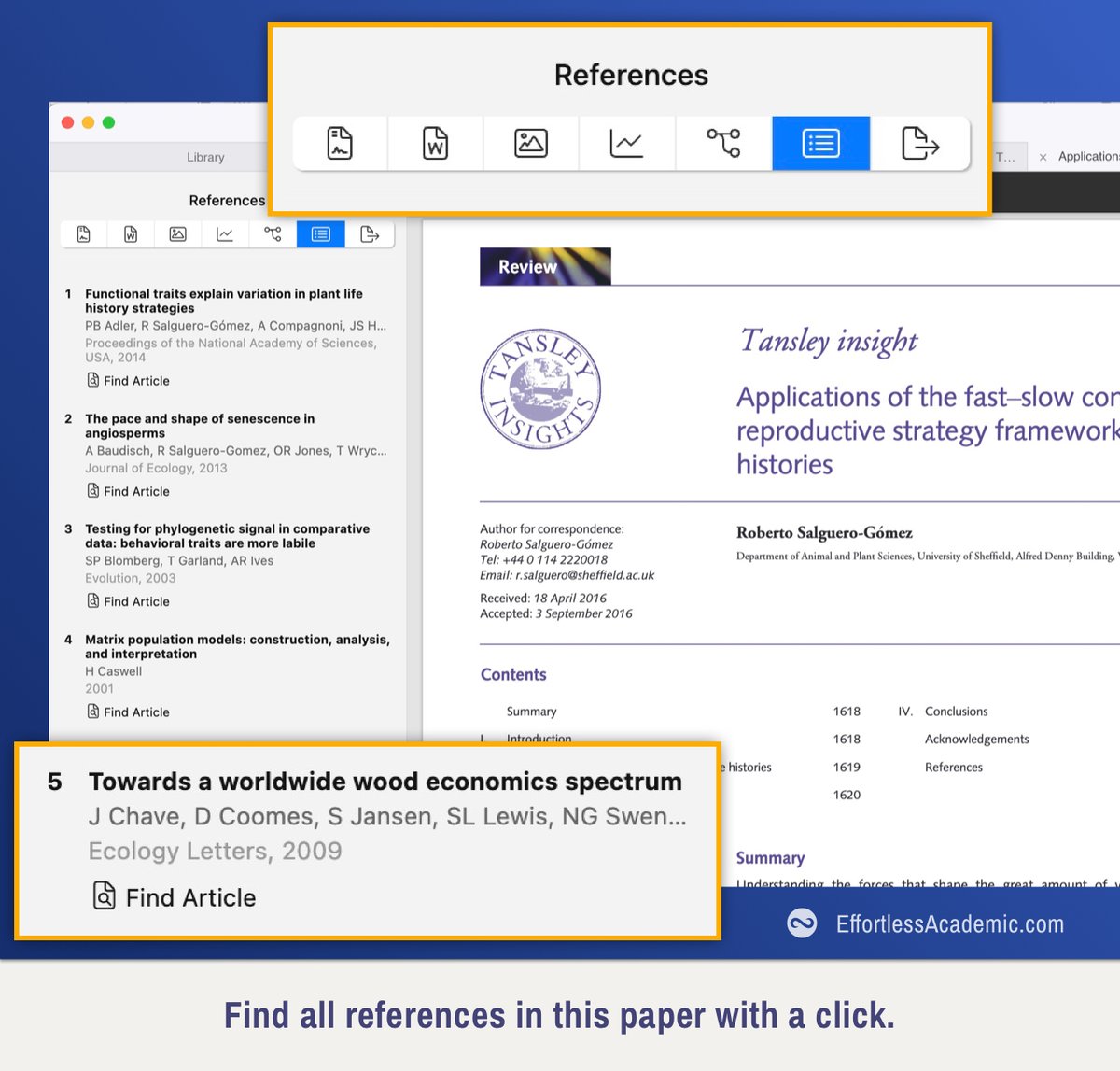
8. References
When you read a paper and want to jump to a reference you don't need to google anymore.
Click on "Find Article" and Papers will lead you straight to this reference.
When you read a paper and want to jump to a reference you don't need to google anymore.
Click on "Find Article" and Papers will lead you straight to this reference.
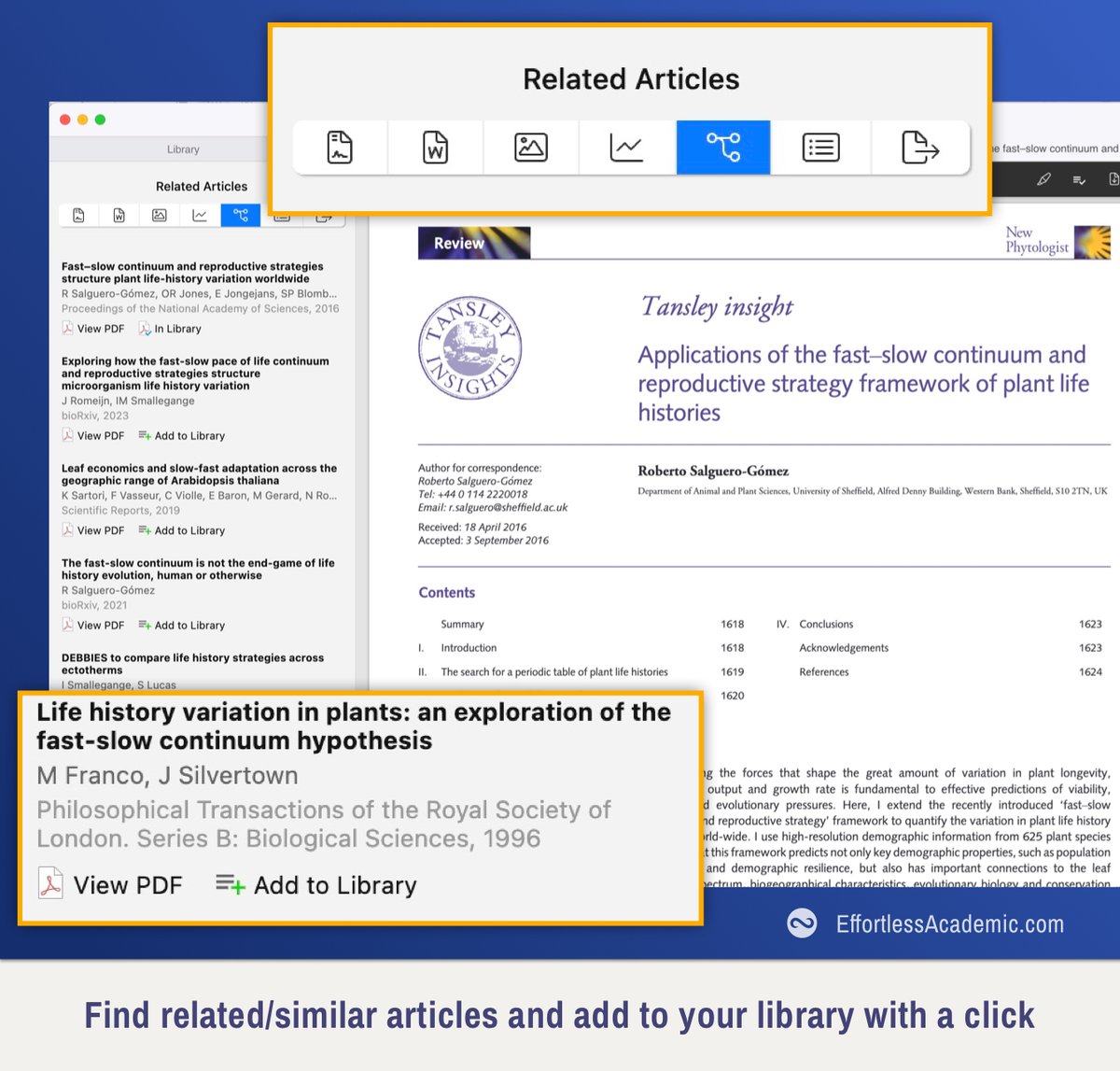
9. Related Articles
This feature allows you to find articles that are similar to the one you are currently reading.
You can add them to your library with a click.
This feature allows you to find articles that are similar to the one you are currently reading.
You can add them to your library with a click.
10. Other Features
PDF annotations in different colors and styles (not for images though).
Export with/without your annotations
Separate viewer for all figures/download
Tags & ratings for each paper
PDF annotations in different colors and styles (not for images though).
Export with/without your annotations
Separate viewer for all figures/download
Tags & ratings for each paper
11. AI Integration
This feature is not available publicly yet.
But you can sign up as a beta tester in the tweet below.
From the screenshots it looks like a version of @scispace_ inside papers.
This feature is not available publicly yet.
But you can sign up as a beta tester in the tweet below.
From the screenshots it looks like a version of @scispace_ inside papers.
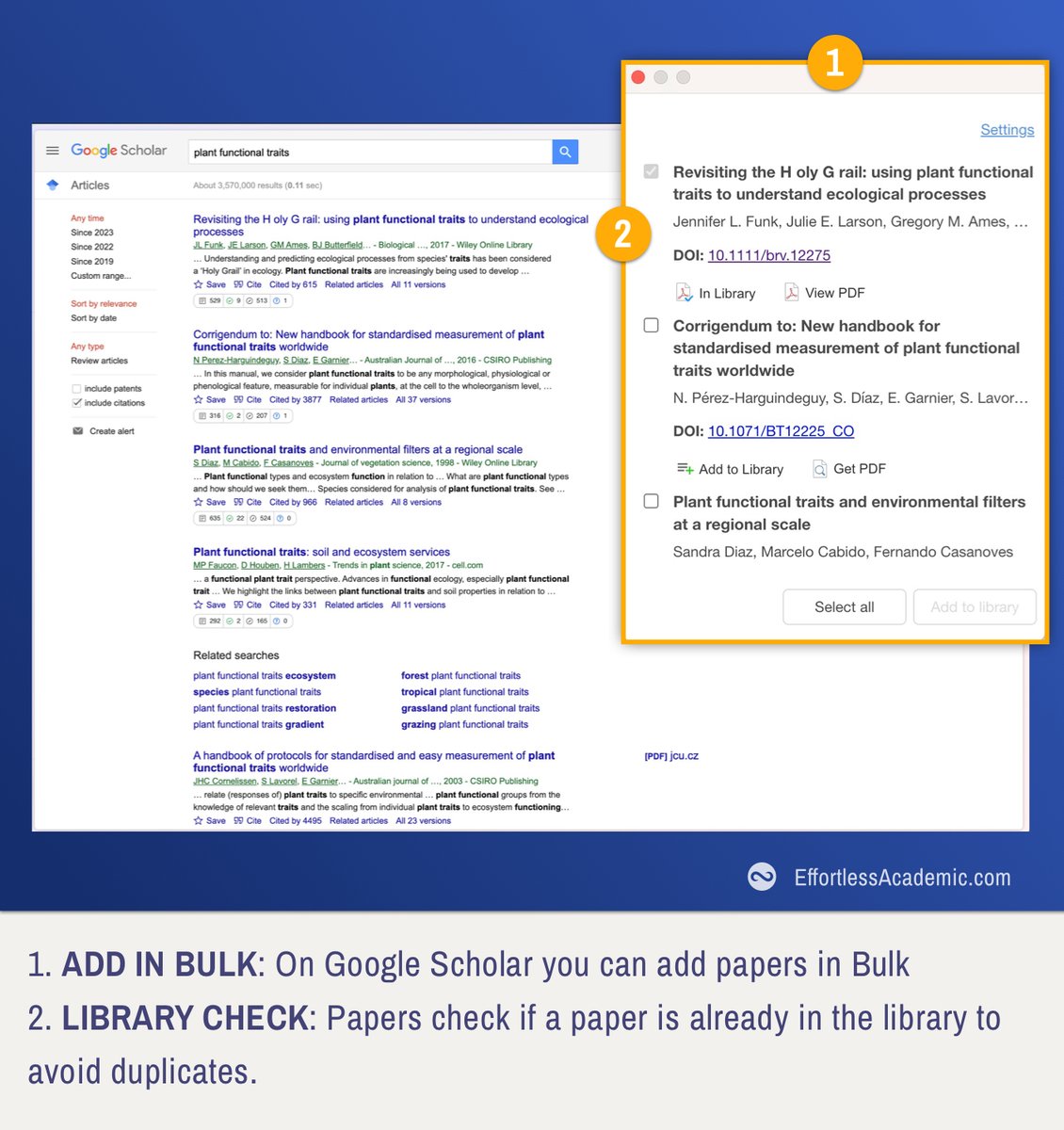
@scispace_ 12. Chrome Extension
Just like Zotero Papers has a Chrome extension
It adds papers to your library and is smart enough to distinguish which papers are already in your library to avoid duplicates.
Just like Zotero Papers has a Chrome extension
It adds papers to your library and is smart enough to distinguish which papers are already in your library to avoid duplicates.
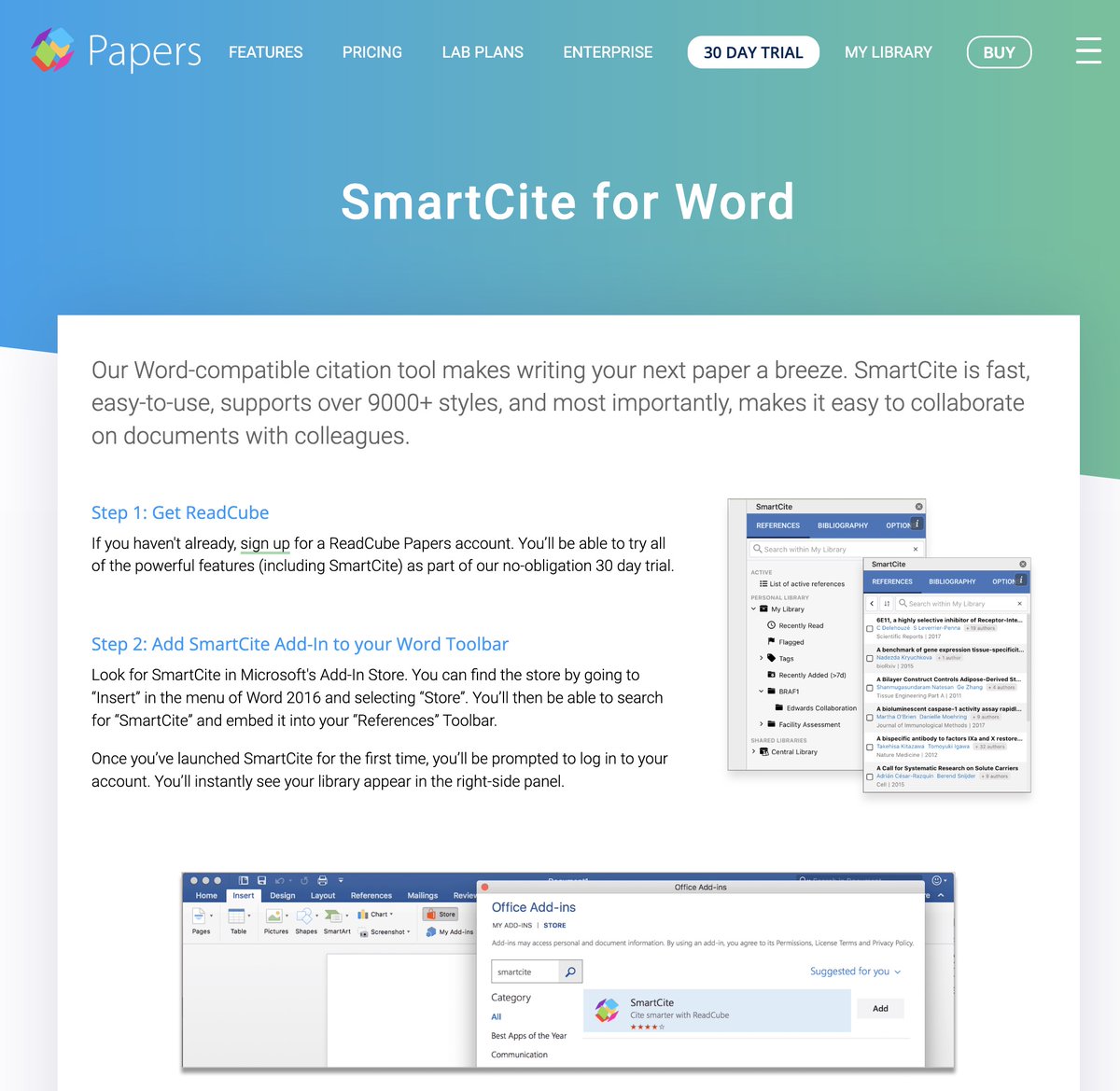
@scispace_ 13. Integration with Word, Google Docs and Overleaf
Plugins for Word and Google Docs allow you to insert references from the library.
You can also use any other text-editor (like Mac OS Pages) that export to word to link with your papers. (This feature is called "SmartCite")
Plugins for Word and Google Docs allow you to insert references from the library.
You can also use any other text-editor (like Mac OS Pages) that export to word to link with your papers. (This feature is called "SmartCite")
@scispace_ 14. Migration & Pricing
Papers supports migration from Zotero, Mendeley or Endnote etc.
(Like this post if you want to see a tutorial)
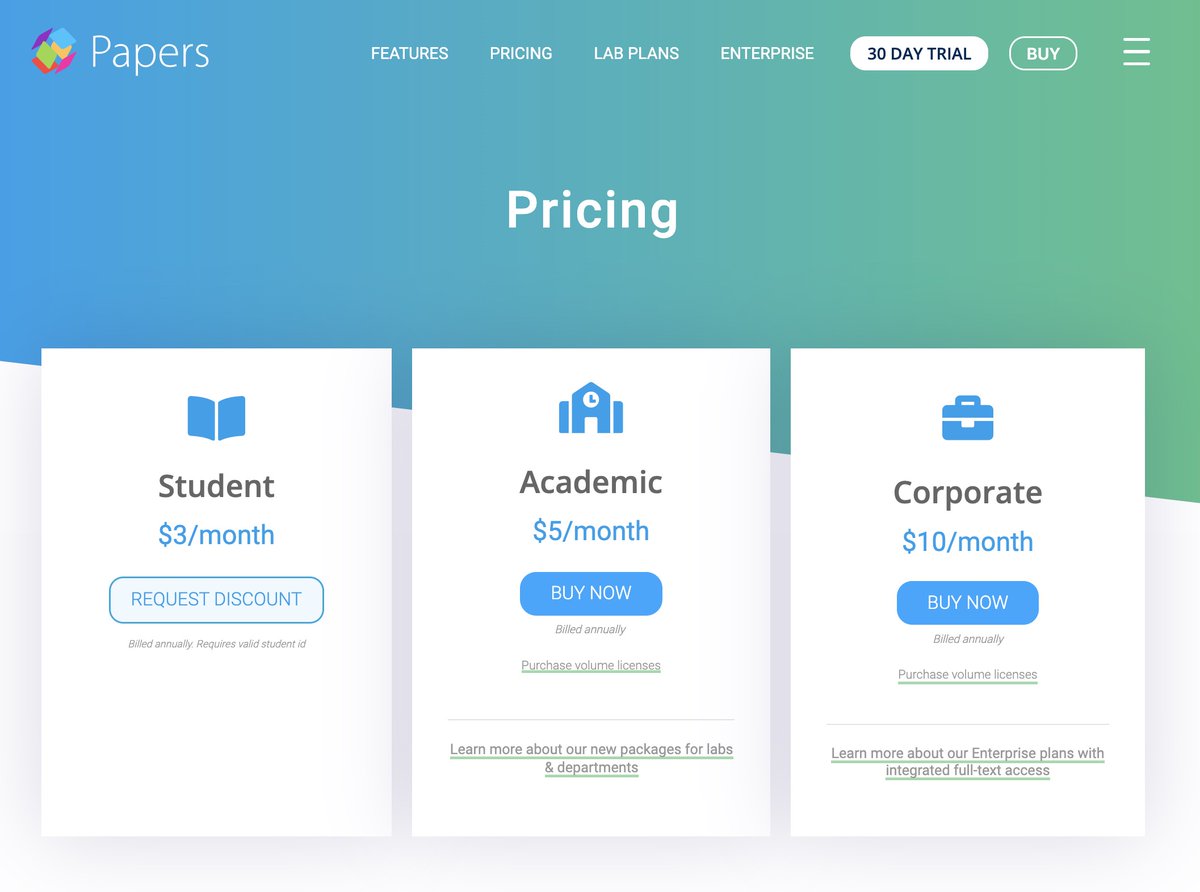
The app costs 3$, 5$ or 10$ monthly depending on whether you are a student, staff or corporate. All your papers are stored in the cloud.
Papers supports migration from Zotero, Mendeley or Endnote etc.
(Like this post if you want to see a tutorial)
The app costs 3$, 5$ or 10$ monthly depending on whether you are a student, staff or corporate. All your papers are stored in the cloud.
@scispace_ If you wan to learn all about tools for academic research, check out any of my resources:
To support my efforts simply retweet, like or comment.
To support my efforts simply retweet, like or comment.
Loading suggestions...