

Margin in Tailwind CSS
Visually Explained:
Margin
margin refers to the space between elements. It is used to create spacing and control the distance between different elements on a web page.
Visually Explained:
Margin
margin refers to the space between elements. It is used to create spacing and control the distance between different elements on a web page.

1. Margin on all sides :
You can add margin to all sides of an element using the `m-{size}` class, where `{size}` represents the desired margin size.
You can add margin to all sides of an element using the `m-{size}` class, where `{size}` represents the desired margin size.
For example:
- m-4: Adds a margin of 1rem to all sides of the element.
- m-8: Adds a margin of 2rem to all sides of the element
- m-4: Adds a margin of 1rem to all sides of the element.
- m-8: Adds a margin of 2rem to all sides of the element

2. Margin on specific sides :
You can add margin to specific sides of an element using the {side}-{size} class, where `{side}` can be `t` for top, `b` for bottom, `l` for left, and `r` for right.
You can add margin to specific sides of an element using the {side}-{size} class, where `{side}` can be `t` for top, `b` for bottom, `l` for left, and `r` for right.
For example:
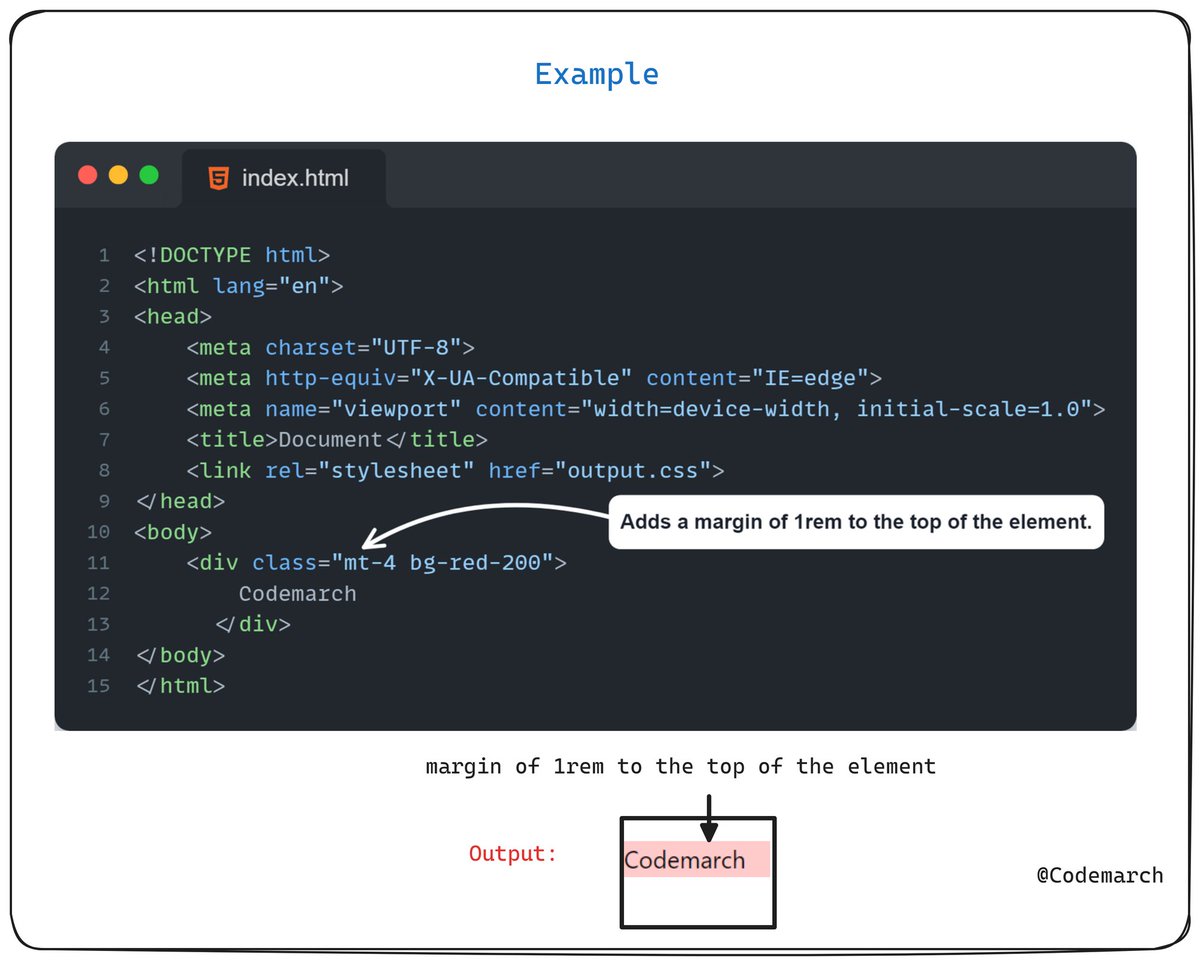
- `mt-4`: Adds a margin of 1rem to the top of the element.
- `mr-8`: Adds a margin of 2rem to the right of the element.
- `mt-4`: Adds a margin of 1rem to the top of the element.
- `mr-8`: Adds a margin of 2rem to the right of the element.

3. Negative margin:
To use a negative margin value, prefix the class name with a dash to convert it to a negative value.
Example
To use a negative margin value, prefix the class name with a dash to convert it to a negative value.
Example
That's a wrap!
If you enjoyed this post:
1. Follow me
@codemarch
for more of these
2. RT the tweet below to share this thread with your audience
If you enjoyed this post:
1. Follow me
@codemarch
for more of these
2. RT the tweet below to share this thread with your audience
Loading suggestions...