

How to verify your @Polkadot on-chain ID and submit a referendum to request treasury funds (by popular demand)
🧵👇
🧵👇
Head on over to polkadot.js.org and go to Accounts -> Accounts
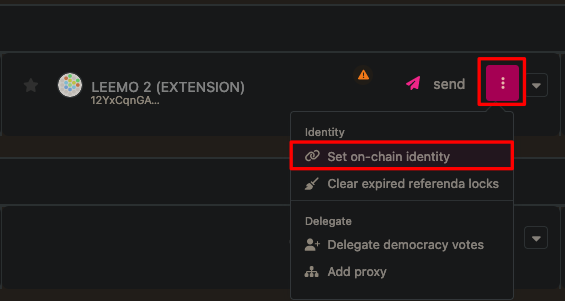
Press the 3 vertical dots next to your account and then select Set on-chain identity
Note: setting an identity will reserve (lock up as a deposit) 20 DOT.
Press the 3 vertical dots next to your account and then select Set on-chain identity
Note: setting an identity will reserve (lock up as a deposit) 20 DOT.
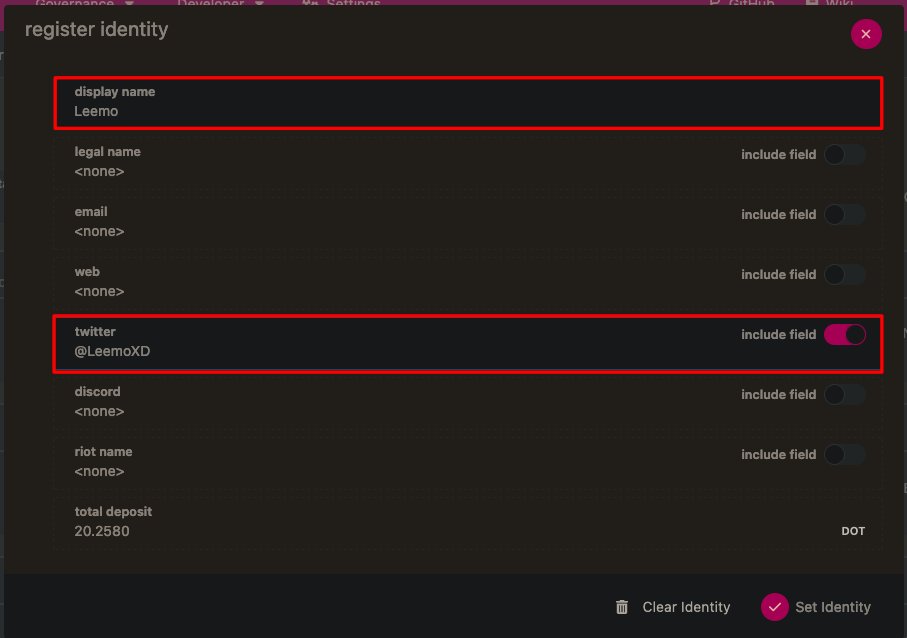
Input the correct fields – most likely the ones you want are the display name and your Twitter handle.
Note: Don't enter a legal name, you won't get it verified easily.
Note: Don't enter a legal name, you won't get it verified easily.
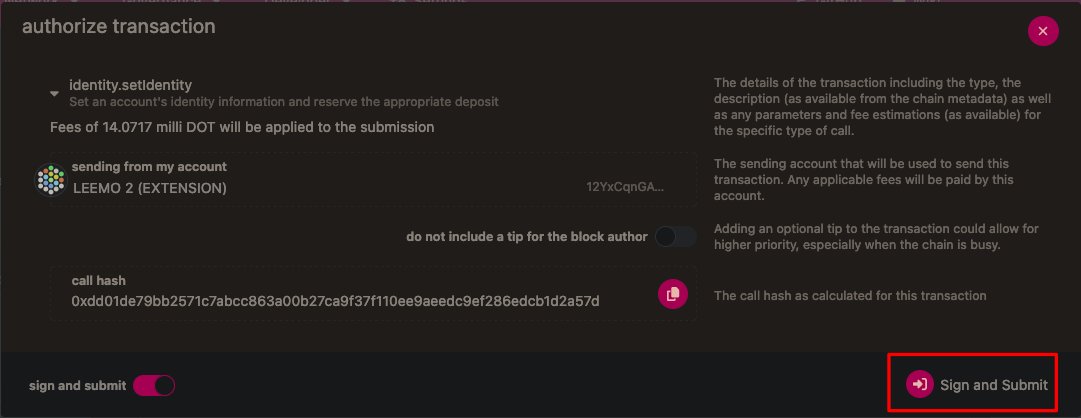
After you press Set identity you then should sign the transaction.
You will now have an UNVERIFIED on-chain identity. Let's get it verified now.
You will now have an UNVERIFIED on-chain identity. Let's get it verified now.
Now you can see the information to get your ID verified on Polkadot.
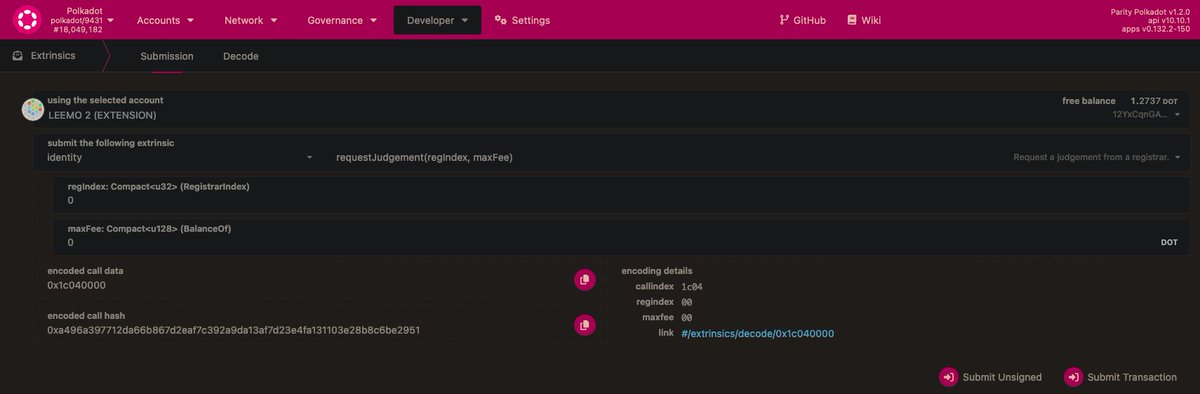
You should go to the developer -> extrinsics page of Polkadot JS Apps: polkadot.js.org
Request judgement from your account, and keep the other numbers as "0"
You should go to the developer -> extrinsics page of Polkadot JS Apps: polkadot.js.org
Request judgement from your account, and keep the other numbers as "0"
Go to the web3foundation registrar website: registrar.web3.foundation
Since you are verifying your Twitter account you will have to contact support due to Twitter's API being closed – so lets do that
Since you are verifying your Twitter account you will have to contact support due to Twitter's API being closed – so lets do that
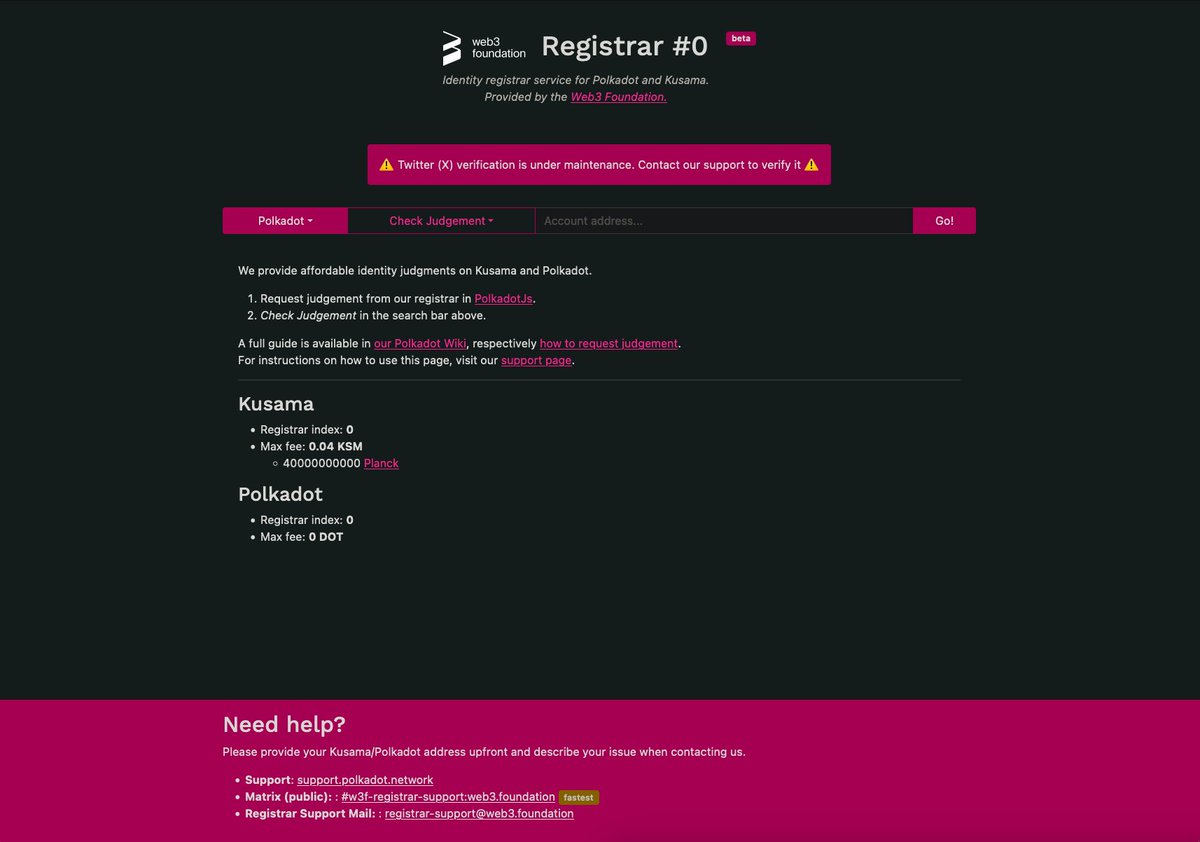
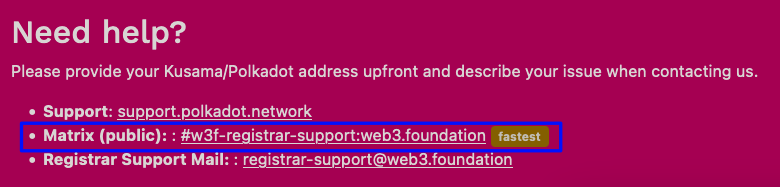
At the bottom of the page you can find the support channels – the fastest one is to contact them on Matrix – if you don't have Matrix and can't set one up then you shoukd email the support.polkadot.network account

Once you join the matrix room you should type a message something like:
"Hello I have sent an identity.RequestJudgement extrinsic to the w3f Registrar to verify my on-chain ID via my Twitter account. Could you please assist me with the Twitter challenge?"
"Hello I have sent an identity.RequestJudgement extrinsic to the w3f Registrar to verify my on-chain ID via my Twitter account. Could you please assist me with the Twitter challenge?"
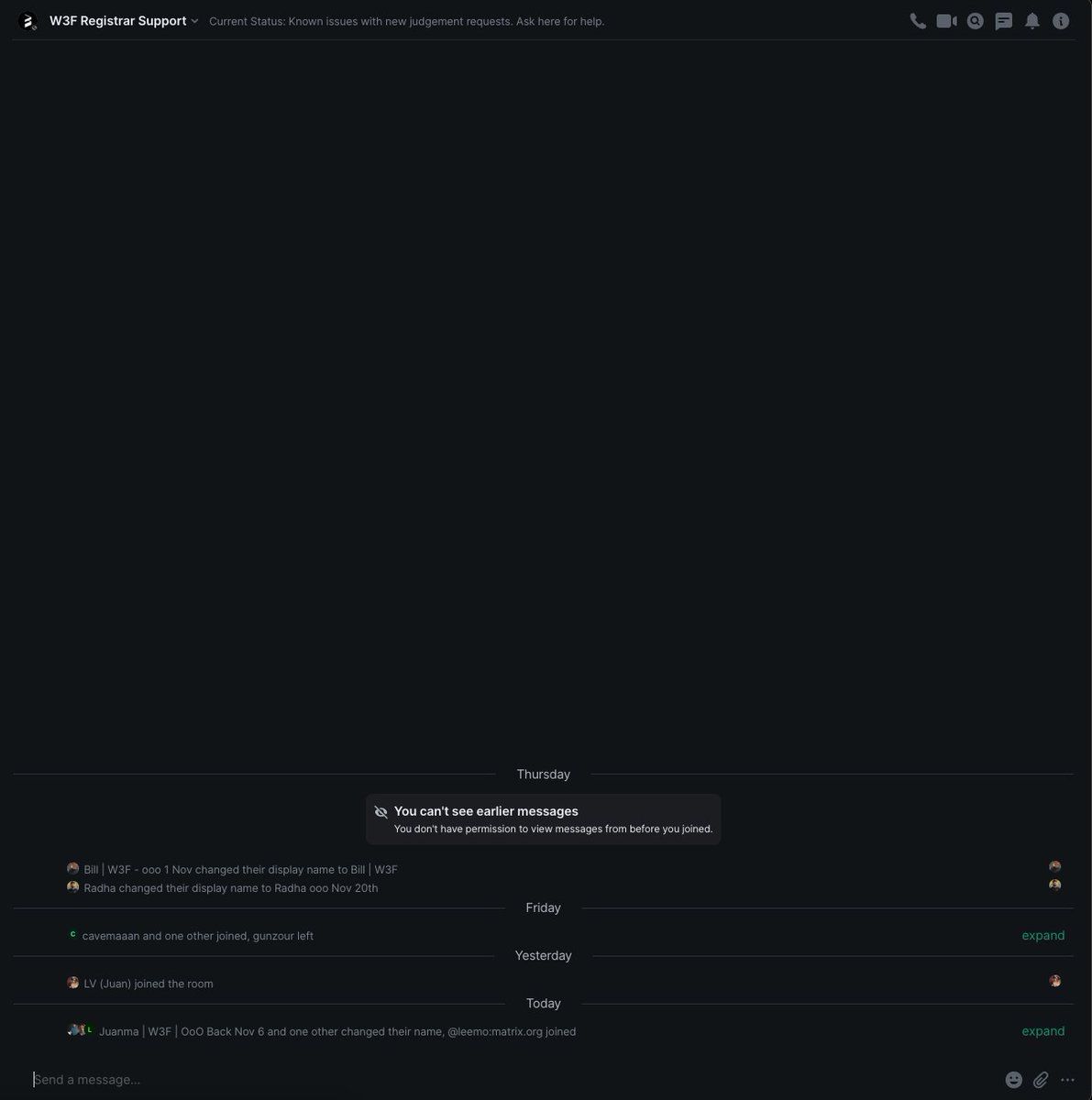
You should follow the W3F support staff instructions - most likely you will get some long string of letters & numbers that you should send to the @w3f_registrar account.
But you should follow what the support staff tell you to do in any case.
But you should follow what the support staff tell you to do in any case.

After that you should have a verified on chain ID ✅
Now you can begin to post your referendum.
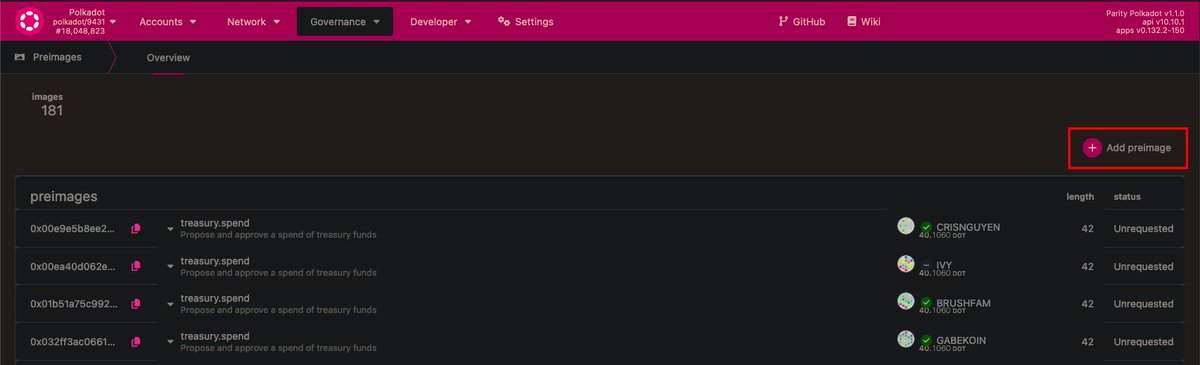
On Polkadot JS go to governance -> preimages and then press add preimage.
The preimage includes all the information about your referendum - such as how much you are requesting and which account should be paid.
polkadot.js.org
On Polkadot JS go to governance -> preimages and then press add preimage.
The preimage includes all the information about your referendum - such as how much you are requesting and which account should be paid.
polkadot.js.org
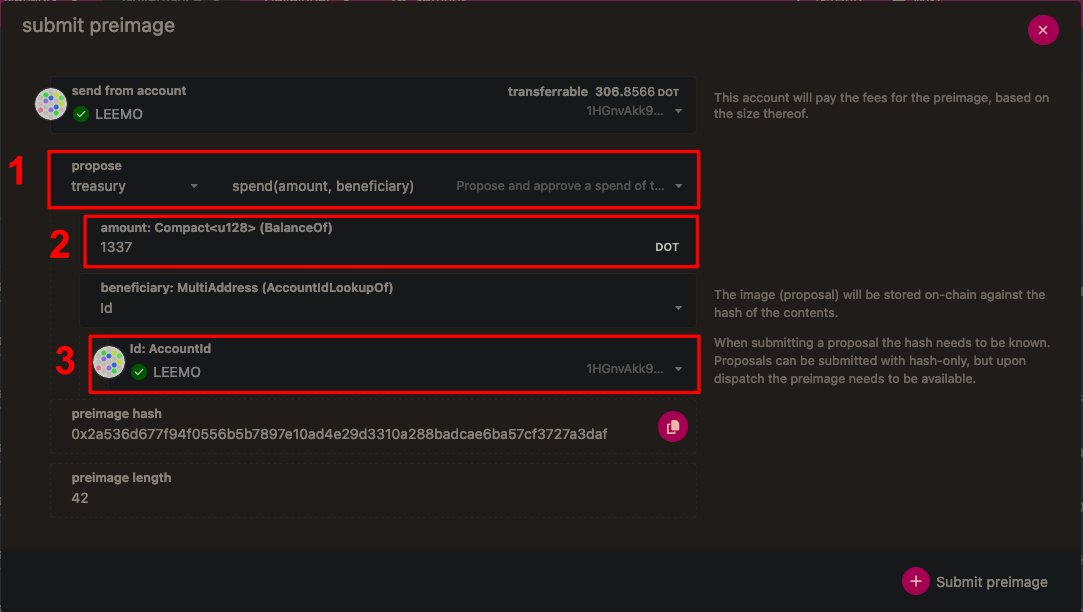
Craft your preimage.
1. It should be a treasury spend as shown here.
2. Input the amount of DOT you want to request.
3. Make sure the correct account is chosen as the beneficiary
This will cost around 40 DOT. You can get this back after your referendum has finished.
1. It should be a treasury spend as shown here.
2. Input the amount of DOT you want to request.
3. Make sure the correct account is chosen as the beneficiary
This will cost around 40 DOT. You can get this back after your referendum has finished.
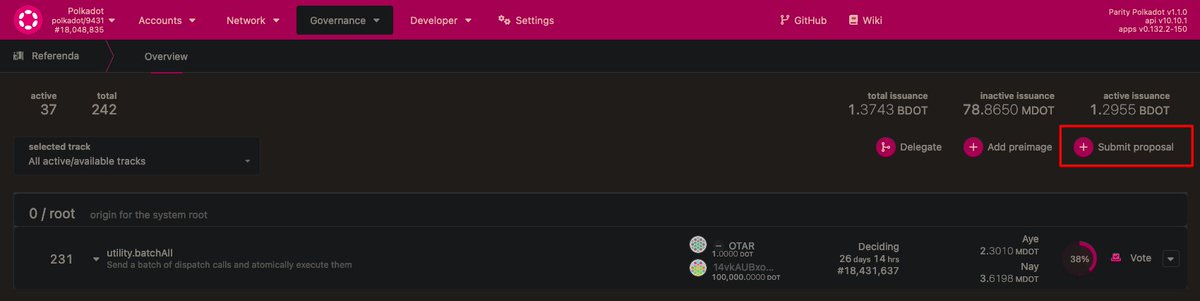
You can now scroll down the preimages list and find your preimage.
You should then copy the preimage hash at the left hand side of the box.
You should then copy the preimage hash at the left hand side of the box.

Make sure you have your verified on chain id account selected.
Choose the correct track for the amount of DOT you are requesting. In this case we are requesting 1337 DOT, so the small spender track that can spend up to 10,000 DOT is the correct one.
Paste in your preimage hash
Choose the correct track for the amount of DOT you are requesting. In this case we are requesting 1337 DOT, so the small spender track that can spend up to 10,000 DOT is the correct one.
Paste in your preimage hash
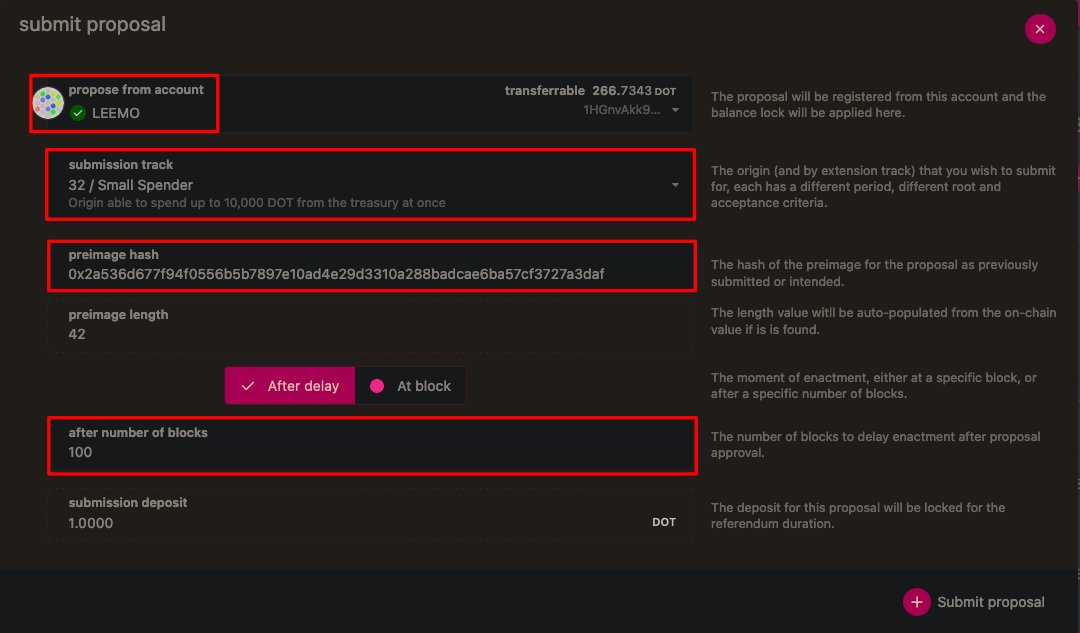
Make sure you leave the "after number of blocks" field at 100, you do not need to change this
Sign and submit the transaction - you will need a submission deposit of around 1 DOT.
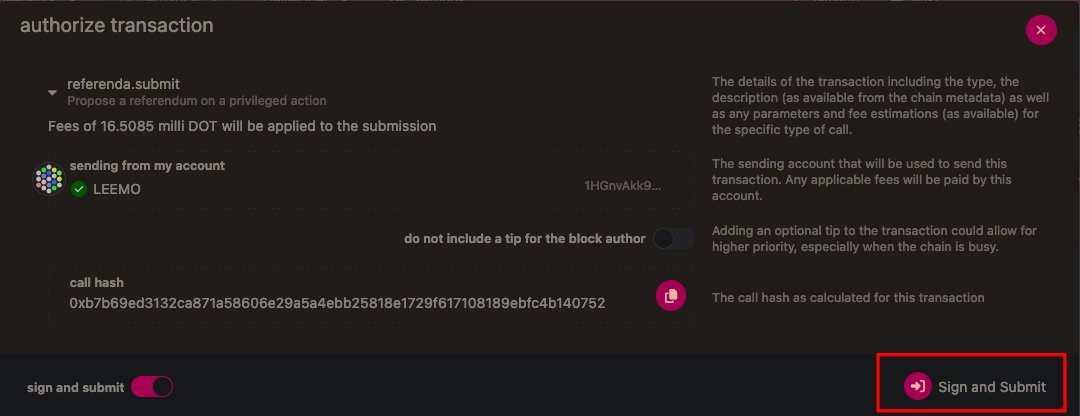
Now you will be able to see your referendum in the list. You should place your decision deposit.
Small Tipper: 1 DOT
Big Tipper: 10 DOT
Small Spender: 100 DOT
Medium Spender: 200 DOT
Big Spender: 400 DOT
Treasurer: 1,000 DOT
You get these DOTs back at the end of the referendum
Small Tipper: 1 DOT
Big Tipper: 10 DOT
Small Spender: 100 DOT
Medium Spender: 200 DOT
Big Spender: 400 DOT
Treasurer: 1,000 DOT
You get these DOTs back at the end of the referendum

You will see how much DOT is required when you go to sign the transaction
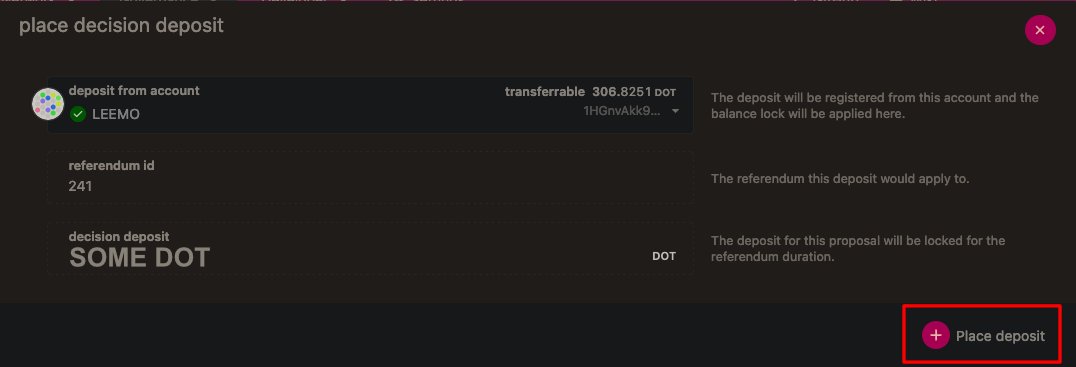
Now you want to head on over to Polkassembly (polkadot.polkassembly.io) and find your referendum.
Log in with your account and then you should see an edit button below the post.
Add all of your contextual information there.
Log in with your account and then you should see an edit button below the post.
Add all of your contextual information there.


There are other ways to do this - for example you can do this all via Polkassembly AFAIK.
This is just the way that I do it and I've been asked a few times by people about how this stuff works
This is just the way that I do it and I've been asked a few times by people about how this stuff works
Loading suggestions...