

Google Chrome has 100,000+ extensions.
Here are 10 free extensions that will save you hundreds of hours:
[🔖 Bookmark for later]
Here are 10 free extensions that will save you hundreds of hours:
[🔖 Bookmark for later]
1. Hunter
Find Email Addresses Effortlessly!
Say goodbye to the struggle of searching for email addresses on websites.
Hunter is a time-saving extension that crawls websites and returns email addresses.
🔗 bit.ly
Find Email Addresses Effortlessly!
Say goodbye to the struggle of searching for email addresses on websites.
Hunter is a time-saving extension that crawls websites and returns email addresses.
🔗 bit.ly


2. AnyPicker
It is a free AI tool that can assist you in extracting data from any website quickly and easily.
With AnyPicker, you can extract data from various sources and download images at no additional cost.
🔗 app.anypicker.com
It is a free AI tool that can assist you in extracting data from any website quickly and easily.
With AnyPicker, you can extract data from various sources and download images at no additional cost.
🔗 app.anypicker.com

3. Dark Reader
Dark Reader enables dark mode on websites, reducing eye strain and saving energy.
You can adjust the brightness, contrast, sepia filter, dark mode, font settings and the ignore-list.
🔗 bit.ly
Dark Reader enables dark mode on websites, reducing eye strain and saving energy.
You can adjust the brightness, contrast, sepia filter, dark mode, font settings and the ignore-list.
🔗 bit.ly


4. Grammarly
Grammarly is an AI writing assistant.
It helps you in
- write error-free emails
- documents
- social media posts
- Auto-citations
🔗 bit.ly
Grammarly is an AI writing assistant.
It helps you in
- write error-free emails
- documents
- social media posts
- Auto-citations
🔗 bit.ly


5. LastPass
LastPass is a password manager that securely stores your passwords and helps you generate strong ones.
Simplify your life:
- Never forget another password
- Passwords are autofilled for you
- Only worry about one master password
🔗 bit.ly
LastPass is a password manager that securely stores your passwords and helps you generate strong ones.
Simplify your life:
- Never forget another password
- Passwords are autofilled for you
- Only worry about one master password
🔗 bit.ly


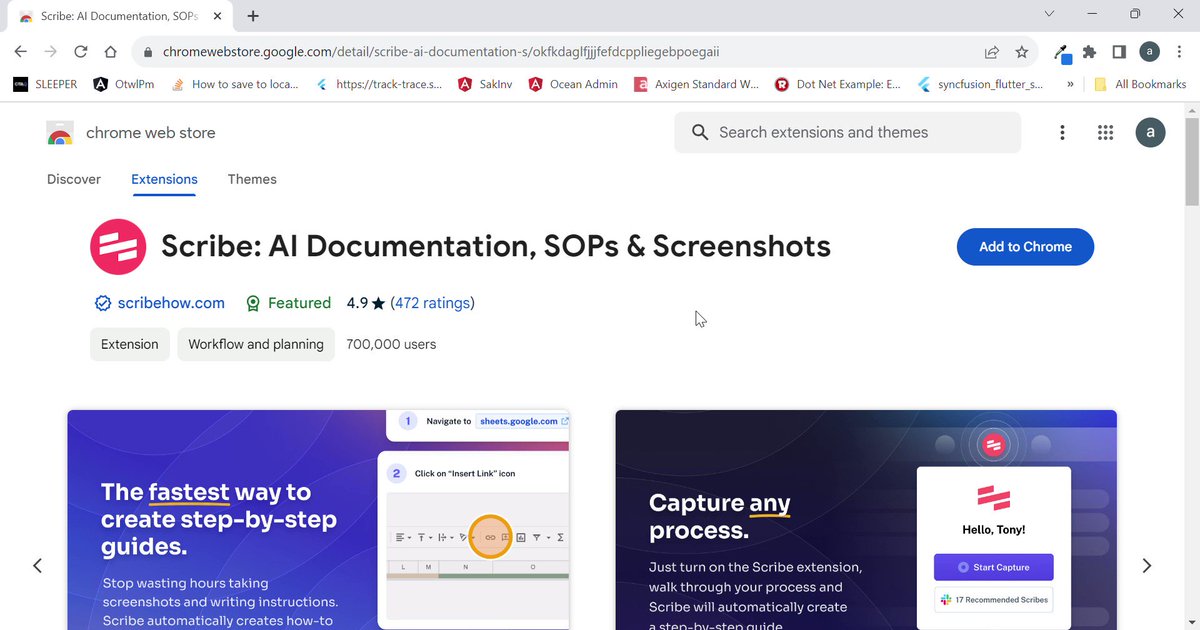
6. Scribehow | @ScribeHow
Automatically creates a step-by-step guide with screenshots.
use Scribe to create SOPs, process maps, software documentation, and more.
🔗 bit.ly
Automatically creates a step-by-step guide with screenshots.
use Scribe to create SOPs, process maps, software documentation, and more.
🔗 bit.ly

7. Right Inbox
Revolutionize your Gmail experience with Right Inbox, the ultimate productivity extension.
Features:
- recurring emails
- email tracking
- automated email sequences
- mail merge capabilities.
🔗 rightinbox.com
Revolutionize your Gmail experience with Right Inbox, the ultimate productivity extension.
Features:
- recurring emails
- email tracking
- automated email sequences
- mail merge capabilities.
🔗 rightinbox.com

8. Save to Pocket
Save to Pocket is a lifeline for busy individuals.
It allows you to bookmark and save content you want to read later.
🔗 bit.ly
Save to Pocket is a lifeline for busy individuals.
It allows you to bookmark and save content you want to read later.
🔗 bit.ly


9. StayFocusd
Manage your time efficiently by monitoring the time you spend on specific sites.
It even lets you block time-consuming sites like Reddit, Twitter, Facebook, and other distracting social media platforms.
🔗 bit.ly
Manage your time efficiently by monitoring the time you spend on specific sites.
It even lets you block time-consuming sites like Reddit, Twitter, Facebook, and other distracting social media platforms.
🔗 bit.ly


10. FireShot
It brings mobile screenshot functionality to your desktop.
This extension lets you take full-page or selective screenshots in seconds.
Save your screenshots in various formats and even use them offline for convenience
🔗 getfireshot.com
It brings mobile screenshot functionality to your desktop.
This extension lets you take full-page or selective screenshots in seconds.
Save your screenshots in various formats and even use them offline for convenience
🔗 getfireshot.com

Happy Learning! 💜
That's a wrap!
If you enjoyed this thread or found it useful:
1. Follow me @Kanojiyaaakash1 for more of these.
2. Retweet the first tweet to share this thread with your network.
That's a wrap!
If you enjoyed this thread or found it useful:
1. Follow me @Kanojiyaaakash1 for more of these.
2. Retweet the first tweet to share this thread with your network.
Loading suggestions...