

Day 1 of #20daysofFrontendInterviewPrep🚀
Q) How does the CSS position property work?
The CSS position property is used to control the positioning of an element within its containing element.
There are primarily 4 types:
- Static
- Relative
- Absolute
- Fixed
Static
This is the default positioning. Elements are positioned according to the normal flow of the document.
The top, right, bottom, and left properties have no effect.
Relative:
Elements are positioned relative to their normal position in the document flow.
The element stays in the normal flow but can be nudged around from its original position using top, right, bottom, or left.
Absolute:
Elements are removed from the normal document flow and positioned relative to the nearest positioned ancestor. If no positioned ancestor is found, it is positioned relative to the initial containing block (usually the viewport).
It won't affect other elements' positions, and you can use top, right, bottom, or left to precisely place it.
Fixed:
The element is removed from the normal document flow and positioned relative to the initial containing block.
It remains fixed at its position even when the page is scrolled. Handy for things like fixed navigation bars.
Q) How does the CSS position property work?
The CSS position property is used to control the positioning of an element within its containing element.
There are primarily 4 types:
- Static
- Relative
- Absolute
- Fixed
Static
This is the default positioning. Elements are positioned according to the normal flow of the document.
The top, right, bottom, and left properties have no effect.
Relative:
Elements are positioned relative to their normal position in the document flow.
The element stays in the normal flow but can be nudged around from its original position using top, right, bottom, or left.
Absolute:
Elements are removed from the normal document flow and positioned relative to the nearest positioned ancestor. If no positioned ancestor is found, it is positioned relative to the initial containing block (usually the viewport).
It won't affect other elements' positions, and you can use top, right, bottom, or left to precisely place it.
Fixed:
The element is removed from the normal document flow and positioned relative to the initial containing block.
It remains fixed at its position even when the page is scrolled. Handy for things like fixed navigation bars.
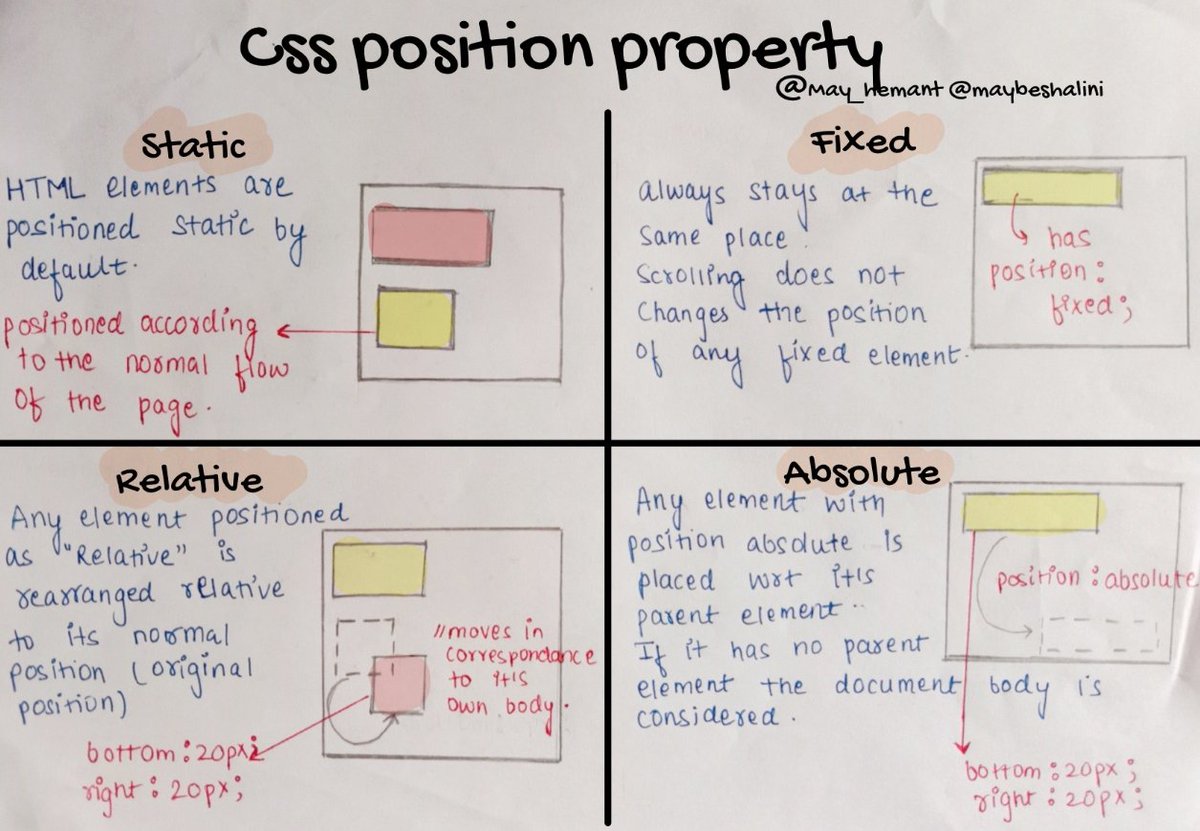
Remember, the position property helps you control where elements appear on your webpage. It's like giving directions to the browser on how you want your elements to behave in terms of position.
Loading suggestions...