

Bought a prison laptop on eBay. Thought it should be just some generic laptop with a clear shell, turns out it's actually a bit more than that.
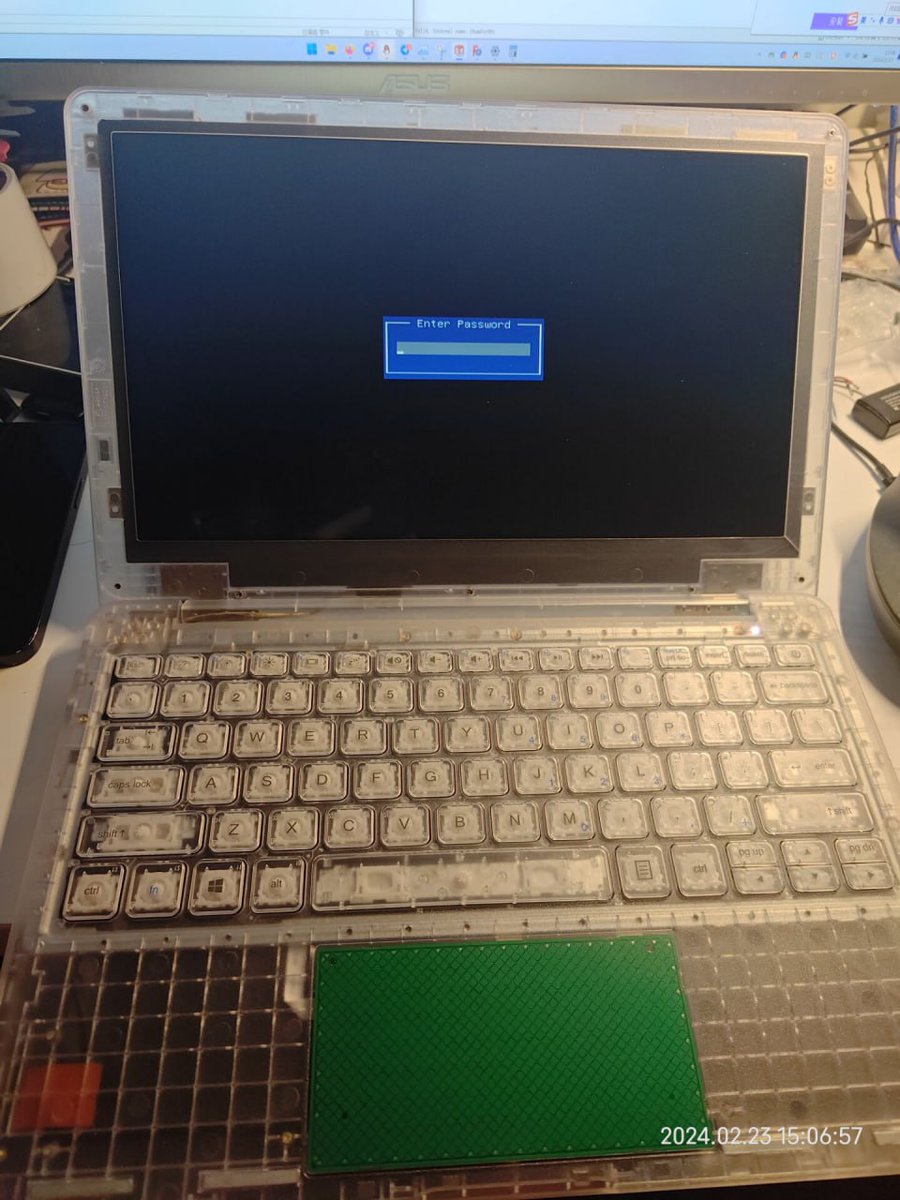
Out of the box you get a laptop that basically doesn't do anything other than asking for the password. It doesn't have hard drive so obviously there is no operating system loaded. You can not even easily install your own because there is no USB port at all:
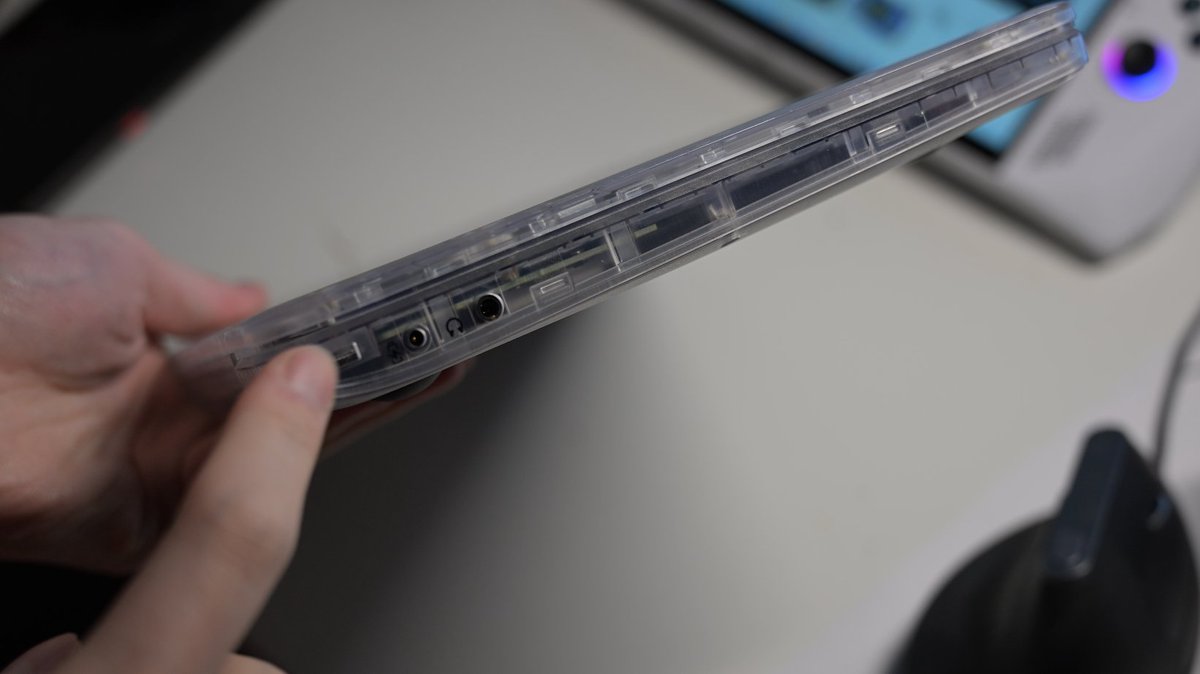
On the back it says the model number is NV116APNB, which also doesn't really help. After doing some researching online it turns out the model name for this thing is the Justice Tech Solutions Securebook 5. The latest generation is the Securebook 6.

Looking at the motherboard, it doesn't even offer any unpopulated USB port solder pads, so trying to add an USB port would require some additional effort I guess. (Unless I can get the official dock somehow). The specs are: Celeron N3450 + 4GB SKhynix LPDDR3 + Intel Wireless 7625

On to the password issue. The boot splash basically told me it uses AMI BIOS. One generic way of clearing the password on AMI BIOS machines is use a flash programmer, searching for "AMITSESetup" in the BIOS NVRAM and simply zeroing out the the password.

And yes I can definitely find the AMITSESetup in the NVRAM and there is indeed an encrypted password waiting to be cleared:

The only issue is that, after clearing it and flashing it back. Turning on the machine I am greeted by the enter password screen again. After reading out the flash, I noticed that the password magically returned. What was going on?
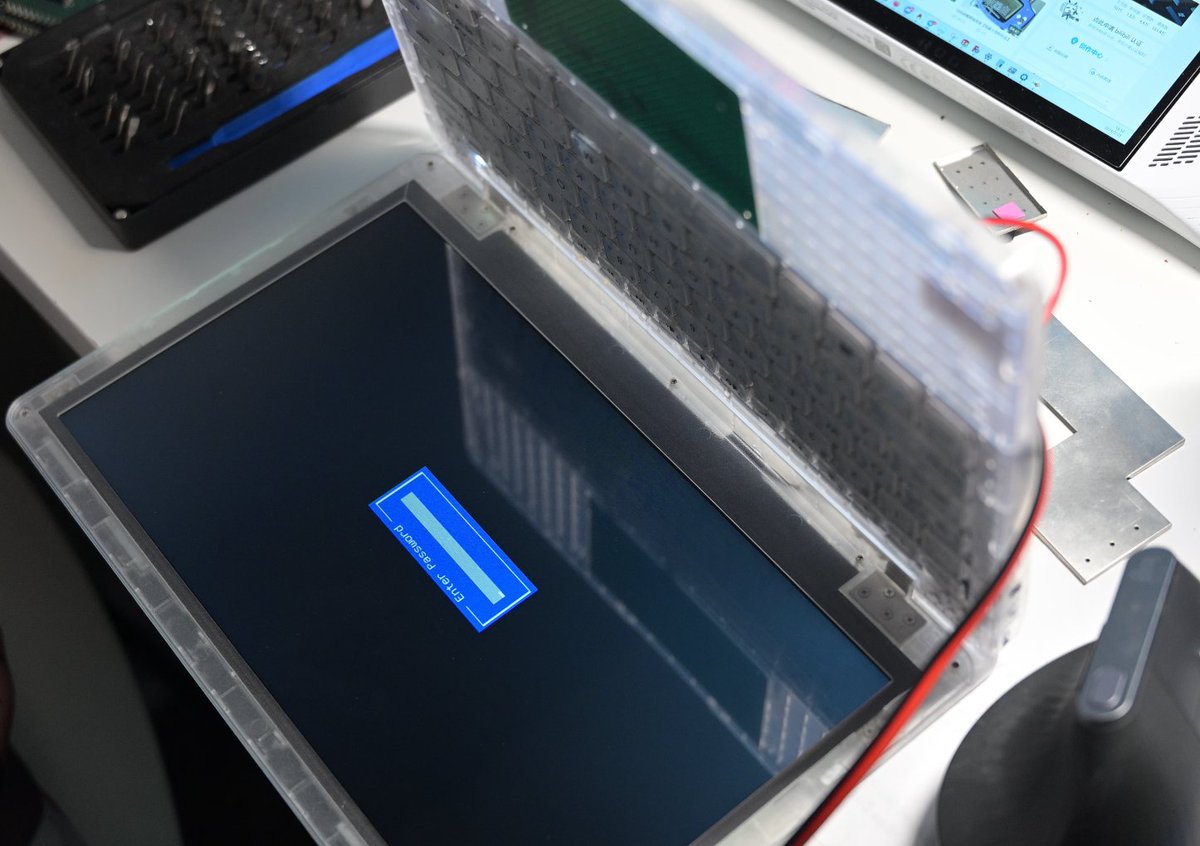
Turns out this machine, intentionally or not, would automatically resets the BIOS after the board is fully powered down (both battery and DC input removed). And at least for the BIOS version I have (and the BIOS V06 available on the website), there is a default password.
This means if I remove the power to reflash the BIOS chip, the default password would return the next time it's powered on again after then automatic reset. So I need to reflash the BIOS without removing the power to the board. This is what I ended up doing:

I would wish I have one of those small SOP sockets, but this hacky solution would do for now. I am now able to reprogram the flash without having to power down the board (thus trigging a reset). The result... I got access to this boring BIOS setup screen:

Yes, the security tab is all it has. I can now set different passwords and see how they gets encrypted and saved on to SPI Flash. I am no expert on cryptography so I am not going to try further. I just hoped to checked it was just some extremely simple XOR, but it's not.

Apparently there is also a version of BIOS that doesn't have password and has way more options available:
For now the default password is not a big issue anyway. It only has default password for accessing the BIOS setup, not for booting up. The reason it wants password is just because there is no bootable device and it defaults to entering the BIOS.
Now how do I provide a bootable device? It doesn't have USB port so it gotta be the hard drive. Then it has some other surprise for me: IT HAS A HARD DRIVE WHITELIST

Guess what, I actually know the original hardware model number, because this machine model has been probed by linux-hardware.org! linux-hardware.org. According to the probe, it should have a... "China SATA3 240GB SSD". I mean, the vendor string is literally "China".
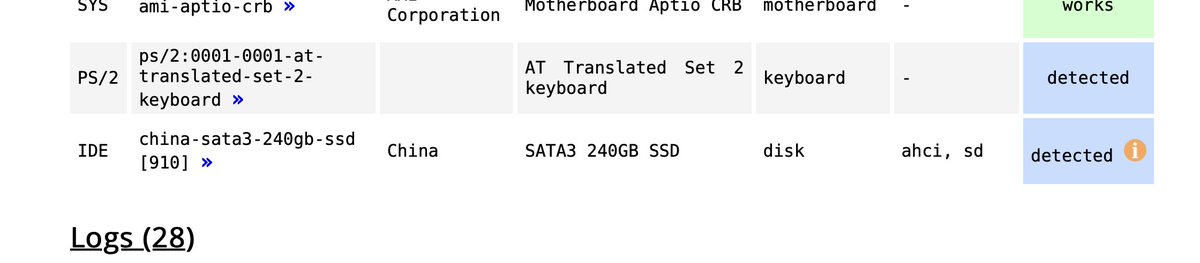
I guess based on that result I won't be able to the find the exact hard drive easily. Without diving deep into the BIOS reverse-engineering, how about USB boot? After all I think it would be crazy if you have to buy USB drive from them if they implement a USB whitelist...
So I quickly connected a USB Hub onto it. I decided to use the USB signal on the touchpad connector, because I am a bit too lazy to figure out the pinout of the dock connector. (Try not screaming at these wires, this is just a proof of concept)
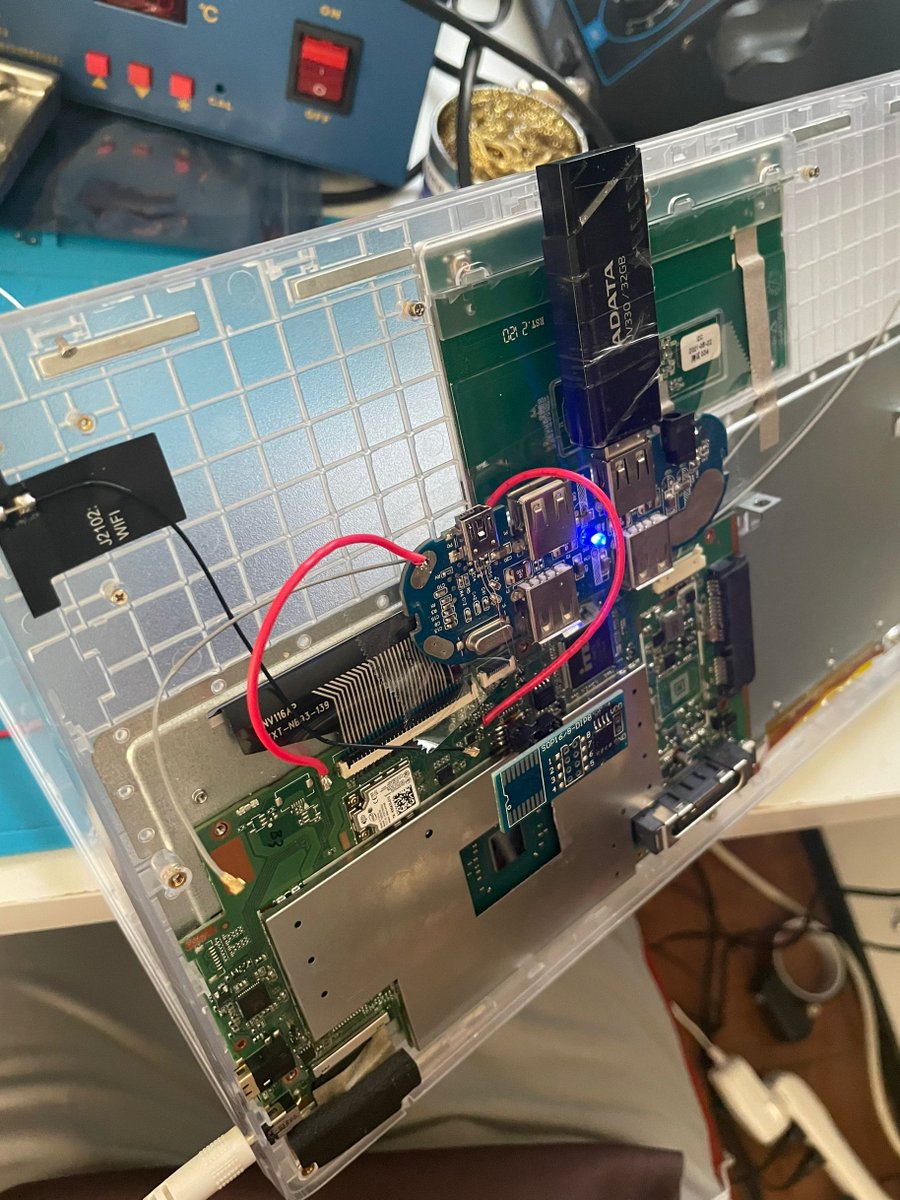
And it just boots. Just power on and it boots right into Ubuntu MATE 22.04 amd64 installation USB.

So if I decide to do this USB mod properly in the future, I will probably design a custom USB Hub PCB. It would connect to the mainboard's touchpad connector through a ribbon cable. The touchpad would then be connected to one of the downstream port of the hub.
I would like to highlight there is an ongoing effort by @techknight2 to modify the BIOS to remove the whitelist:
x.com
x.com
AND, we might be able to brute force the default password:
x.com
x.com
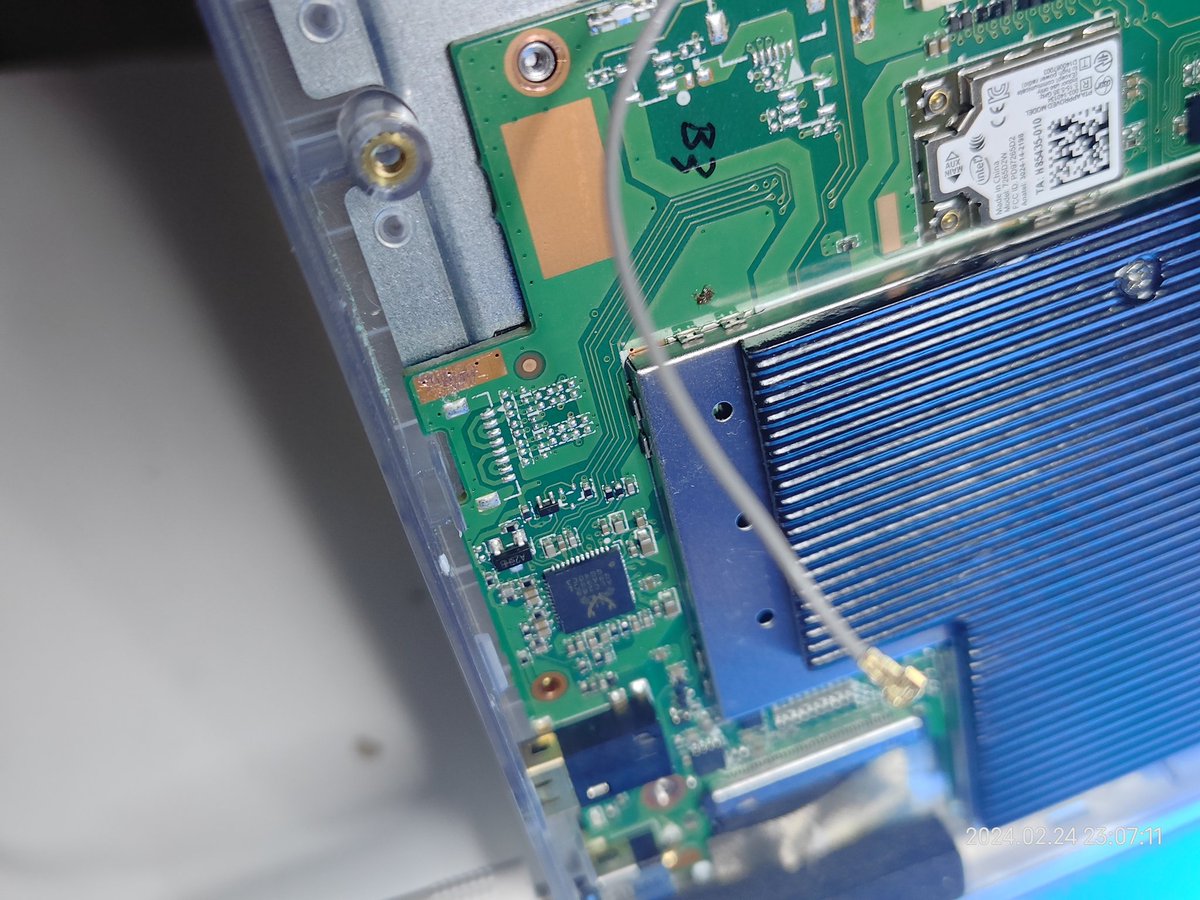
Additional notes: the unpopulated connector on the side are for speakers. These passives likely forms an LC low pass filter for the integrated class D amplifier.
I gotta go to sleep today, looks like people have started trying to crack the password!
This thread is going viral, thank you all for the like and repost! Update on the password, they literally just shared the password in a video:
Anyone knows how to fix the EFI checksum? I never successfully hacked any modern EFI firmware so I am bit clueless here:
Anyway, I am going to try the hard drive check bypass method shared previously. I believe the basic idea is to trick the BIOS into thinking the hard drive is actually a bootable CD instead of a ... hard drive, so it won't trigger the HDD ID check.

And to pair with the PrisonBook, I have this IBM SYSTEM X / INTEL DC S3700 ENTERPRISE DATACENTER SSD featuring HET MLC cells with 7.3PBW rating. I just kind of like the idea of putting a $1K SSD into this absolutely cheapest-made laptop (I got it from MIT flea for $5 though)

Couldn't seem to find my USB-SATA adapter, so I am just using another machine (Lenovo ThinkCentre M600) with SATA port to write the Debian ISO image into the hard drive. I quite like these small desktop machines

The bypass method definitely works on my machine as well as far as getting into installation. Installing Debian now, going to check back later to see how it goes.

Actually, I don't even need to use that bypass method anymore! @realOtakuNekoP just got the patched BIOS repacked. I flashed that in, plugged in my old hard drive with Ubuntu already installed, it just boots right into the OS! No more HDD swapped errors

@realOtakuNekoP Sorry but I have to do this

Most things work well in Linux: the touchpad and keyboard work, the backlight works, WiFi works at up to 867Mbps, suspend to RAM works, and the headphone jack works. Things don't work: Bluetooth and the unpopulated internal speaker connector have no signal coming through.
I would like to conclude the PrisonBook S1 here: We got BIOS patched to accept any hard drive thanks to @realOtakuNekoP and @techknight2 , password encoding and actual password figured out thanks to @thelithcore and @wlp3s0 . The BIOS is uploaded to archive.org ...

@realOtakuNekoP @techknight2 @thelithcore @wlp3s0 If there will be a S2, it would be focusing on getting a USB breakout board made to add a USB port. But that's for another day. If you liked the thread maybe consider following me and checking out my other projects, like this DIY digital camera:

Loading suggestions...