

Download a bunch of research papers.
Read them to find only a few are relevant to your project.
Takes even longer if English is not your first language.
Or,
Use SciSummary to read summaries of papers in your own language.
And find out the papers you should read closely.
Read them to find only a few are relevant to your project.
Takes even longer if English is not your first language.
Or,
Use SciSummary to read summaries of papers in your own language.
And find out the papers you should read closely.

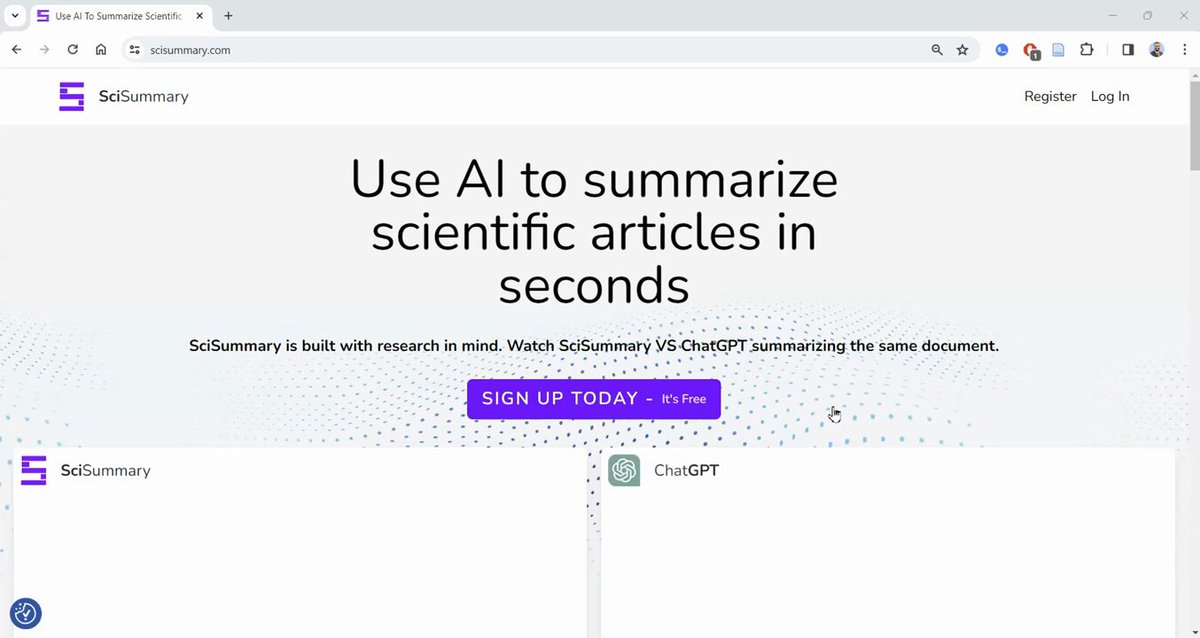
1. Go to scisummary(dot)com and sign up for a free account.
SciSummary gives you 10,000 words per month for free. Your "first article summarized per month can be up to 200,000 words."
SciSummary gives you 10,000 words per month for free. Your "first article summarized per month can be up to 200,000 words."
2. Once you've logged in, you will see an "Add Articles" button. Click on it to add articles.
You can drag and drop PDFs or add link and SciSummary will retrieve the articles for you.
You can also import articles from your Zotero library.
You can drag and drop PDFs or add link and SciSummary will retrieve the articles for you.
You can also import articles from your Zotero library.

3. Once you have uploaded articles, SciSummary will open an article for you.
You can choose how you would like your summary to be: summarize by section, key points, key points with over view, etc.
If reading in English takes you longer, you can select your language, and SciSummary will summarize the article in that language.
You can choose how you would like your summary to be: summarize by section, key points, key points with over view, etc.
If reading in English takes you longer, you can select your language, and SciSummary will summarize the article in that language.

4. You can also ask questions about the paper. Click on "Chat" and start asking questions if anything in unclear.
If you find a paper useful and want to find more papers like that, click on "Paper Recommendations" and SciSummary will show related papers.
If you like a recommended paper, you can get that summarized too.
If you find a paper useful and want to find more papers like that, click on "Paper Recommendations" and SciSummary will show related papers.
If you like a recommended paper, you can get that summarized too.

5. Taking notes while reading is very important.
To take notes, click on the "Notes" option and SciSummary will open a notepad for you.
To take notes, click on the "Notes" option and SciSummary will open a notepad for you.

6. SciSummary also has a built-in search engine that helps you find new articles.
Click on "Library" in the top-left corner and select "Find New Articles."
Type in the keywords and press Enter/Return.
SciSummary will give you a consolidated summary of several articles. It will also give you a table to relevant articles.
Click on "Library" in the top-left corner and select "Find New Articles."
Type in the keywords and press Enter/Return.
SciSummary will give you a consolidated summary of several articles. It will also give you a table to relevant articles.

7. You can also filter articles by year, citation count, field of study, and publication type.

8. SciSummary also helps you find concepts and themes in papers you uploaded.
Click on search bar and select "Search for concepts." Then type in the concept or theme you want to look up in your papers and hit Enter.
SciSummary will give you a short passage about how every paper relates to that particular concept or theme.
Click on search bar and select "Search for concepts." Then type in the concept or theme you want to look up in your papers and hit Enter.
SciSummary will give you a short passage about how every paper relates to that particular concept or theme.

9. If you don't want to summarize articles one by one, you can get them summarized all together.
Click on "Multi-Article Summarize" and select "Bulk."
Select all the articles you want to summarize and click on Submit.
SciSummary will give you summaries of all the articles.
Click on "Multi-Article Summarize" and select "Bulk."
Select all the articles you want to summarize and click on Submit.
SciSummary will give you summaries of all the articles.

10. You can also compare upto ten articles.
Click on "Compare" and select the articles you want to compare.
Click on "Submit" and SciSummary will give you a comparison of the selected articles. It will also give you summaries of individual articles.
Click on "Compare" and select the articles you want to compare.
Click on "Submit" and SciSummary will give you a comparison of the selected articles. It will also give you summaries of individual articles.

11. SciSummary can also give you a consolidated summary of upto 25 articles.
Click on "Combine," select the relevant articles, and click on "Submit."
SciSummary will give you both a consolidated summary and individual summaries.
Click on "Combine," select the relevant articles, and click on "Submit."
SciSummary will give you both a consolidated summary and individual summaries.

12. You can also chat with multiple papers.
Click on "Chat," select the papers you want to chat with, and click on "Submit."
Now you can ask questions about several papers simultaneously.
Click on "Chat," select the papers you want to chat with, and click on "Submit."
Now you can ask questions about several papers simultaneously.

Found this thread on SciSummary helpful?
1. Scroll to the top and hit Like on the first tweet.
2. Bookmark it so you can come back to it later.
3. Follow me for more threads on how to use AI apps for academic purposes.
1. Scroll to the top and hit Like on the first tweet.
2. Bookmark it so you can come back to it later.
3. Follow me for more threads on how to use AI apps for academic purposes.
Loading suggestions...