

Let's build a "Chat with your code" RAG application, step-by-step:
Before we begin, take a look at what we're about to create!
We'll be using:
- LlamaIndex for orchestration
- Ollama for serving LLMs locally
- Streamlit for the UI
Everything in just ~170 lines of Python code, that I've shared at the end! 🔥
Let's go! 🚀
We'll be using:
- LlamaIndex for orchestration
- Ollama for serving LLMs locally
- Streamlit for the UI
Everything in just ~170 lines of Python code, that I've shared at the end! 🔥
Let's go! 🚀

The architecture diagram presented below illustrates some of the key components & how they interact with each other!
It will be followed by detailed descriptions & code for each component:
It will be followed by detailed descriptions & code for each component:
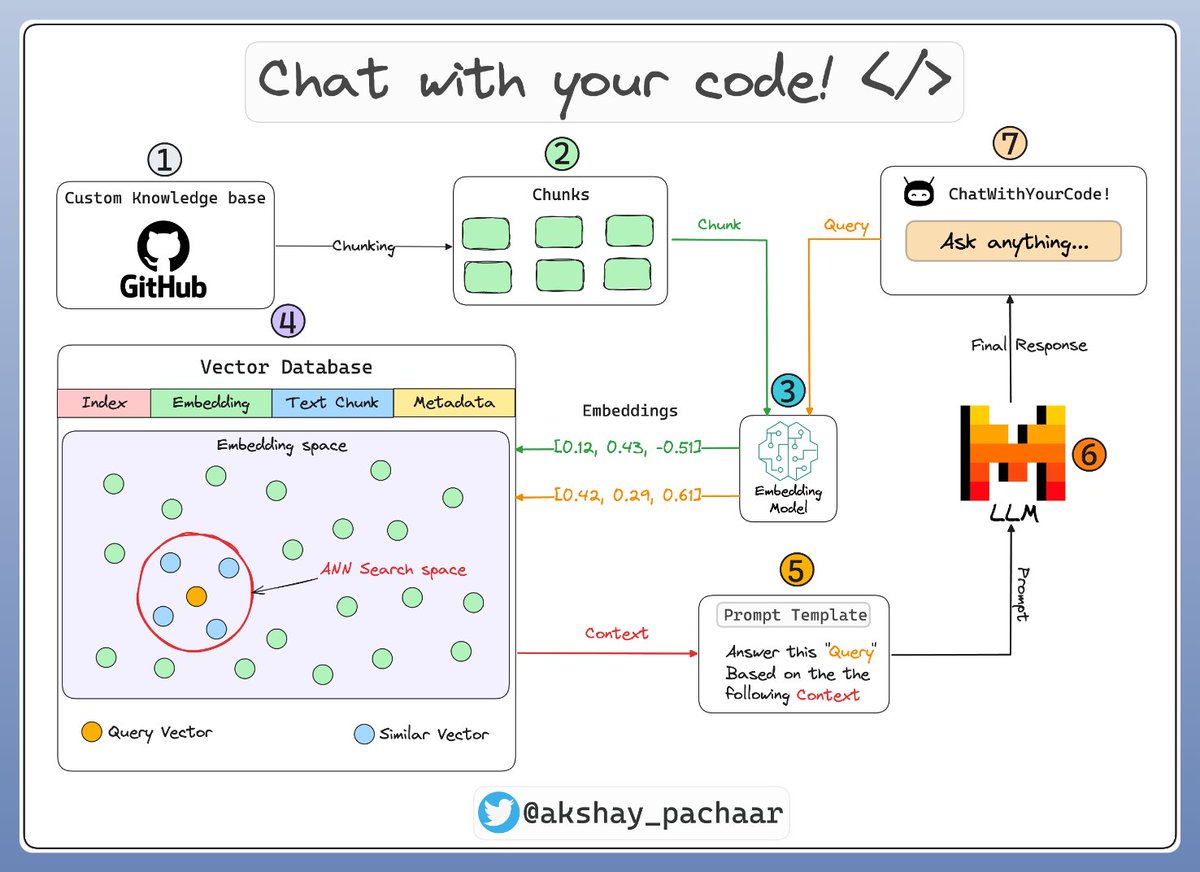
1️⃣ & 2️⃣ : Loading the knowledge base
A knowledge base is a collection of relevant and up-to-date information that serves as a foundation for RAG. In our case it's a GitHub repository!
Here's how you can load it as document objects in LlamaIndex:
A knowledge base is a collection of relevant and up-to-date information that serves as a foundation for RAG. In our case it's a GitHub repository!
Here's how you can load it as document objects in LlamaIndex:

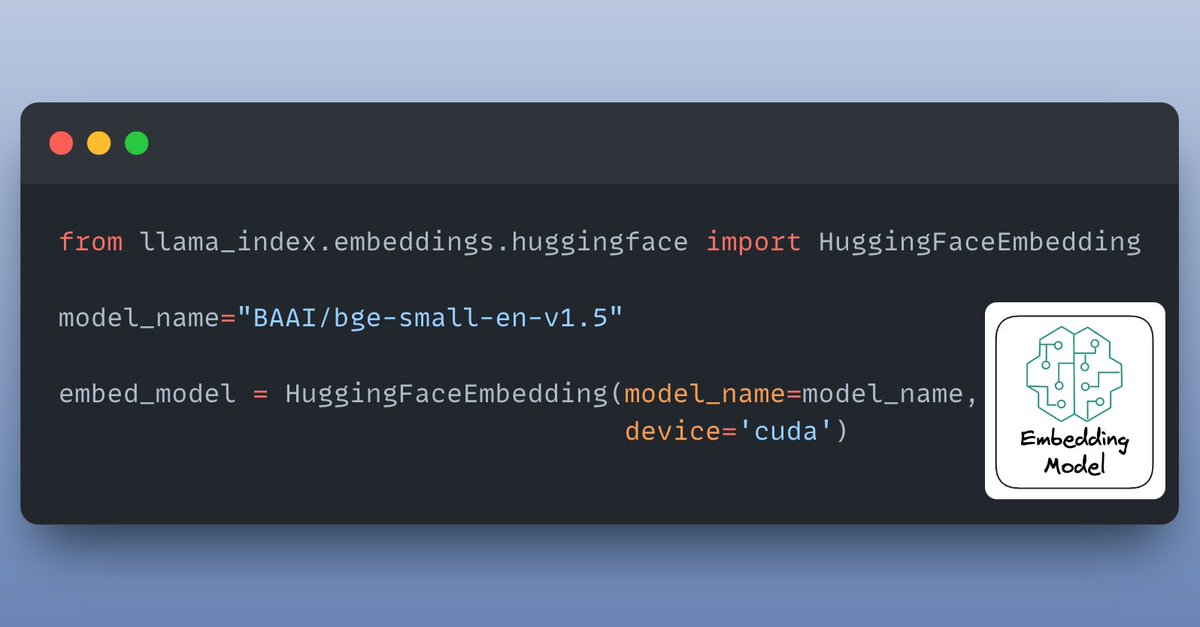
3️⃣ The embedding model
Embedding is a meaningful representation of text in form of numbers.
The embedding model is responsible for creating embeddings for the document chunks & user queries.
Here's how we load our embedding model:
Embedding is a meaningful representation of text in form of numbers.
The embedding model is responsible for creating embeddings for the document chunks & user queries.
Here's how we load our embedding model:
4️⃣ Indexing & storing
Embeddings created by embedding model are stored in a vector store that offers fast retrieval and similarity search by creating an index over our data.
By default, LlamaIndex provides a in-memory vector store that’s great for quick experimentation.
Embeddings created by embedding model are stored in a vector store that offers fast retrieval and similarity search by creating an index over our data.
By default, LlamaIndex provides a in-memory vector store that’s great for quick experimentation.

5️⃣ Creating a prompt template
A custom prompt template is use to refine the response from LLM & include the context as well:
A custom prompt template is use to refine the response from LLM & include the context as well:

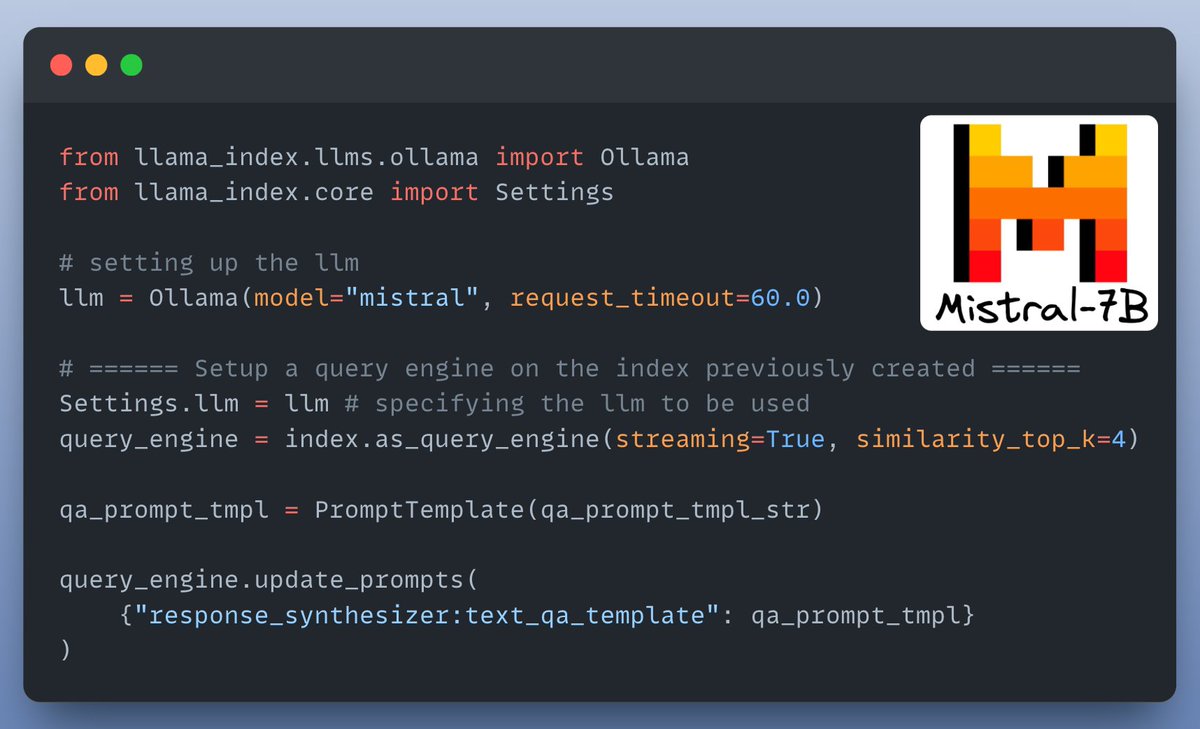
6️⃣ Setting up a query engine
The query engine takes query string to use it to fetch relevant context and combines them using the prompt template before sending it to the LLM that generates final response!
The LLM used here is Mistral-7B, served locally using Ollama! 🎉
The query engine takes query string to use it to fetch relevant context and combines them using the prompt template before sending it to the LLM that generates final response!
The LLM used here is Mistral-7B, served locally using Ollama! 🎉
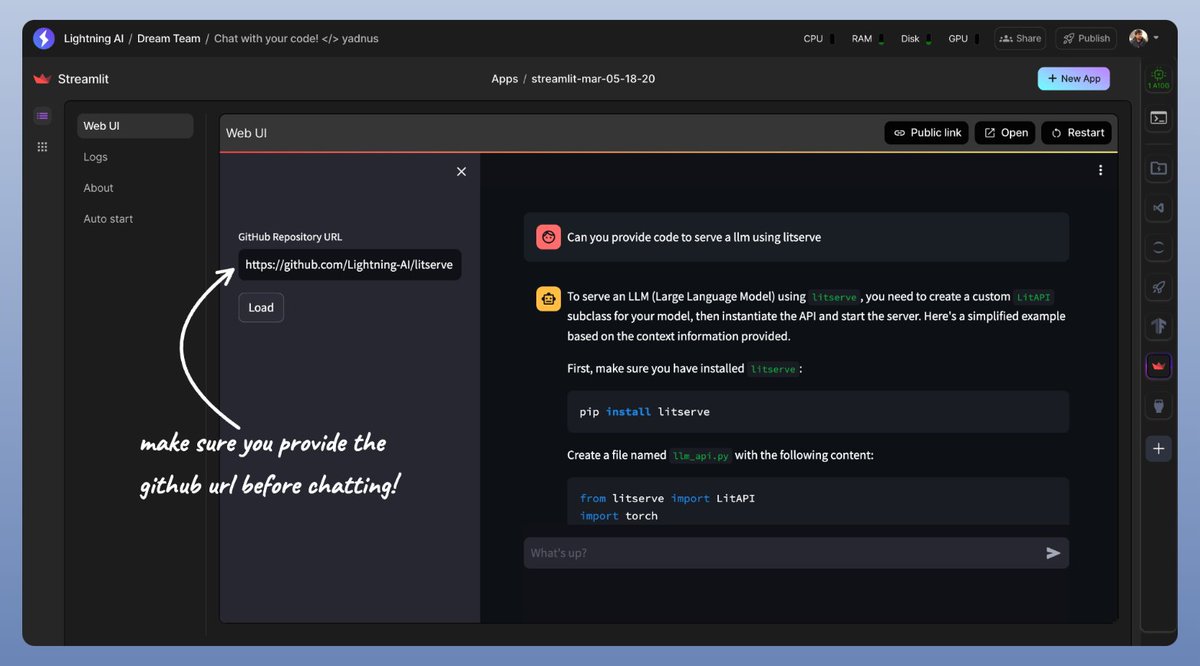
7️⃣ The Chat interface
We create a UI using Streamlit to provide a chat interface for our RAG application.
The code for this & all we discussed so far is shared in the next tweet!
Check this out👇
We create a UI using Streamlit to provide a chat interface for our RAG application.
The code for this & all we discussed so far is shared in the next tweet!
Check this out👇
I used @LightningAI⚡️ Studios for developing this application!
You will find all the code & everything you need to run it!
Clone the studio now & take it for a spin...👇
lightning.ai
You will find all the code & everything you need to run it!
Clone the studio now & take it for a spin...👇
lightning.ai
If you interested in:
- Python 🐍
- ML/MLOps 🛠
- CV/NLP 🗣
- LLMs 🧠
- AI Engineering ⚙️
Find me → @akshay_pachaar ✔️
Everyday, I share tutorials on above topics!
Cheers! 🥂
- Python 🐍
- ML/MLOps 🛠
- CV/NLP 🗣
- LLMs 🧠
- AI Engineering ⚙️
Find me → @akshay_pachaar ✔️
Everyday, I share tutorials on above topics!
Cheers! 🥂
Loading suggestions...